Apple closes above $2T the day after tech industry sell-off
Apple on Friday regained a market valuation above $2 trillion after briefly losing it Thursday in a large-scale tech industry stock sell-off.
The AAPL share price closed at $120.96 at end of trading, up 0.066% on the day. Apple’s stock price hit a low of $111.17 in intra-day trading on Sept. 4, representing a 7.44% bleed since trading began.
Apple’s reclaiming of a $2 trillion valuation comes the day after it bled nearly $180 billion in market capitalization. On Thursday, Apple’s share price was down nearly 8% in intra-day trading amid a broad sell-off of tech stocks. It marked the worst day of trading for technology stocks since a coronavirus plunge in March, in which Apple saw a 12.5% drop.
According to MarketWatch, Apple’s plunge was the worst one-day loss in value for any company ever. Tech stocks led the self-off, and all three major indices showed major losses across other segments.
The dip Thursday follows several months of steady growth for the Cupertino tech company and several quarters of better-than-expected earnings. Apple became the first U.S. company to hit a $2 trillion valuation on Aug. 19, 2020. Apple’s share price is still up nearly 113% since a coronavirus-sparked low on March 23.
Apple’s current share price has been readjusted due to the recently completed four-for-one stock split on Aug. 31. The split gave each shareholder three additional shares for every one held, each at 25% of their original value.
Posted by: xSicKxBot - 09-05-2020, 07:31 AM - Forum: Lounge
- No Replies
This Week at Bungie – 9/3/20
This week at Bungie, it’s time to go get your titles.
We are well into the final week of Solstice of Heroes. Finish upgrading your armor before the event ends with the weekly reset on September 8. If you still need time to finish any of the objectives required to unlock the white glows, you can continue to knock those out even after the event is over.
Last week, we began to serve up new information on Stasis, starting with a new trailer. This week, we dug deeper into the Warlock Shadebinder and Titan Behemoth subclasses. There’s lots of good info in there about how Stasis is going to shake up combat in Destiny this fall. You may be wondering “What about Hunters?” Don’t worry – we are saving the best for last and you can read more about the Hunter Revenant subclass on September 8.
[Editor’s Note: Hey, Guardians. DeeJ here. Hunters may be last but they are not the best. We all know that all Guardians are created equal, assuming they are Warlocks.]
Triumphs Evolved
A few weeks ago, we shared more details about the Destiny Content Vault (DCV). We mentioned that you should start finishing off any Triumphs associated with content that is going into the Vault, but we didn’t go into details on how Seals and Titles would be affected. Separate from the DCV, we have plans to rework Triumphs all up and the Destiny Dev Team is here to share what they have planned.
Destiny Dev Team: Hello Destiny Community! We’re sure you’ve a ton of questions about Triumphs, particularity what happens to Triumphs once the content associated with them goes into the Destiny Content Vault. We’re updating how Triumphs will work going forward and want to walk you through how everything will look starting on November 10.
First, the goals!
Provide pursuits for all players.
Provide seasonal pursuits that match each Season of Destiny.
Provide destination pursuits for each new destination in Destiny.
Ensure everyone can show off their accomplishments.
Make all Triumphs have a score.
Make sure it’s clear what happens when content goes into the DCV.
Hopefully this write-up will answer your questions and lead to more discussion going forward.
An Evolving World
We touched on this subject the last time we talked to you about Triumphs. It’s critical to us that there are challenging Triumphs each Season and that only the most dedicated among you earn them all and hit the max score. (Here’s looking at you, iLulu.) At the same time, it’s also important that even the freshest Kinderguardian has the same chance to climb that mountain, no matter when they join the Destiny Community. Given, of course, that they put in the time and dedication for the content available to them.
For Shadowkeep and the base Destiny 2 experience, we tried to do this by combing through each Triumph individually, looking to see if it was still achievable, and then taking the score away from any Triumph that could no longer be earned. While it achieved most of our goals, it didn’t give you the ability to plan your attack to earn absolutely everything you wanted to and there wasn’t a good predictor on when things would go away.
For us to hit our goals, we knew that we needed to make some changes with how we are delivering Triumphs to players.
An Evolving Set of Triumphs for an Evolving World
What are we going to do?
Reorganize Triumphs to make them more compatible with our evolving world.
Create a Career Score that that represents the totality of what you’ve done in Destiny 2.
Create an Active Score, for the things that can be done now in the live game.
Focus our generic Triumphs into a leaner lifetime set, that covers the basics of being a Guardian.
Organize the rest of Triumphs around Seasons and destinations.
Track the history of what you’ve done as Legacy Triumphs.
Beyond Light will include a set of Triumphs that targets this year’s destination, Europa.
These Triumphs all have score.
They include the content on the destination (story missions, strikes, raid, Lost Sectors, and, yes, even some secrets).
There will be a Set of Triumphs that targets Season 12’s content.
The Triumphs will all have score.
We like the pattern of rewarding Seasonal currency for completing these Triumphs, and will continue to do so.
These Triumphs will stick around for as long as the Seasonal content does.
While active, seasonal Triumph score will still contribute to your active score.
When the Seasonal content is no longer available, the Seasonal set moves under Legacy Triumphs.
They no longer contribute to your Active Score.
They will still contribute to your Career Score.
The Lifetime set will be about teaching players all the things you can do in Destiny.
These will mostly target new players as they join our ranks.
They will focus on helping players explore Destiny’s sandbox and game modes.
If new systems are added to the game, this pool will grow.
(Sharp eyes will notice that we’ve moved Medals, Catalysts, and Lore off into their own sections, but more on that later.)
You keep saying ‘Legacy Triumphs.’ What is that?
For this year:
In game, we’ll remember your total Triumph score and display it on the updated Triumphs screen.
In game, we’ll remember every Triumph that contributed to a Seal and display them under Legacy Triumphs.
In game, we’ll let you browse through the Seals under Legacy Triumphs.
You’ll be able to equip the Titles you’ve earned going forward.
We’ll have a demonstration set targeting the Leviathan that shows how this works.
We’ve stored the completion state of every Triumph you’ve finished (or not) even for Triumphs no longer displayed in game. Work is ongoing to flesh out the categories those Triumphs live in.
Going forward, when content moves to the Destiny Content Vault, Triumph sets that are no longer earnable will become Legacy Triumphs.
Legacy Triumphs will contribute to your Career Score, but not your Active Score.
What about the things that can still be earned after November 10?
We’ll break out the Luna, Dreaming City, Tangled Shore, EDZ, and Nessus Triumphs into their own destination sets, and keep them available and contributing to your Active Triumph score.
We’ll move your progress into any Triumph that still exists.
In some cases, we’ve reduced the size of the Triumph sets to make this easier to understand for new players (Gambit, Crucible, Vanguard).
In other cases, we’ve increased the size of the set and added rewards (Lifetime set).
Does this mean some Seals may no longer be earnable?
Yes. With a bunch of content going into the DCV, there are Seals and their corresponding Titles that will no longer be earnable when Beyond Light is released.
Earnable in Beyond Light:
Crucible – Unbroken
Gambit – Dredgen
Flawless – Flawless
Conqueror – Conqueror
Shadowkeep – Harbinger
Garden of Salvation – Enlightened
The Dreaming City – Cursebreaker
The Last Wish – Rivensbane
Beyond Light – [redacted]
Season 12 – [redacted]
[redacted]
Moved to Legacy in Beyond Light (and no longer earnable):
A Shadow Rises – Shadow
Reckoner – Reckoner
Black Armory – Blacksmith
Destinations – Wayfarer
Lore – Chronicler
Season 5 through Season 11 titles
What were you saying about medals, catalysts, and lore moving?
Medals and catalysts will now have their own sections to make them more visible and easier to keep track of.
Lore will also have its own section and a brand-new UI to show off the book covers and improve the reading experience.
All lore up through Season of Arrivals will be available to all players. The game will still show how many of the pages you earned, but everyone will be able to read everything now.
So if you want to see X out of X pages earned – go earn any missing lore pages before the end of the season as well.
New lore will be unlocked through Triumphs going forward and eventually made available to everyone when they become Legacy Triumphs.
Well, there you go. We know it’s a lot to absorb, but we think this moves us much closer to our goals of providing interesting and compelling pursuits Season over Season and year over year, while letting everyone participate. Please share any questions or feedback you have on the new Triumph plan in all the usual places.
Iron Banner
Lord Saladin returns to the Tower once again next week, encouraging Guardians to don their most powerful gear and show their might. Powerful rewards await for all who enter Iron Banner.
Iron Banner and Bonus Valor
Begins: 10 AM PDT on September 8
Ends: 10 AM PDT on September 15
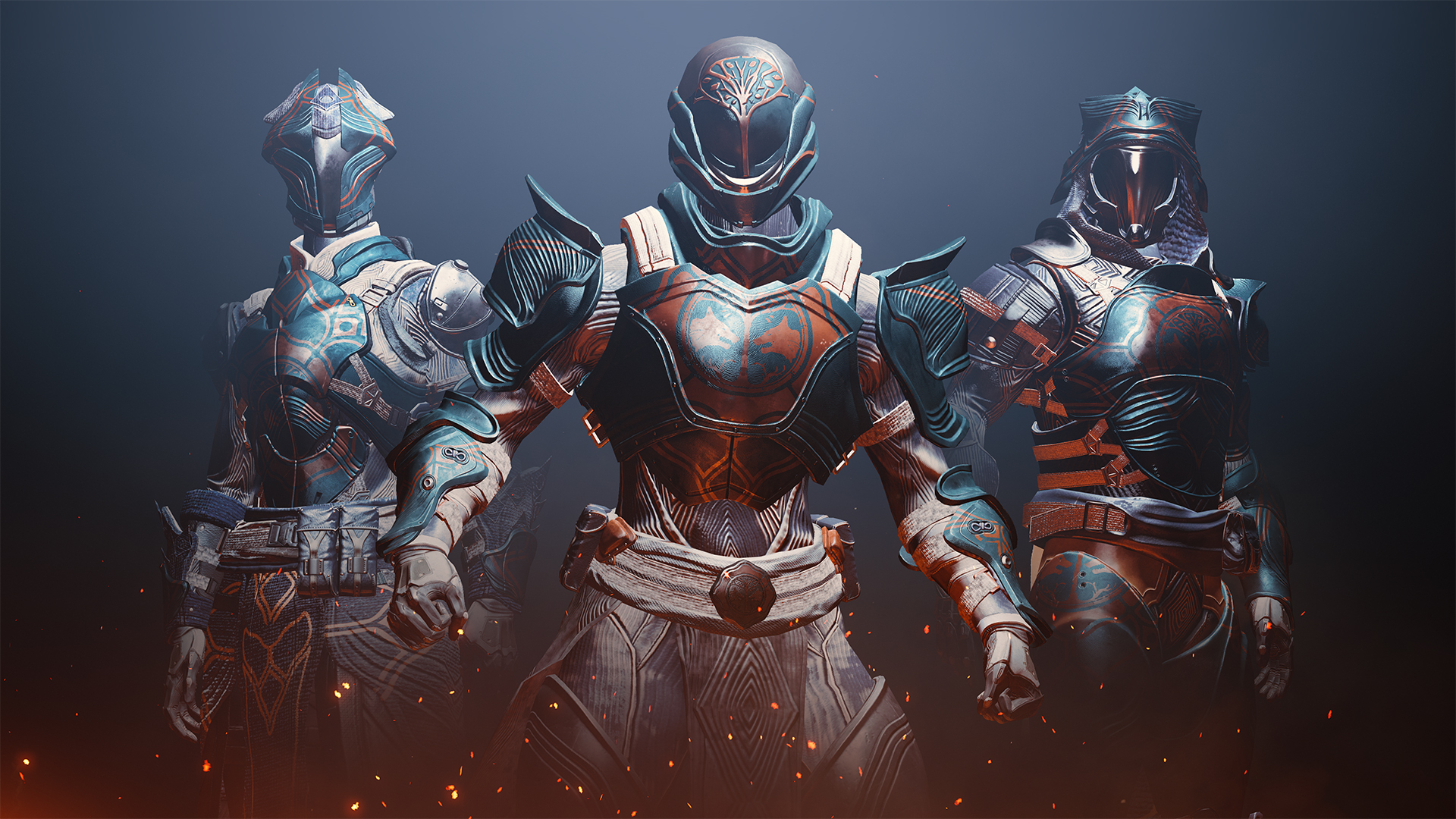
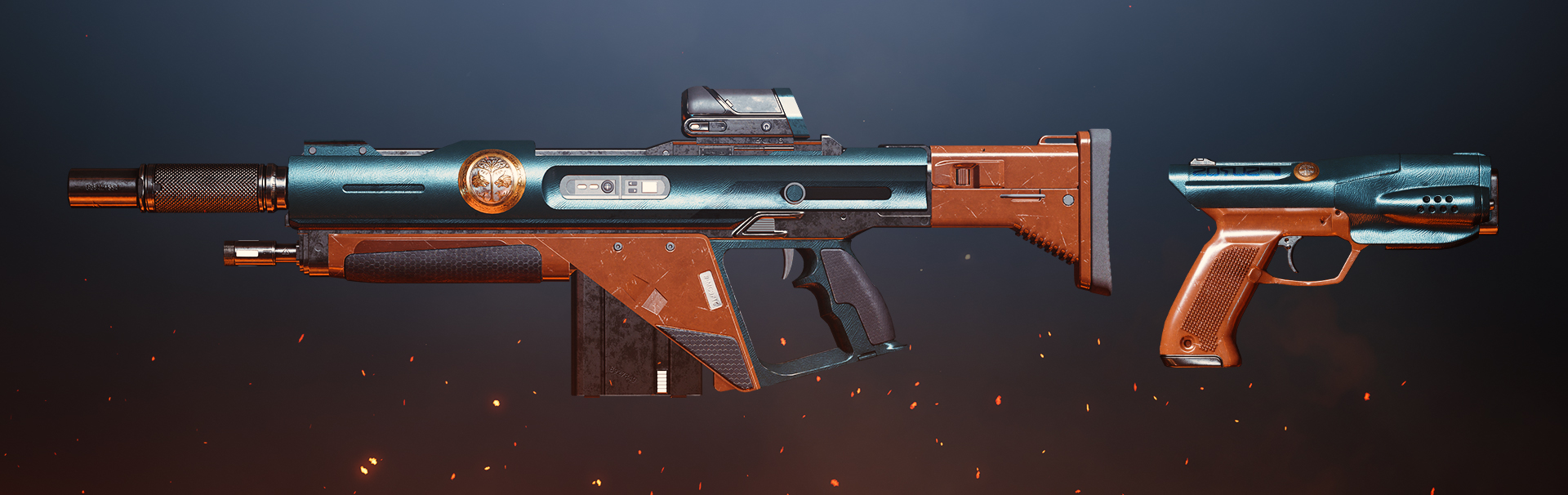
Just in case you have recently joined us or just need a refresher, Iron Banner is a weeklong Crucible event with a specialized version of Control. If you can capture all three zones you will create a Power Play, allowing for your team to hunt your enemies who will be locked out from capturing zones for a period. Here is a look at some of the weapons and armor available to earn during the event.
Better, Faster, Transfer
Have you ever been trying to pull a specific weapon from your vault in the middle of a strike and had to wait precious seconds for it to trasmat into your inventory? With the latest improvements transferring items with the companion app or third-party apps is now roughly 10x faster than before! If you don’t know what I’m talking about, go download the Destiny 2 Companion App on the App Store or Google Play Store.
For those of you who are curious about the technical underpinnings, the BNet team has refactored the way that key components of the API flow are processed on the backend and removed affinization requirements from API features. This allowed a new approach to load-balancing and accommodating a major behavior change in Chrome where v84+ installs no longer respected same-site cookies. Transfer Item is the first function to be revised to take advantage of this. Look forward to significant new features from the API team as part of this work.
Title Bout
This is their report.
UPDATE 2.9.2
On Tuesday, September 8, Update 2.9.2 will be available to players. Below is a timeline of Destiny 2 maintenance for Update 2.9.2:
9 AM PDT (1600 UTC): Destiny 2 service maintenance begins.
9:45 AM PDT (1645 UTC): Destiny 2 is taken offline on all platforms.
10 AM PDT (1700 UTC): Destiny 2 Update 2.9.2 begins rolling out across all platforms and regions. Players will be able to log back into Destiny 2 at 10:01 AM PDT.
10:01 AM PDT (1701 UTC): Destiny 2 is back online on all platforms.
12 PM PDT (1900 UTC): Destiny 2 service maintenance concludes.
SEALED
With the start of Year 4 on November 10, certain Seals and their associated Titles will no longer be available to earn. Players will need to be sure to unlock and equip the following Titles before this date to guarantee that the completions are recorded on their accounts:
A Shadow Rises – Shadow
Reckoner – Reckoner
Black Armory – Blacksmith
Destinations – Wayfarer
Lore – Chronicler
Arrivals – Forerunner
SOLSTICE BRIGHT DUST
Players impacted by the Week 2 Solstice of Heroes bounties issue were granted their missing Bright Dust on Monday, August 31. However, there was a delay in the accompanying in-game message for many players. Players who see this message will have already had their missing Bright Dust added to their account.
KNOWN ISSUES
While we continue investigating various known issues, here is a list of the latest issues that were reported to us in our #Help Forum:
Player can’t type Korean Hangul characters into the game chat.
The Light and Dark Solstice weekly bounty says it requires elemental final blows in Gambit, when it actually requires elemental final blows against opposing Guardians in Gambit.
The Omega Mechanos Hunter Mask is missing its gold accents.
For a full list of emergent issues in Destiny 2, players can review our Known Issues article. Players who observe other issues should report them to our #Help forum.
Liquid Butter Faucet
It’s time for Movie of the Week. This is your chance to show off. Big plays, musical prowess, shot-for-shot remakes of famous films, the choices are endless. Just create a cool video and post it where we can see it. These Guardians did.
Movie of The Week: Encounter
Honorable Mention: Legacy
Remember to post a link to your Bungie.net profile in your video’s description if you won. We will send out a special emblem as a reward.
Have you finished your Majestic and Magnificent sets yet? You still have a few days to wrap up and Solstice of Heroes related tasks before the summer event comes to a close. I got my purple glows on because I’m almost always rocking Nightstalker. That may change soon because that Revenant subclass is looking hot… err... cold.
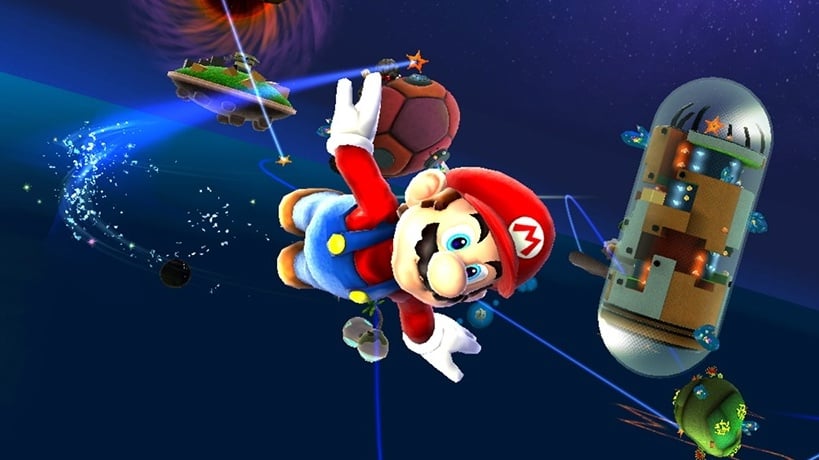
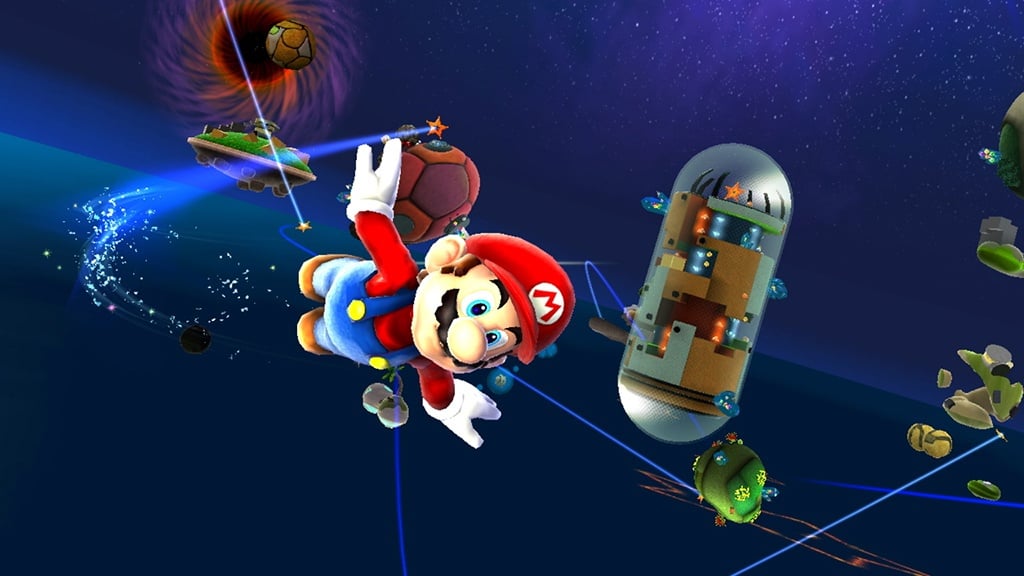
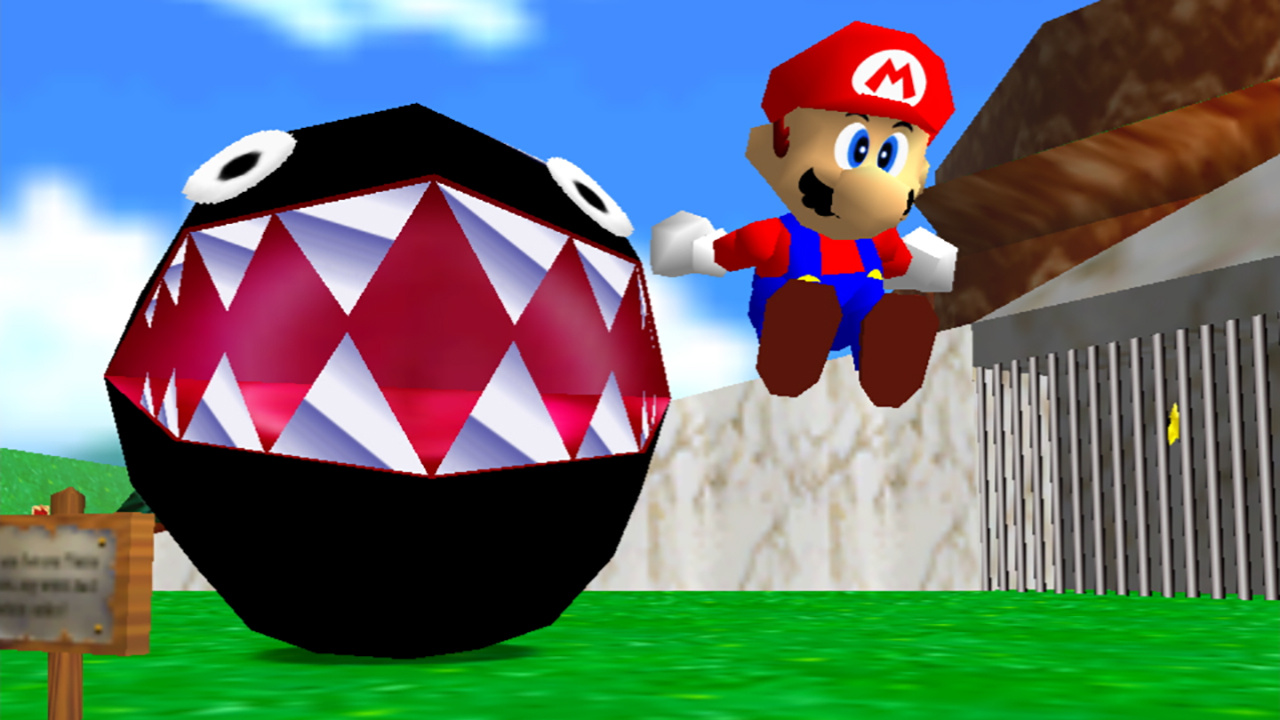
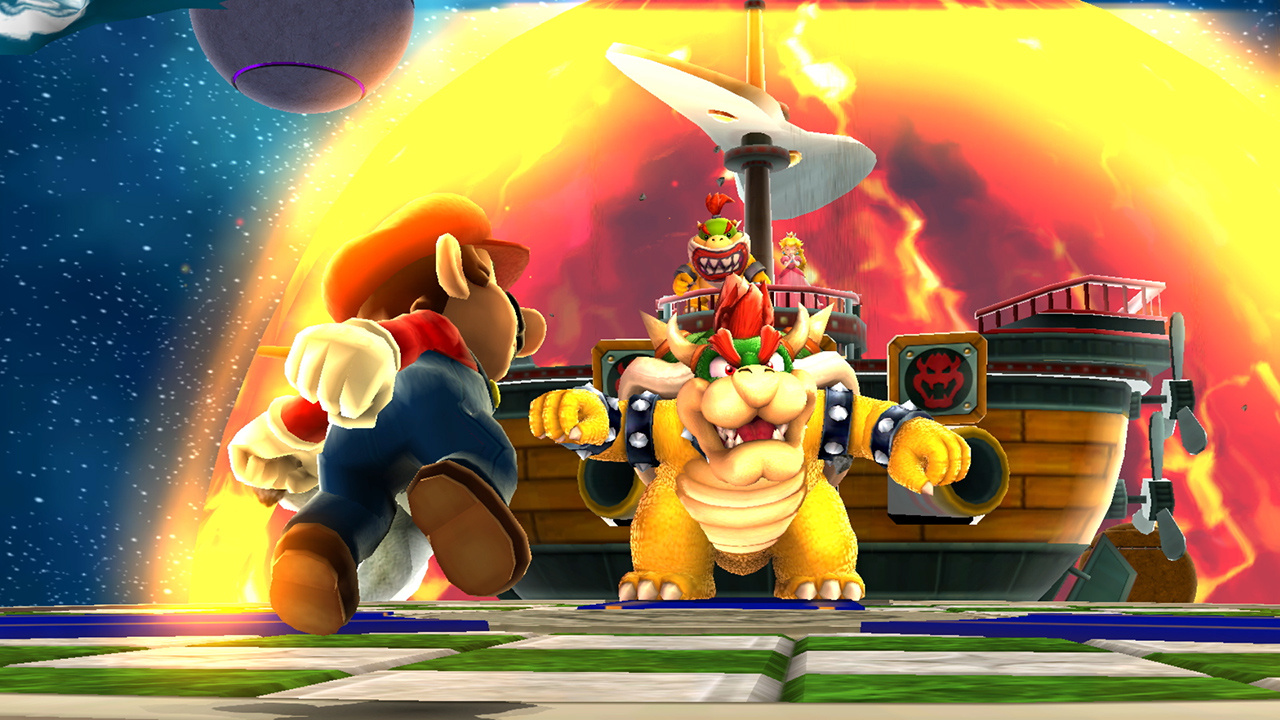
Right now, it’s mostly because everyone wants to know how motion controls in this game work on the Nintendo Switch across docked, tabletop and handheld play.
Polygon reached out to an official Nintendo representative, who shared a few extra details:
“Super Mario Galaxy is supported in TV, Tabletop and Handheld Modes. In TV and Tabletop modes, motion controls are required for pointer functionality. In Handheld Mode, pointer functionality has been adapted to use Touch Screen.”
Nintendo confirmed to the same source All-Stars would support the Switch Pro Controller. The official game page also provides some basic information about the motion controls and pointer functionality in Galaxy:
Gently shake a Joy-Con™ controller to activate Mario’s Spin ability or pass a Joy-Con controller to a friend for some extra help in Co-Star Mode.
Are you looking forward to revisiting this 2007 Wii title when All-Stars releases later this month? Tell us down below.
The biggest announcement of the recent Super Mario Bros. 35th Anniversary Direct was the reveal of Super Mario 3D All-Stars. As this is a collection, of three old games, obviously we’re curious to know how they’ll look on modern displays.
Japanese website Games Talk has rounded up the resolutions of all three in both docked and handheld mode. Super Mario 64 obviously has the lowest display, while both Super Mario Sunshine and Super Mario Galaxy run at 1080p docked.
Super Mario 64 Docked mode: 960 × 720 pixels, Handheld mode: 960 × 720 pixels
Super Mario Sunshine Docked mode: 1920 × 1080 pixels, Handheld mode: 1280 × 720 pixels
Super Mario Galaxy Docked mode: Up to 1920 x 1080 pixels, Handheld mode: Up to 1280 x 720 pixels
Xbox Insider Release Notes – Delta and Omega (2008.200824-1730)
Hey Xbox Insiders! We have a new Xbox One update preview coming to the Delta and Omega ring. It’s important we note that some updates made in these preview OS builds include background improvements that ensure a quality and stable build for Xbox One.
We continue to post these release notes, even when the noticeable changes to the UI are minimal, so you’re aware when updates are coming to your device. Details can be found below!
System Update Details:
OS version released: RS_XBOX_RELEASE_2008\19041.4162.200824-1730
Available: 6 p.m. PT – August 25, 2020
Mandatory: 3 a.m. PT – August 26, 2020
Fixes Implemented
Thanks to the hard work of Xbox engineers, we are happy to announce the following fixes have been implemented for this build:
System
Additional fixes for users playing compatible titles with mouse and keyboard causing the console to shut down unexpectedly.
Note: If you see this behavior on the console after the update, disconnect the mouse and keyboard and play the title normally. Then, reconnect both and try the title again. Report the behavior on the console if it shuts down again and is rebooted.
Known Issues
We understand some issues have been listed in previous Xbox Insider Release Notes. These items aren’t being ignored, but it will take Xbox engineers more time to find a solution.
We’re still tracking these known issues:
Audio
Users who have Dolby Atmos enabled and console display settings set to 120hz with 36 bits per pixel (12-bit) are experiencing loss of Dolby Atmos audio in some situations.
Workaround: Disable 120hz or set Video Fidelity to 30 bits per pixel (10-bit) or lower.
Some users have reported that Dolby Atmos for Headphones audio setting changes when the console is rebooted/updated.
Note: If you attempt to set the audio to Dolby Atmos for Headphones and see a message advising you to launch the Dolby Access App, please file feedback before launching the app.
Guide
Some users have reported that the audio mixer cannot be used to adjust chat/game audio levels.
My Games & Apps
Users have reported seeing black tiles instead of game artwork when browsing their collection.
Note: We are still investigating the issue, please report the issue again from the console if you have done so with a prior update and are still seeing this behavior.
Some titles in collection may appear with a “trial” tag incorrectly in collection.
New Store Experience
Some titles may display a “Not currently available” message on the product page and will be unavailable to purchase
Note: Users can use the Microsoft Store on the web or Windows to complete purchases for these items.
Users will not be able to use the “gifting” option for both Xbox 360 and original Xbox titles at this time.
Users will not be able to use the “Build a bundle” functionality at this time
Workaround: Create the bundle via the Microsoft Store on the web or Windows.
Xbox Design Lab customization is not currently supported.
Workaround: Use the Microsoft Store on the web or Windows to purchase.
Profile Color
Sometimes users may encounter the incorrect Profile color when powering on the console.
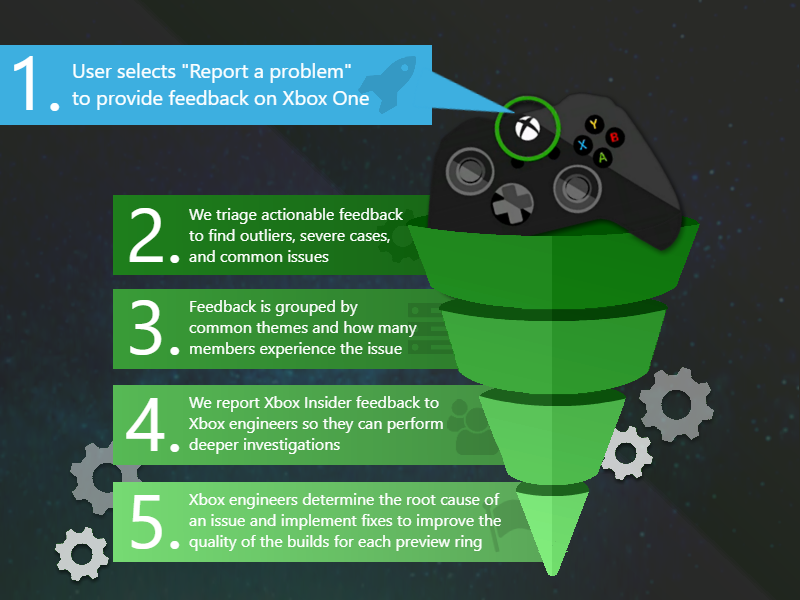
Make sure to use Report a problem to keep us informed of your issue. We may not be able to respond to everyone, but the data we’ll gather is crucial to finding a resolution.
How to Get Xbox Insider Support
If you’re an Xbox Insider looking for support, please reach out to the community subreddit. Official Xbox staff, moderators, and fellow Xbox Insiders are there to help with your concerns.
When posting to the subreddit, please look through most recent posts to see if your issue has already been posted or addressed. We always recommend adding to threads with the same issue before posting a brand new one. This helps us support you the best we can! Don’t forget to use “Report a problem” before posting—the information shared in both places helps us understand your issue better.
Thank you to every Xbox Insider in the subreddit today. We love that it has become such a friendly and community-driven hub of conversation and support.
For more information regarding the Xbox Insider Program follow us on Twitter. Keep an eye on future Xbox Insider Release Notes for more information regarding your Xbox One Update Preview ring!
Posted by: xSicKxBot - 09-05-2020, 07:29 AM - Forum: Lounge
- No Replies
Tony Hawk Skates The Real Warehouse Map Just Like In The Game
There is no level more iconic in the Tony Hawk's Pro Skater franchise than the Warehouse. Its simplicity, great skating options for vert and street styles, and grimy aesthetic helped to make it an instant classic in the original game, but did you know it's actually real?
Tony Hawk had a chance to skate a real-life version of the Warehouse to celebrate the launch of Tony Hawk's Pro Skater 1 + 2, pulling off some impressive tricks but failing to find any of the S-K-A-T-E letters we're sure are hiding somewhere.
He gets some serious air when hitting the ramp located on the far side of the Warehouse, and the trailer cuts between footage of the video game Tony and the real Tony doing the same tricks. It's particularly impressive now that Hawk is 52 years old.
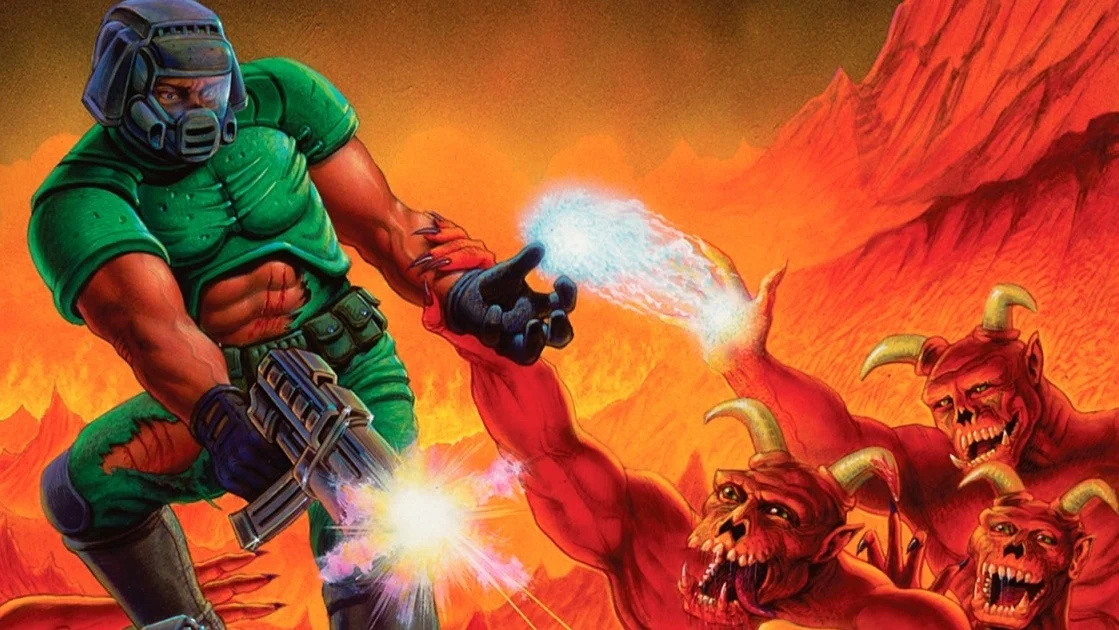
Hell Yeah! New DOOM And DOOM II Update Adds Gyro Aiming And Widescreen Support
Bethesda just keeps making the original DOOM and its sequel DOOM II better and better with regular little updates. The latest one is perhaps the best yet – slighting improving the game, making some changes here and there, and even fixing a few things.
The highlight in this particular update is the addition of gyro aiming and widescreen support. Yep, you can now move your controller about to aim and play the game at 16:9 for the first time ever in an official port. You can even play Add-Ons like this!
Here are the full patch notes from the Slayers Club page, which cover all platforms – including Nintendo’s system.
New Additions
PC: Added Steam Support
Anyone who already owns either The Ultimate DOOM or DOOM II: Hell On Earth on Steam will automatically receive the new re-releases in their libraries. The original DOS versions are still available as a separate launch option from within Steam, and the original DOS IWAD files are in their original location on disk. Please note: if you have modified the files in the Steam install folder directly, some files may be overwritten. You should not modify files in the Steam folder directly, as this may cause issues. Anyone who purchases Steam copies of DOOM or DOOM II: Hell On Earth in the future; it will default to the re-releases but can access the original DOS versions as a separate launch option from within Steam.
Added widescreen rendering support
For the first time in an official port, the original DOOM renderer has been modified to natively render 16:9 without any letterboxing. The FOV has been increased to reveal more image on the side instead of chopping off the top and bottom. All new 16:9 versions of the titlescreen, intermission, and ending screens have been added. Many of our Add-Ons have also had widescreen support added, so download the latest version from the Add-Ons listing to check it out!
DeHackEd support
The engine now can load DeHackEd patches, a popular tool for the original release that modified the game in order to support more advanced behavior. Add-Ons can now use new weapons, change enemy behavior, and more!
Deathmatch 3.0 in split-screen multiplayer
Split screen deathmatch has been changed to what is commonly known in the community as “Deathmatch 3.0.” Weapons will stay in the world after being picked up in order to account for the extreme lethality of DOOM’s weapons, and the weakness of the starting pistol, while all items and ammo respawn on a 30 second timer. Invulnerability and Invisibility will never respawn after being picked up for the first time.
Added optional crosshair
A crosshair, which can be disabled in Gameplay Options, will also change colors when targeting an enemy. This means less guessing if firing a rocket is going to aim at the enemy above you, or fire directly into your face, bringing about an untimely death. Enabling the crosshair may also help reduce motion sickness by giving you a fixed point to focus on.
PC/Switch/PS4: Added Gyro Aim
Gyro Aim, enabled by default, allows you to look left and right by either turning the controller, or rolling the controller left or right. This allows for an additional amount of precision by enabling fine corrections to turning in order to track moving enemies, while still using the right analog stick for large turning movements. Gyro Aim can be set to either use the controller’s yaw, or pitch, or disabled entirely, along with a separate sensitivity slider. Please note: On the PC version, Gyro Aiming is only supported when using a DualShock 4 controller.
iOS: New touch controls
A new, more precise touch control scheme has been implemented. The previous system that required gestures and double tapping has been changed in favor of onscreen buttons. Looking around while holding down the fire button lets you track enemies and fire during protracted encounters, while momentum on turning has been disabled for better precision and more predictable turns. A fire button has been added to both sides of the screen allowing you to better react to being unexpectedly hit from behind.
iOS: Added controller support
If touch controls aren’t your thing, we now support MFi controllers fully. PS4 and Xbox One controllers that are supported by iOS 13 will also now work for input and have the same controller mappings as all the other platforms.
Android/iOS/PC: Added FPS Limiter
On iOS, 30, 60, and 120FPS has been added for devices that have 120hz refresh rate screens. On Android, 30, 60, 90 and 120FPS are available. Finally on PC, you can set it to 30, 60, 120, 144, 165, 240, and unlimited FPS.
Added millisecond accurate timer
A millisecond accurate timer has been added to the minimap, and to the end of level intermission, for anyone looking to speedrun levels.
PC: Keyboard entry of cheat codes
iddqd, idkfa, idclip, and all of their friends can now be entered from the keyboard, in addition to the Cheats menu, as in the original 1993 release.
Added secret area notification
A message and notification is now displayed when you enter into a secret area for the first time.
Added Ultra-Violence+ Skill Level
Ultra-Violence+ is a twist on our existing Ultra-Violence skill level. Deathmatch/Co-op only weapons will spawn in, and enemies are fast like in Nightmare mode. In DOOM II, this means you get the BFG and Rocket Launcher right from the start, but in Final DOOM: Plutonia you’ll have a Spider Mastermind staring you down as soon as you spawn in on the first level. It cuts both ways.
BTSX Episode 1 and Episode 2 are now available in both games
Previously available for DOOM II, both parts of this amazing community Add-On set are now available for owners of either title.
Fixes
Nightmare behavior has been fully restored to the original 1993 release by making enemies move twice as fast.
In honor of double speed enemies returning, the warning when selecting Nightmare difficulty has been restored.
Resolved an issue where lighting in split screen was not accurate compared to single player.
Improved behavior of additional lighting option to increase light levels more accurately across walls and floors.
PC/Switch: Reduced input latency by disabling rendering extra frames in advance.
Reduced delay in starting certain MIDI music in Add-On levels.
Resolved an issue from the original 1993 release where the Super Shotgun blast will linger for an extra frame.
Resolved an issue from the original 1993 release where the Former Human would not light up when firing.
Resolved a rendering issue from the original 1993 release where certain textures wouldn’t tile vertically, commonly known as the “Tutti-Frutti Effect”
Changes
Restored original attract loop to the original 1993 release. The original title screen and credits screen are now visible between demo playback.
Restored cut message from the original 1993 release when picking up a medkit, while having with less than 25 health.
Restored cut “ouch face” from the original 1993 release for when a lot of damage is taken in a single hit.
Intermission screen is now shown after boss levels, instead of cutting immediately to the ending screens in order to see level completion stats and time. Par times have been added to E1M8, E2M8, and E3M8.
Random SFX pitch is now disabled for chainsaw sounds to allow for better looping. Random pitch variation has been reduced for other sounds.
Pickup sounds and player voices will no longer interrupt weapon firing sounds.
PS4/XB1/PC: VSync option in Video Settings to minimize input latency, at the cost of potential screen tearing.
Add-Ons will now use their intended custom graphics during intermission and level loading screens.
Latest Add-Ons appear on the top of the Downloaded list.
Have you tried out this new update yet? Notice anything else? Comment below.
Immortals: Fenyx Rising Release Date And New Details Leak
Ubisoft's Immortals: Fenyx Rising--the game formerly known as Gods & Monsters--will apparently launch on December 3 according to an early Microsoft Store listing. The studio is set to re-announce the game and delve into more details during its next Ubisoft Forward event on September 10, but it looks like Microsoft has jumped the gun.
The listing, which was spotted by Twitter user Wario64, has since been removed, but not before providing us with more information (and some screenshots) on the next project from Assassin's Creed: Odyssey studio Ubisoft Quebec.
"Immortals: Fenyx Rising brings grand mythological adventure to life," read the store page's description. "Play as Fenyx, on a quest to save the Greek gods from a dark curse. Wield the powers of the gods to battle powerful mythological beasts in the air or on the ground, and solve ancient puzzles. The fate of the world is at stake--you are the gods' last hope."
How to Access an Object Attribute Given the Attribute Name as a String?
You may know the following problem: You have an object’s attribute name as a string—say, you’ve read it from a file—and you want to access the attribute with the given name. But you cannot use the syntax object."attribute" because the dot notation only allows for name-access like this: object.attribute. How do you resolve this problem? This article will show you how!
Quick Solution: There are four ways to access the object attribute in Python via the built-in functions:
hasattr()— checks whether an attribute exists or not,
setattr()— is used for setting an attribute, if the attribute does not exist, it will be created,
delattr()— deletes the attribute.
What Are Attributes Anyways?
We callattributeeverything is contained inside an object in Python. There is no real distinguishing between plain data and functions—both are objects. Thus, everything you’ll learn about attributes also applies to methods.
In this article, I will use the following class to show how to access the attributes. It represents a gun of some name and its caliber. In addition, it provides a get_entry method which returns a string representation of the weapon.
class Gun: def __init__(self, name, caliber): self.name = name self.caliber = caliber
The Getattr() Function
As mentioned above, the getattr() function allows you to access the class object attribute. Its syntax is getattr(object, attribute, default), the first two parameters are required, and the third is optional.
object – an object of the class which has been created,
attribute – the name of the attribute from which you want to get the value,
default – message that will be printed out if the attribute does not exist.
ak47 = Gun(name='Ak-47', caliber='7,62 mm') print(getattr(ak47, 'caliber', f'the attribute named {"caliber"} does not exist')) print(getattr(ak47, 'color', f'the attribute named {"color"} does not exist'))
Output:
7,62 mm

the attribute named color does not exist
You first create a Gun class object. Second, you get its caliber and color. Since your object does not have an attribute called color, you only received its caliber and information that the attribute named color does not exist.
You can run this code in our interactive Python shell:
Exercise: Change the output to also print the name of the object.
The Hasattr() Function
The hasattr() function checks if the attribute exists and prints out the bool value: True if so or False if it does not exist. This function has only two parameters that need to be specified: object and attribute.
attributes = ['name', 'color', 'caliber', 'designer'] for attribute in attributes: print(hasattr(ak47, attribute))
Output:
True

False

True

False
As we can see, the hasattr() function checked whether our object named ak47 has the attributes we included in the list and returned True and False values to us. This function is especially useful when we have written many lines of code and our project is huge, then we can quickly and easily check if an object has some attribute or even several attributes.
The Setattr() Function
The setattr() function sets an attribute. Moreover, if the attribute does not exist, it will be created. There are three parameters, and all are required:
object – object of your class,
attribute – name of the attribute you want to set,
value – the value you want to give to the attribute.
As you can see, the function fulfilled its role. At the beginning, we checked if the attribute named mass exists and at that time it did not exist yet (False), then we set the value for this attribute and as we can see, after using setattr(), the object obtained a new attribute (True).
The Delattr() Function
The delattr() function deletes a given attribute from a specific object. Just like with hasattr(), the parameters are two – object and attribute.
ak47 = Gun('ak47', '7,62 mm') attributes = ['name', 'caliber'] for attribute in attributes: print(hasattr(ak47, attribute)) for attribute in attributes: delattr(ak47, attribute) print('***') for attribute in attributes: print(hasattr(ak47, attribute))
Output:
True

True

***

False

False
At first, we created a Gun class object and a list with attribute names. Later we checked if the object has these attributes (True, True), then we used delattr() in the for loop and checked again (False, False).
Other Methods To Access Object Attribute:
Finally, you must also provide another way to check/change the value of the attribute or delete the attribute completely.
You can also access the attribute using dotted-syntax:
This way it also works, but remember that it can cause Error when a given attribute does not exist (this cannot be prevented as easily as with the built-in functions) and additionally we can’t check the value of several objects at once using the loop, so we have to use the getattr() function.
You can delete an attribute using the delfunction:
ak47 = Gun('ak47', '7,62 mm') attributes = ['name', 'caliber'] for attribute in attributes: print(hasattr(ak47, attribute)) del ak47.name

del ak47.caliber print('***') for attribute in attributes: print(hasattr(ak47, attribute))
Output:
True

True

***

False

False
As we can see, we have managed to delete, but we have to call the attributes one by one, so if we want to delete more attributes, it is better to use the delattr() function and the for loop.
Summary
We started with an explanation of what the attributes in Python are, and then the functions getattr(), hasattr(), setattr() and delattr() were described. Finally, we presented other methods with the help of which you can see/change the value of an attribute and also remove an attribute completely.
I hope this article has answered all your questions about how to access an object attribute.
?Waifu Memories Bundle, Control on Steam and NEW releases
Waifu Memories Bundle | 12 Adult Steam Games | 85% OFF
[www.indiegala.com] (Adult 18+) Time to make some new hot memories with a dozen waifu filled Steam titles, some having Steam Trading Cards and others having an "Administrator Mode". "Harden" your decision fast, for the 24h price won't last!






 © Nintendo
 © Nintendo
 © Nintendo