Posted by: xSicKxBot - 07-24-2020, 02:13 AM - Forum: Lounge
- No Replies
Steam Discounts First-Party Xbox Games, Halo Infinite Available To Wishlist
The Xbox Series X games showcase is now over, and if you're in the mood to catch up on some of Xbox's best series and games, then now is a great time to do so. Steam has discounted a number of Xbox Game Studios titles, including Ori and the Will of the Wisps for $24 and Age of Empires II: Definitive Edition for $15. Unfortunately, the Xbox games sale is a quick one, ending tomorrow, July 24, at 10 AM PT / 1 PM ET.
A new Fable was announced during the Xbox Series X livestream, which makes it the perfect time to play the original classic. Fable Anniversary is currently $8.74 on Steam and features remastered audio and visuals. It's a fantastic action-adventure RPG that sees you making choices and determining whether you're for good or for evil.
Ubisoft’s Second E3-Style Broadcast Will Take Place This September
A few weeks ago, third-party video game giant Ubisoft hosted its “E3-style” showcase titled Ubisoft Forward. During the event, the company revealed it would be hosting another broadcast in the near future.
According to an update Ubisoft CEO, Yves Guillemot, this second event will take place at some point in September. No exact date has been provided as of yet.
The next show promises to include more “games news and updates”, so we’ll be keeping an eye out for anything Switch related. Hopefully, we can finally see some more footage of games like Gods & Monsters.
Will you be tuning in to Ubisoft’s second broadcast event? Tell us down below.
Talking Point: Are You Prepared To Spend $70 On The Latest Games?
It might not feel like it–especially with the avalanche of titles across all platforms constantly threatening to whittle our bank balance to zero given the chance–but video games remain one of the best value forms of entertainment going. Bloated summer blockbusters might deliver three hours of entertainment for the price of a movie ticket (remember those?), but even a modest gaming investment blows Hollywood’s latest out of the water as a sheer value proposition.
Downloading classic literature for free online is the only thing that comes to mind which can rival gaming in value-for-money terms. However, Humble Bundles and other pay-what-you-like collections (like the remarkable Itch.io Bundle for Racial Justice and Equality which included over 1700 games) mean that Austen, Dickens, Twain and the rest of human history’s finest out-of-copyright authors arguably find themselves displaced by digital libraries of legitimately-obtained video games.
Over the last decade or more, rising development costs have shaped the forms games take and we’ve become intimately familiar with methods companies employ to make money beyond the initial sale. DLC, F2P models and games-as-a-service have all come about in an effort to keep players engaged in an ecosystem as long as possible in order to recoup investments and make a tidy profit. For many industry onlookers, news earlier in the month that Activision is upping its MSRP to $70 for PS5 games–a jump of $10 on its current generation titles–has been a long time coming.
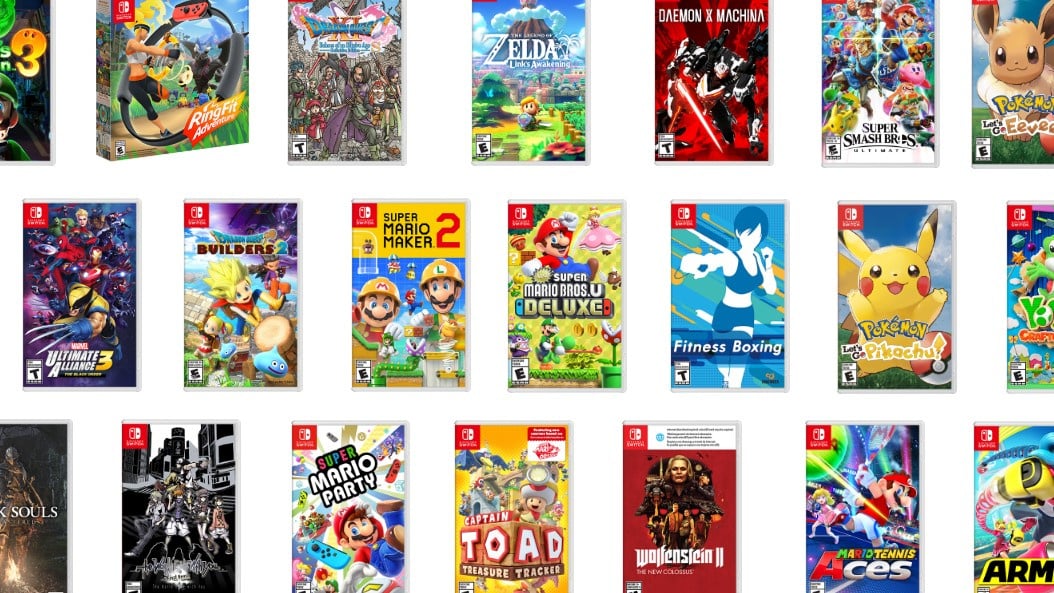
Paying a premium is something Switch owners have had to put up with thanks to the so-called ‘Switch Tax’ levied on many third-party releases on the system–often for ports of older titles that are available much cheaper on other platforms–but Nintendo is another company that is fiercely protective of its pricing. First-party titles are rarely discounted outside of carefully crafted promotions (the Game Voucher program, for example). On Switch we’ve seen more sales experimentation than ever before from the platform holder, but it’s still not worth waiting months after launch for Nintendo games to drop in price; they don’t.
Of course, not every new game costs triple-A dollar.
While the thought of paying $10 more for new releases might be hard to swallow, especially given the current economic climate, there’s no denying the ballooning cost of large-scale development over the last few console generations, with team sizes for the average AAA release absolutely dwarfing those of two decades ago. Taken with the context of inflation and rising costs across the board, it’s remarkable that games haven’t gone up in price like movie tickets.
In fact, video games are arguably cheaper than ever before. Back in the 1990s, partly due to Nintendo’s licencing fees and preference for pricier cartridges, it wasn’t unusual for Super Nintendo games to hit the £70 mark in the UK. Grabbing an issue of N64 Magazine off our shelf confirms that early N64 title Turok: Dinosaur Hunter was retailing for £70 in November 1997. And, lest we forget, 70 notes could buy a small car or a modest semi-detached house in the ’90s.
You might be able to remove every other triangle from a Toblerone and charge the same for it, but that’s more difficult with a video game
Jokes aside, £70 in 1997 is the equivalent of £128.36 in 2019 money (according to the Bank of England’s inflation calculator – 2020 data is unavailable at present). Games have been getting comparatively cheaper just by staying the same price. You might be able to remove every other triangle from a Toblerone and charge the same for it, but that’s more difficult with a video game, especially sprawling single-player experiences with fewer opportunities to monetise beyond the initial buy-in. The Final Fantasy VII remake on PS4 is a good example of a game that has been altered and edited into separate parts in order to be made financially viable in the twenty-first century. Chocolate hasn’t changed much in the last twenty years; the same can’t be said for video games.
Economic factors including minimum wages, cost of living, local taxes, currency fluctuations and more come into play in different territories, but the US has generally been the cheapest place to play video games for a long time, and this remains broadly true. If we take a modern example, flagship title Breath of the Wild costs $59.99 on the US Switch eShop. The same game in the UK will set you back £59.99 (which works out at $76.46 at the time of writing), Eurozone gamers pay 69,99€ ($80.52), and Japanese players pay a surprisingly reasonable ¥6980 ($65.32). Compare that to $80+ for Chrono Trigger on the SNES back in the day and we’re not doing too bad.
Expensive-to-manufacture cartridges made Nintendo games pricier than the competition.
Bearing all this in mind, and looked at with a rational head, a general increase in game prices in the near-ish future is to be expected. There’s no indication that Nintendo is planning on changing its current pricing at the moment, although it’s probably worth preparing ourselves for. Would fans refuse to pay $70 for, say, Breath of the Wild 2, Metroid Prime 4 or other big first-party games likely to come towards the end of Switch’s life cycle? Personally, we may not like it, but we’d pay it.
It’s that type of thinking that Activision is banking on, although it arguably feels like more of a slap in the face coming from that specific publisher given their in-game monetisation methods. NBA 2K20 offers a fine game of basketball, but one riddled with systems designed to get players forking out after the initial layout. The deep 95% discounts offered on both 2K20 and 2K19 show the significance of in-game purchases, and for an annual series which for many players leans far to heavily into its microtransaction mechanics, there’s an argument that the MSRP should be going down, not up.
for an annual series [like NBA 2K] which for many players leans far to heavily into its microtransaction mechanics, there’s an argument that the MSRP should be going down, not up
It’ll be interesting to see EA’s strategy with FIFA in the next generation, but the same principle applies. There remains a huge amount of money to be made from sports fans who buy a console purely to play annual titles. While Epic is taking the Fortnite route with Rocket League and transitioning to a free-to-play model, Activision and EA will continue to have their cake and eat it for as long as people keep buying sports titles on a yearly basis. A $10 increase on an annual iteration feels steep, but much like Nintendo first-party enthusiasts, it’s not going to stop sports fans from paying and playing.
It would be something if the additional profit generated went towards employee benefits, alleviating crunch and tangibly improving the work environments of workers contracted by these studios, but somehow we doubt this extra revenue will have much of an effect for people working on these games. We’d loved to be proved wrong.
Ultimately, given the context of the industry, it’s tough to begrudge a prospective price increase, although it’s frustrating to see the NBA 2K series leading the play. What do you think, though? Would you be prepared to pay more for games in the coming generation? Does it depend on the type of game? Let us know in the polls below and feel free to share your thoughts on price increases with a comment.
SteamWorld Creators Reveal New Action Platformer, The Gunk
From the creators of the SteamWorld franchise, including the popular action-adventure SteamWorld Dig titles, comes a brand-new adventure game. Revealed during the Xbox Games Showcase, The Gunk is a new action platformer set on a mysterious forgotten planet.
The Gunk lets you explore using a large robotic arm, which you can use to suck up moving black goo around the world and reform the landscape around you. It's not clear from the gameplay trailer to what extent you'll use this in platforming, but it's clear that you'll be sucking up a lot of that gunk.
The Gunk is coming to Xbox One, Xbox Series X, and PC, and will launch exclusively on Microsoft's console first. It will also be part of Xbox Game Pass and support Smart Delivery.
[www.indiegala.com] Join our Crypto Sale, and get an EXTRA 30% OFF on all bundles and 15% OFF on all store deals when paying with a supported cryptocurrency! (ends on 24 July)
There is a new Humble Bundle of interest to game developers, the Humble JavaScript Coding Bundle. This bundle consists of JavaScript themed courses from Zenva, many of which are themed around game development related topics. Do be aware that many of the included courses have been included in prior Humble Bundles, so be sure to check your inventory before purchasing. As with all Humble Bundles, this bundle is organized into tiers:
1$ Tier
Create Interactive Pages with JavaScript and the DOM API
Intro to RPG Development with Phaser
Bite-Sized Responsive Web Design
The Complete Beginner’s JavaScript Course
JavaScript Foundations
15$ Tier
Build an RPG Adventure in Phaser
Azure Deployment for Node.js Applications
AWS Deployment for Node.js Applications
Build JavaScript Applications with Vue.js
Node.js and Express for Beginners
Modern JavaScript – From ES6 to ES9
Craft Web Forms with React
Discover React for Web Applications
25$ Tier
Server-Side Rendered Webapps with Node.js, Expresss and MongoDB
Build a Tower Defense Game with Phaser 3
WebVR for Beginners – Build VR Websites with A-Frame
Chat and Player Enhancements for Phaser MMORPGs
Phaser Login System with Express API
Real-Time Server Communication with Socket.IO
Discover Developer Tools for JavaScript Apps
Web-Based Authentication UI for Express and Node.js
User Authentication with MongoDB and Express
Node.js For Beginners – Create Server Side Apps with JavaScript
JavaScript Game Development – Kontra.js
Intermediate React and Redux
If you purchase this bundle using this link, you can decide how your money is allocated, including (and thanks so much if you do!) to support GFS. There is no video to go with this Bundle as we have covered similar bundles such as this one several times in the past.
DMs of 36 high-profile Twitter accounts accessed in breach
Twitter on Wednesday revealed hackers accessed the direct message inboxes of 36 high-profile accounts in an unprecedented security breach last week.
The microblogging service in a tweet said it believes DM inboxes of “up to 36” accounts were accessed, including one belonging to an unnamed elected official in the Netherlands. It was the first time a former or current elected official’s DMs were accessed in a hack, the company said.
Twitter has not disclosed which accounts were impacted in the incident, nor has the company said whose DM inboxes were infiltrated. Account holders affected by the breach have been contacted.
In total, 130 accounts were targeted in the July 15 attack; a scam campaign designed to dupe users into handing over bitcoin. Followers of Apple, Elon Musk, Jeff Bezos and others ultimately handed over more than $100,000 to the as-yet-unidentified hacker or hackers. For Apple, the scam post will go down as its first and so far only tweet.
DM inbox access was a lingering question in the wake of last week’s security snafu. Successful penetration of the messaging subsystem would not only grant hackers access to chat histories, but also the ability to directly communicate with a user’s contacts under false pretenses.
As noted by previous reports and Twitter, a social engineering attack was employed to garner employee credentials, which were then used to access internal administration tools. With admin panel privileges the hackers were able to bypass two-factor authentication protections to change email and password credentials, granting full control over multiple accounts.
Twitter continues to investigate the security breach and has instituted new safeguards in a bid to thwart future attempts.
As part of the 8.0 pre-release announcement, the OpenSSH project stated that they consider the scp protocol outdated, inflexible, and not readily fixed. They then go on to recommend the use of sftp or rsync for file transfer instead.
Many users grew up on the scp command, however, and so are not familiar with rsync. Additionally, rsync can do much more than just copy files, which can give a beginner the impression that it’s complicated and opaque. Especially when broadly the scp flags map directly to the cp flags while the rsync flags do not.
This article will provide an introduction and transition guide for anyone familiar with scp. Let’s jump into the most common scenarios: Copying Files and Copying Directories.
Copying files
For copying a single file, the scp and rsync commands are effectively equivalent. Let’s say you need to ship foo.txt to your home directory on a server named server.
$ scp foo.txt me@server:/home/me/
The equivalent rsync command requires only that you type rsync instead of scp:
$ rsync foo.txt me@server:/home/me/
Copying directories
For copying directories, things do diverge quite a bit and probably explains why rsync is seen as more complex than scp. If you want to copy the directory bar to server the corresponding scp command looks exactly like the cp command except for specifying ssh information:
$ scp -r bar/ me@server:/home/me/
With rsync, there are more considerations, as it’s a more powerful tool. First, let’s look at the simplest form:
$ rsync -r bar/ me@server:/home/me/
Looks simple right? For the simple case of a directory that contains only directories and regular files, this will work. However, rsync cares a lot about sending files exactly as they are on the host system. Let’s create a slightly more complex, but not uncommon, example.
# Create a multi-level directory structure

$ mkdir -p bar/baz

# Create a file at the root directory

$ touch bar/foo.txt

# Now create a symlink which points back up to this file

$ cd bar/baz

$ ln -s ../foo.txt link.txt

# Return to our original location

$ cd -
We now have a directory tree that looks like the following:
Note that link.txt is no longer a symlink. It is now a full-blown copy of foo.txt. This might be surprising behavior if you’re used to cp. If you did try to copy the bar directory using cp -r, you would get a new directory with the exact symlinks that bar had. Now if we try the same rsync command from before we’ll get a warning:
Rsync has warned us that it found a non-regular file and is skipping it. Because you didn’t tell it to copy symlinks, it’s ignoring them. Rsync has an extensive manual section titled “SYMBOLIC LINKS” that explains all of the possible behavior options available to you. For our example, we need to add the –links flag.
$ rsync -r --links bar/ me@server:/home/me/
On the remote server we see that the symlink was copied over as a symlink. Note that this is different from how scp copied the symlink.
To save some typing and take advantage of more file-preserving options, use the –archive (-a for short) flag whenever copying a directory. The archive flag will do what most people expect as it enables recursive copy, symlink copy, and many other options.
$ rsync -a bar/ me@server:/home/me/
The rsync man page has in-depth explanations of what the archive flag enables if you’re curious.
Caveats
There is one caveat, however, to using rsync. It’s much easier to specify a non-standard ssh port with scp than with rsync. If server was using port 8022 SSH connections, for instance, then those commands would look like this:
$ scp -P 8022 foo.txt me@server:/home/me/
With rsync, you have to specify the “remote shell” command to use. This defaults to ssh. You do so using the-e flag.
Rsync does use your ssh config; however, so if you are connecting to this server frequently, you can add the following snippet to your ~/.ssh/config file. Then you no longer need to specify the port for the rsync or ssh commands!
Host server Port 8022
Alternatively, if every server you connect to runs on the same non-standard port, you can configure the RSYNC_RSH environment variable.
Why else should you switch to rsync?
Now that we’ve covered the everyday use cases and caveats for switching from scp to rsync, let’s take some time to explore why you probably want to use rsync on its own merits. Many people have made the switch to rsync long before now on these merits alone.
In-flight compression
If you have a slow or otherwise limited network connection between you and your server, rsync can spend more CPU cycles to save network bandwidth. It does this by compressing data before sending it. Compression can be enabled with the -z flag.
Delta transfers
Rsync also only copies a file if the target file is different than the source file. This works recursively through directories. For instance, if you took our final bar example above and re-ran that rsync command multiple times, it would do no work after the initial transfer. Using rsync even for local copies is worth it if you know you will repeat them, such as backing up to a USB drive, for this feature alone as it can save a lot of time with large data sets.
Syncing
As the name implies, rsync can do more than just copy data. So far, we’ve only demonstrated how to copy files with rsync. If you instead want rsync to make the target directory look like your source directory, you can add the –delete flag to rsync. The delete flag makes it so rsync will copy files from the source directory which don’t exist on the target directory. Then it will remove files on the target directory which do not exist in the source directory. The result is the target directory is identical to the source directory. By contrast, scp will only ever add files to the target directory.
Conclusion
For simple use cases, rsync is not significantly more complicated than the venerable scp tool. The only significant difference being the use of -a instead of -r for recursive copying of directories. However, as we saw rsync’s -a flag behaves more like cp’s -r flag than scp’s -r flag does.
Hopefully, with these new commands, you can speed up your file transfer workflow!
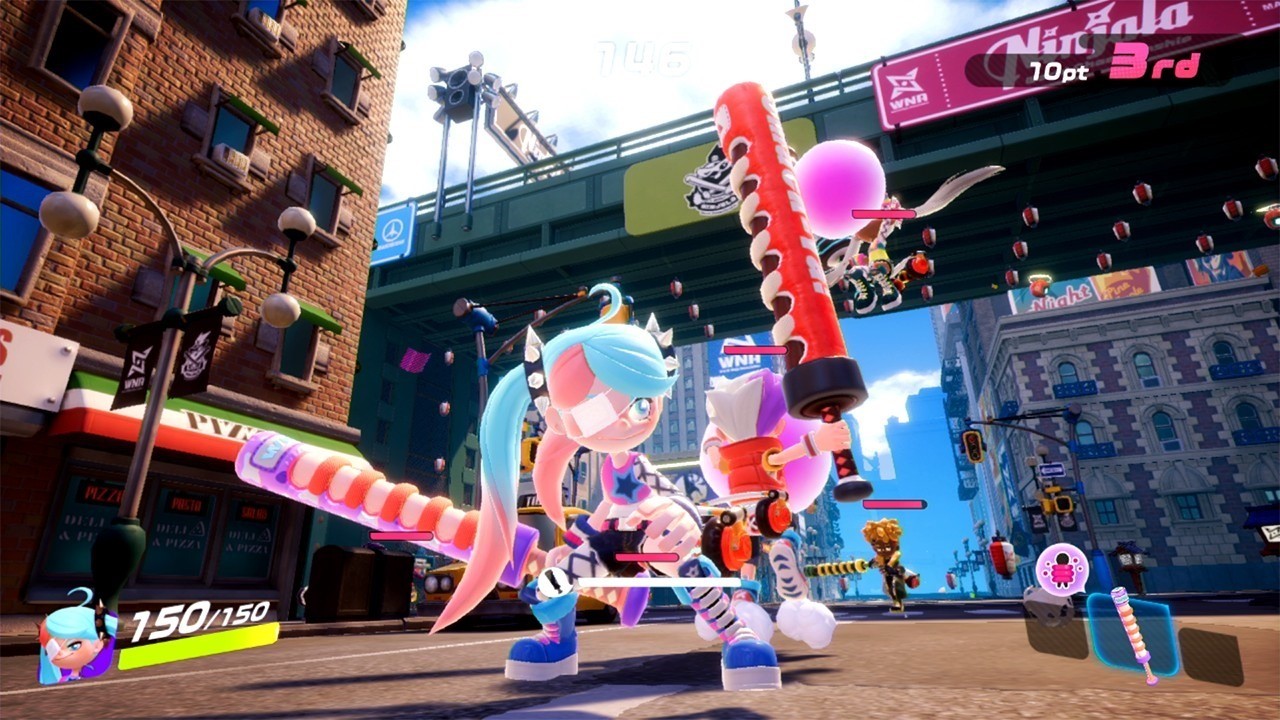
Ninjala Shares More Details On Season 2, Crow Tengu DLC And In-Game Event
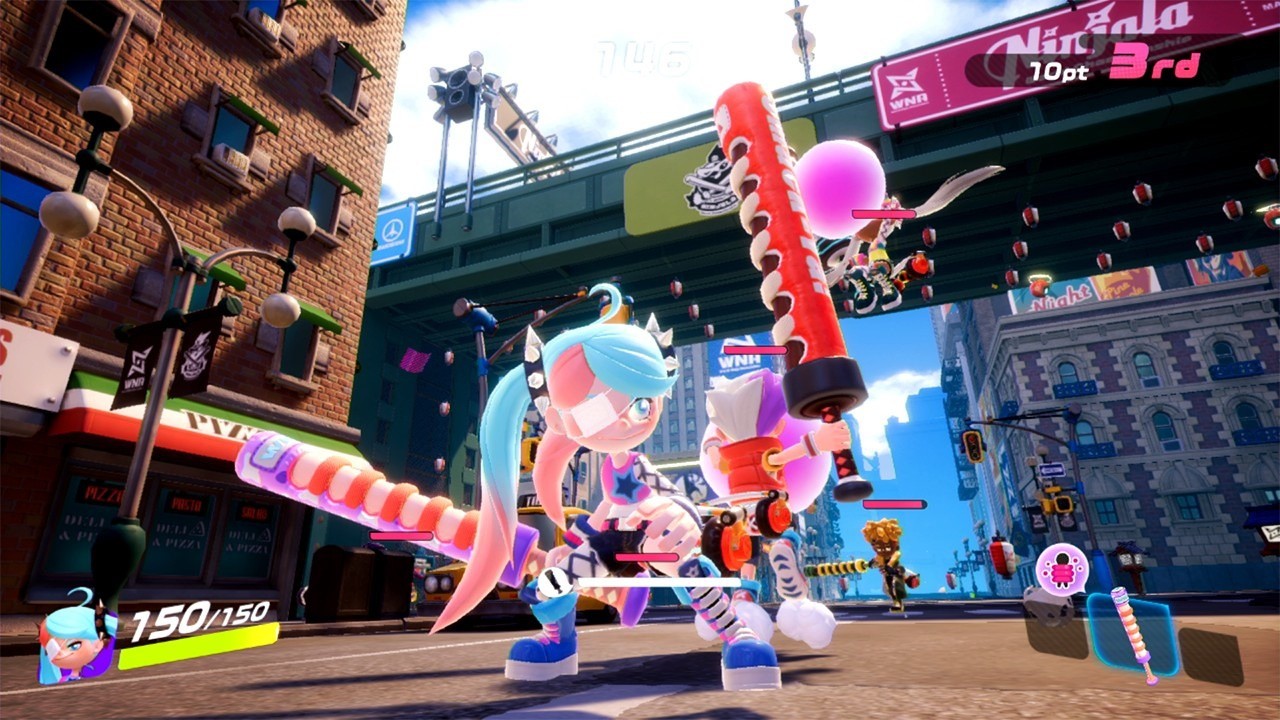
A brand new episode of the Ninjala Dev Diary series has been released, sharing more in-depth news surrounding the game’s upcoming content.
We have a full rundown of all the news for you below. Dedicated players will likely already know about the Crow Tengu DLC which actually launched yesterday, but the video also explores an in-game festival where players can receive rewards, and offers more info on the upcoming Season 2.
Crow Tengu DLC Bundle – released July 21
Ninjala has released its first DLC bundle themed after the mythical Japanese demon, the crow tengu
Players who purchase the pack will get a special costume, emote, and sticker themed after the crow tengu – a crow possessed by the spirit of a fallen samurai – along with 2,000 Jala to spend on in-game items
The Crow Tengu DLC Bundle launched on July 21 for a suggested retail price of $29.99 USD
IPPON MATSURI (Festival) – July 21 – 26
Players will receive rewards based on the total amount of IPPONs scored by all players during the event. The rewards will increase throughout the event based on the collective number of IPPONs achieved. If the total number of IPPONs achieved during the event reaches 10 million, all users will receive a total of 30 Gold Medals
There will also be special bonuses to the rewards players receive at match end, such as higher rates for Ninja-Gums, Assist Codes, and Medals
To celebrate the event, a Twitter campaign will also be held where 100 users who follow and retweet Tweets tagged with #IPPON_MATSURI from the official @PlayNinjala and @Ninjala_JP Twitter accounts will be randomly selected to receive 1,000 Jala
Season 2 – launching August 26 (Free to all players)
Season 2 will introduce a new weapon class – the Board. Players will have access to four variations of this weapon – the Festival Board, the Home Run Surfer board, the Camu Camu Plate, and the Ninja Caliber board. Each weapon will come with new Gum Ninjutsu, abilities, and specials
A new stage – Shinobi City. This is a Japanese-themed stage that explores the hometown of the shinobis, hot springs, and all! Players can use this stage to their advantage by using the hot springs to recover their health and increase their Shinobi Gauge
Have you been enjoying Ninjala since it launched last month? How have you been doing now that you’ve had a few weeks’ practice? Let us know in the comments below.