Futureplay is a five-year-old independent Finnish mobile game studio located in Helsinki. We’re a small, experienced, and committed group of just over 30 people working together to create several exciting new titles – as well as maintain our existing portfolio, which includes the Idle Empire series and Battlelands Royale.
We’re now on the lookout for a Senior Game Animator to join our team and help us build on the top quality animations Futureplay is already known for.
We expect a minimum of 5 years of experience in creating animations for casual and/or mobile games. Our ideal candidate is a detail oriented, versatile artist who shows excellent drawing skills and can employ a variety of styles and techniques. You are able to visualize and communicate abstract concepts and have a strong interest in visual and interaction design. Eye for quality animation and special effects are skills you’ll need in your work, as well as creating, evolving and executing on your artistic vision.
You will be one of the Futureplayers bringing our game characters, environments and interactions to life. This means that you know your way around character animation VFX and UI motion graphics. You are familiar with 2D animation tools, e.g. Spine, and 3D software, such as Blender.
Previous experience in, or understanding what it takes to, work in a minimum hierarchy environment and the ability to independently manage your tasks and responsibilities are a must. Having an agile mindset and love for experimentation are needed. You should also have great team working skills combined with the ability to provide and receive candid feedback.
We offer:
True ownership and responsibility for the games you work on
Competitive salary and benefits, flexible working hours
Great, caring community working in an agile environment
Strong focus on employee wellbeing
Space to grow and learn
Low hierarchy and support in learning to navigate within it
Work in Helsinki, one of the most relevant game development capitals in Europe
Whether you’re just starting out, looking for something new, or just seeing what’s out there, the Gamasutra Job Board is the place where game developers move ahead in their careers.
Gamasutra’s Job Board is the most diverse, most active, and most established board of its kind in the video game industry, serving companies of all sizes, from indie to triple-A.
The Sims 4 records peak high of 10 million monthly active users
The Sims 4 is proving that age is but a number after attracting over 2.5 million new players over the past two months.
Despite being nearly six years old, Maxis’ popular lifestyle simulator also recorded a peak high of nearly 10 million daily active users over the past quarter.
That number comes straight from publisher EA, which yesterday announced the title along with all of its post-launch content packs will be heading on Steam.
Respawn Says Apex Legends Looks “Really Good” And Runs “Very Well” On Switch
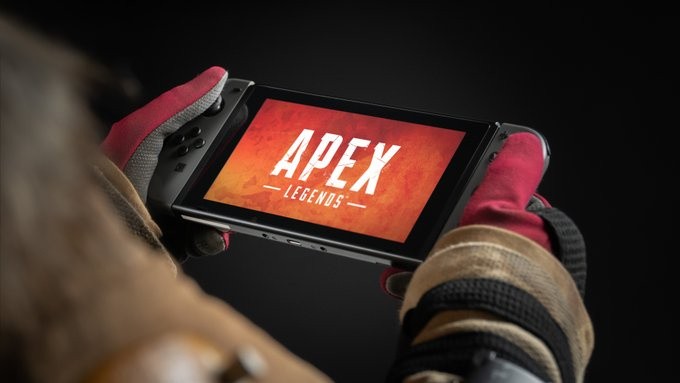
One of the highlights during yesterday’s EA Play Live event was when Respawn Entertainment announced it would be bringing its popular free-to-play battle royale Apex Legends to the Nintendo Switch this Fall.
Although we’re yet to see any footage of this version, game director Chad Grenier assures fans it’s shaping up nicely – even if it has been a big challenge to bring to the hybrid platform. It’ll also include motion control support and gyro aim functionality.
Here’s his full comment about the upcoming Nintendo release, during an interview with GameSpot:
It’s a big challenge. We’ve been working on it for awhile. It’s not without its challenges, but I’ll say it’s looking really good and running very well. Obviously it’s a different platform, and we have to make some changes to the game to get it to run there. It’s got motion controls, so we’re supporting that, so that takes some time to support – the gyro aim functionality. It’s a lot of work, but it’s coming along nicely. We’re testing it at this point, making sure that it’s good to go. It’s worth it. We’re huge fans of Nintendo, so I’m personally really excited to just bring a game to Switch and I can take it on the go and play it when I’m with my kids or whatever.
On top of motion controls, Apex Legends on Switch features the new cross-platform support. Yep, in addition to being able to play the game on the go, you’ll be able to squad up with your friends on Xbox, PlayStation, and PC via Origin and Steam.
Are you looking forward to dropping into the battlefield when this title arrives on the Switch? Tell us down below.
Random: Burnout’s Switch Home Menu Icon Needs To Drop The Border
Criterion Games’ fantastic open-world racing game Burnout Paradise Remastered is now available on the Nintendo Switch.
Let’s just make this clear – despite the price being a “car crash” it’s still an outrageously fast and fun experience that we would highly recommend checking out if you haven’t already.
All that aside, though, there appears to be trouble in paradise. A user over on the Nintendo Switch subreddit has noticed how the HOME Menu icon for Burnout has a border around it, and well…they’re not particularly happy:
I did not wanted to join the EA hate-train. And I was excited to get Burnout on the Switch ignoring the price tag. (edit: and I still am) But well … it seems like EA really doesnt care about the Switch.
The icon for Burnout Paradise is not scaled properly and the grid of the graphic software(!) is still visible as a border around the actual icon now.
I am assuming EA is already aware of it and it is gonna be fixed by a day one patch. At least that is my hope. They are a highly professional company after all.
I know most people dont care. But for me a good icon is important. Especially on a pricey title like this. And since the Switch homescreen is all about the icons.
It just makes me very sad that nobody checked twice.
We took a screenshot of this icon on our own Switch menu:
Nintendo Life
And here’s a close-up, if you still can’t see it:
While we can understand how some players might find a border around an icon a little irritating, it’s not the end of the world. It’s also something that can be easily updated in the future. And hey, it could be worse.
Did you notice the border around this particular icon? How are you finding this remaster so far? Tell us below.
The Last of Us 2 Strange Relic Location Guide - Where To Find The Collectible
Note: We've gone out of our way not to include spoilers for anything that happens in The Last of Us Part 2, but looking at any photos or reading any descriptions might give away plot details you'd rather now know. If you're hoping to remain completely unspoiled, we recommend playing through the game first. You may at least want to hold off reading this guide until you've completed "Seattle Day 3."
The Last of Us Part 2 is full of references to the real world and pop culture, and it also includes a few nods to developer Naughty Dog's past games. Among the many collectibles in the game are two special items you can find that unlock Trophies: the Antique Ring and the Strange Relic. Both are fun callbacks to Naughty Dog's games of the past--but they're also both easy to miss. Here's what you need to know to locate the Strange Relic, which can be found on Seattle Day 1.
There's tons of more guides coverage of The Last of Us Part 2 for your enjoyment now that the game is out. You can keep up with the latest suite guides in our huge The Last of Us Part II walkthrough and guide roundup--which also includes some essential tips you should know. But if you're curious about how the game stacks up, check out our The Last of Us Part II review.
Posted by: xSicKxBot - 06-21-2020, 10:35 AM - Forum: Python
- No Replies
The Most Pythonic Way to Convert a List to a String
To convert a list lst of strings to a string, use the ''.join(lst) method with an empty separator string between the elements. If you have a list of objects, first convert each element to a string and join the result with the generator expression ''.join(str(x) for x in lst).
Problem: Given a list of elements. How to convert them to a string?
Example: Given the following list of strings.
lst = ['a', 'b', 'c']
You want to convert the list of strings to the following string:
'abc'
What’s the most Pythonic way of converting a list to a string? The answer depends on the nuances.
Here’s a quick overview before we dive into each of the methods:
Exercise: Run the code! What’s the most Pythonic way in your opinion?
Method 1: Join List of Strings
The most straightforward way is to use the string.join(iterable) method that concatenates all values in the iterable (such as a list) using the separator string in between the elements.
lst = ['a', 'b', 'c']

s = ''.join(lst)
The output is the following string:
print(s)

# abc
Due to its conciseness and efficiency, this is the most Pythonic way of converting a list of strings to a string. However, the join() method expects that you pass a list of strings. If you have a list of non-strings, it will throw an error!
Method 2: Join List of Non-Strings with Generator Expression
So, what to do if you want to convert a list of general objects to a string?
The most Pythonic way to concatenate a list of objects is the expression ''.join(str(x) for x in lst) that converts each object to a string using the built-in str(...) function in a generator expression. You can concatenate the resulting list of strings using the join() method on the empty string as a delimiter. The result is a single string value that’s the concatenation of the objects’ string representations.
lst = [1, 2, 3]

s = ''.join(str(x) for x in lst)

print(s)

# 123
This general method works for all objects (because all objects implement the __str__ method per default). It’s the most Pythonic way of converting a list of non-string
Just for the sake of completeness, I want to highlight that you can also concatenate all strings in a list by using the + operator. If you have a list with a few objects, this is a viable option:
This must be slightly modified when concatenating a list of objects to a single string:
Method 4: String Concatenation with + and str()
Again, if you have a list of objects, you need to convert each object to a string first:
# Method 4: String Concatenation with + and str()

lst = [1.0, 2.0, 3.0]

s = str(lst[0]) + str(lst[1]) + str(lst[2])

print(s)

# 1.02.03.0
This is very tedious and it deserves to be titled the “least Pythonic way to convert a list to a string”. You should prefer the general Method 2 that’s not only shorter and more efficient, but also more readable and generally applicable.
Method 5: Use Map + Join
The map function allows you to convert each element to a string first. You can then join the strings using the standard string.join() method on the resulting iterable of strings.
This works beautifully for list of objects as well and it’s quite Pythonic. Many Python coders like this functional style—but I don’t consider it the most Pythonic one. Python code should be readable. Guido van Rossum, Python’s creator, tried to avoid functional programming because he didn’t find it readable compared to list comprehension or its generalization “generator expressions” (see Method 2).
Let’s see what coders who come from another programming language such as Java would do:
lst = [1, 2, 'hello', 3.2]

s = ''

for x in lst: s += str(x)

print(s)

# 12hello3.2
They’d first create an empty string. Then, they’d add the string representation of each list element to the string until all list elements are added.
This is highly inefficient because of the repeated creation of new strings and it needs three lines instead of one. As it’s often the case in Python, you can avoid loops by using Python’s powerful built-in capabilities.
To become successful in coding, you need to get out there and solve real problems for real people. That’s how you can become a six-figure earner easily. And that’s how you polish the skills you really need in practice. After all, what’s the use of learning theory that nobody ever needs?
Practice projects is how you sharpen your saw in coding!
Do you want to become a code master by focusing on practical code projects that actually earn you money and solve problems for people?
Then become a Python freelance developer! It’s the best way of approaching the task of improving your Python skills—even if you are a complete beginner.
Apple have had a remarkably bad week for developer relations leading in to their most important developer conference WWDC 2020, the annual event where Apple tries to woo developers to develop for it’s platforms.
To start things off, Rakuten, makers of the Kobo e-reader have filed an antitrust complaint in the EU, this joining an existing antitrust complain by Spotify, all around Apple’s anticompetitive App Store behavior. On top of that, US member of Congress and more importantly Chairman of the House anti-trust sub-committee Rep David Cicilline went on record saying:
“Because of the market power that Apple has, it is charging exorbitant rents — highway robbery, basically — bullying people to pay 30 percent or denying access to their market,” said Rep. Cicilline. “It’s crushing small developers who simply can’t survive with those kinds of payments. If there were real competition in this marketplace, this wouldn’t happen.”
This comment is coming in direct response to very public and very direct comments from @DHH, creator of Ruby on Rails and founder of Basecamp over their app “Hey” being removed from the App Store, with the worst possible wording:
Oof… so basically no IAP, no making App Store money, you’re not welcome here. You can learn more in the video below.
Review: VOCOlinc SmartBar is best deal for a HomeKit smart plug
Smart plugs are a staple of any smart home, whether just starting out or continuing to expand. VOCOlinc SmartBar is a shockingly affordable option that keeps things simple.
By design, a HomeKit smart plug doesn’t have a lot going on. It should be compact, offer backup physical control, and reliable. VOCOlinc largely succeeds in following these through.
The SmartBar is small and compact enough that two can be plugged into a standard set of wall outlets. There is a small button on the side which can be used to turn the outlet on or off manually, sans your phone. Otherwise, it is unassuming.
The benefits of a HomeKit smart plug
Smart plugs can be very useful in a home. Depending on where installed, they can be more convenient than light bulbs, especially with a physical lamp that has several bulbs installed in it.
Physical button on the side of the VOCOlinc SmartBar
Getting creative with your smart home devices is best, but there are several staples of how these can be used. Obviously, it is a just a simple measure to take a lamp and make it smart, but there is much more you can do.
For example, in a living room, there may be built-in light fixtures as well as standalone floor lamps. A good setup is to put a HomeKit switch on the wall and a smart plug on the lamps.
Then, you create a rule that says when the light switch is turned on, turn on the smart plug, as well as the inverse of that rule.
HomeKit pairing code on the rear of the SmartBar
Another great application is using a motion sensor. By tying it to the sensor, the smart plug can turn on whenever motion is detected, such as a human or a pet.
Using your location, the lights can turn off when you leave and come on when you get home, even based around the time of day.
These lights can also be programmed to come on if a smoke detector detects anything to make it easier to see or wake you up in the case of an emergency.
Update problems
Not everything regarding the VOCOlinc SmartBar is all rainbows and sunshine. It has its flaws that make it frustrating at times.
For a start, the SmartBar posed problems for us when we attempted to install firmware updates. While in the VOCOlinc app, we’d select the smart plug and it would alert us to the availability of said update.
It asked us to do the update and to not leave the app during the process, but it would frequently fail. No other information was provided as to why it failed, leaving us to repeatedly try again without any guidance to help assist the process. Eventually, the update did manage to go through.
For what it’s worth, perhaps this update in part fixed this process, making updates more reliable. No other updates have been available during our testing so it isn’t known for sure if we will run into this issue the next time.
An outstanding deal
The VOCOlinc SmartBar is rather unextraordinary. It doesn’t have a nightlight as the iDevices model does. It doesn’t track energy consumption as the Eve Energy does. But what it does bring to the table is incredible value.
It is a Wi-Fi-connected HomeKit smart plug for a great price. Four of them can be purchased for $46.99, but VOCOlinc is further discounting with a $7 off coupon that can be clipped on its Amazon page. That brings them to less than $10 each.
VOCOlinc SmartBar
In the world of HomeKit where prices can easily be above the Amazon Alexa counterpart, it is great to see this affordable option. WeMo, Eve, iDevices, iHome, et cetera are all more expensive.
There are certainly reasons why one would buy those other brands. Their design, unique features, or improved reliability with updates. But for many, this low-cost Wi-Fi option is preferred, even if just a way to tiptoe into the platform or expand an existing setup.
Wi-Fi rather than Bluetooth
Slim enough to fit two into a standard outlet
Physical button on the side for control
Easy setup
Good reliability
Affordable cost
Issues performing updates
Occasionally went unresponsive
No energy consumption monitoring
Rating: 4 out of 5
Where to buy
VOCOlinc SmartBars are available on Amazon from solo packs to a four-pack. As mentioned, they are currently running a deal that takes $7 off the four-pack, bringing the price down to $39.99, or less than $10 apiece.
Square Enix Officially Confirms Kingdom Hearts: Melody Of Memory For The West
After being announced for the Nintendo Switch and multiple other platforms earlier this week, Square Enix has now confirmed its all-new upcoming rhythm-action game Kingdom Hearts: Melody of Memory will be localised at some point this year.
As previously noted, the game will feature over 140 musical tracks and 20 characters from the beloved series. A new English trailer of the previously released video has also been made available, and you can watch it below. Here’s a bit of additional information from the press release:
KINGDOM HEARTS Melody of Memory provides fans with an unmissable opportunity to relive their favorite moments like never before. Players will journey through iconic Disney worlds, and join forces with recognizable Disney characters whilst enjoying unforgettable KINGDOM HEARTS series music, alongside timeless tracks from Disney’s cinematic classics. Alongside the engaging single-player content, KINGDOM HEARTS Melody of Memory invites players to enjoy unforgettable melodies together with online* multiplayer for even more of a challenge.
Square Enix will also be releasing a Kingdom Hearts III original soundtrack, which will feature many “unforgettable and timeless” tracks from the latest game. This will be made available worldwide this Fall.
Will you be tapping to the beat later this year when Melody of Memory arrives on Switch? Sound off in the comments.