Posted by: xSicKxBot - 06-14-2020, 11:06 AM - Forum: Minecraft
- No Replies
BETA: BEDROCK 1.16.0.66 (XBOX ONE / WINDOWS 10 / ANDROID)
We draw closer to the release of the Nether Update. We see some fixes for some more of those pesky crashes as well some hang-ups when trying to open certain words.
Remember that only those on Xbox One / Windows 10 / and Android may participate in the Beta builds. You will not be able to join Realms or non-beta players worlds and you will not be able to open worlds opened in the Beta in earlier/current stable builds of Bedrock.
Performance and Stability
Fixed several crashes that could occur during gameplay
Fixed a crash that could occur when attempting to create world with the Tropical City Resort mash-up pack
Fixed an issue that could cause a hang on start up when trying to open certain worlds
General
Fixed an issue with projectiles being destroyed prematurely if they didn’t deal damage. This is now optional with the addition of 2 new flags to the projectile
Gameplay
Fixed an issue that could cause chests to generate without loot MCPE-69003
Graphical
Fixed rendering issues while riding a mount
Add-Ons and Scripting
Fixed an issue that could occur when the movement component is removed, meaning that a mob’s speed has to ramp up from 0 again
Changes to components: set_last_hurt_requires_damage and destroy_on_hit_requires_damage. Each defaulting to true to respect old behavior, but can now be set to false if it is desired to have a projectile that is destroyed even when it doesn’t deal damage
Commands
Added new overload for /replaceitem with an option for destroy (the old behavior) or keep (the command will return an error if an item occupies that slot)
Fixed a bug where a mob wouldn’t delete its goal if all goals were trying to be removed
Fixed spamming of particles, sounds, and events for looped, non-zero-length animations with timelines
Fixed a syntax error issue when running the /xp command with levels
Fixed an issue with “A Nightmare in Candyland” map which was no longer teleporting players correctly
Zen Studios Is Releasing CastleStorm 2 On The Switch eShop Next Month
Earlier today, Zen Studios announced it would be releasing CastleStorm 2 on the Switch and other platforms on 31st July.
This is a sequel to the tower-defense title CastleStorm, which was re-released on the Switch eShop in August 2018. It mixes tower defense, castle destruction, and hack ‘n’ slash gameplay with new real-time and turn-based strategy elements.
The heroes of the Kingdom confront the vile forces of the Undead, and you’ll plot your path to triumph for both sides in two epic story-driven campaigns. But not without some hands-on chaotic carnage and delightful devastation!
CastleStorm II returns to a classic fantasy land of medieval madness, rife with heroic knights, enchanting sorceresses, glorious griffins…and sheep. But a new threat rises – literally…as in, from the grave. Walking corpses. Headless horsemen. ZOMBIE sheep. All-around nasty necromancy. You get the picture.
Build an entire empire through gameplay that engages your inner hardcore strategist…then command – even CONTROL – your soldiers en route to triumph!
Did you play the original game? Will you be downloading the sequel on release? Tell us below.
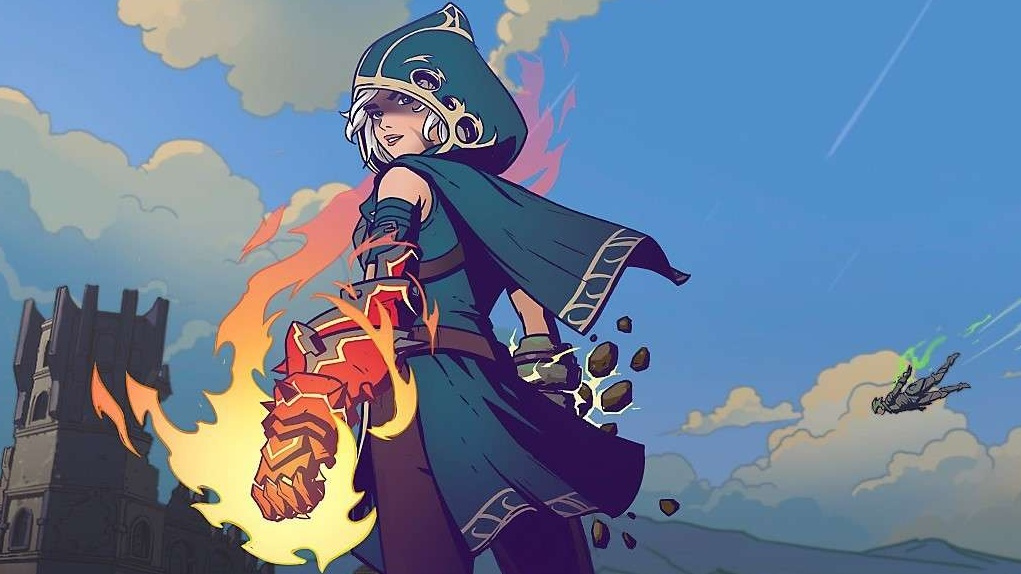
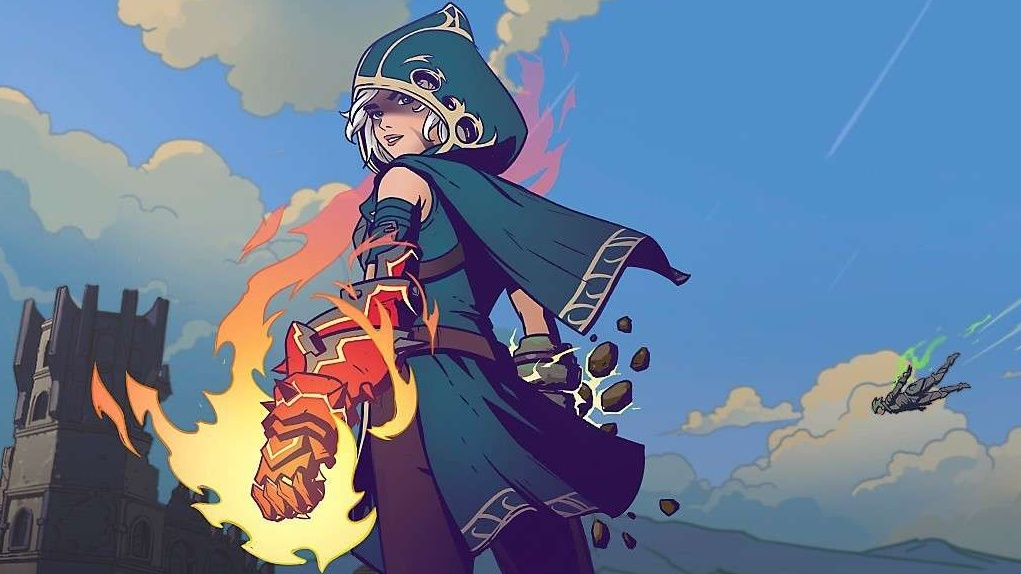
It might look a little like Fortnite, but instead of assault rifles and rocket launchers, this “fantasy action” battle-royale RPG replaces modern-day weaponry with magic.
In Spellbreak, the goal is to become an all-powerful battlemage as you weave spectacular spell combinations and craft strategic builds. You’ll be able to dominate the Hollow Lands alone, or team up with friends in this non-stop quest for survival.
Below is the official announcement for Nintendo Switch:
The game will be released on Switch when the game leaves closed beta on PC and like many other battle royale titles, this one will be free-to-play. Is this the magical experience you’ve been waiting for? Share your thoughts below.
Xbox Insider Release Notes –Beta, Delta and Omega Ring (2006.200601-2000)
Hey Beta, Delta and Omega ring users! Today’s Xbox Insider Release Notes highlight the latest fixes, known issues, and features coming to your console. Starting at 2 p.m. PT today, users will receive the latest 2006 Xbox One system update (build: RS_XBOX_RELEASE_2006\19041.3025.200601-2000). Keep reading for more details.
System Update Details:
OS version released: RS_XBOX_RELEASE_2006\19041.3025.200601-2000
Available: 2 p.m. PT – June 4, 2020
Mandatory: 3 a.m. PT – June 5, 2020
Fixes for Beta, Delta and Omega
We’ve heard your feedback, and we’re happy to announce the following fixes have been implemented for this 2006 build:
Disney+
Fixed an issue where playback would freeze when trying to fast forward/rewind near the end of an episode.
Guide
Fixed an issue where Guide would not load when Xbox button was pressed.
System
Various updates to properly reflect local languages across the console.
Note: Users participating in Preview may see “odd” text across the console, for more information go here.
Known Issues for Beta, Delta and Omega
We understand some issues have been listed in previous Xbox Insider Release Notes. These issues aren’t being ignored, but it will take Xbox engineers more time to find a solution. We appreciate your patience at this time!
Audio
Users who have Dolby Atmos enabled and console display settings set to 120hz with 36 bits per pixel (12-bit) are experiencing loss of Dolby Atmos audio in some situations.
Workaround: Disable 120hz or set Video Fidelity to 30 bits per pixel (10-bit) or lower.
Some users have reported that Dolby Atmos for Headphones audio setting changes when the console is rebooted/updated.
Note: If you attempt to set the audio to Dolby Atmos for Headphones and see a message advising you to launch the Dolby Access App, please file feedback before launching the app.
Game DVR
We are aware game clips (non-4K and 4K) are not recording at all or recording the incorrect length with recent updates. We are investigating.
Note: Make sure you report the behavior on the console as soon as you record the clip and notice either behavior.
Guide
When installing or updating a game/app, the installation progress bar may not show progress. The issue is known and being investigated.
We’ve received reports that the Friends tab is not showing the correct status of online/offline friends.
Some users may notice that the Guide has changed appearance and functionality, this is expected behavior as there are certain experiences being flighted among a random subset of users in Preview.
Messages
Users are reporting that Message notifications that have been marked as read are re-appearing as new. We are aware and investigating the behavior.
My Games & Apps
Users have reported seeing black tiles instead of game artwork when browsing their collection.
Note: We are still investigating the issue, please report the issue again from the console if you have done so with a prior update and are still seeing this behavior.
Some titles in collection may appear with a “trial” tag incorrectly in collection.
Profile Color
Sometimes users may encounter the incorrect Profile color when powering on the console.
Are you not seeing your issue listed above? Make sure to use Report a problem to keep us informed of your issue. We may not be able to respond to everyone, but the data we’ll gather is crucial to finding a resolution.
Learn more about feedback and how each ring is differentiated in the following links:
For more information regarding the Xbox Insider Program follow us on Twitter and join the community subreddit for support and updates. Keep an eye on future Xbox Insider Release Notes for more information regarding your Xbox One Update Preview ring!
Posted by: xSicKxBot - 06-14-2020, 11:06 AM - Forum: Lounge
- No Replies
GTA Online is getting a standalone release on PlayStation 5
GTA Online will be released as a standalone title on the PlayStation 5. Although GTA V will also be making the next-gen leap (for the second time) in its entirety, Rockstar explained the lucrative online mode will be getting a standalone release on next-gen machines in the second half of 2021.
Notably, that souped up version of GTA Online will be made available for free to PlayStation 5 users during the first three months, suggesting the studio intends to charge for it further down the line. It will also feature original content exclusive to next-gen devices.
Rockstar didn’t specifically mention an Xbox Series X version of GTA V, but did state that the game will be “coming to a new generation of consoles, including PlayStation 5,” so it seems likely the evergreen title will be heading to Microsoft’s dreamy obelisk in due course.
Despite launching almost seven years ago, GTA Online continues to be a big earner for Rockstar and parent company Take-Two Interactive.
Last year, for instance, recurrent consumer spending increased by 23 percent in GTA Online following the release of the Diamond Casino & Resort update in July 2019, with Take-Two CEO Strauss Zelnick praising the add-on for “delivering record player engagement across daily, weekly, and monthly active users in July, and then again in August.”
Posted by: xSicKxBot - 06-14-2020, 11:06 AM - Forum: Lounge
- No Replies
Sony unveils PlayStation 5 design, but remains silent on price
Sony’s PlayStation 5 game showcase revealed the look of the next generation console and, as with its accompanying DualSense controller, the system makes quite the first impression.
While competing console-maker Microsoft went for a nondescript boxy look for its own next-gen entry, the PlayStation 5 opts for a distinctive silhouette that carries the same black and white motif debuted with the DualSense controller last month.
In the case of that earlier debut, SIE president and CEO Jim Ryan said that a striking visual shift from previous PlayStation products aimed to “[capture] just how strongly we feel about making a generational leap with PS5” and it seems that same philosophy applies to the PlayStation 5 itself.
The debut introduced two different versions of that launch console, one that features an Ultra HD Blu-ray disc drive and one that scraps a disc drive entirely to instead offer its players the option to go all digital when entering the next console generation.
The short hardware preview also revealed a small hoard of new PlayStation 5 accessories, including the Pulse 3D wireless headset (with support for the 3D audio feature PlayStation previously discussed at length), a HD Camera with dual 1080p lenses, dedicated media remote, and charging station for the PlayStation 5’s DualSense controllers.
The rest of today’s live stream ran through some of the games from both PlayStation Studios and external developers that’ll arrive on the PlayStation 5 within the early days of its lifetime, including peeks at Guerilla Games’ Horizon: Forbidden West, Insomniac Games’ Ratchet & Clank: Rift Apart, and IO Interactive’s Hitman 3.
One notable absence from today’s live stream was a price. While rumors have popped up online from time to time, neither Xbox nor PlayStation have yet to officially announce a pricepoint for their next generation hardware despite both consoles being expected to launch in Holiday 2020.
In a followup press release, Sony says that info on both pricing and additional PS5 details will be announced “at a later date.”
Posted by: xSicKxBot - 06-14-2020, 11:06 AM - Forum: Lounge
- No Replies
New Just Die Already Trailer Is Just Weird
A new trailer for Just Die Already was released during the Guerrilla Collective showcase, and it's an odd one. It even begins with developer DoubleMoose making a plea for Hideo Kojima to unblock their number.
Seemingly making a playful homage to Death Stranding, the trailer for the old people mayhem sandbox game focuses on a naked man waking up on a beach that's covered in dead sharks and human body parts. Oh yeah, and the naked old man starts caressing one of the items he finds on the beach cause why not, right?
"A demo of Just Die Already will be available during the Steam Game Festival, from June 16th at 10 AM PDT to June 22nd at 10 AM PDT," DoubleMoose writes on Steam. "Get a taste of this open-world mayhem sandbox game, solo or with up to three friends in online multiplayer. We cannot wait to hear your feedback (complaints welcome, even from seniors)."
Blender 2.83 was released last week and one of the new features is tentative support for Virtual Reality headsets in the form of Scene Inspection:
Scene inspection refers to the ability to inspect the scene in VR, without interacting with content. Essentially this means head-mounted display (HMD) support as well as some simple settings (controllable from outside the VR view) to control the experience.
Examples of supported use cases:
VR as a way for directors or clients to inspect scenes and give feedback to artists.
Pre-visualization for artists working on VR games.
Samsung GearVR/Google Cardboard movie making and app development.
Blender VR support is via OpenXR, which unfortunately isn’t currently supported by HTC or Steam VR headsets. Details about supported headsets are available here. Check out the new Blender VR functionality in action in the video below.
It is famously easier to delete an app on a Mac than on a PC, but there are different ways to do it, and there are still problems to watch out for. Plus there’s the curious case of the apps you can never delete.
You can declutter your Mac, but sometimes you just want to delete apps. In which case, drag an app to the Trash, then choose Empty Trash, and you’re done.
It would be great if that were all it took to delete an app on an iMac — and it so very nearly is. The majority of the time, it truly is all that you absolutely have to do.
The way Mac applications work means that it’s common for them to be one single file or maybe one single folder in Applications. Simply dragging them to the trash will get rid of them.
Just, not for all apps, and even apps that will go gentle into that good night tend to leave bits behind. Typically it’s just some settings files within your Mac’s Library and they take up little space. If you’re deleting to reclaim all the space you can, though, this adds up — and you need third-party apps to get rid of them.
Before you install an app to help you with deleting apps, though, here are the two main ways to delete anything.
How to delete apps on iMac with the Trash
Quit the app
Find it in the Finder and click once to select it
Drag it from Applications to the Trash, or
Press Command-Delete, or
Choose File, Move to Trash
Choose Finder, Empty Trash, or
Right click on the Trash and choose Empty Trash
If prompted, confirm you’re sure you want to empty the Trash
Restart your Mac
You may get error messages when you try to delete a running app, but with certain exceptions detailed below, you can always confirm you want to delete them. Depending on the app, you may be asked for a username and password, or prompted to confirm on your Apple Watch.
You can switch off this warning in the Finder’s Advanced Preferences
How to delete apps on iMac with Launchpad
Quit the app if it’s running
Open Launchpad by clicking on it in the Dock, or
Open it by clicking on Launchpad in Applications, or
Pinch thumb and fingers together on trackpad, or
Use Spotlight to open Launchpad
Swipe to the application you want
Click and hold on any app until they all jiggle, or
Hold down the Option key
If the app gets an X in a white button, click on that
Confirm you want to delete it
This is the much more visual way of deleting apps, and it’s the one that may be immediately familiar if you’re used to using iOS. However, it doesn’t let you delete every app.
You can delete certain apps in Launchpad, but only the ones that are shown with an iOS-like X
In fact, in our testing, it lets you delete very few. The only major applications you can definitely delete this way are those made by Apple, such as Pages, Numbers, or Keynote.
Many smaller utility-style applications can be deleted this way too, but you can’t get rid of Chrome, any Adobe Creative Cloud apps, or Zoom. For those, and the majority of apps, you need to do it manually via moving them to the Trash.
Apps you can never delete – officially
No matter what method you use, you can’t delete certain apps from the Mac — and some of them are surprising. Chess, for instance, will just ignore any attempt to delete it. You may not even have realized that your Mac comes with a Chess game, but it’s holding onto it forever.
In previous versions of macOS, when you tried to delete Chess, you would get an error message saying that it was required for the system. That’s no longer the case as macOS Catalina just won’t let you delete it.
There is arguably a way around it if you disabled security features such as System Integrity Protection, but if you do that because you read it here, and it goes wrong, we’ll deny everything.
After you delete an app
It’s a good idea to restart your Mac. It’s also, though, a very good idea to have a third-party utility such as Hazel.
Hazel is one of those Mac utilities that do very many things. But one of them is that when you delete an app, it tells you what other files are being left behind — and offers to delete them for you.
When you delete an app, Hazel automatically shows you what other related files you might want to erase
That’s particularly good because you can see what’s going to be deleted. There are disk space-saving apps that may remove this kind of file, but you won’t know they’ve done it.
This isn’t likely to be a problem but one type of file that gets left on your Mac is often a preferences one. If you reinstall the app later, it should pick up that preferences file and be configured the way you want.
How to temporarily remove apps
If it is that you just need the space now and will want to reinstall the app later, you can save time and effort by dragging that app to another disk. For instance, if you have an external drive connected to your Mac, you can drag an app straight from there to that other SSD.
What’s more, you can run the app from there, too. So if your Applications folder is taking up a lot of space on your Mac, you can split it. It’s still best to have your most-used apps on your Mac’s drive, but most apps will launch from any connected drive.
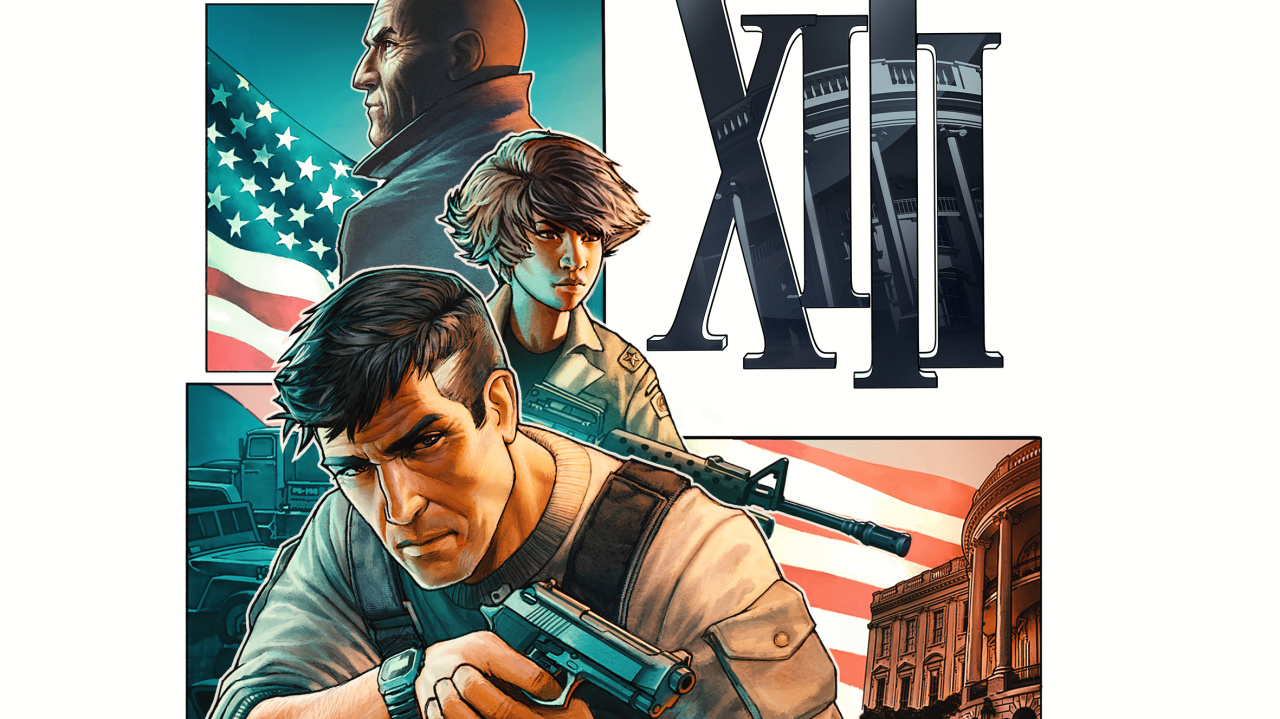
The Remake Of The Classic Cel-Shaded Shooter XIII Launches This November
Last year, Microids and PlayMagic announced they would be releasing a remake of the cel-shaded first-person shooter XIII for Nintendo Switch and multiple other platforms. It was scheduled to arrive before the end of 2019 and was then delayed.
It’s now been confirmed the game will be launching on 10th November. There’s no mention of price just yet. Alongside this announcement comes a first look at the gameplay. Here’s a bit more about the trailer above, courtesy of the press release:
The gameplay trailer unveils the artistic direction chosen, especially the cel-shading treatment, trademark of the original game! Discover the new look of two iconic environments of the game: Brighton beach or the FBI headquarters ; and get a glimpse of some of the weapons and useful items needed to progress through the game, hinting of the different play styles. Will you play sneakily or choose the frontal confrontation?
The game includes a solo campaign and also the option to “challenge your friends” in multiplayer matches. On top of this, the team has been able to remaster the original game soundtrack and actors’ voices.
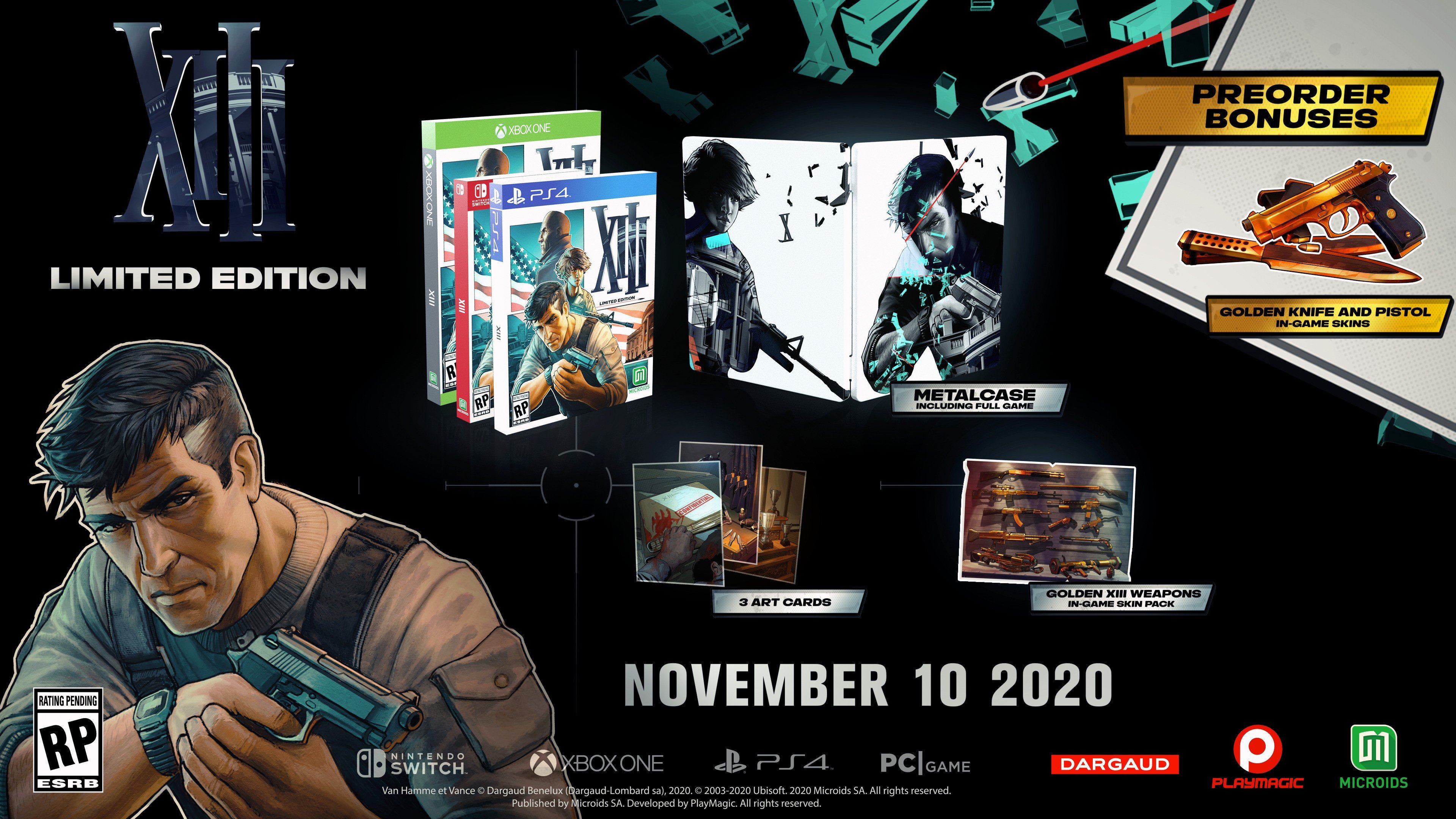
There’ll also be a limited edition released on 10th November – including a copy of the game, a two-sided metal case, three art cards, and 13 in-game weapon skins. And if you pre-order any version of the game, you’ll get the Golden Classic Weapons Skins Pack (containing a pistol and golden knife).
Is this the remake you’ve been waiting for? Tell us down below.