Enter the Chaos-infested Caligari Sector and purge the unclean with the most powerful agents of the Imperium of Man. Warhammer 40,000: Inquisitor ? Martyr is a grim Action-RPG featuring multiple classes of the Inquisition who will carry out the Emperor? will in the darkest reaches of the Imperium!
Super Smash Bros. Ultimate Introduces New Ridley Amiibo
Ridley from the Metroid series made a dramatic entrance into Super Smash Bros. Ultimate during Nintendo's E3 2018 presentation. On top of that, he's getting the royal treatment with his very own Amiibo figurine. Nintendo showed off the figure during its Nintendo Treehouse stream following the main presentation.
The Ridley Amiibo was flanked by a new model of the Inkling Girl, and two mystery spots. One of those spots is reserved for Daisy, who will be an echo character for Peach. That leaves one more Amiibo character yet to be revealed, possibly pending another new character announcement.
Nintendo announced during its stream that all previous Amiibo will be compatible with Smash Bros. Ultimate. You can train them up just like you did in the Wii U and 3DS versions, and your existing training data is transferable to Ultimate.
Xbox using machine learning to load Game Pass titles ‘twice as fast’
Xbox has developed a new ‘FastStart’ tool that will let Xbox Game Pass subscribers jump into the service’s digital roster “twice as fast.”
The new feature uses machine learning to understand how people play, allowing it to identify which files are essential when starting a new game.
It then prioritizes the download of those all-important files, enabling Game Pass users to quickly jump into full-fidelity gameplay while rest of the download takes place in the background.
“While FastStart does not speed up download times, by identifying which files are needed to begin gameplay and prioritizing the download of those files first, you can expect to jump into your game, on average, twice as fast as you did previously,” explains a post on the Xbox Wire blog.
“That means if a game previously took 30 minutes to download and play, you will now be able to begin gameplay after just 15 minutes. In addition, since FastStart takes advantage of machine learning, we will continue to improve our algorithm over time getting players into the fun as soon as possible.”
Even with FastStart, games will still only download based on a user’s local bandwidth, so Game Pass subscribers will need a connection with at least a 20mbps download speed to make use of the new feature.
FastStart will launch soon as part of the June update, and will initially only support a select number of popular titles, with more to be added over time.
Sir Questionnaire is on a quest, a quest that rather unsurprisingly, involves responding to questions. Don’t worry; you will not be needing a brain the size of a planet as each question only has two options. Run or fight? Head left, or right? Buy or don’t buy? Search or move on? Your answers will help determine your progress in this rapid roguelike adventure.
Sir Questionnaire himself is not your typical dungeon delver, being a rather elderly gent who sports a topper and monocle. However, do not let these cultured sensibilities fool you, since our hero is more than happy to exchange the posh surroundings of the Kit-Kat Club in favour of a dank dungeon. He swaps his dapper cane for a sword or spell-casting wand without so much as raising an eyebrow. Before entering the dungeon, Sir Q must first choose a quest. These are randomly generated and arranged into three levels of difficulty. An easy quest may have you searching for a couple of skulls, whilst a difficult one may require the demise of a handful of fearsome orcs. The advantage of completing a more difficult quest is that when you eventually die or actually defeat the final boss, you will start the next game with many more items already in your inventory.
Each level of the dungeon has a set of randomly generated rooms that Sir Q has to make his way through. He will be grabbing loot, killing monsters and, in a nod to the modern world, taking lots and lots of photographs. He may prefer a walking stick to a selfie-stick but there are plenty of photo opportunities here, enabling our hero to fill his albums with pictures of all of the monsters and items that he encounters during his journey. Indeed, completing the collection is a big incentive to repeatedly return to the dungeon’s depths.
Battles are turn-based and handled with the minimum amount of fuss. Most monsters only take a hit or two before exploding into a satisfying splatter of blood or goo. As well as equipping a weapon, Sir Q can also have a shield at the ready, alongside other items such as magical rings. During combat, you are free to swap and change items in your inventory or recover health without fear of being attacked. Sir Q has several characteristics that can help him defeat enemies. These can be improved as his experience grows. His attack ability will determine the damage he inflicts with melee weapons and increases the durability of an equipped shield. Meanwhile, his magic rating increases the damage inflicted by magic weapons and also the longevity and power of magic items. A high agility rating will increase his chance of hitting fast moving enemies such as spiders and also improves the likelihood of him fleeing combat without being hit. His luck level has an impact in numerous ways, such as improving the chance of finding rare items or of selecting the most favourable option. Finally, his craft skill increases the durability of equipped items and alchemy enhances the value of coins.
The graphics are displayed in a small window and the resolution is so low that at first glance they look a bit of a mess. However, much like those magic eye puzzles, once your eyes get accustomed to the style you begin to work out what is going on and realise that they do have a certain charm. I felt like I was playing an early Gameboy Color game. Sound consists of some dramatic battle music and a hilariously over the top booming voice that introduces you to some of the dungeon’s many denizens and events. The action can be viewed in both portrait and landscape modes. The portrait mode works best with phones whilst landscape is ideal for larger devices. Landscape mode does reduce the size of the already small action window, but this provides enough extra space to also include the inventory on just a single screen. This is quite handy as swapping between weapons and equipment is something that you will be doing on a regular basis. All equipment has a limited lifespan, so you don’t want to damage your best weapon taking out a weak enemy when a rap from your trusty walking stick would be just effective.
During the time that I have been playing the game, the designer has already added a load of new content. In fact, these updates have come so thick and fast that I feared I would never actually finish the review. Each one has ushered in significant improvements, resolving many of the game’s teething problems and added some impressive new features. There is now a range of achievements and additional objectives that will unlock new character classes. Some monsters are more sociable, sometimes showing up in groups, rather than just singularly. They also have different traits, such as being exhausted, or deadly. This really helps add some extra variety and interest, especially as the monsters themselves are a rather generic bunch of the usual dungeon inhabitants. In the first version, you could encounter and defeat the boss after only a few levels, which was all a bit of an anti-climax. Now, the boss tends to lurk on much deeper levels of the dungeon. I like the fact that you stand a good chance of actually winning – most roguelikes tend to be hard as nails, and your inevitable death is often down to running low on supplies and health, which is a pretty dreary way to go.
Even after a few successful runs, Sir Questionnaire maintains interest with both the photography task and several secrets to unearth. There are numerous special rooms such as altars and throne rooms, each with their own secrets. Also, some monsters will react if you drop specific items in their vicinity. These secrets can be discovered by experimentation and listening to the odd characters you encounter. The new additions really add to the game and with more updates on the horizon the future looks really promising.
For some, Sir Questionnaire will be just too casual and undemanding to maintain interest. The decisions are simple, and the constant switching of inventory items can also get a little tiresome. However, for the rest of us, this is without question a spiffing release. The developers, Orange Pixel, are making a name for themselves for producing condensed fast-paced roguelikes. In many ways, Sir Questionnaire feels even more stripped back than Pocket Tactics favourite, Space Grunts. They have again managed to capture that magic ingredient, producing a game that it is both quick and compulsive, as you rapidly move from room to room with the tap of a button or two. Sir Questionnaire serves up progress and rewards in a quick and addictive flurry of activity.
Starting at 2:00 p.m. PDT today, members of the Xbox One Preview Alpha Ring will begin receiving the latest Xbox One system update (1806.180531-1920). Read on for more about the fixes and known issues in the latest 1806 system update.
Fixes:
My Games & Apps
Fixed an issue where users were seeing multiple Games & Apps categories appearing in their category lists.
Groups
Fixed an issue where users would have issues navigating Groups within the Guide.
Localization
Various localization issues fixed in this build.
Settings
Fixed an issue in which the console would turn back on after a full shutdown.
System Performance
Misc. performance fixes in the platform.
Known Issues:
Groups
Enabling Groups after taking the update: Groups may not appear for you on first sign in unless you do a full console reboot after taking the system update. This is being fixed in an upcoming build and should only affect having just taken this system update.
The Groups tab in My games & apps may not show after sign in even though you can access Groups in Guide, or you may see “This group does not exist” on Home on first sign-in for your existing Groups. Workaround: Sign in / out to refresh these pages.
Some changes might not be reflected when editing Groups between multiple consoles after coming out of connected standby. Sign in/out to fix.
Adding the Rewards app to Groups causes you to be unable to access your Groups. This is fixed for an upcoming build.
Using special characters in Group names (e.g. &,”) causes issues during Group creation or using the “Add more” flow. Note: emojis are fine. This is being fixed in an upcoming build.
You may see issues with Groups if you frequently switch between your non-Preview console and your Preview console. Workaround: Reset your Groups locally on the Preview console through “My games & apps” > Groups, then using the “Reset groups” button at the bottom of the page to resync from the service.
Profile Color
Sometimes users may encounter an incorrect Profile color when powering on the console.
Networking
Work continues on the stability of the Wi-Fi connectivity. If you see any issues please report the problems for investigation.
YouTube
Some users are encountering an issue where their YouTube account is being signed out whenever they launch the app.
Workaround: Uninstall/re-install the app and sign in with your account again.
Crazy Justice Brings Battle Royale Warfare To Switch On 13th June
With Fortnite looming ever closer, indie developer Black Riddles Studio has announced that its own addition to the every-popular battle royale genre, Crazy Justice, will bring its cross-play shenanigans to Nintendo Switch on 13th June.
While the two games do look a little similar, the developer was quick to quash suggestions it was simply a Fortnite clone, saying that it’s, “bringing a unique and alternative playstyle to the massively popular genre of Battle Royale.” To celebrate its imminent arrival, the studio has also released a brand new trailer. Check it out below.
What do you think of Crazy Justice? A Fortnite clone or a worthy battle royale alternative? We want to hear your thoughts…
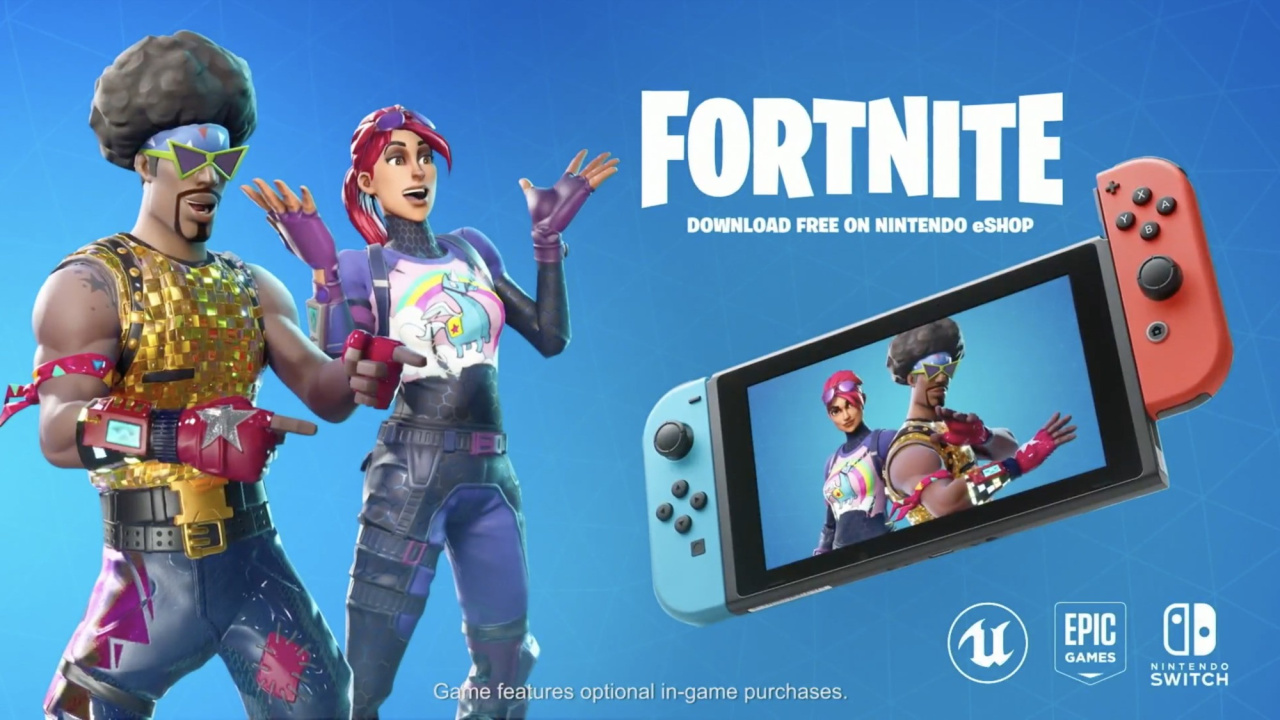
Fortnite Officially Confirmed For Nintendo Switch, Available For Free Today
Yes, after weeks and weeks of speculation, Nintendo has officially confirmed that Fortnite is coming to the Nintendo Switch.
The news comes from the Nintendo Direct E3 2018 Live Stream, during which Nintendo finally spilled the beans on the hugely popular battle royale hit’s presence on the platform.
The best news? The game will be available to download for free later today…
Will you be plunging yourself into the mayhem of Tilted Towers on your Switch? Share your excitement (or relief) for this reveal with us in the comments below.
Recently there’s been a bunch of community discussion around what kind of games we’re allowing onto the Steam Store. As is often the case, the discussion caused us to spend some time examining what we’re doing, why we’re doing it, and how we could be doing it better. Decision making in this space is particularly challenging, and one that we’ve really struggled with. Contrary to many assumptions, this isn’t a space we’ve automated – humans at Valve are very involved, with groups of people looking at the contents of every controversial title submitted to us. Similarly, people have falsely assumed these decisions are heavily affected by our payment processors, or outside interest groups. Nope, it’s just us grappling with a really hard problem.
Unfortunately, our struggling has resulted in a bunch of confusion among our customers, developer partners, and even our own employees. So we’ve spent some time thinking about where we want to be on this, and we’d like to talk about it now. But we also think it’s critical to talk about how we’ve arrived at our position, so you can understand the trade-offs we’re making.
The challenge is that this problem is not simply about whether or not the Steam Store should contain games with adult or violent content. Instead, it’s about whether the Store contains games within an entire range of controversial topics – politics, sexuality, racism, gender, violence, identity, and so on. In addition, there are controversial topics that are particular to games – like what even constitutes a “game”, or what level of quality is appropriate before something can be released.
Common questions we ask ourselves when trying to make decisions didn’t help in this space. What do players wish we would do? What would make them most happy? What’s considered acceptable discussion / behavior / imagery varies significantly around the world, socially and legally. Even when we pick a single country or state, the legal definitions around these topics can be too broad or vague to allow us to avoid making subjective and interpretive decisions. The harsh reality of this space, that lies at the root of our dilemma, is that there is absolutely no way we can navigate it without making some of our players really mad.
In addition, Valve is not a small company – we’re not a homogeneous group. The online debates around these topics play out inside Valve as well. We don’t all agree on what deserves to be on the Store. So when we say there’s no way to avoid making a bunch of people mad when making decisions in this space, we’re including our own employees, their families and their communities in that.
So we ended up going back to one of the principles in the forefront of our minds when we started Steam, and more recently as we worked on Steam Direct to open up the Store to many more developers: Valve shouldn’t be the ones deciding this. If you’re a player, we shouldn’t be choosing for you what content you can or can’t buy. If you’re a developer, we shouldn’t be choosing what content you’re allowed to create. Those choices should be yours to make. Our role should be to provide systems and tools to support your efforts to make these choices for yourself, and to help you do it in a way that makes you feel comfortable.
With that principle in mind, we’ve decided that the right approach is to allow everything onto the Steam Store, except for things that we decide are illegal, or straight up trolling. Taking this approach allows us to focus less on trying to police what should be on Steam, and more on building those tools to give people control over what kinds of content they see. We already have some tools, but they’re too hidden and not nearly comprehensive enough. We are going to enable you to override our recommendation algorithms and hide games containing the topics you’re not interested in. So if you don’t want to see anime games on your Store, you’ll be able to make that choice. If you want more options to control exactly what kinds of games your kids see when they browse the Store, you’ll be able to do that. And it’s not just players that need better tools either – developers who build controversial content shouldn’t have to deal with harassment because their game exists, and we’ll be building tools and options to support them too.
As we mentioned earlier, laws vary around the world, so we’re going to need to handle this on a case-by-case basis. As a result, we will almost certainly continue to struggle with this one for a while. Our current thinking is that we’re going to push developers to further disclose any potentially problematic content in their games during the submission process, and cease doing business with any of them that refuse to do so honestly. We’ll still continue to perform technical evaluations of submissions, rejecting games that don’t pass until their issues have been resolved.
So what does this mean? It means that the Steam Store is going to contain something that you hate, and don’t think should exist. Unless you don’t have any opinions, that’s guaranteed to happen. But you’re also going to see something on the Store that you believe should be there, and some other people will hate it and want it not to exist.
It also means that the games we allow onto the Store will not be a reflection of Valve’s values, beyond a simple belief that you all have the right to create & consume the content you choose. The two points above apply to all of us at Valve as well. If you see something on Steam that you think should not exist, it’s almost certain that someone at Valve is right there with you.
To be explicit about that – if we allow your game onto the Store, it does not mean we approve or agree with anything you’re trying to say with it. If you’re a developer of offensive games, this isn’t us siding with you against all the people you’re offending. There will be people throughout the Steam community who hate your games, and hope you fail to find an audience, and there will be people here at Valve who feel exactly the same way. However, offending someone shouldn’t take away your game’s voice. We believe you should be able to express yourself like everyone else, and to find others who want to play your game. But that’s it.
In the short term, we won’t be making significant changes to what’s arriving on Steam until we’ve finished some of the tools we’ve described in this post. As we’ve hopefully managed to convey, navigating these issues is messy and complicated. Countries and societies change their laws and cultural norms over time. We’ll be working on this for the foreseeable future, both in terms of what products we’re allowing, what guidelines we communicate, and the tools we’re providing to developers and players.
LF Deep Learning Foundation Announces Project Contribution Process
The LF Deep Learning Foundation, a community umbrella project of The Linux Foundation with the mission of supporting artificial intelligence, machine learning and deep learning open source projects, is working to build a self-sustaining ecosystem of projects. Having a clear roadmap for how to contribute projects is a first step. Contributed projects operate under their own technical governance with collaboration resources allocated and provided by the LF Deep Learning Foundation’s Governing Board. Membership in the LF Deep Learning Foundation is not required to propose a project contribution.
The Blazor project templates have been updated to use Bootstrap 4. Bootstrap 4 includes lots of new features including an improved grid system based on flexbox, an improved reset file, new components, better tooltip support, better forms styling, built-in spacing utilities, and much more.
The new Bootstrap 4 styles also give the Blazor templates a fresh look:
Async event handlers
Event handlers can now be asynchronous and return a Task that gets managed by the runtime. Once the task is completed the component is rendered without the need to manually invoke StateHasChanged. Any exceptions that occur during the asynchronous execution of the event handler will be correctly handled and reported.
For example, we can update the FetchData.cshtml page to have an Update button that when selected asynchronously updates the weather forecast data by making HttpClient calls to the backend web API:
This release adds strongly typed events for the most of the commonly used browser events, including mouse and focus events. You can now handle most events from your components.
You can see a full list of the events now supported in here.
Most of the event arguments don’t yet capture and surface the data from the events. That’s something that we expect to handle in a future release. We welcome community contributions to help out with this effort.
Capturing references to DOM elements
Blazor components typically interact with the DOM through their rendering logic in markup. There are cases, however, when a parent component needs to modify or interact with DOM elements directly. Example scenarios including setting element focus or integrating with existing UI libraries that require references to elements for initialization. This release adds support for capturing DOM elements from components and using them when interacting with JavaScript.
To capture an element reference from a component attribute the element markup with a ref attribute that points to a component field of type ElementRef.
<input ref="username" />


@functions {
 ElementRef username;

}
ElementRef is an opaque handle. The only thing you can do with it is pass it through to JavaScript code, which receives the element as an HTMLElement that can be used with normal DOM APIs.
Note that the ElementRef field (username in the previous example) will uninitialized until after the component has been rendered. If you pass an uninitialized ElementRef to JavaScript code, the JavaScript code will receive null.
Let’s create a API that lets us set the focus on an element. We could define this API in our app, but to make it reusable let’s put it in a library.
Create a new Blazor class library
dotnet newblazorlib -o BlazorFocus
Update content/exampleJsInterop.js to register a JavaScript method that sets the focus on a specified element.
Add a ElementRefExtensions class to the library that defines a Focus extension method for ElementRef.
using System;
using Microsoft.AspNetCore.Blazor;
using Microsoft.AspNetCore.Blazor.Browser.Interop;
namespaceBlazorFocus
{
publicstaticclassElementRefExtensions
{
publicstaticvoidFocus(this ElementRef elementRef)
{
RegisteredFunction.Invoke<object>("BlazorFocus.FocusElement", elementRef);
}
}
}
Create a new Blazor app and reference the BlazorFocus library
 dotnet new blazor -o BlazorApp1

 dotnet add BlazorApp1 reference BlazorFocus
Update Pages/Index.cshtml to add a button and a text input. Capture a reference to the text input by adding a ref attribute that points to a field of type ElementRef with the same name. Add an onclick handler to the first button that sets the focus on the second button using the captured reference and the Focus extension method we defined previously.
You can also capture references to other components. This is useful when you want a parent component to be able to issue commands to child components such as Show or Reset.
To capture a component reference attribute the component with a ref attributes that points to a field of the matching component type.
Note that component references should not be used as a way of mutating the state of child components. Instead, always use normal declarative parameters to pass data to child components. This will allow child components to re-render at the correct times automatically.
OnAfterRender / OnAfterRenderAsync
To capture element and component references the component must already be rendered. Components now have a new life-cycle event that fires after the component has finished rendering: OnAfterRender / OnAfterRenderAsync. When this event fires element and component references have already been populated. This makes it possible to perform additional initialization steps using the rendered content, such as activating third-party JavaScript libraries that operate on the rendered DOM elements.
For example, we can use OnAfterRender to set the focus on a specific element when a component first renders.
The example below shows how you can receive the OnAfterRender event in your component.
<input ref="input1" placeholder="Focus on me first!" />
<button>Click me</button>
Note that OnAfterRender / OnAfterRenderAsync is called after each render, not just the initial one, so the component has to keep try of whether this is the first render or not.
Better encapsulation of component parameters
In this release we’ve made some changes to the programming model for component parameters. These changes are intended to improve the encapsulation of the parameter values and discourage improper mutation of component state (e.g. using component references).
Component parameters are now defined by properties on the component type that have been attributed with [Parameter]. Parameters that are set by the Blazor runtime (e.g. ChildContent properties, route parameters) must be similarly attributed. Properties that define parameters should not be public.
A Counter component with an IncrementAmount parameter now looks like this:
Layouts now inherit from BlazorLayoutComponent instead of implementing ILayoutComponent. The BlazorLayoutComponent defines a Body parameter that can be used for specifying where content should be rendered. Layouts no longer need to define their own Body property.
An example layout with these changes is shown below:
We hope you enjoy this latest preview of Blazor. Your feedback is especially important to us during this experimental phase for Blazor. If you run into issues or have questions while trying out Blazor please file issues on GitHub. You can also chat with us and the Blazor community on Gitter if you get stuck or to share how Blazor is working for you. After you’ve tried out Blazor for a while please also let us know what you think by taking our in-product survey. Just click the survey link shown on the app home page when running one of the Blazor project templates: