Random: Looks Like You Have No Control Over Mario Party Dice Rolls After All
Ah, Mario Party – a series full of bright colours, charming characters and absolute, rage-inducing gameplay that can make even the strongest of friendships end in tatters.
Lots has been said about the series’ dice rolls in the past, with some players believing that you must have some control over the rolls you make, others thinking it’s probably random, and some going as far as to suggest it’s likely rigged. When you consider the importance of each roll – higher numbers tend to offer better opportunities for board progression – it’s quite surprising that we still know so little about how it all actually works.
That is, until now. The folks over at DidYouKnowGaming? have explored each and every Mario Party title to determine once and for all how the dice roll is calculated. In the video below, the team presents their results after testing the original game on N64 right through to Super Mario Party on Switch, looking ultra-closely at gameplay footage frame-by-frame and consulting speedrunning experts for their advice and thoughts on the matter.
As you can see, it appears that each and every game in the series, no matter how the dice rolls are presented on screen, does not allow the player to influence the dice roll in any way whatsoever. In some cases, the roll is already pre-determined before you even hit the thing, while in others you’re simply receiving a random number, no matter how well you try and time your hit.
It was perhaps to be expected, but next time you have a Mario Party dice rolling around above your character’s head, finding yourself trying to time a perfect strike to get a lovely ’10’, don’t waste your time.
Posted by: xSicKxBot - 12-23-2020, 12:43 AM - Forum: Lounge
- No Replies
Best New PC Games In 2020 By Score
The last year has been unprecedented in a lot of ways as the world continues to deal with a global pandemic. The ride has been pretty wild in the games industry as well, as the reality of COVID has changed the way games are made, along with every other aspect of life. Despite the big changes, though, 2020 saw a number of top-tier game releases--many of which have helped people deal with on-going stay home orders and greatly diminished social interactions.
As 2020 draws to a close, we're doing what we always do around this time and highlighting the year's best games. You can check out the peak of what 2020 had to offer with our Best Game of 2020 nominees list, although that's just the tip of the iceberg of great titles the GameSpot crew enjoyed over the last year. For PC players, 2020 was filled with great games, and below we've compiled a list of all the titles we reviewed this year that scored better an 8 out of 10 or better. If you're looking for a list that's platform-agnostic, check out our complete list of every game that received an 8 or higher in 2020.
For more of the year's best, be sure to check out our Best Games of 2020, but if you're more of a forward-thinking individual, jump into our hub for the Most Anticipated Games of 2021, which contains features highlighting the biggest games coming out next year.
This tutorial shows you how to use Python’s built-ineval() function.
Why Using It? The main application of eval() is to take user input at runtime and run it as a Python expression. This way, you can create a calculator or allow users to perform custom computations on a computing cluster. However, this use also poses the biggest security risk: the user can run byzantine (=harmful) code on your server environment!
How does it work? TLDR;
Python eval(s) parses the string argument s into a Python expression, runs it, and returns the result of the expression. This poses a security risk because a user can use it to run code on your computer. For example, if you allow eval(input()), a user could type os.system('rm -R *') to delete all files in your home directory.
Usage Examples
Learn by example! Here are some examples of how to use the eval()built-in function:
You can run any Python code that has a return value within the eval() code. You can even create your own function and run it within eval():
>>> def f(): return 42 >>> eval('f()')

42
This gives you great flexibility in how you use the function to run any string expression you may encounter in Python and it allows you to create Python code programmatically and evaluate it at runtime.
Syntax eval()
You can use the eval() method with three different argument lists.
Optional, default None. A dictionary in which you can define variables that should be globally accessible by the executed object (local namespace).
locals
Optional, default None. A dictionary in which you can define variables that should be locally accessible by the executed object (global namespace).
Return Value
object
Returns the result of parsing the string argument and running it as a Python expression.
Python eval() Return Value
The return value of eval() is a Python object that is the result of parsing the string argument and running it as a Python expression. The code can have side effects which means that it may change the state of your program or even your computer!
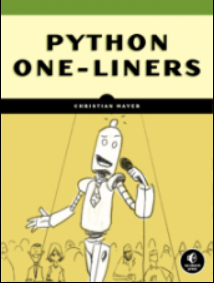
But before we move on, I’m excited to present you my brand-new Python book Python One-Liners (Amazon Link).
If you like one-liners, you’ll LOVE the book. It’ll teach you everything there is to know about a single line of Python code. But it’s also an introduction to computer science, data science, machine learning, and algorithms. The universe in a single line of Python!
The book is released in 2020 with the world-class programming book publisher NoStarch Press (San Francisco).
You can use the eval() function to run code that is typed in dynamically by the user:
def dangerous_function(): # Do nasty stuff like removing files # or creating trojan horses print('You were hacked!') return 42 eval(input())
This is how the user may interact with your code at runtime:
dangerous_function()

You were hacked! 42
You see that the dangerous_function() was executed which could contain all kinds of dangerous code. If you run this on your server, the user may attempt to remove all files on your server! For example, the user may use the command os.system('rm -rf *') to remove all files and folders.
Interactive Jupyter Notebook eval()
Exercise: Run the following interactive code and try to run the dangerous function in the interactive Jupyter notebook!
Python exec() vs eval()
Python’s exec() function takes a Python program, as a string or executable object, and runs it. The eval() function evaluates an expression and returns the result of this expression. There are two main differences:
exec() can execute all Python source code, whereas eval() can only evaluate expressions.
exec() always returns None, whereas eval() returns the result of the evaluated expression.
Can you import a Python library within the eval() function? No, you can’t! The import statement is a statement, not an expression. But eval() can only execute expressions. A simple workaround is to create a function with side effects that imports the module within the function body:
def f(): import random return random.randint(0, 9) print(eval('f()'))

# 4
Per default, the eval() function has access to all names in the dir() namespace, so you can also import the library globally and use it within the eval() function:
import random

print(eval('random.randint(0, 9)'))
How to Restrict the Use of Built-in Functions Within eval()
If you don’t want to allow users to access built-in functions, you can restrict this by providing the globals argument as follows:
eval(expression, {'__builtins__': None})
For example:
>>> eval('sum([1, 2, 3])')

6

>>> eval('sum([1, 2, 3])', {'__builtins__': None})

Traceback (most recent call last): File "<pyshell#13>", line 1, in <module> eval('sum([1, 2, 3])', {'__builtins__': None}) File "<string>", line 1, in <module>

TypeError: 'NoneType' object is not subscriptable
After restricting the built-in functions in the second call, Python raises an error NoneType object is not subscriptable. This reduces the security risks of your application.
Summary
Python eval(s) parses the string argument s into a Python expression, runs it, and returns the result of the expression.
>>> eval('2+2')

4
This poses a security risk because a user can use it to run code on your computer. For example, if you allow eval(input()), a user could type import os; os.system('rm -R *') to delete all files in your home directory.
I hope you enjoyed the article! To improve your Python education, you may want to join the popular free Finxter Email Academy:
Do you want to boost your Python skills in a fun and easy-to-consume way? Consider the following resources and become a master coder!
Where to Go From Here?
Enough theory, let’s get some practice!
To become successful in coding, you need to get out there and solve real problems for real people. That’s how you can become a six-figure earner easily. And that’s how you polish the skills you really need in practice. After all, what’s the use of learning theory that nobody ever needs?
Practice projects is how you sharpen your saw in coding!
Do you want to become a code master by focusing on practical code projects that actually earn you money and solve problems for people?
Then become a Python freelance developer! It’s the best way of approaching the task of improving your Python skills—even if you are a complete beginner.
Freebie returns, Metro Exodus Deal, Humongous & Retro Deals
Theatre of War 2: Kursk 1943 FREEbie
[freebies.indiegala.com] This historically accurate and detailed real-time tactical war FREEbie, returns and welcomes once again military history fans to battle.
Crypto Sale Day 11: 63% OFF Metro Exodus
[www.indiegala.com] Inspired by the novels of Dmitry Glukhovsky, Metro Exodus continues Artyom’s story in the greatest Metro adventure yet.
Join our Crypto Sale, and get an EXTRA 30% OFF on all bundles and 15% OFF on all store deals when paying with a supported cryptocurrency. Get a FREE Space Rangers HD Steam Key for any store cart of $8/€7/£6 or more, while stocks last.
The 248th GalaQuiz will be LIVE soon, win up to $50 in GalaCredit!
[www.indiegala.com] The GalaQuiz will take place in a few hours from this announcement Today's GalaQuiz[www.indiegala.com] hints are up. The theme will be Visually Impaired Cartoon Characters Redux.
We are welcoming everyone to join our discord[discord.gg]. We are more active there on finding giveaways, small or large, and there are daily raffles you can participate.
Review: AirPods Max don’t make it easy to justify the price
The new AirPods Max are turning heads with a high price tag and excellent audio quality. But is what you get worth the $549?
AirPods Max design
AirPods Max come in five different colors, sky blue, green, pink, silver, and space gray. Each color is two-toned, featuring a lighter color on the anodized earcups and a darker one for the headband.
AirPods Max have one of the most bespoke designs ever created for a set of headphones. The top portion of the headphones is made of stainless steel before being coated with a premium soft-touch material akin to silicone. The canopy is made from a proprietary mesh that is designed to wrest just atop your head.
AirPods Max
Each arm of the AirPods Max extend to accommodate user’s heads of different sizes. Anodized aluminum makes up the cups themselves, which is lighter than the steel and allows for the svelte anodization Apple is known for.
Each of the cushions on the earcups are a similar mesh material filled with some form of memory foam. They are easily detachable thanks to magnets, enabling them to be replaced or swapped for another color.
Removable mesh ear cushions on AirPods Max
We don’t mind the mesh fabric but aren’t sure everyone will. Leather is more typical on high-end headphones, but we know that isn’t everyone’s cup of tea, either. Leather can get quite warm in the summer months, while the mesh is more comfortable year-round. It wouldn’t be surprising to see third-parties launch their own replacement leather cushions. If that does come to fruition, it would be great to have swappable replacements handy.
AirPods Max Digital Crown
As far as physical controls, AirPods Max have two buttons located atop the right earcup. Apple has borrowed the Digital Crown from Apple Watch and planted it right on the AirPods Max. It is subtly different, including roughly double in size. Apple also neglected to include the original Digital Crown’s haptic feedback that emulates the physical click of a wheel. It still retains the auditory click, so as you rotate the wheel, you’ll hear a faint clicking noise in your ear.
The Digital Crown can be pressed to pause or play your content, double-clicked to skip songs, and triple-clicked to go to the previous track. Holding it down will summon Siri, though you can also use “Hey, Siri.” It is a delightful way to interact with the headphones, though it is prone to accidental bumps.
Between the steel, the batteries, and everything else, the AirPods Max are a bit on the heavy side. They weigh in at almost 14 ounces. Competing headphones typically clock in around eight ounces. Picking up the headphones, you can tell they are hefty, yet it gives them a much more premium feel.
We’ve worn AirPods Max for many hours In our few days with the headphones, and for us, the weight hasn’t been an issue. We feel as though it makes the headphones feel sturdy and solid. This will undoubtedly vary person-to-person as we’ve already seen on social media and comments on existing coverage. Like with any headphones, it will always come down to individual comfort.
Only one port graces the exterior of the AirPods Max, a single Lightning port used for charging and using the headphones in wired mode. Many will undoubtedly rant and rave about the lack of USB-C, but on the positive side, if you’re using the headphones with your iPhone, you only need one cable.
That case…
Many people have strong feelings about the origami fabric that is the AirPods Max Smart Case. We won’t go as far as to say we hate it, but certainly, more could be done. It comes off as different for the sake of being different and winds up sacrificing functionality and practicality.
AirPod Max Smart Case
Apple designed the case from a single piece of precision-cut fabric folded, glued, and shaped into a pliable case that the headphones can be inserted into. The case barely covers the two ear cups. The anodized aluminum ear cups are arguably the most vulnerable part of the headphones and most likely to be scratched if tossed into a bag.
The main point of a case is to offer protection to your headphones, but the Smart Case skirts its responsibility. With the case on, parts of the cups are still exposed. There are large gaps on the underside as well as the top that could still be scratched inadvertently.
We don’t mind the lack of top protection on the Max, as it does make them easier to grasp and they take up less space when in our bag. We took ours with us on a road trip and when in our backpack, it was much quicker to pick up the headphones right from the headband.
Recently, we’ve been comparing the AirPods Max to other popular headphones such as the Sony MX4 and Bose NC 700. The Bose has a case that is quite a bit larger than the Max, takes up more space in our bag, and is harder to remove. Had Apple crafted an appropriately luxe case that more adequately covered the earcups, we’d be happier.
Smart capabilities and battery life
Protection aside, the case has a few practical benefits — notably, conserving a portion of your battery life. The case has a magnet in it, it can sleep and wake the headphones, similar to the line of smart covers for the iPad. That magnet is the extent of the smart capabilities.
AirPods Max Smart Case
When AirPods Max are slid into the case, they immediately go into a low-power state but Bluetooth and Find My tracking remain active. After 18 hours of sitting idle in the case, they slip into an even lower state of sleep where Bluetooth and Find My are disabled to conserve even more battery. We’re of a mixed mind about this, given that it doesn’t save all that much battery power, even when in the deepest sleep.
That said, this isn’t crucial to the use of the AirPods Max. Outside the case, the headphones slip into the low power mode automatically after five minutes of sitting stationary off your head. They then drop into the ultra-low power mode after 72 hours. So if you don’t want to use the case, you don’t have to, and you will only lose a few battery percentage points as the tradeoff.
Interestingly, Apple is not just detecting when they don’t have audio playing or are on your head, but they watch for motion as well. That way, if you are moving around with the headphones, they wake up and enable Bluetooth, so they connect instantly when you need them.
If they are in the case and moving, they will stay in the low power mode rather than the ultra-low-power mode. In practice, this is handy because it keeps Find My active. So if we were traveling or just carrying them around, we’d have that last location in Find My or the ability to track them down if we left them somewhere nearby.
Apple could undoubtedly boost battery life ever so slightly by changing how these low power modes work, as well as the Smart Case, but what we got is a good balance of usability versus other concerns.
AirPods Max connectivity
Apple’s H1 is part of what gives the AirPods Max an industry-leading hundred-foot range. As a general rule, this compares very well to a typical 30 foot range on typical headphones in the class — which we will be discussing more about very soon.
The rest of the range equation comes from Apple’s use of Class 1 Bluetooth audio. Class 1 is harder on battery life than the alternatives, which is why most others don’t use it. In conjunction with the pair of H1 chips, the Class 1 audio provides a more robust signal, cutting way back on any dropouts from a challenging RF environment that may otherwise occur.
The H1 chip allows for effortless setup
Aside from Bluetooth, you do have the option to use AirPods Max in wired mode. There are limitations.
To use AirPods Max wired, you need a Lightning to 3.5mm aux cable, which isn’t included in the box. We’re torn on how we feel about the lack of included cable. On the one hand, the vast majority of users will not be using AirPods Max wired. If Apple had the cable in the box, it would be mostly unnecessary and contribute to the growing pile of e-waste.
At the same time, those who do require the cable are forced to shell out an additional $35 for Apple’s inadequate cable. Apple’s cable is far too thin, fragile, and short for our liking. As usual, third-party companies will make their own, but it relies on non-Apple vendors to fix the issue.
It would have been a better comprise if Apple did sell the cable on its own but dropped the price to something more manageable, especially for what it is.
While using it in wired mode, the Digital Crown can still control volume though it is incapable of controlling playback, and the noise control button can toggle the ANC mode.
Block out external noise — and letting it in
Just as with AirPods Pro, there are two ANC modes present on AirPods Max. There are active noise cancelation and transparency modes, which is Apple’s branding for the pass-through audio mode that allows the noise around you to be heard.
ANC
Active noise cancelation is even better here on the Max than it is on the AirPods Pro. The larger drivers and additional microphones are likely contributing to that. There are nine microphones on the AirPods Max, eight of which are used for ANC and three used for voice control and phone calls.
AirPod Max are covered in microphones
In all environments we tested, it removed any background noise as well as its competitors. This is easily best-in-class ANC and one of the best features Apple has baked in here.
Transparency mode
Transparency mode is also quite good, though it has a few shortcomings during our tests.
In normal conditions, it worked well with only a slight hiss in the background as the exterior audio is passed through. It works exceptionally well, enabling you to be aware of your surroundings, which is vital when you’re wearing over-the-ear headphones.
Our only gripe is with high-pitched noises, even subtle ones. Walking around the studio, our shoes on the wood flooring creates a slight shuffling sound at times, and that gets amplified very loudly through the headphones when transparency mode is on. Many other noises get boosted like this and we can’t see a fix for it.
AirPods Max Audio fidelity
Turning to audio, we’re underwhelmed. In short, they produce above-average audio but fall short of other $550 headphones.
Baked into AirPods Max are 40mm Apple-designed dynamic drivers. Apple seems to be targeting a neutral audio profile, with excellent fidelity on the mids and highs but no extremes on either end. The soundstage is fantastic and more significant than most comparable models, which is fantastic for listening to music and watching movies.
Bass isn’t bad but is volume dependent. The lows were disappointing when turned down, but as we hit 50 percent or louder volume, the bass came in punchy and strong. At near-max volume, the bass was enough to near shake the cups on your head during a bass-heavy song.
Overall, the audio sounds clean and clear. The simplest way to describe it is as “pleasing.” While that may not suffice for audiophiles, the average consumer who picks these up should be just fine with it.
Spatial audio is another feature altogether that needs highlighting. Between spatial audio and ANC, it is a unique experience to use these headphones. In our testing, we kicked back to watch the latest episode of The Mandalorian through Disney+ on our iPad Pro.
Initially, we legitimately thought our headphones weren’t working, and we were hearing the audio come straight from the speakers in front of us, especially as we moved our heads. Audio continued to come right from the characters on-screen as we turned our heads in any direction. It is surreal. It wasn’t until we removed the headphones that we confirmed that the effect was coming from the AirPods Max.
Listening to Apple Music on AirPods Max
Aside from the effect of audio’s direction coming from the device, spatial audio also allows audio to come from all around you when mixed in Dolby 7.1 surround or Dolby Atmos. With Atmos the effect is especially impressive as sound can come from above, behind, or any direction. It is a next-level listening experience and makes us want to listen more on headphones on our TV due to the better effects.
The only hang-up is the lack of options. At the moment, spatial audio is limited to a few content providers. Apple’s own content, HBO Max, and Disney+ are just a few of the apps that support spatial audio, but big players like Netflix currently don’t. Developers will need to get on board with this because it does make a big difference in media consumption.
Outside of video, developers can integrate spatial audio into games and other apps as well. Apple has opened it up as an API, so as you are playing a racing game, a first-person shooter, or anything else, the action can be happening around you. We can’t wait for this to become more prevalent, and we hope Apple finds a way to designate spatial audio support for apps, perhaps in the App Store listing.
Going the wired route
As we said, most everyone will use AirPods Max wirelessly, though there are times when wired makes sense. For us, it is when we need a lag-free experience, such as while recording voiceover or recording the HomeKit Insider podcast.
When wired, it is nice that you can still control the volume with the Digital Crown. We also appreciate the slightly higher level of volume you get. There’s also a bit more clarity in the subtle details of songs we listened to. Not enough that we will prefer wired every time — and it certainly looks ridiculous trying to use it wired with our iPhone, but it is nice that is an option.
The downside is that this doesn’t work via USB audio. You can’t use a Lightning to USB-C cable and get audio over USB — you have to use Lightning to aux. Had Apple gone the USB-C route, we’re sure this would have been a different story.
Are AirPods Max worth the splurge?
If you don’t put any value in having a set of headphones tied closely into the Apple ecosystem, we’ll never be able to convince you AirPods Max are worth it. Simply put — they don’t sound like a pair of $500 headphones. They are absolutely above average and compare favorably to many popular models like the Sony XM4, Bowers & Wilkins P7, or Bose NC 700, but they fall short at the $550 price point.
That said, for us and our uses, they are worth the price Apple set — but just barely. The build quality is exceptional. The audio quality is fantastic and is going a long way towards bringing Hi-Fi to the masses. And the tight integration into iOS is a far cry from what third-parties can even hope for.
How these are controllable through Siri, how you can adjust them in Control Center, the ability to automatically switch between your devices, the easy setup process, and the fantastic 100-foot range are all invaluable additions to a set of headphones.
AirPods Max in Sky Blue and Space Gray
Again, spatial audio is the real killer feature for us. Watching videos with these is fantastic and unparalleled to any other headphones we’ve used.
Those features, though, are all secondary. If you are buying headphones purely for the audio quality, you can do just as good for less. It’s up to you what you can justify for a set of headphones. For us, Apple made it worth the splurge.
Excellent, premium design
Dual H1 chips for audio processing, range, and signal robustness
Extremely comfortable
Deep iOS integration
Spatial audio is killer
Better than average audio
Good battery life
Excellent ANC
Solid physical controls
The case — enough said
Controls are easy to bump when removing headset
Audio quality could be better
Transparency mode harsh on highs
No aux cable included and Apple’s is expensive and fragile
Rating: 4 out of 5
— assuming you’re embedded deeply in the Apple ecosystem. Otherwise, maybe look at some of the other options we’ve mentioned above.
Where to buy AirPods Max
AirPods Max are available to purchase at leading Apple resellers like Amazon, Adorama and B&H Photo, with the best deals at your fingertips in the AppleInsiderAirPods Price Guide.
Check Out These Lovely Christmas Cards From Some Of Gaming’s Big Names
Christmas is a time of cheer, of merriment, and of brotherly love, right? Well, that includes love between consoles. We might be a Nintendo website, but we can enjoy good work when we see it, and these gorgeous Christmas cards come courtesy of the PlayStation blog, where they’re featured a selection from a few of the best studios in the biz.
Quite a few of them are also on Switch, so we’re featuring our personal faves for you to enjoy, too, with the likes of Cuphead, Grindstone, and Wargroove making an appearance.
Awww, isn’t that lovely. Which studio would you love to get a Christmas card from? Let us know in the comments!
Starting today, Fortnite has issued a bunch of “Wakanda Forever Challenges” to all players, and the prize is the badass Wakanda Forever emote – a tribute to the actor who played the Wakandan King, Chadwick Boseman, who died earlier this year.
Players who complete the challenges before January 12th will receive the emote for free. Fortnite Insider has the scoop on what the challenges will involve:
– Play Matches (10) – Outlast Opponents (500) – Play Duo or Squad Matches (5)
The emote might not be the only Black Panther-related goodie that Fortnite players receive. In a cryptic emoji tweet, the Fortnite Twitter account hinted at what could be the addition of some new characters, including a black cat:
Which characters do you think these emojis correspond to? Let us know in the comments below!
Cyberpunk 2077 Modder Adds Ability To Change In-Game Hairstyle For PC
Cyberpunk 2077 has been mired in controversies since launch, but a brand-new Nexus Mod aims to bring some much-needed levity to the experience by giving PC players the ability to change their in-game hairstyle whenever and however many times as they want.
The mod, created by user woodbricks, grants players access to all the hairstyles available in Cyberpunk 2077. Once installed, players can swap between the 39 haircuts for both male and female characters. However, those who've customized their V with a totally bald cut cannot change it to any of the other 38. Additionally, while the mod is compatible with both genders, hairstyles won't neatly swap between the two due to head shape and character model.
There are specific instructions for changing V's hairstyle with this Nexus Mod. PC players will have to locate their save file, download and install a Hex editing program like this one, edit the file in question by changing V's hair to the corresponding Hex code of their choosing, and save. Relaunching the game after completing the steps is not necessary; players can simply load their save file and continuing playing Cyberpunk 2077 with their freshly cut V.
Posted by: xSicKxBot - 12-22-2020, 11:24 AM - Forum: Python
- No Replies
A Guide to Python’s pow() Function
Exponents are superscript numbers that describe how many times you want to multiply a number by itself. Calculating a value raised to the power of another value is a fundamental operation in applied mathematics such as finance, machine learning, statistics, and data science. This tutorial shows you how to do it in Python!
Definition
For pow(x, y), the pow() function returns the value of x raised to the power y. It performs the same function as the power operator ** , i.e. x**y, but differs in that it comes with an optional argument called mod.
The pow() function includes two compulsory arguments, base and exp, and one optional argument, mod, whose default value is None. All arguments must be of numeric data type.
Parameter
Description
exp
A number that represents the base of the function, whose power is to be calculated.
base
A number that represents the exponent of the function, to which the base will be raised.
Return value: The output of base raised to the power exp and will be a numeric data type, int, float or complex, depending on what you input.
Using the pow() function without the mod argument
When using the pow(x, y) function without the optional mod argument, it will perform the same operation as the power operator x**y, raising x to the power y.
Comparison of the two methods
>>> pow(6, 4)

1296

>>> 6 ** 4

1296
The pow() function accepts all numeric data types, i.e. int, float and even complex numbers. In general the return value will depend on what data types you input. The example above shows that both arguments are type int, therefore, an int type is returned. However, if you were to instead use a float number as one or both of the arguments, the function will automatically return a float type.
As with float type inputs leading to float outputs, the same reasoning applies to complex numbers. If you enter a complex number as one or both of the arguments, a complex number will be returned.
Example using complex numbers
>>> pow(4+2j, 3)

(16+88j)
The return type will also depend on whether your arguments are non-negative or negative, as is shown in the below table.
base
exp
Return type
Non-negative
Non-negative
int
Non-negative
Negative
foat
Negative
Non-negative
int
Negative
Negative
float
Examples of return values with different input types
What sets the pow() function apart from the ** operator is its third optional argument, mod, which gives you the ability to do a modulo operation within the function.
The process of operations when using the mod argument is as follows:
If we have pow(x, y, z), the function first performs the task of raising x to the power y and then that result is used to perform the modulo task with respect to z. It would be the equivalent of (x**y) % z .
The general rule for using the mod argument is that all values must be of integer type, the exp argument must be non-negative and the mod argument must be non-zero. However, Python 3.8 now comes with the functionality of computing modular inverses. In this case, the exp argument may be negative, on the condition that base is relatively prime to mod, i.e, the only common integer divisor of base and mod is 1.
So, when using the pow() function with negative exp, the function will perform as follows:
pow(inv_base, -exp, mod)
In other words, the function will compute the modular inverse of base and mod first and then that result will be used in the pow() function as base to be computed as normal with the exp argument being converted to its non-negative counterpart.
Example of modular inverse
>>> pow(87, -1, 25)

23
In this example, the straight modular inverse is calculated because inv_base will be raised to the power 1.
Example of modular inverse when exp is not -1
>>> pow(34, -5, 19)

10

# The modular inverse of 34 mod 19 is 14, therefore, we end up with the function pow(14, 5, 19)

>>> pow(14, 5, 19)

10
Calculating the nth root of a number using pow()
Unfortunately, Python does not have a built-in function to calculate the nth root of a number. The math module only has a function to calculate square roots, math.sqrt(), therefore, we have to get creative in order to calculate nth roots.
We know that nx is equivalent to x1n. Thus, using this knowledge we can calculate the nth root in Python by using either pow(x, (1/n)) or x**(1/n).
Note that performing an nth root calculation will always return a float when not using complex numbers. Since Python’s float type works on approximations, it will often return the approximation rather than the exact number, even when an exact answer is possible. This is demonstrated in the second example above.
When calculating the nth root of a negative number, the return value will be a complex number whether an integer number is possible or not.
Examples of calculating nth roots of negative bases
We would expect the second example above, the cubed root of -27, to result in -3, but instead we get a complex number. This is because Python returns the principal root rather than the real root. For an explanation of these different types of roots, you can look up the Fundamental theorem of algebra.
math.pow() Function
In the math module of Python, there is a similar function called math.pow(). To use this we first need to import the math function, thus, the built-inpow() function will be very slightly faster. The main differences between the two functions is that math.pow() does not allow for the optional mod argument and it will always return a float. So if you want to ensure that you get a float result, math.pow() is a better option.
Example of using math.pow()
>>> import math

>>> math.pow(9, 5)

59049.0
When to use the pow() function vs when to use the ** operator
When deciding between using the pow() function or the ** operator, the most important factor to consider would be the efficiency of your code. We can use the timeit.timeit() function from the timeit module to find out how fast Python executes our code.
The same is true even when we include a modulo operation.
However, when we want to perform power operations with very large numbers, the pow() function is much quicker, showing that the power of the pow() function lies in executing longer computations.
Here the pow() function is extremely fast compared to the ** operator. Therefore, we can generalize these findings by saying that when you want to perform short, simple calculations, the ** operator is the better option, however, if your operations involve very large numbers, the pow() function is much more efficient.