Posted on Leave a comment

Introducing the App Store Mini Apps Partner Program

Today, we’re introducing the Mini Apps Partner Program, which expands on the App Store’s ongoing support for apps that offer mini apps. Mini apps are self-contained experiences that are built using web technologies like HTML5 and JavaScript. This program is designed to help developers who host mini apps grow their business and further the availability of mini apps on the App Store — all while providing a great customer experience.

Participating developers may benefit from a reduced commission rate of 15% on the sales of qualifying In-App Purchases. To be eligible for this reduced commission rate, participating apps must support certain App Store technologies, including the Declared Age Range API and the Advanced Commerce API in order to help provide a safe and seamless experience for customers of all ages.

Learn more about the Mini Apps Partner Program and eligibility

Posted on Leave a comment

Updated App Review Guidelines now available

The App Review Guidelines have been revised to support updated policies and to provide clarification. Please review the changes below:

  • 1.2.1(a): This new guideline specifies that creator apps must provide a way for users to identify content that exceeds the app’s age rating, and use an age restriction mechanism based on verified or declared age to limit access by underage users.
  • 2.5.10: This language has been deleted (“Apps should not be submitted with empty ad banners or test advertisements.”).
  • 3.2.2(ix): Clarified that loan apps may not charge a maximum APR higher than 36%, including costs and fees, and may not require repayment in full in 60 days or less.
  • 4.1(c): This new guideline specifies that you cannot use another developer’s icon, brand, or product name in your app’s icon or name, without approval from the developer.
  • 4.7: Clarifies that HTML5 and JavaScript mini apps and mini games are in scope of the guideline.
  • 4.7.2: Clarifies that apps offering software not embedded in the binary may not extend or expose native platform APIs or technologies to the software without prior permission from Apple.
  • 4.7.5: Clarifies that apps offering software not embedded in the binary must provide a way for users to identify content that exceeds the app’s age rating, and use an age restriction mechanism based on verified or declared age to limit access by underage users.
  • 5.1.1(ix): Adds crypto exchanges to the list of apps that provide services in highly regulated fields.
  • 5.1.2(i): Clarifies that you must clearly disclose where personal data will be shared with third parties, including with third-party AI, and obtain explicit permission before doing so.

Translations of the guidelines will be available on Apple Developer website within one month.

Posted on Leave a comment

Hello Developer: November 2025

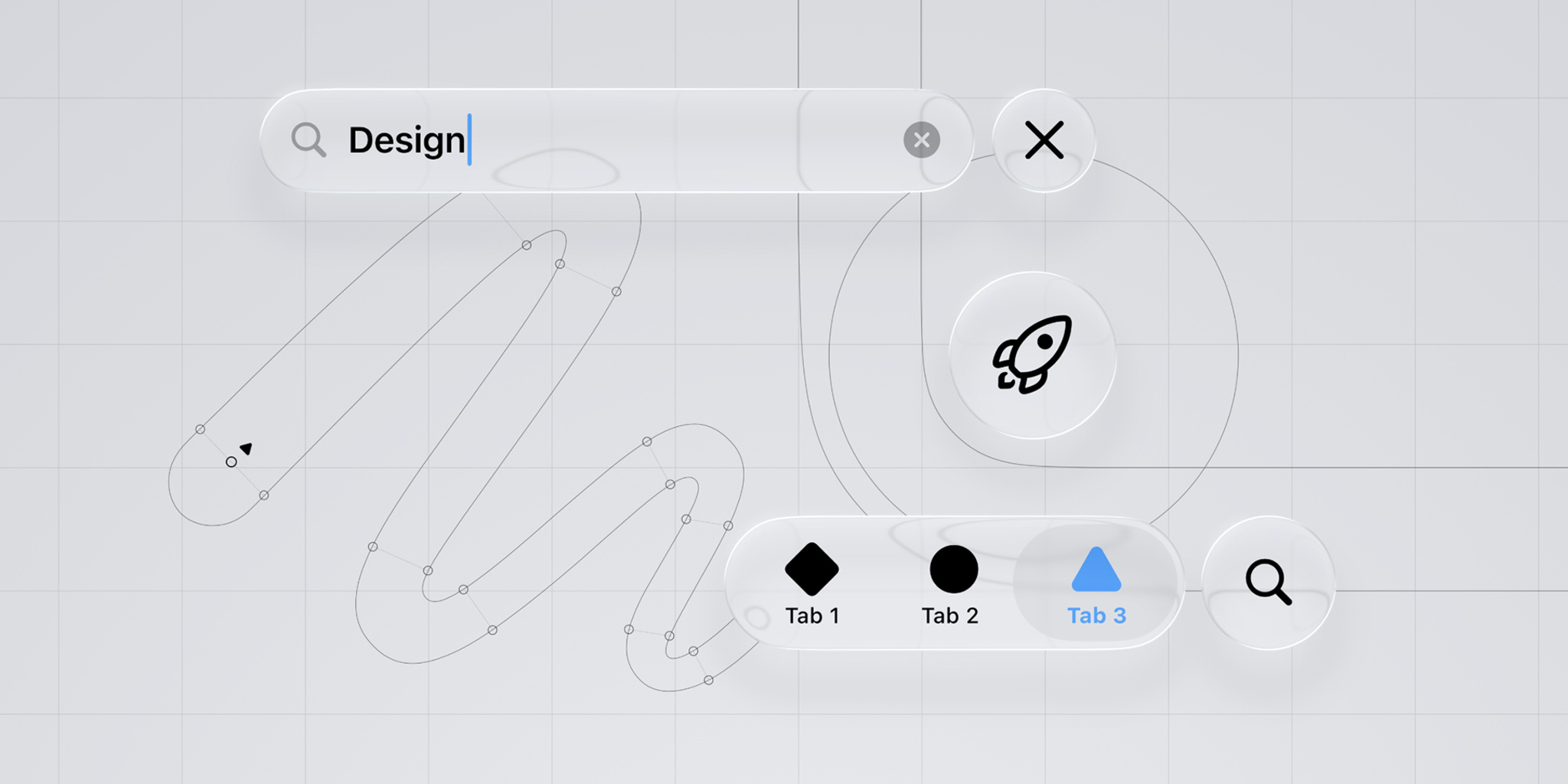
A collage of elements that represent and illustrate the new design, including text input boxes and a search button. The collage appears over a gray grid background.

In this edition: Catch the new design in the wild, and let Apple experts show you how to quickly and easily bring it to your apps. Plus, get the latest on the Swift Student Challenge 2026, and check out new developer videos available on demand.

Also, explore new activities all over the world, get your apps and games ready for the holidays, and browse the latest news, documentation, and Technotes.

Read the full story

Posted on Leave a comment

Next steps for apps distributed in Texas

Today we’re releasing more details about the tools we’re making available for developers to help them meet their compliance obligations under upcoming U.S. state laws, including SB2420 in Texas. While we’re providing these tools to help developers navigate the evolving legal landscape, Apple remains concerned about the potential implications of laws like SB2420 in Texas. Specifically, we worry they could undermine the privacy of all users by requiring the collection of sensitive personal information just to download an app – even those that simply provide weather forecasts or sports scores.

Starting January 1, 2026, new Apple Accounts in Texas will be subject to new requirements. This includes age assurance and parent or guardian consent on behalf of minors under the age of 18 for downloads, purchases, and significant changes associated with an app. Parents or guardians will also be able to revoke their consent for any app they previously approved.

To meet their obligations under the law, developers may need to adopt new capabilities to receive age category information, trigger consent for a significant change, and learn when a parent or guardian revokes their approval for a child or teen to use their app. Developers can use the following APIs available in the beta versions of iOS 26.2 and iPadOS 26.2 to help them meet their obligations. Sandbox testing is also available to help test the user experience when implementing these APIs to comply with Texas state law.

Age category information

Developers can use the updated Declared Age Range API to obtain a user’s age category, which is defined by Texas state law as under 13, 13-15, 16-17, or over 18. Age categories for users with new Apple Accounts in Texas as of January 1, 2026, will be shared with a developer’s app when they request it. The API will also return a signal from the user’s device about the method of age assurance, such as credit card or government ID, and if consent is required when there’s a significant change to an app.

Obtaining consent for significant changes

Certain types of changes to an app may be considered significant changes under age assurance laws, such as Texas SB2420. It’s the developer’s responsibility to determine when there’s a significant change to their app.

When a developer determines they have made a significant change to their app, they’ll need to use the Significant Change API under the PermissionKit framework to ask the parent or guardian to provide consent for the child or teen to continue using the app or new feature within the app. When the API is called, the child or teen user will see a system dialog to request parental consent and developers can restrict access until consent is obtained.

Texas state law considers a change in the age rating of an app to be a significant change, and developers should keep their age rating selections current in App Store Connect. When a developer updates their app’s age rating, the rating is updated on all user devices once the version is live. Developers can use a new property type in StoreKit to automatically check when their app’s age rating has changed on a user’s device and then use the Significant Change API to request parental consent.

App consent revocation

A parent or guardian in Texas can withdraw consent for any app, which will block launching of the app on the child or teen’s device. The App Store will provide a server notification that developers can configure to receive notifications that the parent or guardian has withdrawn consent for their app on a child or teen’s device.

Sandbox testing

Sandbox testing is now available for the Declared Age Range API and Significant Change API in the beta versions of iOS 26.2 and iPadOS 26.2.

Next steps

  1. Review documentation and implement the following:
  1. Use Apple’s sandbox testing environment to validate that the APIs have been implemented correctly.
  2. When the Release Candidates of iOS 26.2 and iPadOS 26.2 become available, submit your apps to App Store Connect so users can update their devices with your updated apps with the customer releases.
  3. Stay tuned for additional communication about future tools to help developers meet upcoming legal obligations in Utah, Louisiana, and Brazil.
Posted on Leave a comment

“Small but mighty”: How Plex serves its global community

The team behind Plex has a brilliant strategy for dealing with bugs and addressing potential issues: Find them first.

“We’ve got a pretty good process in place,” says Steve Barnegren, Plex senior software engineer on Apple platforms, “and when that’s the case, things don’t go wrong.”

Launched in 2009, Plex is designed to serve as a “global community for streaming content,” says engineering manager Alex Stevenson-Price, who’s been with Plex for more than seven years. A combination streaming service and media server, Plex aims to cover the full range of the streaming experience — everything from discovery to content management to organizing watchlists.

This allows us more time to investigate the right solutions.

Ami Bakhai, Plex product manager for platforms and partners

To make it all run smoothly, the Plex team operates on a six-week sprint, offering regular opportunities to think in blocks, define stop points in their workflow, and assess what’s next. “I’ve noticed that it provides more momentum when it comes to finalizing features or moving something forward,” says Ami Bakhai, product manager for platforms and partners. “Every team has their own commitments. This allows us more time to investigate the right solutions.”

The Plex team iterates, distributes, and releases quickly — so testing features and catching issues can be a tall order. (Plex releases regular updates during their sprints for its tvOS flagship, iOS, iPadOS, and macOS apps.)

Though Plex boasts a massive reach across all the platforms, it’s not powered by a massive number of people. The fully remote team relies on a well-honed mix of developer tools (like Xcode Cloud and TestFlight), clever internal organization, Slack integration, and a thriving community of loyal beta testers that stretches back more than a decade. “We’re relatively small,” says Danni Hemberger, Plex director of product marketing, “but we’re mighty.”

Over the summer, the Plex team made a major change to their QA process: Rather than bringing in their QA teams right before the release, they shifted QA to a continuous process that unfolds over every pull request. “The QA team would find something right at the end, which is when they’d start trying to break everything,” laughs Barnegren. “Now we can say, ‘OK, ten features have gone in, and all of them have had QA eyes on them, so we’re ready to press the button.’”

Now we can say, ‘OK, ten features have gone in, and all of them have had QA eyes on them, so we’re ready to press the button.’

Steve Barnegren, Plex senior software engineer on Apple platforms

The continuous QA process is a convenient mirror to the continuous delivery process. Previously, Plex tested before a new build was released to the public. Now, through Xcode Cloud, Plex sends nightly builds to all their employees, ensuring that everyone has access to the latest version of the app.

Once the release has been hammered out internally, it moves on to Plex’s beta testing community, which might be more accurately described as a beta testing city. It numbers about 8,000 people, some of whom date back to Plex’s earliest days. “That constant feedback loop is super valuable, especially when you have power users that understand your core product,” says Stevenson-Price.

All this feedback and communication is powered by TestFlight and Plex’s customer forums. “This is especially key because we have users supplying personal media for parts of the application, and that can be in all kinds of rare or esoteric formats,” says Barnegren.

(CI) is a safety net. Whenever you push code, your app is being tested and built in a consistent way. That’s so valuable, especially for a multi-platform app like ours.

Alex Stevenson-Price, Plex engineering manager

To top it all off, this entire process is automated with every new feature and every new bug fix. Without any extra work or manual delivery, the Plex team can jump right on the latest version — an especially handy feature for a company that’s dispersed all over the globe. “It’s a great reminder of ‘Hey, this is what’s going out,’ and allows my marketing team to stay in the loop,” says Hemberger.

It’s also a great use of a continuous integration system (CI). “I’m biased from my time spent as an indie dev, but I think all indie devs should try a CI like Xcode Cloud,” says Stevenson-Price. “I think some indies don’t always see the benefit on paper, and they’ll say, ‘Well, I build the app myself, so why do I need a CI to build it for me?’ But it’s a safety net. Whenever you push code, your app is being tested and built in a consistent way. That’s so valuable, especially for a multi-platform app like ours. And there are so many tools at your disposal. Once you get used to that, you can’t go back.”

Learn more about Plex

Download Plex from the App Store

Posted on Leave a comment

The gorgeous gadgets of Automatoys

Steffan Glynn’s Automatoys is a mix between a Rube Goldberg machine and a boardwalk arcade game — and there’s a very good reason why.

In 2018, the Cardiff-based developer visited the Musée Mécanique, a vintage San Francisco arcade packed with old-timey games, pinball machines, fortune tellers, and assorted gizmos. On that same trip, he stopped by an exhibit of Rube Goldberg sketches that showcased page after page of wildly intricate machines. “It was all about the delight of the pointless and captivating,” Glynn says. “There was a lot of crazy inspiration on that trip.”

An early sketch of the ramps, mazes, and machines that combine to create the puzzles in *Automatoys.*

That inspiration turned into Automatoys, an Apple Design Award finalist for Interaction in games. Automatoys is a single-touch puzzler in which players roll their marble from point A to point B by navigating a maze of ramps, elevators, catapults, switches, and more. True to its roots, the game is incredibly tactile; every switch and button feels lifelike, and players even insert a virtual coin to launch each level. And it unfolds to a relaxing and jazzy lo-fi soundtrack. “My brief to the sound designer was, ‘Please make this game less annoying,’” Glynn laughs.

While Automatoys’ machines may be intricate, its controls are anything but. Every button, claw, and catapult is controlled by a single tap. “And it doesn’t matter where you tap — the whole machine moves at once,” Glynn says. The mechanic doesn’t just make the game remarkably simple to learn; it also creates a sense of discovery. “I like that moment when the player is left thinking, ‘OK, well, I guess I’ll just start tapping and find out what happens.’”

To create levels in *Automatoys*, Steffan Glynn worked directly in the 3D space, starting with a basic model (top left) and creating obstacles until he reached a finished whole (bottom right).

To design each of the game’s 12 levels, Glynn first sketched his convoluted contraptions in Procreate. The ideas came fast and furious, but he found that building what he’d envisioned in his sketches proved elusive — so he changed his strategy. “I started playing with shapes directly in 3D space,” he says. “Once a level had a satisfying form, I’d then try to imagine what sort of obstacle each part could be. One cylinder would become a ferris wheel, another would become a spinning helix for the ball to climb, a square panel would become a maze, and so on.”

Getting your marble from point A to point is as simple as this.

The game was a four-year passion project for Glynn, a seasoned designer who in 2018 left his gig with State of Play (where he contributed to such titles as Lumino City and Apple Design Award winner INKS.) to focus on creating “short, bespoke” games. There was just one catch: Though he had years of design experience, he’d never written a single line of code. To get up to speed, he threw himself into video tutorials and hands-on practice.

Welsh developer Steffan Glynn set out on his own in 2018 to create “short, bespoke” games.

In short order, Glynn was creating Unity prototypes of what would become Automatoys. “As a designer, being able to prototype and test ideas is incredibly liberating. When you have those tools, you can quickly try things out and see for yourself what works.”

Learn more about Automatoys

Download Automatoys from the App Store

Behind the Design is a series that explores design practices and philosophies from each of the winners and finalists of the Apple Design Awards. In each story, we go behind the screens with the developers and designers of these award-winning apps and games to discover how they brought their remarkable creations to life.

Explore more of the 2023 Behind the Design series

Posted on Leave a comment

Meet with Apple Experts

Join us around the world for a variety of sessions, consultations, labs, and more — tailored for you.

Apple developer activities are for everyone, no matter where you are on your development journey. Activities take place all year long, both online and in person around the world. Whether you’re looking to enhance your existing app or game, refine your design, or launch a new project, there’s something for you.

Learn more

Posted on Leave a comment

Pre-orders by region now available

Offering your app or game for pre-order is a great way to build awareness and excitement for your upcoming releases on the App Store. And now you can offer pre-orders on a regional basis. People can pre-order your app in a set of regions that you choose, even while it’s available for download in other regions at the same time. With this new flexibility, you can expand your app to new regions by offering it for pre-order and set different release dates for each region.

Learn about pre-orders

Learn how to manage your app’s availability

Posted on Leave a comment

App Store submissions now open for the latest OS releases

iOS 17, iPadOS 17, macOS Sonoma, tvOS 17, and watchOS 10 will soon be available to customers worldwide. Build your apps and games using the Xcode 15 Release Candidate and latest SDKs, test them using TestFlight, and submit them for review to the App Store. You can now start deploying seamlessly to TestFlight and the App Store from Xcode Cloud. With exciting new capabilities, as well as major enhancements across languages, frameworks, tools, and services, you can deliver even more unique experiences on Apple platforms.

Xcode and Swift. Xcode 15 enables you to code and design your apps faster with enhanced code completion, interactive previews, and live animations. Swift unlocks new kinds of expressive and intuitive APIs by introducing macros. The new SwiftData framework makes it easy to persist data using declarative code. And SwiftUI brings support for creating more sophisticated animations with phases and keyframes, and simplified data flows using the new Observation framework.

Widgets and Live Activities. Widgets are now interactive and run in new places, like StandBy on iPhone, the Lock Screen on iPad, the desktop on Mac, and the Smart Stack on Apple Watch. With SwiftUI, the system adapts your widget’s color and spacing based on context, extending its usefulness across platforms. Live Activities built with WidgetKit and ActivityKit are now available on iPad to help people stay on top of what’s happening live in your app.

Metal. The new game porting toolkit makes it easier than ever to bring games to Mac and the Metal shader converter dramatically simplifies the process of converting your game’s shaders and graphics code. Scale your games and production renderers to create even more realistic and detailed scenes with the latest updates to ray tracing. And take advantage of many other enhancements that make it even simpler to deliver fantastic games and pro apps on Apple silicon.

App Shortcuts. When you adopt App Shortcuts, your app’s key features are now automatically surfaced in Spotlight, letting people quickly access the most important views and actions in your app. A new design makes running your app’s shortcuts even simpler and new natural language capabilities let people execute your shortcuts with their voice with more flexibility.

App Store. It’s now even simpler to merchandise your in-app purchases and subscriptions across all platforms with new SwiftUI views in StoreKit. You can also test more of your product offerings using the latest enhancements to StoreKit testing in Xcode, the Apple sandbox environment, and TestFlight. With pre-orders by region, you can build customer excitement by offering your app in new regions with different release dates. And with the most dynamic and personalized app discovery experience yet, the App Store helps people find more apps through tailored recommendations based on their interests and preferences.

And more. Learn about advancements in machine learning, Object Capture, Maps, Passkeys, SharePlay, and so much more.

Starting in April 2024, apps submitted to the App Store must be built with Xcode 15 and the iOS 17 SDK, tvOS 17 SDK, or watchOS 10 SDK (or later).

Download Xcode

Learn more about submitting apps