Posted on Leave a comment

Bedrock: 1.21.111

Minecraft 1.21.111 Patch Notes

Features and Bug Fixes

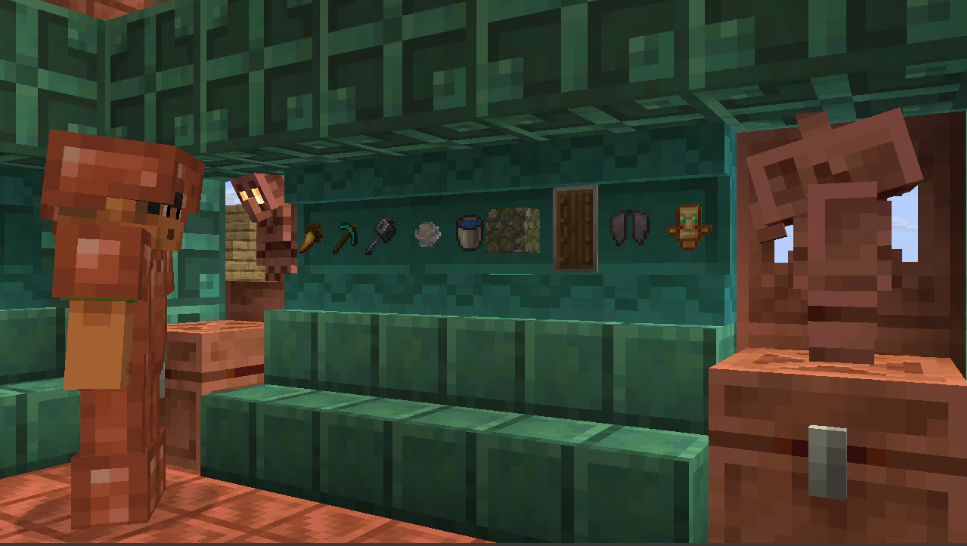
Copper Chest

Copper chests are a new block! Summon a copper golem to get your first copper chest, which you can leave to oxidize, or keep pristine with wax. Drop items into a copper chest, and then sit back and relax as your copper golem sorts them into normal chests around your base!

  • Copper Chest is a new type of chest that has waxed and oxidized variants
  • Copper Chests oxidize over time and can be waxed like other Copper blocks
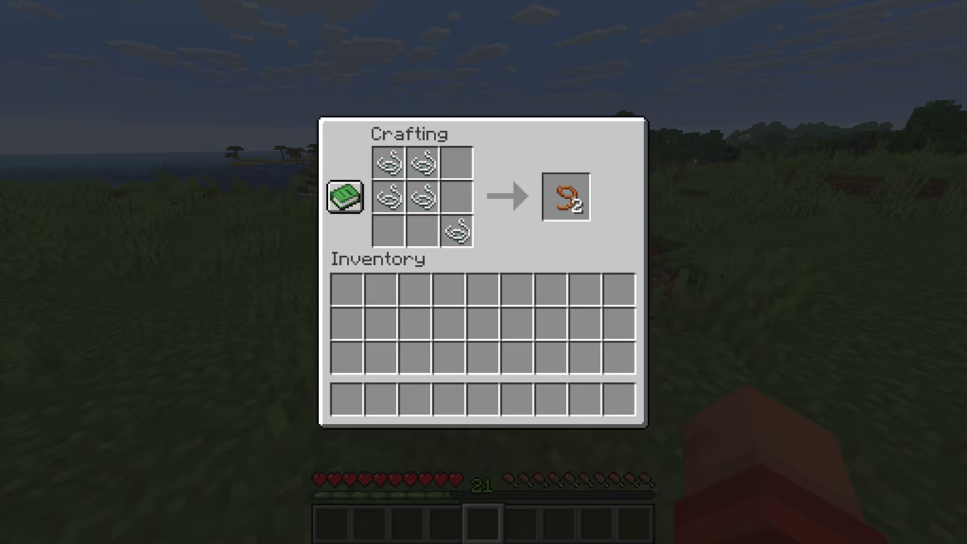
  • Copper Chests can be crafted using a Chest and Copper Ingots

Copper Equipment

What comes between stone and iron? Now the answer is: copper! Craft tools, weapons, and armor from copper, giving this early-game ore more uses than ever before. Unlike copper blocks, these items won’t oxidize, but like all copper blocks – they will look beautiful!

  • Copper armor has higher durability than leather but less than iron. Copper armor enchantability sits slightly lower than with iron

  • Copper equipment turns into Copper Nuggets when smelted

  • Hostile Monsters have a chance to spawn with Copper Armor equipped

  • Hostile Monsters can pick up and use Copper Weapons and Armor

  • Added Copper Horse Armor

    • Has the same loot table and chance of generating as Iron Horse Armor
    • Armor toughness: 4

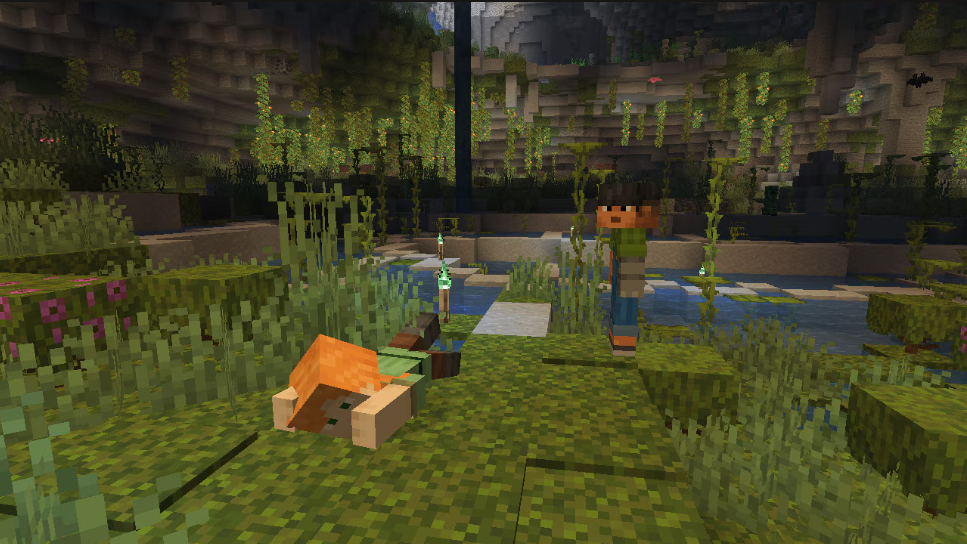
Copper Golem

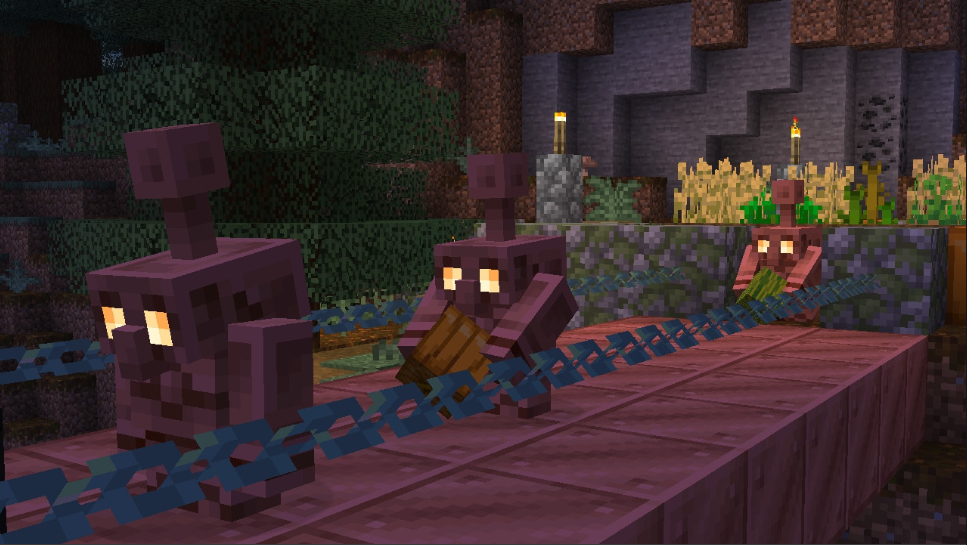
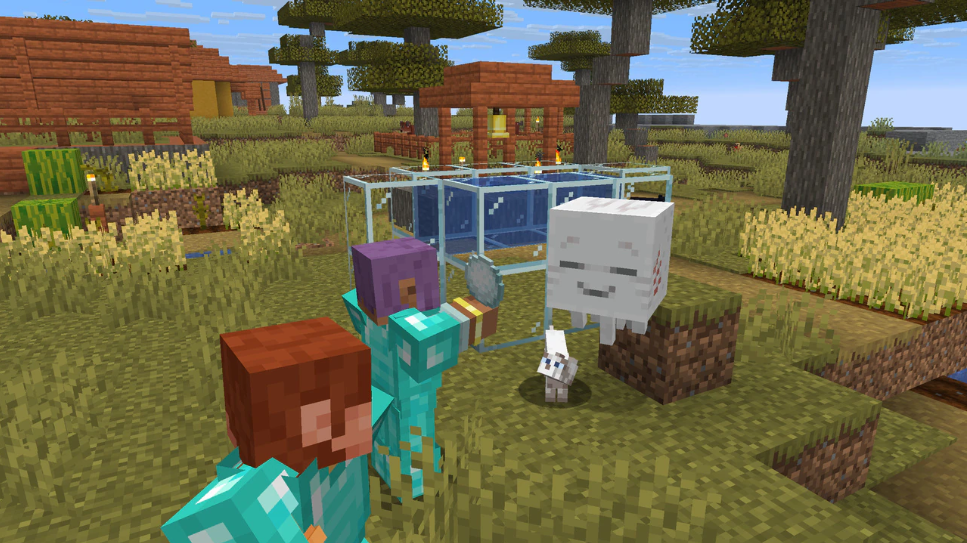
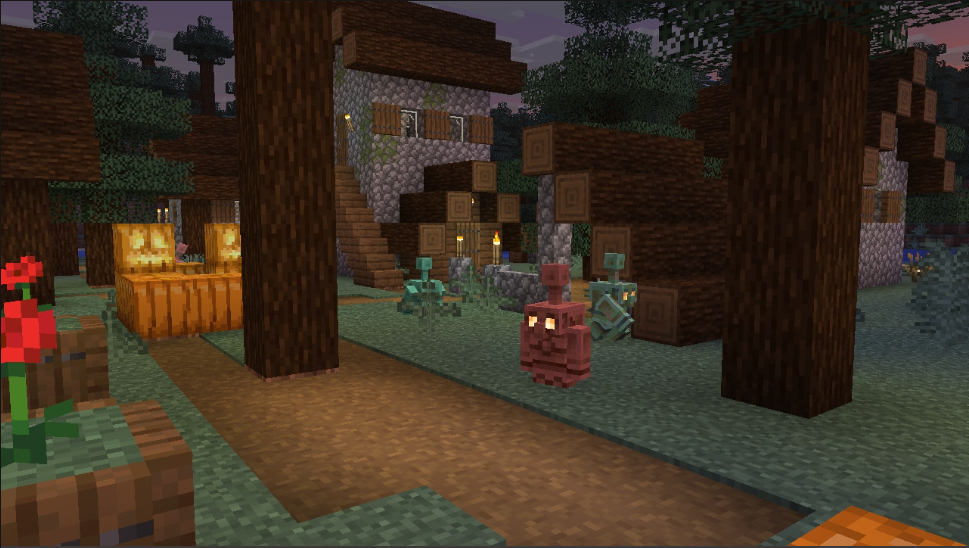
Copper golems are handy, organization-loving companions that’ll bring your base to life! Summoned with copper and carved pumpkins, the copper golem removes items you leave in copper chests and sorts them based on the item type into chests around your base!

  • Copper Golem will drop between 1 and 3 Copper Ingots when killed

  • Copper Golem can help with sorting items into Chests

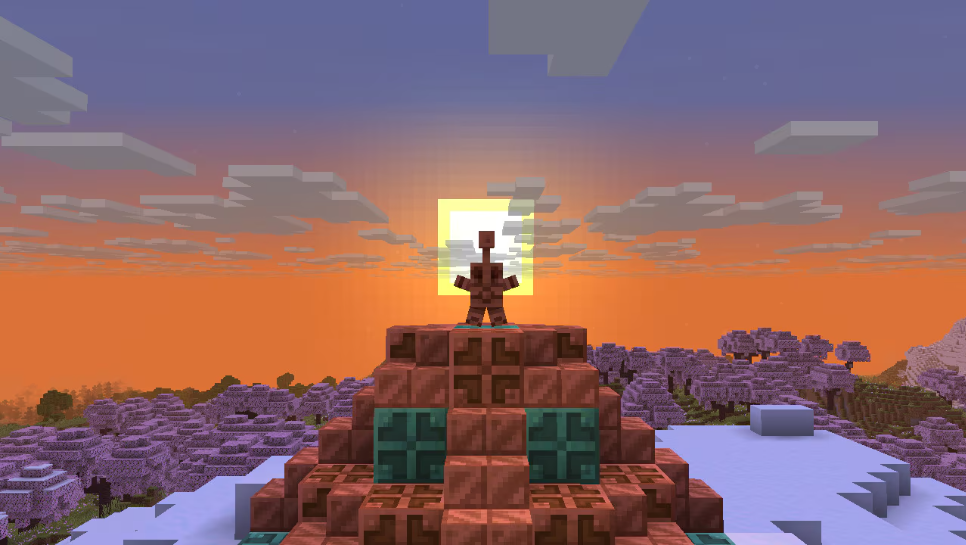
  • If the Copper Golem has fully oxidized it will turn into a Copper Golem Statue Block

  • When turned into a Copper Golem Statue block, it will freeze in a random pose

  • When turned into a Copper Golem Statue the Copper Golem will drop any item it may be holding

  • A Copper Golem turned into a Copper Golem Statue will keep its name if named with a Name Tag

  • Interacting with the Copper Golem with an empty hand will drop its carried item

  • Iron Golems will sometimes plant a decorative flower onto a nearby Copper Golem

Copper Golem Item Sorting

  • If the Copper Golem is not holding an item, it will look for nearby Copper Chests to try to pick up an item
  • The Copper Golem will look in any oxidized and waxed Copper Chest variant to pick up items
  • It can pick up max 16 items in a stack at a time
  • Any item in a Copper Chest can be picked up
  • If the Copper Golem is holding an item, it will look for nearby Chests to try to place the item in
  • The Copper Golem will look in Chests and Trapped Chests to try to place items
  • It can place an item in a Chest if it’s empty, or if it contains the same type of item it is holding in its hand
  • The Copper Golem will visit max 10 Chests or Copper Chests in sequence to try to pick up or place an item
  • If no matching chest is found the Copper Golem will idle for 7 seconds before trying again
  • The search area for chests from the Copper Golem’s position is horizontally 32 blocks and vertically 8 blocks

Copper Golem Statue Block

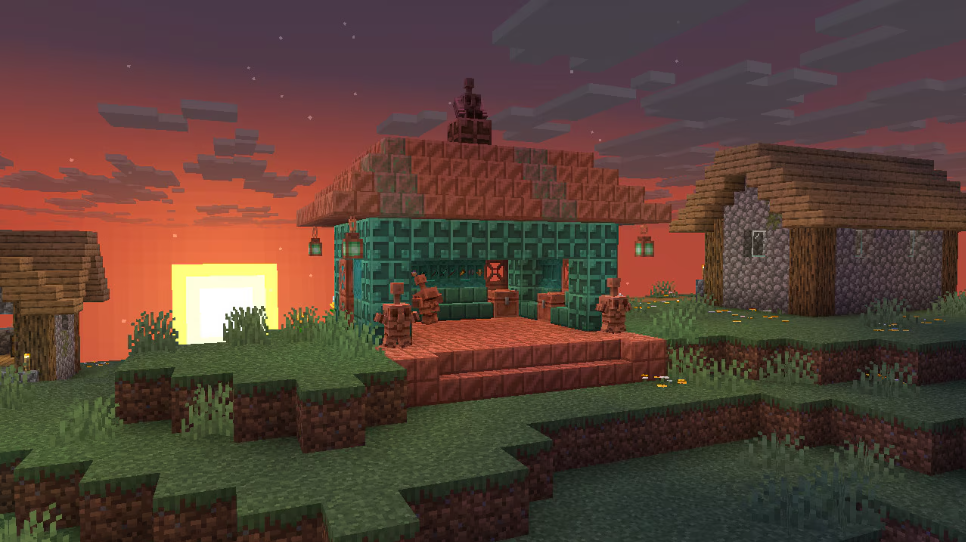
  • Copper Golem Statue Block is a new type of decorative block which has waxed and oxidized variants
  • Copper Golem Statue Block oxidizes over time and can be waxed like Copper blocks
  • The pose of the block can be changed by interacting with it
  • If the Copper Golem Statue Block has no oxidation when interacted with using an Axe, the block will turn into a Copper Golem again
  • When connected to a Redstone Comparator, the Copper Golem Statue Block emits a Redstone signal based on its current pose

Copper Decorations

  • Added Copper Torch
    • A green variant of the Torch crafted from a Copper Nugget, Coal, and Stick
    • Functionally identical to the Torch
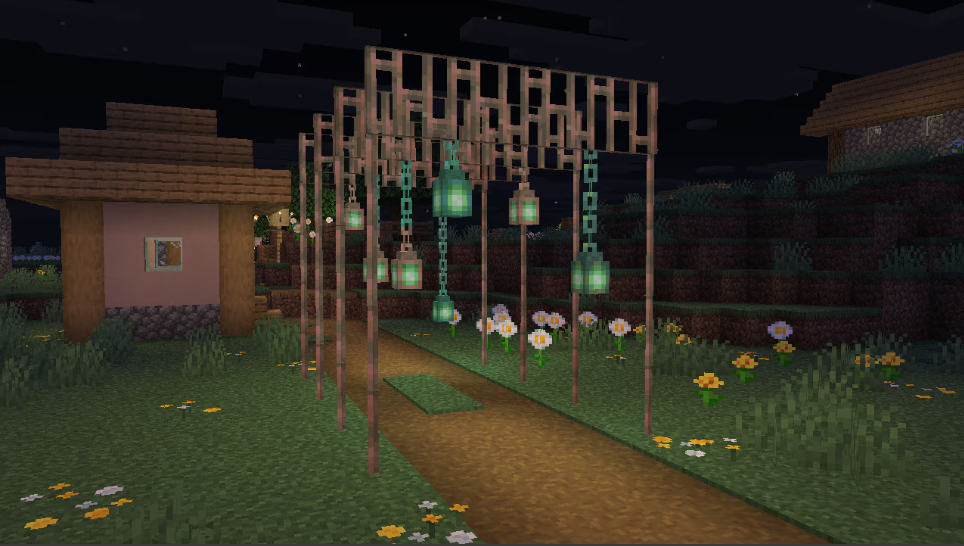
  • Added Copper Bars
    • Functions like the existing Iron Bars block
    • Made from copper and oxidizes over time
  • Added Copper Chain
    • Functions like the existing Chain block (now renamed to Iron Chain)
    • Made from copper and oxidizes over time
  • Added Copper Lantern
    • Crafted similarly to a regular Lantern but uses Copper and a Copper Torch
    • The lantern itself oxidizes, changing its look as it ages
    • Functionally identical to the Lantern

Shelf

  • The Shelf is a new type of decorative block which comes in the following variants:

    • Oak
    • Spruce
    • Birch
    • Jungle
    • Acacia
    • Dark Oak
    • Mangrove
    • Cherry
    • Pale Oak
    • Bamboo
    • Crimson
    • Warped
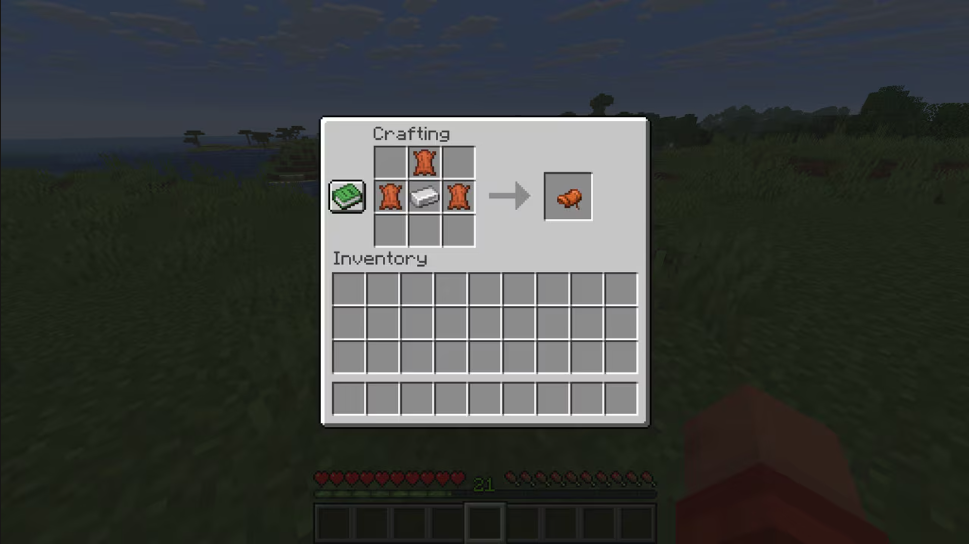
  • The Shelf can be crafted from six matching blocks of any Stripped Log, Stripped Stem, or Block of Stripped Bamboo, filling the top and bottom row

    • This recipe produces 6 Shelves
  • The Shelf can store up to 3 item stacks:

    • Interacting with any of the 3 slots on its front swaps the player’s main hand item with the content of that slot
    • The Shelf displays all items it contains in front of it, similar to an Item Frame
  • While a Shelf is powered by Redstone, its front texture changes to reflect that it’s powered; when placed next to each other, up to 3 powered Shelves will connect

    • Interacting with a single powered Shelf swaps all its contents with the 3 rightmost items in the player’s hotbar
    • Interacting with two connected Shelves swaps their contents with the 6 rightmost items in the player’s hotbar
    • Interacting with three connected Shelves swaps their contents with all items in the player’s hotbar
    • It does not matter which of the connected Shelves the player interacts with
  • Shelf storage affects a Comparator’s output signal depending on which slots are occupied (MCPE-225226)

    • Each Shelf slot corresponds to 1 bit
    • The signal strength is determined by converting the 3 bits of the slots into a decimal value
    • All slots empty [000] means a signal strength of 0
    • Only the first slot occupied [100] means a signal strength of 1
    • Only the second slot occupied [010] means a signal strength of 2
    • Only the third slot occupied [001] means a signal strength of 4
    • All slots occupied [111] means a signal strength of 7

Accessibility

  • Dye Colors now have updated icons

    • The goal with these is to enhance visual cohesion across the dye set while maintaining distinct shapes to support colorblind accessibility
  • Text to Speech support has been added to all Dressing Room pages

Blocks

  • Some blocks that could catch fire with Flint and Steel, like the top Stone Slab or Wood Stair, will now also catch fire during fire explosion, such as those from Fireballs (MCPE-78691)

  • Glass Blocks will now catch fire with Flint and Steel or fire explosion (MCPE-78691)

  • Fixed a bug where placing water from a Water Bucket onto a block containing another block (e.g. Button or Lever) would not allow the user to remove that water block afterwards (MCPE-218044)

  • Fixed an issue with being unable to continue destroying valid blocks in Adventure Mode when they are behind water

Gameplay

  • Entities are no longer placed halfway outside of a Nether portal after traveling through the portal (MCPE-189106MCPE-157992)

  • Fixed an issue where the player sleeping animation would start before the player climbed into bed

  • Camera command no longer leads to crash when using the in_out_back method (MCPE-223147)

  • Fixed an issue where players could duplicate Bundle content using a Hopper (MCPE-223261)

  • Rider rotation lock now applies to cameras when using camera relative movement

  • Fixed an issue where equipping armor while aiming at a mob would create a “ghost” cloned item (MCPE-220172)

  • Fixed an issue where the control scheme set via control scheme commands would not be retained if a later-activated camera did not support it. The scheme will now persist as intended until explicitly cleared via /controlscheme clear, beginning since base game version 1.21.110

  • Fixed stuck progress arrow despite no process in Furnace/Blast Furnace/Smoker (MCPE-63099)

  • The Ender Dragon no longer freezes at the end of its death. It now dies and creates the portal (MCPE-224403)

  • Fixed a bug that caused the facing direction of Command Blocks to differ from all other blocks like Pistons and Dispensers when placed in certain coordinates in the world (MCPE-62252)

General

  • Fixed grass color in Swamps that was too green (MCPE-223910)

  • Fixed Paintings from breaking when joining a multiplayer game in high-latency scenarios (MCPE-181306)

  • Enabling blending for Legacy Chunks. This fixes an issue where blocks were missing from the terrain after loading into the world on some Starter Biomes

  • Improved blending around Frozen River chunks (MCPE-189996)

Graphical

  • Updated Volumetric Fog configs for PC to have more consistent steps in performance impact, while also maximizing image quality for cost

  • Added support for Subsurface Scattering on particle textures

  • Fixed rain and snow lighting up far above the light source in Vibrant Visuals

  • Fixed the issue where the Nether Portal fullscreen effect appeared black in Vibrant Visuals (MCPE-221341)

  • Updated max render distance to 28 on PC for Vibrant Visuals

  • Fixed lack of illumination in some particles emitted by breaking blocks (MCPE-218184)

  • Increased thickness on Block Selection wireframe to make it more visible in Vibrant Visuals especially with TAAU enabled

  • Fixed an issue causing Chests to appear desaturated while held in hand in Vibrant Visuals

  • Fixed an issue causing attachables such as Bows to appear desaturated in Vibrant Visuals

  • Fixed a bug where Vanilla Mob Flame textures are missing

  • Progress of Leaves turning white in snow is now correctly set when entering a world, and this color change now works correctly in Custom Biomes

  • Fixed unlit Candles not casting shadows

  • Fixed unlit Cake Candles not casting shadows

  • Fixed Glass Block depth issues with Candles

  • Fixed water depth buffer issues with Cake Candles

  • Fixed infinite duration blindness effect visuals

  • Colored text on signs no longer appear dark in Vibrant Visuals

  • Fixed an issue that caused certain mobs to display incorrectly when using the Minecraft Classic Texture Pack (MCPE-221572)

  • Added an option to Hide Sky Flashes in the End when playing with Vibrant Visuals

Mobs

  • Wolves no longer start shaking off water if they are already shaking off water

  • Foxes now consider Honey Bottle to be a food item and will prioritize picking it up the same way it does other food items

  • It is possible for Zombies and Skeletons to spawn with diamond tier armor again (MCPE-226140)

Realms

  • Fixed several crashes that could occur

  • Realms invite page no longer loads endlessly on PS4/PS5

  • Leaving Realm now removes it from Realms list on Play screen

  • Tooltip text no longer overlaps with loading bar

  • Realms Stories settings page now includes accurate instructions for closing/opening a Realm

  • Realms tab ‘Settings’ button now scales correctly

Sounds

  • When picking up an item to hand that is not hand equippable, mobs no longer play an equip sound (MCPE-223747)

  • Music in Forest biome will no longer get stuck to the position it started playing at (MCPE-222113)

Stability and Performance

  • Fixed a crash when downloading packs from a multiplayer world on Xbox

  • Fixed a Realms crash in liquid sensing system

User Interface

  • The RTX and Marketplace Pass icon will no longer show up on the same item

  • The RTX chevron will now show up correctly on the Marketplace search screen

  • Fixed an issue where the Featured Server details would randomly scroll up (MCPE-181924)

  • Recipe Book can no longer show duplicate icons if user has Recipe Book hidden when acquiring new recipes

  • Fixed Marketplace pass chevron priority on hero row items

  • Fixed Blade row missing Marketplace Pass chevron

  • Touch Controls: The Invert Y-Axis setting now works correctly for spectators (MCPE-179110)

  • Touch Controls: The Swap Jump And Sneak option no longer changes the position of the swim/fly up buttons (MCPE-184808)

  • Resized the “Textures & More” button icon to be in line with the other button icons

  • Using the /hud command to hide touch controls now correctly hides all touch buttons (MCPE-184856)

  • Action bar messages now have a text shadow (MCPE-186346)

  • The /hud command to hide the progress bar now also hides the Horse and Camel bars, and also the Locator bar (MCPE-184858)

  • Updated the Marketplace Pass chevron on tiles and the purchase buttons to have the correct scaling

  • Resized the icons on the Marketplace sidebar to match the icon’s proper size

  • Resized the icons on the Inventory category selection to match the icon’s proper size

  • Addded a properly sized My Library button for the top bar to use

  • Changed a couple of locations where the information bulb appears to be the correct resolution

  • Updated the Marketplace error animations to display at the correct resolution

  • Added new icons for the Sale banners to fit the pixelated style of the UI

  • Added a new Minecraft Profile Pic. This icon is a snapshot of your character’s appearance. The new Minecraft Profile Pic replaces your Xbox Gamerpic on all screens, including Profile, lists of players, and on Realms.

Technical Updates

Add-Ons and Script Engine

  • Moved the properties “ash”, “red_spores”, “blue_spores”, and “white_ash” from the minecraft:climate biome component to the new client biome component “minecraft:precipitation”

AI Goals

  • Made the schemas for the following goals stricter when parsing and will fail to load an entity JSON that has invalid data in versions 1.21.110 and newer

    • minecraft:behavior.roar
    • minecraft:behavior.slime_attack
    • minecraft:behavior.slime_float
    • minecraft:behavior.slime_keep_on_jumping
    • minecraft:behavior.slime_random_direction
    • minecraft:behavior.sniff
    • minecraft:behavior.sonic_boom
    • minecraft:behavior.stay_near_noteblock
    • minecraft:behavior.swim_idle
    • minecraft:behavior.swim_up_for_breath
    • minecraft:behavior.swim_wander
    • minecraft:behavior.swoop_attack
  • Transport Items Goal

    • Mobs with the goal will now queue when players are interacting with their target container if “allow_simultaneous_interaction” is false
  • The minecraft:behavior.transport_items AI goal now checks that the entity can see the container it tries to interact with. It checks once before starting to queue at the container and once before starting to interact. If it does not see the container, it fails to open it

API

@minecraft/server

  • Added @minecraft/server version 2.3.0-beta

  • Added @minecraft/server version 2.2.0

  • Enabled Player.applyImpulse and Player.clearVelocity

  • class AimAssistRegistry

    • Added readonly property DefaultCategoryId
  • Updated System.sendScriptEvent to be able to be called in “before” events

  • Change the following methods on Dimension to have the read-only privilege so they can be called in “before” events:

    • getWeatherfindClosestBiomegetBlockAbovegetBlockBelowgetTopmostBlockgetLightLevelgetSkyLightLevel
  • Moved ItemBookComponent from beta to V2.2.0

  • Moved BookError from beta to V2.2.0

  • Moved BookPageContentError from beta to V2.2.0

  • Moved BookErrorReason from beta to V2.2.0

  • Moved InvalidItemStackError from beta to V2.2.0

  • Camera

    • Moved setFov(fovCameraOptions?: CameraFovOptions): void from beta to V2.2.0

      • Moved setLore(loreList?: (RawMessage | string)[]): void from beta to V2.2.0

      • Moved getRawLore(): RawMessage[] from beta to V2.2.0.

  • ContainerSlot

    • Moved setLore(loreList?: (RawMessage | string)[]): void from beta to V2.2.0

    • Moved getRawLore(): RawMessage[] from beta to V2.2.0

Biomes

  • Custom Biomes are now out of experimental

  • Added content errors in server-side biome components that were missing them to more easily identify issues and how to fix them

  • Added bool for Overworld surface to BiomeDefinitionChunkGenData, which is only relevant for client-side chunk generation

  • Pre Caves and Cliffs components, minecraft:overworld_generation_rules and minecraft:multinoise_generation_rules, do nothing with biome generation and will return a content error when used in custom biomes

  • Added underwater_music parameter to minecraft:biome_music client biome component that enables the underwater music for the biome

  • Fixed an issue where a default surface builder was not chosen leading to bare surfaces in some biomes

  • Fixed a bug where setting the precipitation of a biome to 0 in biome.json files would not stop rain from occurring in the biome

Blocks

  • Fixed a bug that caused default editor movement speed to initialize incorrectly

  • Custom block geometry no longer produces a warning when fully contained within the first or last 1/16ths of the unit cube volume in any axis

    • A warning is still produced if the geometry doesn’t have at least one corner overlapping the unit cube volume, not counting its boundary
  • Pick block now works on all variations of LightBlock, light_block_0 through light_block_15 (MCPE-135298)

  • Added “oak_planks”, “spruce_planks”, “birch_planks”, “jungle_planks”, “acacia_planks”, and “dark_oak_planks” definitions to blocks.json (MCPE-177977)

  • Added “mossy_stone_brick_double_slab”, “smooth_quartz_double_slab”, “normal_stone_double_slab”, “cut_sandstone_double_slab”, and “cut_red_sandstone_double_slab” definitions to blocks.json

  • Custom blocks were never intended to support multiple different render_method in the material_instance component. This scenario will now give a content warning to let creators know (MCPE-190430)

Character Creator

  • Fixed a crash when wearing some Character Creator pieces that support custom colorization

Commands

  • Updated /locate biome to support underground biomes

    • Y axis is now more accurate to exactly where the biome is
  • Fix issue preventing /place from working correctly in flat worlds

  • Fixed hidden commands (getlocalplayername and geteduclientinfo) showing into the autocomplete options in the chat (MCPE-136930)

  • Fixed issue where command selector ‘c=-1’ would not return the furthest matching entity (MCPE-226102)

Components

  • Content warnings will log missing references in Jigsaw Structure, Processor List, Template Pool, and Structure Sets JSON

  • Content warnings will log missing references in Camera Preset, Camera List, Aim Assist Preset, and Aim Assist Categories JSON

  • Content warnings will log missing item references in Crafting Items Catalog JSON

  • Changes to ‘minecraft:input_air_controlled’

    • Renamed to minecraft:free_camera_controlled
    • Removed upward movement behaviour when holding the jump action from this component
  • Added new component minecraft:vertical_movement_action

    • Adds the functionality of upward or downward movement when holding the jump action
    • This component is automatically added to any entity that uses the old minecraft:input_air_controlled with format version 1.21.100 or older
  • Updates to “minecraft:dash”

    • Renamed to “minecraft:dash_action” to improve clarity
  • Updates to “minecraft:dash_action”

    • Added new field “direction” taking either “entity” or “passenger” as its value. Defaults to “entity”
      • “entity”
        • Behaves like before
      • “passenger”
        • Momentum applied from the dash action will now instead be applied in the view direction of the passenger entity, using the horizontal_momentum as forward momentum and vertical_momentum as upward momentum in the direction of the passenger. Short of it: looking up with horizontal momentum will launch you upwards.
      • Old schemas with format version older than 1.21.110 will automatically receive the “entity” direction

Editor

We are excited to announce Editor v1.1.0! To learn more about Editor and its multiblock world editing capabilities, check out the documents HERE, or learn how to build an Editor Extension HERE

Feature Highlights in Editor v1.1.0

Updated Flatten Tool

The Flatten Tool has been redesigned with new functionality and more flexible controls. You’ll now find a new Flatten mode within the Terrain Tool, along with two sub-modes: Flatten Up and Flatten Both, for better control over how terrain is leveled. New properties like FlattenSmoothing, FlattenIntensity, and FloorBlockOverride give you more customization. We’ve also added support for reading Cylinder Brush Shape properties (width, depth, height, radius, isUniform), and included the option to hide rotation controls. The previous version of the Flatten Tool has been removed.

Line node weights

You can now adjust the vertical and horizontal line weight for each node. This provides finer control over the thickness and shape of lines, making it easier to create more customized and organic-looking builds.

Full Editor Changelogs

  • Added the ability for the Pencil Tool to place “objects” in the scene. Objects are non-trivial Minecraft elements, like beds, doors, plants, etc.

  • Added toast notifications support

    • Added support for toast notifications by introducing a new logChannel property and a subMessage field in the LogMessage class.
    • Log messages with the Toast channel now appear as popup notifications in the viewport when an error occurs
    • The subMessage field allows for additional contextual information to be displayed in the toast
  • Added a new Setting – ‘Show Toast Notifications’:

    • A new checkbox setting, ‘Show Toast Notifications’, has been added to the Settings panel
    • When enabled, Info and Warning messages will also be displayed as toast notifications, in addition to Errors
  • Added weights to control points on the Line Tool to now linearly transition a Line’s thickness from one point to the next

  • Added a button on the Structure Panel to let you update an existing selected structure with one from the clipboard

  • Added clear button for Vector3 input fields

  • Added IComboBoxPropertyItemEntry API type for IComboBoxPropertyItem entries. Each entry now can support a localized label

  • Added a progress modal when toggling vibrant visuals during the graphics mode change

  • Added in EditorStructure’s missing display name field for Scripting

  • Added support for toast messages display. This specific task adds a new option in the Settings panel called ‘Show Toast Notifications’. When this checkbox is checked, the Info and Warning messages will be shown as toast messages.

  • Added a new value ‘ShowToastNotifications’ in the enumeration ‘GraphicsSettingsProperty’

  • Added new Flatten Tool functionality

    • Added new Flatten mode to Terrain Tool, and new FlattenSmoothing, FlattenIntensity, and FloorBlockOverride properties
    • Added two new Flatten sub-modes: Flatten Up and Flatten Both
    • Added ability to hide rotation controls within Cylinder Brush Shape
    • Added Cylinder Brush Shape property getters for width, depth, height, radius, and isUniform
    • Removed old Flatten Tool, along with its FlattenHeight and FlattenRadius properties
  • Added a gizmo to the center of freehand and smart tool

  • Added new ProjectAfterEvents API to global editor object for project wide events

  • Added a new button in export settings that sets the current position in Overworld as world spawn point for the playable world

  • Updated expand/collapse indicator of drawer panels to be interactive for keyboard only navigation

  • Updated tooltip API property of IToggleGroupPropertyItemEntry to take BasicTooltipContent

  • Updated Locate tool to use a combo box for biome selection

  • Updated the Copy to Clipboard button in the Detailed Structure Panel to now switch to PastePreview when clicked pressed

  • Updated Block Picker to give input focus to the search field when filter mode is Name

  • Updated summon tool to use Shift + Scroll to rotate the entity

  • Updated messages to show up as notifications

  • Updated the brush API to now specify a specific or relative position of the ‘front face’ of a block. You can also force the brush to apply a specific state to the block after its been placed

  • Updated paused entity state to persist through sessions for each project world

  • Updated Ruler Tool to support click-and-drag. Holding CTRL while clicking will create additional rulers. Rulers will no longer disappear when switching to other tools

  • Updated Terrain Tool by consolidating Flatten and Elevation into one tool and improved functionality

  • Updated Editor Structures to be exported under the /structures folder in the world’s directory when an Editor world is exported

  • Removed PBR Fallout Settings from Vibrant Visuals Settings

  • Fixed a bug where the selection highlight used the wrong color after changing the theme

  • Fixed a bug that caused keybinding text to be narrated incorrectly

  • Fixed a bug that caused text field clear button to overlap with inner contents

  • Fixed block inspector failing silently in unloaded areas

  • Fixed the issue where entity type names were not localized for summon tool

  • Fixed a bug that caused Export pane data to be incorrect when the reset button is pressed

  • Fixed a bug that caused Farm tool settings to reset when another player joins

  • Fix a bug so origin value set in the Structure Panel is now reflected in Paste Preview

  • Fixed a bug that caused origin and size values set in the Structure Panel not to propagate to the Editor Structure’s metadata

  • Fixed a bug that caused horizontal sub pane to have broken layout for some property items

  • Fixed a bug that caused some paused entities to be deformed

  • Fixed a bug where the Locate tool failed to find distant biomes

  • Fixed a bug where the line tool failed to fill long lines or lines far from the player

  • Fixed a bug that caused hidden gizmo widget to appear on creation

  • Fixed a bug that caused selection brush indicator to remain after enabling Vibrant Visuals

  • Fixed a bug in the Vibrant Visuals Settings pane which caused incorrect filepaths

  • Fixed the Line Tool’s performance when moving a gizmo with thickness applied to the Line

  • Fixed issue that prevents dragging nodes to be placed on a desired position

  • Fixed issue with distance between nodes while dragging. There should be a minimum predefined distance between nodes so two nodes cannot be placed on the same position

  • Fixed a bug that caused revert button in Vibrant Visuals panel settings to not function

  • Fixed Vibrant Visuals settings to have proper formatting after being copied to clipboard

  • Fixed a bug that caused Paste Preview offset to be incorrect after switching back from another modal tool

  • Fixed a bug that caused difficulty setting not applying correctly while exporting a playable world

  • Fixed a bug that caused weather setting not applying correctly while exporting a playable world

  • Fixed a bug that caused Smart Fill to highlight air when blocks are replaced with air block

Entity Components

  • Fixed the documentation of minecraft:on_death claiming the component only works on the Ender Dragon, it works on all entities
  • Added slot.weapon.mainhand and slot.weapon.offhand as valid slots for minecraft:interact component operations
  • Changed the schema for the minecraft:experience_reward entity component so that the on_bred and on_death members no longer accept arrays; only single Molang expressions are now supported for each member

Entity Event Responses

  • Added the drop_item entity event response, which allows an entity to drop its item in a given slot

Gameplay

  • Fixed an issue where the player behaved incorrectly with the fixed boom camera when using the locked_player_relative_strafe control scheme. Player movement is now consistent with the free camera in this scenario

  • From 1.21.110 onward, the free camera and fixed boom cameras use Camera Relative Strafe as default scheme

  • Camera custom FOV command no longer requires the Experimental Creator Cameras experimental toggle

General

  • Models exported via Structure Blocks no longer use the missing texture for all block geometry (MCPE-223559)

Graphical

  • Changed defaults for color grading contrast and saturation fields to 1. Previously the defaults were 1.2 and 1.05, respectively

Items

  • Setting the “minecraft:use_modifiers” component’s “movement_modifier” field to 1.0 now allows using the item while sprinting, and starting to sprint while using the item

  • “poly_mesh” is no longer treated or documented as an experimental feature

  • “texture_meshes” is no longer treated or documented as an experimental feature

  • The “scale” field can now adjust the depth of “texture_meshes”, since its value is no longer ignored

  • Added the “use_pixel_depth” option to “texture_meshes” to control how geometry depth relates to texture resolution

    • If set to “true”, the geometry will have a depth of one pixel (in entity space, not texture space)
      • This causes textures with a resolution different from 16×16 to appear stretched
    • If set to “false”, the geometry will be built from perfectly cubic voxels, regardless of the texture’s aspect ratio
    • Defaults to “true” to ensure backward compatibility
  • Added Armor and Armor Toughness values to Armor tooltips (MCPE-152962)

  • “poly_mesh” is now documented as a deprecated feature

    • It was already treated as deprecated, but the documentation did not reflect this
  • “texture_meshes” is no longer documented as an experimental feature

    • It was already treated as non-experimental, but the documentation did not reflect this
  • Fixed bug where custom Items’ menu_category is_hidden_in_commands value was not sent to client and the items would show up in commands’ autocomplete when they shouldn’t.

  • All items that can be eaten now have the tag minecraft:is_food, except glow_berries

Item Components

  • Repairing an item using the minecraft:repairable item component no longer fails when a stack larger than strictly needed is used as repair material

  • Added the new minecraft:fire_resistant item component, which determines whether an item is immune to burning when dropped in fire or lava

Mobs

  • The minecraft:shareables component now also accepts item entries specifying item tags to name all items tagged as that to become shareable with the given settings

  • Foxes now use the minecraft:is_food tag instead of listing all foods manually, except glow_berries which is still listed manually

  • Fixed a bug where the minecraft:shareables component would mix attributes of duplicated entries in its items list. E.g. the priority would be taken from the first duplicated element and the max_amount from the last. Now the first “matching” entry will fully shadow those coming after it. Consider this items list in a minecraft:shareables using the new tag functionality:

    "items": [ { "item": "minecraft:apple", "priority": 1, "max_amount": 2 }, { "item": "minecraft:is_food", "priority": 0, "max_amount": 1 }] 
  • Previously minecraft:apple would have had priority 1 but max_amount 1 instead of 2. Now it will correctly use all data from that first item apple entry.

Molang

  • Renamed query.is_cooldown_type to query.is_cooldown_category, to better reflect what it does

Network Protocol

  • Modified the binary format of PlayerArmorDamagePacket

Experimental Technical Updates

API

  • Adds methods setAfterBatchMethod and setBeforeBatchMethod to GameTest, which can be used to add methods that will be run before and after test batches

  • Removed PotionModifierType from beta

  • Removed PotionOptions from beta

  • Renamed PotionLiquidType to PotionDeliveryType in beta

  • Added InvalidPotionDeliveryTypeError and InvalidPotionEffectTypeError errors to beta

  • Potions

    • Added resolve(potionEffectType: PotionEffectType | T, potionDeliveryType: PotionDeliveryType | U): ItemStack method to beta. This replaces the createPotion(options: PotionOptions): ItemStack that was removed from ItemStack
    • Removed getPotionModifierType(potionModifierId: string): PotionModifierType | undefined from beta
    • Added getAllDeliveryTypes(): PotionDeliveryType[] method to beta. This returns all the potion delivery types
    • Added getAllEffectTypes(): PotionEffectType[] method to beta. This returns all the potion effect types
    • Renamed getPotionEffectType to getEffectType in beta
    • Renamed getPotionLiquidType to getDeliveryType in beta
  • ItemPotionComponent

    • Removed readonly potionLiquidType: PotionLiquidType property in beta
    • Renamed readonly potionLiquidType: PotionLiquidType property to readonly potionDeliveryType: PotionDeliveryType in beta
  • PotionEffectType

    • Added readonly durationTicks?: number property to beta. This is the number of ticks the effect will last for. Undefined means the effect does not expire
    • Removed static createPotion(options: PotionOptions): ItemStack method from beta. This was replaced by Potions.resolve
  • Added new method isChunkLoaded to Dimension which returns true if a chunk at an area is loaded and ticking

  • Expanded LootTableManager beta functionality, which now allows for loot table discovery via the new getLootTable method

  • Added enum HeldItemOption to beta for PlayerSwingEventOptions. This specifies options related to the item currently being held at the time of a player swing

    export enum HeldItemOption { AnyItem = 'AnyItem', NoItem = 'NoItem' }
    
  • Added interface PlayerSwingEventOptions to beta. Event options/filters for PlayerSwingStartAfterEvent.
    – Field heldItemOption?: HeldItemOption

    • Added class PlayerSwingStartAfterEvent to beta. This contains information regarding a player starting to swing their arm
      • Field heldItemStack?: ItemStack
      • Field player: Player
    • Added class PlayerSwingStartAfterEventSignal to beta. This event is fired at the start of a player’s swing (e.g. attacking, using an item, interacting). It can be subscribed/unsubscribed via world.afterEvents.playerSwingStart and optionally filtered by passing in PlayerSwingEventOptions

@minecraft/server

  • Fixed an issue where using /reload in the command console throws a Gametest error if using the GameTest.setAfterBatchCallback method

  • Added Dimension.getBiome(location: Vector3) which can be used to locate the Biome of a given location

  • Added Entity.getBlockStandingOn(options?: GetBlocksStandingOnOptions): Block | undefined method to beta

  • Added Entity.getAllBlocksStandingOn(options?: GetBlocksStandingOnOptions): Block[]; methods to beta

  • Added GetBlocksStandingOnOptions interface

    • Optional Parameter blockFilter?: BlockFilter filters the block being returned
    • Optional Parameter ignoreThinBlocks?: boolean determines if blocks of height 0.2 or lower are ignored
  • Added method Camera.setCameraWithEase(cameraPreset: string, easeOptions: EaseOptions): void to beta

  • Added methods to Block scripting API that allows creators to get the total light level and the sky light level at a specific position

  • Added methods to Dimension scripting API that allows creators to get the total light level and the sky light level at a specific position

@minecraft/server-gametest

  • GameTest objects will now throw a GameTestCompletedError if accessed after completion for support functions or during clean up for test based functions

@minecraft/diagnostics

  • Added method captureException to Sentry which allows capturing of exceptions that are gracefully caught with a try/catch block
  • Renamed enum SentryBreadcrumbLevel to SentryEventLevel
  • Updated methods on Sentry to be callable in all contexts, including read-only (before events)

Biomes

  • Removing support for loading custom biomes for base game versions 1.21.100 and below

  • Adding max_puddle_depth_below_sea_level to the surface_builder biome component for the swamp builder type. The component will set the search depth for how far below sea level to search for a surface to add a puddle

  • Removing the 1.20.60 format version for server side biome JSON files. All server side biome JSON files should be version 1.21.110 or higher

  • Updating the server side biome file format version to be 1.21.110

  • Fix for custom biomes no longer appearing in game

  • Fix for biome music component being removed from some biomes

  • Adding custom biomes to a world that already has custom biomes is more stable now

Blocks

  • Added component minecraft:redstone_producer behind the Upcoming Creator Features toggle

Block Components

  • Modified minecraft:material_instances to support weighted variations textures with these requirements

    • “format_version” must be greater than or equal to 1.21.110
    • World must have Upcoming Creator Features experiment enabled
  • Added new block component minecraft:flower_pottable

    • It is an empty component defined as such: minecraft:flower_pottable: {}
    • When the component is present on the block, > a player can interact with an empty flowerpot when holding the block in order to embed it
    • Similar to other Vanilla pottable blocks, a player can remove the potted block by interacting with the pot with an empty hand
    • The component requires the Upcoming Creator Features toggle
    • Pottable not potable
  • Added new block component minecraft:embedded_visual

    • The component has two required fields, “geometry” and “material_instances”, similarly to minecraft:item_visual
    • When the component is present on the block, it defines which geometry and material_instances to use when the block is embedded into another block, eg. into a Flowerpot
      • If the component is not present, embedded blocks fallback to their innate geometry and material_instances
      • The component cannot be defined in the “permutations” section; only one embedded visual can be achieved per block type
    • The component requires the Upcoming Creator Features toggle
  • Added new field embedded to the item_display_transforms object

    • The field defines the overall transformation this geometry should be subject to when embedded into a block, eg. a Flowerpot
    • If the field is not defined, the default transformation is a 0.75x scale, similar to the one applied to most Vanilla flowers

Graphical

  • Fixed Candles not casting point light shadows
Posted on Leave a comment

JAVA Edition: 1.21.9

JAVA Edition: 1.21.9 – The Copper Age Patch Notes

New Features

  • Added Copper Chest
  • Added Copper Golem
  • Added Copper Golem Statue Block
  • Added Copper Equipment
  • Added Copper Decorations
  • Added Shelf
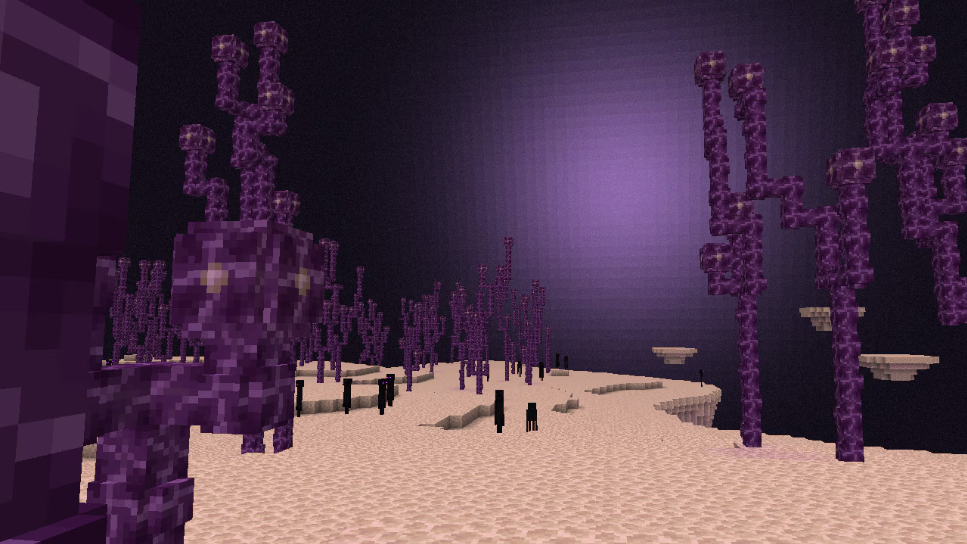
  • Added light flashes to The End dimension
  • Added Chat Drafts
  • Added sound previews to the Music & Sound Options sliders
  • Added the Minecraft Server Management Protocol
  • Added support for servers to have an in-game Code of Conduct
  • Added Halychian language support

Copper Chest

  • The Copper Chest is a new type of chest that has waxed and oxidized variants
  • Copper Chests oxidize over time and can be waxed like other Copper blocks
  • A Copper Chest can be crafted using a Chest and 8 Copper Ingots

Copper Golem

  • The Copper Golem is a new mob which can be spawned by placing a Jack o’Lantern or Carved Pumpkin on top of a Copper block
  • Copper Golems oxidize over time and can be waxed like Copper blocks
  • If the Copper Golem is fully oxidized and not waxed it will turn into a Copper Golem Statue
    • Upon turning into a statue, the Copper Golem will drop any item it may be holding
    • The statue retains the Copper Golem’s name
  • Copper Golems can help with sorting items into Chests
  • Interacting with the Copper Golem with an empty hand will make it drop its carried item
  • Iron Golems will occasionally plant a decorative flower onto a nearby Copper Golem
    • The flower can be removed with Shears
    • This flower is dropped when the Copper Golem turns into a Copper Golem Statue

Copper Golem Item Sorting

  • If the Copper Golem is not holding an item, it will look for nearby Copper Chests to try to pick up an item
    • The Copper Golem will look in any oxidized and waxed Copper Chest variant to pick up items
    • It can pick up at most 16 items in a stack at a time
    • Any item in a Copper Chest can be picked up
  • If the Copper Golem is holding an item, it will look for nearby Chests to try to place the item in
    • The Copper Golem will look in Chests and Trapped Chests to try to place items
    • It can place an item in a Chest if it’s empty, or if it contains the same type of item that it is holding in its hand
  • The Copper Golem will visit at most 10 Chests or Copper Chests in sequence to try to pick up or place an item
  • If no matching chest is found the Copper Golem will idle for 7 seconds before trying again
  • The search area for chests from the Copper Golem’s position is horizontally 32 blocks and vertically 8 blocks 

Copper Golem Statue Block

  • The Copper Golem Statue is a new type of decorative block which has waxed and oxidized variants
  • The Copper Golem Statue oxidizes over time and can be waxed like Copper blocks
  • If the Copper Golem Statue has no oxidation when interacted with using an Axe, the statue will turn into a Copper Golem
  • The Copper Golem Statue can be in one out of four poses: standing, sitting, running, and star
    • The pose of the statue can be changed by interacting with it
    • Each pose emits a Redstone Comparator signal

Copper Equipment

  • Added Copper Nugget
  • Added Copper armor
    • Added Copper Helmet, Copper Chestplate, Copper Leggings and Copper Boots
    • Copper armor has higher durability than Leather and Gold
    • Copper armor has slightly less enchantability than Iron
  • Added Copper tools and weapons
    • Added Copper Axe, Copper Hoe, Copper Pickaxe, Copper Shovel and Copper Sword
    • Copper tools and weapons do the same amount of damage as Stone, but have higher durability
    • Copper tools work faster and last longer than Stone
    • Copper tools have higher enchantability than Diamond, but slightly less than Iron
  • Copper equipment can be crafted using Copper Ingots
  • Copper equipment can be repaired with Copper Ingots
  • Copper equipment turns into a Copper Nugget when smelted
  • Added Copper Horse Armor
    • Has the same loot table and chance of generating as Iron Horse Armor
    • Armor toughness: 4

Copper Decorations

  • Added Copper Torch
    • A green variant of the Torch crafted from a Copper Nugget, Coal, and Stick
    • Functionally identical to the Torch
  • Added Copper Bars
    • Functionally identical to the existing Iron Bars block
    • Made from copper and oxidizes over time
  • Added Copper Chain
    • Functionally identical to the existing Chain block (now renamed to Iron Chain)
    • Made from copper and oxidizes over time
  • Added Copper Lantern
    • Crafted similarly to a regular Lantern but uses Copper and a Copper Torch
    • The lantern itself oxidizes, changing its look as it ages
    • Functionally identical to the Lantern

Shelf

  • The Shelf is a new type of decorative block which comes in the following variants:
    • Oak
    • Spruce
    • Birch
    • Jungle
    • Acacia
    • Dark Oak
    • Mangrove
    • Cherry
    • Pale Oak
    • Bamboo
    • Crimson
    • Warped
  • The Shelf can be crafted from six matching blocks of any Stripped Log, Stripped Stem or Block of Stripped Bamboo, filling the top and bottom row
    • This recipe produces 6 Shelves
  • The Shelf can store up to 3 item stacks:
    • Interacting with any of the 3 slots on its front swaps the player’s main hand item with the content of that slot
    • The Shelf displays all items it contains in front of it, similar to an Item Frame
  • While a Shelf is powered by Redstone, its front texture changes to reflect that it’s powered
    • When powered, up to 3 Shelves will connect to each other
    • Interacting with a single powered Shelf swaps all its contents with the 3 rightmost items in the player’s hotbar
    • Interacting with two connected Shelves swaps their contents with the 6 rightmost items in the player’s hotbar
    • Interacting with three connected Shelves swaps their contents with all items in the player’s hotbar
    • It does not matter which of the connected Shelves the player interacts with

Lightning Rod

  • Lightning Rods now oxidize like other Copper blocks

The End Light Flashes

  • The End dimension now has skylight
    • Normally the skylight does not affect how the dimension looks
    • From time to time flashes in the sky happen and produce a rumbling sound
    • When they happen skylight intensity increases, flooding the dimension with purple light
  • While the Ender Dragon fog effect is active the flash source in the sky is not visible and the brightness of the light affecting the world is reduced
  • The “Hide Sky Flashes” accessibility option disables the End flashes
    • When the flash is disabled by the setting the world is not lit by the flash but the flash source is still visible in the sky and the sound effect still plays

Minecraft Server Management Protocol

Added a server management API (JSON-RPC over WebSocket) for dedicated servers

  • The API is disabled by default and can be enabled in server.properties
    • management-server-enabled=true
    • management-server-host=localhost
    • management-server-port=0
  • The API is accessible at ws://<management-server-host>:<management-server-port> when enabled
  • Supports querying and updating of server state (players, allowlist, operators, settings, game rules)
  • Sends notifications on state changes (e.g. player joins, game rule updates)
  • Calling {“id”:1,”method”:”rpc.discover”} returns an API schema containing supported methods and notifications of the currently running server
  • The Data Generator produces an API schema (json-rpc-api-schema.json) in the reports output folder mirroring the contents returned by the rpc.discover method
  • The API adheres to the JSON-RPC 2.0 specification
  • Uses namespaced methods and the reserved namespaces are minecraft (e.g. minecraft:playersminecraft:allowlist/add)
    • Extensible via custom namespaces for additional methods and events
  • Core method groups: players, allowlist, operators, server (save, stop), server settings, game rules
  • Example method call:
    • Request: {“method”:”minecraft:allowlist/add”,”id”:1,”params”:[[{“name”:”jeb_”}]]}
    • Response: {“jsonrpc”:”2.0″,”id”:1,”result”:[{“id”:”853c80ef-3c37-49fd-aa49-938b674adae6″,”name”:”jeb_”}]}
  • Example notification:
    • {“jsonrpc”:”2.0″,”method”:”minecraft:notification/players/joined”,”params”:[{“id”:”853c80ef-3c37-49fd-aa49-938b674adae6″,”name”:”jeb_”}]}
  • Example error:
    • Request: {“method”: “minecraft:foo/bar”,”id”: 1}
    • Response: {“jsonrpc”:”2.0″,”id”:1,”result”:{“jsonrpc”:”2.0″,”id”:1,”error”:{“code”:-32601,”message”:”Method not found”,”data”:”Method not found: minecraft:foo/bar”}}}
    • Errors and error codes follow JSON-RPC 2.0 error object format
  • Clients must authenticate to access the API
    • Clients should supply an Authorization bearer token header with a server-specific secret
    • The secret is configured in server.properties
      • management-server-secret=
      • The secret should be exactly 40 alphanumeric characters (A-Z, a-z, 0-9)
      • The secret will be automatically generated if the server property is empty
      • Unauthorized requests are rejected with 401 Unauthorized
  • TLS is enabled by default
    • Can be disabled in server.properties
      • management-server-tls-enabled=false
    • Requires a keystore file to be set in server.properties
      • management-server-tls-keystore=path/to/keystore.p12
    • The keystore file must be in PKCS12 format
    • Keystore password can be set in the following ways, in order of priority
      • Environment variable: MINECRAFT_MANAGEMENT_TLS_KEYSTORE_PASSWORD
      • JVM argument: -Dmanagement.tls.keystore.password=
      • Server property: management-server-tls-keystore-password=

Chat Drafts

  • Unsent chat messages now get saved as Chat Drafts if the chat was forcibly closed
    • This includes it being closed by external sources such as dying or a dialog opening, but not the player intentionally closing their chat
  • Any existing Chat Draft will get pre-filled into the message box the next time the chat is opened
  • Draft text has a grayed-out appearance until fully restored
    • Draft text can be restored as regular text by interacting with it:
      • Typing additional text
      • Moving the text cursor using the arrow keys
      • Clicking it
      • Highlighting it
    • Pressing enter on a Chat Draft prior to it being restored sends it like a normal chat message
    • Pressing backspace on a Chat Draft prior to it being restored deletes it
  • Added an option to the Chat Settings screen that enables saving unsent chat messages by default
    • With this option enabled, unsent messages will always get saved as Chat Drafts, even if the player intentionally closed their chat

Server Code of Conduct

When connecting to a server, a Code of Conduct screen can now be shown.

  • Accepting the Code of Conduct is required to play on the server
  • A checkbox is available for not showing the same Code of Conduct in the future
    • If the Code of Conduct changes, it will be shown again

Server Setup

  • A new boolean field has been added to server.properties called enable-code-of-conduct
    • Setting it to true will make the server look for Code of Conduct files in the codeofconduct subfolder in the same folder as server.properties
    • Each file in the folder should have the form <language_code>.txt and be UTF-8 encoded
      • The language shown will attempt to match the player’s language
      • If it doesn’t exist, the en_us Code of Conduct will be used
      • If that also doesn’t exist, an arbitrary available entry is used

Sounds

  • Some sound sliders in the Music & Sound Options now play a preview sound when adjusting the setting outside a world

Accessibility

  • The “Attack/Destroy” and “Use Item/Place Block” key binds are now toggleable, meaning they can be set to either “Hold” or “Toggle” in the Controls screen
  • Added “Invert Mouse X” option to the Mouse Settings screen, which inverts the mouse x-axis
  • Added “Sprint Window” option to the Controls screen, which represents the time window in ticks where double-tapping the forward key activates sprint
  • Multiple key binds that have the same key assigned to them can now work together, while before only one would work
    • For example, you can now bind D to Jump and Strafe Left to jump and strafe left at the same time
    • The red warning for assigning the same key to multiple key binds is changed to yellow
  • The spectator hotbar menu key can now be rebound
    • It is part of a new Spectator category in the Key Binds screen, alongside the pre-existing Highlight Players key bind

Changes

  • Performance improvements
  • The Chain block has been renamed to “Iron Chain”
  • Monster Spawn Eggs now have a tooltip warning when the difficulty is set to Peaceful
    • The mob no longer spawns for one tick when an attempt is made to use the Spawn Egg
  • Changes to world loading and the “Spawn Chunks”
  • A dimension that has any player activity, forceloaded chunks, active portals, or Ender Pearls in flight will be considered “active” and will keep processing chunks and entities
    • Previously, this would only apply if a player was in the dimension or a chunk was forceloaded
  • Reworked the debug overlay to be less cluttered and more configurable
  • Players seen in the game world of the current server are now always shown in the Social Interactions screen even if they are offline
  • Players now stop flying when switching from Spectator Mode to Creative Mode if they are near the ground
    • A player is considered to be near the ground if there is a collidable surface (i.e. blocks, Happy Ghasts, boats…) within 1 block below them
    • Flight will not get disabled if the player was inside a block or collidable entity
      • This is to prevent players from suddenly falling through the ground
  • Migrated several server properties into game rules
  • OpenGL 3.3 is now required to play the game, up from 3.2. This does not change our posted Minimum Requirements

Performance Improvements

  • Entity rendering order was improved for significantly better performance
    • You’ll notice much smoother gameplay in areas with lots of mobs, like mob farms
    • FPS won’t improve much if most of your lag comes from things other than entities, like playing with high render distance while not being near many mobs
  • Particles outside the player’s view are not rendered anymore, which provides a performance improvement in some cases

World Loading and Spawn Chunks

  • The concept of fixed “Spawn Chunks” has been removed
  • The game will ensure that the following chunks are fully loaded before the player joins or the server starts, in the same way as spawn chunks formerly were:
    • Chunks loaded by the forceload command
    • Chunks active due to portal activity
    • Thrown Ender Pearls (Singleplayer only)
    • A small area of chunks around the player (Singleplayer only)
    • Chunks required to assign the global world spawn (World creation only)
  • The world loading screen now shows the chunks that the player is about to be placed into, rather than chunks loaded around world spawn
  • The loading screen now has a progress bar
    • This progress bar accounts for all kinds of chunk loading mentioned above

Server Properties

Several server properties were removed in favor of making them into game rules, allowing these settings to be changed while the server is running.

  • Removed server property allow-nether in favor of the new game rule allowEnteringNetherUsingPortals
  • Removed server property spawn-monsters in favor of the new game rule spawnMonsters
  • Removed server property enable-command-block in favor of the new game rule commandBlocksEnabled
  • Removed server property pvp in favor of the new game rule pvp
  • Added server property management-server-enabled controlling whether the new Minecraft Server Management Protocol is enabled or not
    • Defaults to false
  • Added server property management-server-port controlling on what port the Minecraft Server Management Protocol is started
    • Defaults to 0, assigning an available port each time management server is started
  • Added server property management-server-host controlling with what host the new Minecraft Server Management Protocol is started
    • Defaults to localhost
  • Added server property management-server-tls-enabled controlling whether the Minecraft Server Management Protocol uses TLS or not
    • Defaults to true
  • Added server property management-server-tls-keystore controlling the path to the keystore file used for TLS
    • Defaults to an empty string
    • A dedicated server won’t start when TLS is enabled and no keystore is provided
  • Added server property management-server-tls-keystore-password controlling the password to the keystore file used for TLS
    • Defaults to an empty string
  • Added server property status-heartbeat-interval controlling the interval the management server sends heartbeat notifications to connected clients
    • Defaults to 0, meaning it’s disabled
  • Added server property enable-code-of-conduct
    • Details on this property can be found in the “Server Setup” header

Game Rules

  • Removed spawnChunkRadius game rule
  • Added pvp game rule controlling whether players can deal damage to other players
    • Defaults to true
  • Added allowEnteringNetherUsingPortals game rule controlling if the Nether can be entered through portals
    • Defaults to true
  • Added spawnMonsters game rule controlling if monsters should spawn naturally
    • Defaults to true
  • Added commandBlocksEnabled game rule controlling if Command Blocks should be enabled or not
    • Defaults to true
  • Added spawnerBlocksEnabled game rule controlling if Spawner Blocks should be enabled or not
    • Defaults to true

Mob Spawning

  • The logic for choosing a type of equipment for mobs spawning with equipment has been tweaked to add Copper as a possibility
    • The initial roll to choose a type now chooses between Leather, Copper and Gold
    • The chance to increase an armor tier has increased from 9.5% to 10.87%

Minor Tweaks to Blocks, Items and Entities

  • Test Instance Blocks now preserve error markers between world reloads
  • Ambient lighting on entities has been adjusted to be more visually in line with blocks and other parts of the game
    • The underside of flat surfaces will now be lit from that direction, instead of the opposite direction
    • This mainly affects models containing cubes that are either flat or “hollow” such as:
      • Worn armor
      • Worn Elytra
      • The outside layers on player skins
      • The ribcages of Skeletons or Skeleton Horses
      • The feet of Chickens or Frogs
      • The wings of Phantoms or the Ender Dragon
      • The fins on fish
      • And more!

Recipes

  • Changed the Copper Trapdoor recipe to use 4 Copper Ingots instead of 6 and now yields one Copper Trapdoor instead of two

Sounds

  • The Happy Ghast is now audible from 64 blocks
  • Sounds for Chests now play at a lower volume
  • The volume at which a sound is played at now respects the sound source volume value
  • The “Voice/Speech” sound source has been rephrased to “Narrator/Voice”

UI

  • The Resource Pack and Data Pack selection screens now have a search box
  • More text inputs now support selecting text by mouse dragging
  • Double-clicking a word in an edit box now selects it
  • When adding a new server to the server list, the server name is no longer prefilled
    • When omitted, the default name “Minecraft Server” is used

Mouse cursor

  • Some UI components will now change the shape of the mouse cursor
    • Examples: text inputs, numeric sliders, buttons, scroll bars
  • Additionally, clickable parts of text labels (like links) will now change the cursor to the “hand” shape
  • This feature can be disabled with the “Allow Cursor Changes” option in the Mouse Settings screen

Debug Overlay

  • The debug overlay is accessible by pressing F3, as before
  • The debug overlay can now be accessed from everywhere in the game, not only when in a game world
  • It is now less cluttered, displaying less information by default
  • Added a new Debug Options screen, available by pressing F3 + F6, which can be used to configure what debug information should be displayed
    • For each element, you can configure whether it should be visible in the debug overlay or not, and can even set it to always be visible regardless of the debug overlay being active
    • Some debug features that were previously available, like chunk border rendering or entity hitbox rendering, can now be toggled through this Debug Options screen
    • Some debug features that were not previously available to the community, like Octree visualization, are now accessible through the Debug Options screen
    • The state of the Debug Options screen is saved between launches of the game
    • The Debug Options screen has the following preset profiles:
      • Default resets everything to the default state
      • Performance shows simple performance metrics, including the FPS meter always visible

Chat

  • It is now possible to start chatting while standing inside a Nether Portal
  • The chat will now remain open and unchanged if the player was chatting before being transferred to another dimension

Accessibility

  • Dye Colors now have updated icons
    • The goal with these is to enhance visual cohesion across the dye set while maintaining distinct shapes to support colorblind accessibility
  • A button leading to the Controls screen has been added to the Accessibility Settings screen
    • The “Auto-Jump” option, as well as the “Sneak” and “Sprint” toggles have been removed from the Accessibility Settings screen
  • The “Show Subtitles” option has been rephrased to “Closed Captions” to more accurately describe what it does
  • The “Hide Lightning Flashes” accessibility setting has been renamed to “Hide Sky Flashes” as it includes the End light flashes

Technical Changes

  • Pack versions now have minor versions
  • The Data Pack version is now 88.0
  • The Resource Pack version is now 69.0
  • Some previously hidden debug features have been exposed to players

Pack Formats

  • The pack versions for data packs and resource packs now have minor versions
    • A minor version increment of the game’s pack version is backwards-compatible, meaning all packs made for previous iterations of the same major version will keep working
  • Packs can set compatibility requirements on minor versions in case they rely on resources introduced in a minor version

Pack Metadata

The pack.mcmeta format has been updated:

  • The supported_formats field has been removed
    • If your pack declares support for a pack version with the previous format (data pack < 82, resource pack < 65), it is still required
    • Otherwise, it is not allowed and must be removed
  • The pack_format field is now optional
    • If your pack declares support for a pack version with the previous format (data pack < 82, resource pack < 65), it is still required
  • Added required field min_format – specifies the minimum version supported
    • A full version is specified as a list of two integers, e.g. [74, 1]
    • Specifying a single integer is interpreted as that major version, e.g. 74 is the same thing as [74, 0]
    • Specifying a list of a single integer is interpreted the same as specifying that integer alone
  • Added required field max_format – specifies the maximum version supported
    • A full version is specified as a list of two integers, e.g. [74, 1]
    • Specifying a single integer is interpreted as any minor version, i.e. the minor version is 0x7fffffff
    • Specifying a list of a single integer is interpreted the same as specifying that integer alone
  • For overlay entries:
    • The formats field has been removed
      • If your pack includes any overlay range that includes a pack version with the previous format (data pack < 82, resource pack < 65), it is still required for all overlay definitions
      • Otherwise, it is not allowed and must be removed
    • Added required fields min_format and max_format with the same formats as the fields above with the same name for the pack section

Debug Features

  • Some debug features that were previously removed during compilation are now preserved and can be used by players
  • Individual values can be enabled with JVM properties:
    • First, a global debug flag must be enabled with -DMC_DEBUG_ENABLED or -DMC_DEBUG_ENABLED=true
    • Then, a specific feature can be enabled, for example -DMC_DEBUG_BRAIN or -DMC_DEBUG_BRAIN=true
    • To get the list of all available debug properties, add -DMC_DEBUG_PRINT_PROPERTIES
  • Warning: this is debug code, and the primary intention is to help modders – not for normal play. Handle with extreme care!
    • Features can crash your game or corrupt your worlds
    • Features are not guaranteed to work as intended
    • Features might be added, changed or removed without a notice

Data Pack Versions 82.0 Through 88.0

  • Added Mannequin entities
  • World Borders can now be set per dimension
  • Added a way to use GUI and item sprites in text
  • Player profiles in data components and block entities no longer resolve automatically
  • Added fetchprofile command for downloading player profiles
  • Renamed chain to iron_chain

Mannequins

Added a new type of technical entity called minecraft:mannequin which can only be spawned with summon commands.

  • A Mannequin is a Player Avatar without a connected Player
  • Mannequins show a description text (by default entity.minecraft.mannequin.label) where a Player’s below_score score would show
  • Mannequins function as Living Entities – they can hold and wear equipment, have attributes & effects, take damage, etc.
  • Mannequins accept the minecraft:profile component from spawner items

Data Fields:

  • profile – Which Player profile to show on the entity (same format as a minecraft:profile component), defaults to {} (i.e. static profile with both id and name missing)
  • hidden_layers – List of outer skin layers to hide
    • Valid entries: capejacketleft_sleeveright_sleeveleft_pants_legright_pants_leghat
  • pose – The pose of the mannequin
    • Valid entries: standingcrouchingswimmingfall_flyingsleeping
  • main_hand – Which hand is the main hand of the Mannequin – one of left and right
  • immovable – Optional boolean specifying that the Mannequin cannot be moved (defaults to false)
  • description – Optional Text Component shown where a Player’s below_score score would show
    • The default entity.minecraft.mannequin.label text is shown if omitted
  • hide_description – Optional boolean specifying that no description should be shown at all
    • A Mannequin with the description hidden displays as if a Player had no below_score display

World Border

  • The World Border is now dimension-specific
    • This means that each dimension can have its own World Border size, position, etc.

Text Rendering

object Text Component

  • New text component with type object has been added
  • This component will display a non-character object as a part of text
  • Sprites are always rendered as a rectangle, 8×8 pixels in size
    • Bold and italics styles are ignored
  • Format:
    • object: type of object, string, see below for values
    • <type-specific>: additional fields depending on object type
  • Similarly to the nbt text component, the object field can be omitted
    • However, it’s recommended to provide it for error checking

atlas Object Type

  • Renders a single sprite from a sprite atlas as a character
  • Format:
    • atlas: namespaced ID of a sprite atlas, default value: minecraft:blocks
    • sprite: namespaced ID of a sprite in the atlas, for example item/porkchop

General note about atlas contents:

  • Sprite Atlases contain textures for items, blocks, mob effects, GUI elements, etc.
  • The contents are controlled by files in the assets/minecraft/atlases/ directory in a resource pack
  • The current contents can be reviewed with the F3+S key combination

player Object Type

  • Renders a player head
  • If a partial profile is given, the skin is resolved in the same way as the minecraft:profile component on a player head
  • Format:
    • player: player profile
      • name: player name, optional string
      • id: player uuid, optional UUID
      • properties: profile properties, optional map
    • hat: controls rendering of a hat layer, boolean, default true

run_command Click Event

  • Previously, if the command field contained a command that required a signed message (/say/me/msg/tell/w/teammsg/tm), it would be silently discarded
  • Instead, a screen will be shown that lets the user insert the command into the chat window or copy the command to their clipboard if the chat window can’t be opened

Commands

  • The summon command now fails when trying to summon monsters while the difficulty is set to Peaceful
  • The spawnpoint and setworldspawn commands now have control over the full player look direction
    • The angle argument has been removed
    • Added an optional rotation argument which requires both yaw and pitch to be specified
  • The setworldspawn command is no longer limited to the Overworld
    • This means players can respawn e.g. in the Nether when they have no Bed or Respawn Anchor
  • Server commands now run from the respawn dimension by default instead of always running in the Overworld

Added fetchprofile

  • A new command that has been added to fetch the contents of a player profile from Minecraft servers
  • Since the operation might take some time, it works asynchronously while the game keeps running
  • After successful completion, a message will be printed that lets the user perform various actions:
    • Copy the contents of a fully resolved minecraft:profile component
    • Get a Player Head with the resolved profile
    • Summon a Mannequin with the resolved profile
    • Copy a text component to display the player head in text
  • Since the result is not known at the time of execution, this command always returns 1

Syntax:

  • fetchprofile name <player name> – resolves profile by name (case-insensitive)
  • fetchprofile id <uuid> – resolves profile by id

Data Components

Modified minecraft:profile

New Resolution Behavior

  • Previously the contents of this component would permanently change when the profile was resolved, i.e. downloaded from Minecraft services
  • To avoid issues with this unexpected change, the resolved value is no longer stored and contents of the profile will always remain unchanged
  • That means this component now has two behaviors:
    • Static: when it has the properties field or when both name and id are present or when both are missing
      • In this state, the profile will always render as-is
      • If the properties field is missing, a default skin will be used (selected based on id, same as in offline mode)
      • That means the skin will be frozen at the moment of component creation
      • This option is preferred for decorative uses
    • Dynamic: when it has either name or id set (but not both)
      • When an item containing this profile is rendered on the client side, the profile will be resolved to most recent value
      • This means that this item will always render with the current skin of the targeted player
        • Note: if a player changes their skin while the game is running, the change will not be visible until the client restarts
      • The resolution might happen with a delay, during which the item will render with a default skin
      • The profile name will replace the item name only when it is present
        • Items with just id will show the default name
      • Items with dynamic profiles are distinguished from static ones with a label in their tooltip
  • Items stack based on exact contents, so even if a dynamic component is eventually resolved to the same profile as a static one, they won’t stack together
  • Player heads in older maps that have not been loaded in newer versions yet will usually be converted to dynamic contents

Player Skin Overrides

  • Profiles can now also have additional fields that can replace various values used for rendering
  • If any of the fields are omitted, the value from the resolved profile is used, even if the profile resolves to the default skin
  • New fields
    • texture – Optional namespaced ID of the skin texture to use for rendering
      • The skin is specified relative to the textures folder and with a .png suffix
      • e.g. entity/player/wide/steve will use the default wide Steve skin
    • cape – Optional namespaced ID of the cape texture to use for rendering
      • When specified, uses the same format as the texture field
    • elytra – Optional namespaced ID of the elytra texture to use for rendering
      • When specified, uses the same format as the texture field
      • If this value is not present either as an override or in a player profile, Mannequins using this profile will use the cape texture, or if that is also not present, the default Elytra texture when wearing an Elytra
    • model – Optional model type, one of wide and slim

blocks_attacks Item Component

  • If the damage reduced in an attack is 0, for example by the angle threshold not matching, the item can no longer get disabled in the attack, nor cause knockback due to blocking

Entity Data

Modified minecraft:player

  • Changes to the respawn object
    • angle has been renamed to yaw and is now a required field
    • pitch has been added as a required field
    • dimension is now a required field

Block Entity Data

Modified minecraft:skull

  • profile field has been changed to match minecraft:profile component
    • That means that it also becomes immutable and is resolved only when necessary

Loot Tables

  • Added minecraft:entity_interact loot table type which takes the following parameters:
    • target_entity, the entity being interacted with
    • interacting_entity, the optional entity that is interacting with the target_entity
    • tool, the tool used to interact with target_entity
  • Added minecraft:block_interact loot table type which takes the following parameters:
    • block_state, the block state of the block entity being interacted with
    • block_entity, the optional block entity being interacted with
    • interacting_entity, the optional entity that is interacting with the block_state
    • tool, the optional tool used to interact with block_state
  • Fields that specify a target entity in a loot table, such as entity_properties.entity, can additionally target the target_entity and interacting_entity parameter types
  • Added charged_creeper/root loot table for drops when an entity is killed by a Charged Creeper
    • This loot table dispatches on the mob that was killed, to the following loot tables:
      • charged_creeper/piglin
      • charged_creeper/creeper
      • charged_creeper/skeleton
      • charged_creeper/wither_skeleton
      • charged_creeper/zombie
    • Once any killed mob drops an item from this loot table, other mobs killed by the same Creeper will not drop from this loot table
  • Added brush/armadillo loot table for drops when an Armadillo is brushed
  • Added gameplay/turtle_grow loot table for drops when a Turtle grows into an adult
  • Added harvest/beehive loot table for drops when a Beehive or Bee Nest is harvested using Shears
  • Added harvest/cave_vine loot table for drops when a Cave Vine with Glowberries is harvested by interacting with it
  • Added harvest/sweet_berry_bush loot table for drops when a Sweet Berry Bush with Sweet Berries is harvested by interacting with it
  • Added carve/pumpkin loot table for drops when a Pumpkin is carved using Shears

Loot Functions

minecraft:fill_player_head

  • The entity field now accepts new entity context values:
    • target_entity
    • interacting_entity

minecraft:set_lore

  • The entity field now accepts new context values:
    • target_entity
    • interacting_entity

minecraft:copy_custom_data

  • The source field now accepts new context values:
    • target_entity
    • interacting_entity

minecraft:copy_name

  • The source field now accepts new context values:
    • direct_attacker
    • target_entity
    • interacting_entity

minecraft:copy_components

  • The source field now accepts new context values:
    • this
    • attacker
    • direct_attacker
    • attacking_player
    • target_entity
    • interacting_entity
    • tool

Predicates

minecraft:entity_scores

  • The entity field now accepts new entity context values:
    • target_entity
    • interacting_entity

minecraft:entity_properties

  • The entity field now accepts new entity context values:
    • target_entity
    • interacting_entity

Enchantments

explode Effects

New field: block_particles – specifies per-block particles. Each block particle is randomly chosen according to weights. A set limit of block particles is spawned each tick from all explosions that tick.

Format: List of entries:

  • weight: Non-negative integer representing the random weight for this entry being chosen
  • particle: The particle to spawn
  • scaling: Optional scaling to apply between explosion center and block position, or 1.0 if not specified
  • speed: Optional scaling to apply to the speed of the particle, or 1.0 if not specified

World Generation

  • The initial_density_without_jaggedness field in noise_settings definitions has been replaced with a preliminary_surface_level field
    • initial_density_without_jaggedness was a 3D density function that was used to determine an approximate surface level by scanning for the first point with a density greater than 0.390625
    • preliminary_surface_level is a 2D density function that should produce the y-level of the approximate surface
    • The minecraft:find_top_surface density function can be used to replicate the previous scanning

Density Functions

Added minecraft:find_top_surface

  • Approximates the topmost surface of a given density function
  • It scans from an upper bound to a lower bound to find the point at which the density changes from negative to positive
    • The upper bound should be as close to the actual surface as possible for best performance
    • The upper bound should never be lower than the actual surface

Fields:

  • density – density function to approximate the surface of
  • upper_bound – 2D density function providing the highest possible y-value
  • lower_bound – integer, lowest possible y-value
  • cell_height – positive integer defining the grid resolution on which to scan

Added minecraft:invert

  • Resolves to 1/argument

Fields:

  • argument – density function

Jigsaw Structures

  • The max_distance_from_center field may now specify a different restriction on the vertical axis from horizontal
    • This can be specified by an object with fields:
      • horizontal – required integer between 1 and 128
      • vertical – optional integer between 1 and 4096 (default: 4096)
      • e.g.: “max_distance_from_center”: { “horizontal”: 20, “vertical”: 500 }
    • The previous format of a single inline value specifying both horizontal and vertical distance is still supported

Tags

Block Tags

  • Added #copper_chests – all Copper Chest blocks
  • Added #copper – all Copper blocks
  • Added #incorrect_for_copper_tool – all blocks which will not drop items with a copper tool
  • Added #copper_golem_statues – all Copper Golem Statue blocks
  • Added #chains – all Chain blocks
  • Added #lanterns – all Lantern blocks
  • Added #bars – all Bar blocks

Item Tags

  • Added #copper_chests – all Copper Chest block items
  • Added #copper – all Copper block items
  • Added #copper_tool_materials – all copper tool materials
  • Added #repairs_copper_armor – all items which repair copper armor
  • Added #copper_golem_statues – all Copper Golem Statue block items
  • Added #chains – all Chain block items
  • Added #lanterns – all Lantern block items
  • Added #bars – all Bar block items
  • Added #shearable_from_copper_golem – all items that can be removed from the Copper Golem’s saddle slot via Shears

Entity Type Tags

  • Added #cannot_be_pushed_onto_boats – mobs that cannot be pushed onto boats which includes the Creaking, players and all aquatic mobs that aren’t amphibious

  • Added #accepts_iron_golem_gift – mobs that will accept and receive an offered item from an Iron Golem

  • Added #candidate_for_iron_golem_gift – mobs that an Iron Golem will attempt to offer an item to, but may not necessarily accept it (see #accepts_iron_golem_gift)

Particles

  • dragon_breath now optionally takes a power parameter (float, default 1.0), which is multiplied onto its initial velocity, after all randomness
  • instant_effect and effect now optionally take power (float, default 1.0) and color (rgb, default 0xFFFFFF) parameters
  • flash now requires a color parameter (argb)

Resource Pack Versions 64.0 Through 69.0

  • Added new display transform “on_shelf”
    • Used for displaying items on the Shelf

Block Sprites

  • Added new block sprites:
    • copper
    • copper_left
    • copper_right
    • exposed_copper
    • exposed_copper_left
    • exposed_copper_right
    • weathered_copper
    • weathered_copper_left
    • weathered_copper_right
    • oxidized_copper
    • oxidized_copper_left
    • oxidized_copper_right
    • acacia_shelf
    • bamboo_shelf
    • birch_shelf
    • cherry_shelf
    • crimson_shelf
    • dark_oak_shelf
    • jungle_shelf
    • mangrove_shelf
    • oak_shelf
    • pale_oak_shelf
    • spruce_shelf
    • warped_shelf
    • copper_bars
    • copper_chain
    • copper_lantern
    • copper_torch
    • exposed_copper_bars
    • exposed_copper_chain
    • exposed_copper_lantern
    • exposed_copper_torch
    • oxidized_copper_bars
    • oxidized_copper_chain
    • oxidized_copper_lantern
    • oxidized_copper_torch
    • weathered_copper_bars
    • weathered_copper_chain
    • weathered_copper_lantern
    • weathered_copper_torch
  • Renamed the following block sprites:
    • chain to iron_chain

Entity Sprites

  • Added new entity sprites:
    • copper_golem
    • exposed_copper_golem
    • weathered_copper_golem
    • oxidized_copper_golem
    • copper_golem_eyes
    • exposed_copper_golem_eyes
    • weathered_copper_golem_eyes
    • oxidized_copper_golem_eyes

Item Sprites

  • Added new item sprites:
    • copper_axe
    • copper_boots
    • copper_chestplate
    • copper_golem_spawn_egg
    • copper_helmet
    • copper_hoe
    • copper_leggings
    • copper_nugget
    • copper_pickaxe
    • copper_shovel
    • copper_sword
    • copper_chain
    • copper_lantern
    • exposed_copper_chain
    • exposed_copper_lantern
    • oxidized_copper_chain
    • oxidized_copper_lantern
    • weathered_copper_chain
    • weathered_copper_lantern
  • Renamed the following item sprites:
    • chain to iron_chain

Textures

  • Added a new texture:
    • environment/end_flash.png
  • Moved the result slot of gui/container/villager.png up by one pixel

Sounds

Sound Events

  • Added new sound events:
    • block.copper_chest.open
    • block.copper_chest.close
    • block.copper_chest_weathered.open
    • block.copper_chest_weathered.close
    • block.copper_chest_oxidized.open
    • block.copper_chest_oxidized.close
    • entity.copper_golem.step
    • entity.copper_golem.hurt
    • entity.copper_golem.death
    • entity.copper_golem.spin
    • entity.copper_golem_weathered.step
    • entity.copper_golem_weathered.hurt
    • entity.copper_golem_weathered.death
    • entity.copper_golem_weathered.spin
    • entity.copper_golem_oxidized.step
    • entity.copper_golem_oxidized.hurt
    • entity.copper_golem_oxidized.death
    • entity.copper_golem_oxidized.spin
    • item.armor.equip_copper
    • entity.copper_golem.spawn
    • entity.copper_golem.no_item_get
    • entity.copper_golem.no_item_not_get
    • entity.copper_golem.item_drop
    • entity.copper_golem.item_no_drop
    • entity.copper_golem_become_statue
    • block.copper_golem_statue.break
    • block.copper_golem_statue.place
    • block.copper_golem_statue.hit
    • block.copper_golem_statue.fall
    • block.copper_golem_statue.step
    • block.shelf.activate
    • block.shelf.deactivate
    • block.shelf.multi_swap
    • block.shelf.place_item
    • block.shelf.single_swap
    • block.shelf.take_item
    • weather.end_flash”

Particles

  • Added new particle:
    • copper_fire_flame

Shaders & Post-process Effects

Shaders

  • The following unused shaders have been removed:
    • core/position_color_lightmap.vsh
    • core/position_color_lightmap.fsh
    • core/position_color_tex_lightmap.vsh
    • core/position_color_tex_lightmap.fsh
  • A new PER_FACE_LIGHTING flag has been added to the following shaders:
    • core/entity.vsh
    • core/entity.fsh
  • When set, cardinal lighting will be computed separately for front- and back-faces
  • As we now require OpenGL 3.3, we have bumped the version of all shaders from 150 to 330

Changes to Full Screen Passes

  • The following vertex shaders have been removed, and replaced by core/screenquad.vsh:
    • core/blit_screen.vsh
    • post/blit.vsh
    • post/blur.vsh
    • post/invert.vsh
    • post/sobel.vsh
    • post/screenquad.vsh
  • Vertex shaders for post-processing effects, as well as lightmap generation and full screen blits are no longer are passed the Position attribute, and instead must assign vertex coordinates by gl_VertexID
  • These passes furthermore are only executed with 3 vertices, instead of a full quad

Fixed bugs in 1.21.9

  • MC-383 – In the world selection screen, world names/versions/timestamps can overflow the list to the right
  • MC-2681 – No loading progress bar whenever we create a new world or when the game is loading something
  • MC-26334 – Chat UI is forcibly cleared when killed
  • MC-36783 – Item frames/Glow item frames don’t change their hitbox if they contain a map
  • MC-46503 – You can retain entities’ shaders by running the “/kill” command while in spectator mode
  • MC-46634 – Thunder volume is not affected by weather volume settings
  • MC-59413 – Water and lava can drip from barriers
  • MC-69216 – Switching to spectator mode while fishing keeps rod cast
  • MC-73881 – Summoning monsters in peaceful difficulty spawns monster for 1 tick
  • MC-89142 – Changing jump key to “Enter” let player jump after completing chat line
  • MC-94610 – Missing loot table entries for mob heads from charged creepers
  • MC-98200 – All sound sliders except master are ignored by high-volume /playsound
  • MC-98322 – Flying after shifting between Creative/Spectator
  • MC-99785 – You can leash entities in spectator mode
  • MC-119417 – A spectator can occupy a bed if they enter it and then are switched to spectator mode
  • MC-147784 – Fletching table flashes crafting table’s GUI for about a second upon right-clicking it in spectator mode
  • MC-160528 – End portals do not negate fall damage
  • MC-163218 – Players with the Sneak option set to “Toggle” can sneak while in GUIs
  • MC-165991 – TNT explosion no longer shows additional smoke particles since 1.15 Pre-release 1
  • MC-173730 – Shift-clicking water buckets against a waterloggable block doesn’t place the water beside the waterloggable block
  • MC-174759 – Dragon eggs can be teleported to a height below void
  • MC-183776 – After switching game modes using F3+F4, you need to press F3 twice to toggle the debug screen
  • MC-183784 – Visual bug to the Game Mode Switcher debug menu after resizing the window
  • MC-187850 – “run_command” click_event doesn’t work in written books if chat is hidden
  • MC-191669 – Sprinting is disabled when switching your gamemode to spectator while sprinting into a block or general obstruction
  • MC-192907 – The F3 debug menu cannot be toggled while chat is open
  • MC-196443 – When reducedDebugInfo is true, hitting F3+B and F3+G would still tell the player in chat that they are being toggled, despite nothing happening
  • MC-197247 – Using F3+D to clear pending lines keeps the previous delay for a new message
  • MC-203401 – Double-tapping forward button to sprint cannot be disabled/reconfigured
  • MC-217956 – Number keys do not work on the game menu with the debug pie
  • MC-220842 – Opening game mode switcher while spectating a mob with shader effect toggles the effect
  • MC-220913 – Parity issue: Adjusting slider in the sound settings when not being in a world does not play a sound of that category
  • MC-223142 – Player can move while spectating a marker
  • MC-225088 – Overworld surface is darker than before on low brightness
  • MC-232968 – Spectators can prevent the closing animation of a chest/barrel when viewing it at the same time as a non-spectator
  • MC-234479 – You can invite the same player multiple times to your realm even if they’ve already received an invitation or have already joined it
  • MC-234737 – Typo in exception message: “EmtyPoolElement”
  • MC-235780 – The beacon GUI incorrectly displays the “Beacon” tooltip when the mouse cursor is held over the “Done” or “Cancel” buttons
  • MC-236508 – The title within the “Add Server” menu is displayed as “Edit Server Info”
  • MC-237016 – The chat delay function continues to print messages despite the game being paused
  • MC-237590 – The word “chunks” is improperly capitalized within the render and simulation distance sliders
  • MC-237843 – Players can be idle kicked whilst viewing the end credits
  • MC-238146 – When you switch to Spectator mode while sleeping, the night never skips
  • MC-238273 – “Locked by another running instance of Minecraft” lacks punctuation
  • MC-243759 – Explosions won’t damage an entity if the distance to its eyes is 0
  • MC-249205 – “minecraft.used:minecraft.potion” increases by a value of two when using water bottles to create mud in creative mode
  • MC-250062 – Several strings throughout the game contain comma splices
  • MC-250193 – Server log does not use the string representation of a player’s GameProfile on a disconnect during encryption
  • MC-251407 – Darkness pulsing effect doesn’t work in The End
  • MC-254052 – /locate doesn’t work outside build limit
  • MC-254668 – Pressing Escape on the death screen’s title screen warning respawns the player
  • MC-257540 – Sheep eat half as often as they did before 21w39a
  • MC-257792 – Output slot for trading menu is off-center
  • MC-258191 – Root system feature allows hanging root vertical span of 0, causing error
  • MC-259347 – Height limit warning message is shown when right-clicking the top of a block at the build height limit with a bucket
  • MC-259571 – Last player game mode not saved after player dies or the game is reloaded
  • MC-259673 – Tab selection works differently in world creation and statistics screens
  • MC-259692 – Sneaking and sprinting states are activated or toggled unexpectedly when releasing their input keys while an interface was just previously closed
  • MC-259935 – It can snow even when biome precipitation is set to NONE
  • MC-260591 – ‘execute on origin’ and ‘execute on owner’ fail to find the targeted entity when it is in a separate dimension
  • MC-260822 – The “Done” and “Cancel” buttons within the beacon GUI no longer display tooltips when the mouse cursor is held over them
  • MC-260920 – Statistics screen columns are not accessible through keyboard navigation
  • MC-261387 – Redundant block_predicate_filter check in mangrove tree placement
  • MC-262000 – Unused texture: misc/white.png
  • MC-262370 – Some multiplayer strings are untranslatable
  • MC-263597 – The ender dragon’s respawning noise cannot be turned down by the Hostile Mobs volume slider
  • MC-264962 – Strings that contain two inputs for a given action have inconsistent spacing and apostrophes
  • MC-265290 – Elements within the command block interface are not selected in order when using the TAB key
  • MC-265807 – Mobs don’t drown if their Air NBT is less than -19
  • MC-269838 – Pumpkin seeds drop from sheared pumpkins is hardcoded
  • MC-269839 – Honeycomb drop from sheared bee nests and beehives is hardcoded
  • MC-270172 – Client and server desync for hooked players when changing gamemode to spectator
  • MC-270190 – Hovering over banner patterns in the loom UI does not display tooltips
  • MC-270669 – Incorrect argument order in translation key argument.block.property.novalue
  • MC-270918 – Loot tables for mob heads are missing copy_components loot function for custom_name
  • MC-272584 – Fireballs redirected by explosions caused by player owned entities no longer carry player ownership
  • MC-273894 – Some non-persistent mobs in spawn chunks continue to count towards mob cap when far away
  • MC-273943 – Sweet berries drop from harvested bushes is hardcoded
  • MC-275244 – Setting “width_smoothness” in file configured_carver to 0 causes the game to freeze or crash
  • MC-275432 – Subtitles are difficult to see within screens
  • MC-276431 – Dragon egg teleports above the build height limit and deletes itself
  • MC-276568 – Mipmapped versions of the armor trims atlas are generated
  • MC-276629 – Glow berries drop from cave vines appears to be hardcoded
  • MC-276759 – Scute drop from brushing armadillos is hardcoded
  • MC-276826 – Entity models render completely white in GUI screens while affected by glowing and invisibility at the same time
  • MC-276931 – Enchanted books have the wrong rarity
  • MC-277447 – Minecraft generates mipmapped textures for chests, but does not use them
  • MC-277450 – Minecraft generates mipmapped textures for shulker boxes, but does not use them
  • MC-277470 – Minecraft generates mipmapped textures for beds, but does not use them
  • MC-277471 – Minecraft generates mipmapped textures for signs, but does not use them
  • MC-277473 – Minecraft generates mipmapped textures for decorated pots, but does not use them
  • MC-277481 – Minecraft generates mipmapped textures for banners, but does not use them
  • MC-277483 – Minecraft generates mipmapped textures for shields, but does not use them
  • MC-277661 – Constantly rotating the player to their current rotation using /rotate produces jittery camera movement
  • MC-277770 – Processor type block_age always modifies slabs property “type” to bottom
  • MC-277975 – The first line of the command execution warning in an item’s tooltip is missing punctuation
  • MC-278435 – Mushroom Fields biome doesn’t generate pumpkin patches despite being specified in vanilla datapack
  • MC-278550 – While flying in creative or spectator mode, the surface of water can prevent you from sprinting
  • MC-278965 – Cherry Grove is not part of the #stronghold_biased_to tag
  • MC-279123 – Some strings that reference Minecraft Realms use inconsistent or missing verb forms
  • MC-279153 – Some strings that mention the base values of attributes are missing articles
  • MC-279173 – The “chat.disabled.invalid_command_signature” string is missing an article before the word “Command”
  • MC-279174 – The “gamerule.spawnChunkRadius.description” string is missing an article before the word “Amount”
  • MC-279175 – Some multiplayer disconnection strings are missing articles and demonstratives
  • MC-279176 – The “gamerule.commandModificationBlockLimit.description” string is missing an article before the word “Number”
  • MC-279212 – Some narration strings are missing articles and possessive determiners
  • MC-279548 – TNT minecart does not remember ignition source when exploding from a fall
  • MC-279793 – Mounting horses, donkeys, mules, zombie horses, skeleton horses, and camels no longer forces you to face forward
  • MC-289348 – Ender pearls stop loading chunks in The End after relog, if there are no players in that dimension
  • MC-295829 – Test instance block GUI uses “Batch” instead of “Environment”
  • MC-295841 – Interactive collision check path is broken
  • MC-296054 – Fast non-projectile entity movements may fail to apply block effects from blocks around the starting position when moving in positive directions
  • MC-296055 – Slow non-projectile entity movements may fail to apply block effects from origin block
  • MC-296057 – Sideways non-projectile movements may fail to apply block effects from blocks around start of sideways motion
  • MC-296129 – The sunrise/sunset effect flickers on Intel graphics of Gen9 architecture
  • MC-296372 – Teleport duration is unreliable as of 1.21.5
  • MC-296789 – The color of text within the test instance block interface is inconsistent with other similar interfaces
  • MC-296897 – Fast moving entities freeze the server which causes watchdog crash x2
  • MC-297126 – “Failed to read field…” error spam when upgrading a 25w15a or 25w16a world
  • MC-297496 – Text inside the middle of the java realms information box completely disappears when selected
  • MC-297593 – Cauldrons now apply the effect of the substance they’re filled with when contacted from the underside
  • MC-297898 – Entering a dialog temporarily closes the chat and clears anything the player was currently typing
  • MC-298274 – Certain invalid commands give “see below for error” with no additional information
  • MC-298605 – When creating a Water World superflat world, the player spawns at the bottom of the sea
  • MC-298732 – The cursor is no longer shown at the end of lines that aren’t the final one
  • MC-298805 – Axes disable shields even when the shield does not block the attack
  • MC-298883 – The active world slot is not highlighted when selected via TAB navigation in Realms
  • MC-299067 – Arrows can lose ownership on disconnection in multiplayer
  • MC-299105 – Tears and Lava Chicken music disc ‘desc’ translations are unused
  • MC-299115 – Arrows lose their owner tag when deflected while the owner is offline
  • MC-299314 – Breaking jukeboxes in certain ways doesn’t stop the music
  • MC-299450 – You can no longer double-click to select characters in the book and quill interface
  • MC-299451 – Pages in book and quills are no longer automatically focused when switching pages
  • MC-299548 – “run_command” dialog actions don’t work if chat is hidden
  • MC-299566 – The cursor in the book and quill interface is positioned too far to the left
  • MC-299627 – Entity interpolation for high speed projectiles is wildly inaccurate
  • MC-299628 – Mounted players/mobs trigger sculk sensors on world load
  • MC-299770 – Chunks loaded by ender pearls permanently unload upon player death even when enderPearlsVanishOnDeath is set to false
  • MC-299782 – Zombie villagers saved in jigsaw structures forget their biome variant and profession upon world generation
  • MC-299823 – Minecraft shaders cause C7050 warnings
  • MC-299837 – Running two or more /rotate commands in the same tick only applies the rotation of the last command
  • MC-299872 – The freezing overlay flashes when a freezing player touches fire
  • MC-299873 – Selection boxes of plain messages within dialogs can get cut off
  • MC-299896 – You can switch the worlds of expired realms to empty slots, which misleadingly prompts world creation despite no active realms subscription
  • MC-299913 – The “You don’t seem to have a Realm…” focusable text widget now has a black background
  • MC-300021 – Some elements of the villager interface are now rendered above the cursor item
  • MC-300034 – Dolphins can ride boats
  • MC-300092 – F3 pie chart particle entries are missing names
  • MC-300340 – Continuously clicking “Continue” on the welcome page resets the button disappearance animation progress
  • MC-300457 – Dialog is unescapable when action or exit_action is set to run_command with a command that would produce a signed chat message
  • MC-300856 – I-beam cursor in book signing screen has wrong color
  • MC-301447 – Items with plain-String names created before 1.20.4 cause DFU JSON exception when loaded
  • MC-301494 – Falling particles no longer appear from floating sand or gravel
  • MC-301510 – GUI sprites nine slice performance regression
  • MC-301619 – Game mode translation key is used in the console message sent when a player tries to switch their game mode without permission
  • MC-301770 – The below_name plate is not displayed higher for players and mannequins named “deadmau5”
  • MC-301883 – Entities going through portals with their Motion set to more than 10 on an axis have their Motion tag reset
Posted on Leave a comment

JAVA Edition: 1.21.6

New Features

  • Added Happy Ghast mob
  • Added Dried Ghast block
  • Added Harness items
  • Added the Locator Bar, a new HUD element that shows the direction of other Players in multiplayer
  • Added a new Music Disc with the track “Tears” by Amos Roddy
  • Added 5 new music tracks by Amos Roddy
  • Added new advancements
  • Added Old Spelling Indonesian (Indonesian pre-reform) and Cantabrian language support

Happy Ghast

The Happy Ghast is a new mountable flying mob.

Dried Ghast Block

  • The Dried Ghast block is found in Nether Fossil structures and is the first stage of the Happy Ghast mob
  • Can be crafted with 1 Soul Sand block and 8 Ghast Tears
  • When waterlogged, it undergoes 3 hydration level changes over approximately 20 minutes until it spawns a Ghastling mob
  • The hydration level decreases when it is no longer waterlogged, using the same timescale
  • The hydration level is not preserved when mined
  • Makes sounds and shows particles depending on its hydration level
  • The Dried Ghast block emits a vibration frequency of 11 when its block state changes

Ghastling Mob

  • The Ghastling is a young version of the Happy Ghast mob
  • Spawns from a Dried Ghast block that has continuously been waterlogged for about 20 minutes
  • After spawning, the Ghastling will try and follow:
    • Players within a 16-block radius or
    • An adult, non-aquatic passive mob or some of the neutral mobs within a 16-block radius
  • If no player or suitable mob is close around, the Ghastling will idle around within 32 blocks from its home position where it spawned or was last interacted with
    • It will reset its home position if it is moved more than 16 blocks away from the border of its home position
  • Can be tempted and fed using Snowballs
  • Will grow up into a Happy Ghast after about 20 minutes, or faster if fed Snowballs

Happy Ghast Mob

  • Can be equipped with a Harness and then be mounted by up to four players
  • Tempted by Snowballs and Harness
    • The Happy Ghast can only be tempted with a Harness when it has no harness equipped
  • Slowly regenerates health, with regeneration speeding up during rain, snow or when flying at the same height as clouds
  • The first player that mounts the Happy Ghast will control it, sitting above it in the front seat
    • When controlled, the goggles of the Happy Ghast flip down to cover its eyes
  • Players mounting after the first player are placed in slots on each side of it, starting clockwise from the first player
  • Pressing the sneak key dismounts the player on top of the Happy Ghast
  • If the Happy Ghast detects players standing on top of it, it ceases all movement and rotates to the closest cardinal direction
    • This happens regardless of whether it has a Harness equipped or not
  • When mounted on the Happy Ghast, the third-person camera is further away from the player
  • When there are no players mounted or walking on the Happy Ghast, it starts its roaming behavior
    • If players dismount midair, the Happy Ghast will descend towards the ground before it starts roaming
    • The roaming behavior is similar to the Ghastling, except for the radius being 64 blocks
    • When wearing a Harness, the Happy Ghast roams closer to the home position, within a 32 block radius
    • When leashed, the Happy Ghast has a roaming distance of 10 blocks
    • The Happy Ghast will try to stay close to blocks when roaming
  • Cannot be bred
  • Cannot enter boats
  • Has no panic behavior when taking damage

Harness Item

  • The Harness is a new item that can be equipped on a Happy Ghast to allow players to ride it
  • The Harness comes in 16 different colors
  • Can be crafted out of 3 Leather, 2 Glass blocks and 1 Wool block
    • The Harness will have the same color as the Wool block used when crafting
  • Can be re-dyed in the crafting grid
  • Can only be equipped on a Happy Ghast
  • Allows up to 4 players to mount the Happy Ghast
  • Can be removed from the Happy Ghast using Shears when no players are mounted

Locator Bar

The Locator Bar is a new UI element that displays the direction of other players in the world.

  • If another player is in the world (and that player is not hiding) the Locator Bar will display in the same area as experience bar
    • When experience is gained the experience bar will appear
    • If there are no other players in the world the experience bar will display as normal
  • Facing other players within a 120 degree range will display those players as colored indicators on the Locator Bar
    • Other players that are above/below the screen will also display an up/down arrow together with their indicator
    • The indicator will change to different sized icons depending on how far away the other Player is
    • Colored indicators are randomized for each player
      • Operators can modify the colors of indicators with the /waypoint command
        • e.g.: /waypoint modify @s color red to set an indicator to red
      • Players on a team will override their default indicator color with their team color
  • Players can hide by crouching, wearing a mob head or a Carved Pumpkin, or using a Potion of Invisibility
  • Players in Spectator Mode are not visible on the Locator Bar
    • However, spectators are visible to each other
  • The Locator Bar can be toggled off by setting the locatorBar game rule to false

Music and Sound

  • Added a new music disc:
    • “Tears” by Amos Roddy
      • Can be obtained by killing a Ghast with a Fireball deflected by a Player
      • Has a comparator output of 10 when played in a Jukebox
  • Added 5 new background music tracks by Amos Roddy:
    • “Below and Above”
    • “Broken Clocks”
    • “Fireflies”
    • “Lilypad”
    • “O’s Piano”
  • Added a new sound for when a Lead snaps
  • Added new custom sounds for shearing Saddles, Horse Armor, and Carpets from Llamas
  • Added new sound volume category called “UI” for sounds played by UI elements, like button clicks
  • Music now plays even when the game is paused
  • Added an option to the Music & Sound settings that allows players to change how frequently music plays while in a game world
  • Added an option to the Music & Sound settings that enables a music toast to be shown whenever a song starts playing
    • With this option enabled, the song that is currently playing will always be seen in the top left corner of the in-game Pause Menu

Advancements

  • Added new “Stay Hydrated!” Husbandry Advancement when a Dried Ghast block is placed into Water
  • Added “Heart Transplanter” Adventure Advancement that is unlocked when a player places a Creaking Heart with the correct alignment between two Pale Oak Log blocks

Changes

  • Changed leash mechanics and updated recipe for Lead
  • Saddles are now craftable and shearable
  • Updated Ghast texture
  • Improvements to fog
  • Updates to music and sound
  • Improvements to the Realms configuration screen and introduced a region preference setting
  • Piglins can now give Dried Ghast blocks when bartered with
  • Splash Potions effect strength is now based on the distance of the hitboxes
  • The target tolerance margin of projectiles now changes over time
  • Changed Elytra so that while gliding, using a Firework Rocket will only be used as a boost even if it could be placed on a block
  • Spectators will now teleport together with entities that move to other dimensions, but will stop spectating them
  • Increased the third-person camera distance when spectating or riding Ghasts or Ender Dragons
  • The fix to MC-3697 has been partially reverted
    • Decorative hanging entities such as paintings and item frames are now immune to explosions from submerged TNT while items and armor stands are once again vulnerable to them
  • Wolves, Sheep and Pigs now have their legs mirrored
  • The test framework will no longer try to restart running tests after a server restart
  • Clouds now exist all the way to the horizon, with an option to reduce them
  • Updated the pattern of clouds in the sky
  • Horses, Donkeys, and Mules can now be fed Carrots to heal, grow, and improve their temper
  • Updated the main screen panorama
  • Removed Herobrine

Leash Changes

  • The Slime Ball in the Lead recipe has been replaced with a String
  • Improved leash mechanics, with reworked leash physics, allowing for more stable leash connection, especially when leashed entities are not on ground
    • When dragged on the leash, leashed objects will now orient themselves towards the entity holding the leash
    • Using a Firework Rocket when flying with leashed entities will now break the leash connections
  • Leashes are now rendered twice as thick, matching Minecraft: Bedrock Edition
  • Leashes can now be used to leash two mobs together
    • Sneak-interact on any mob while holding leashed mobs will leash these mobs to the entity interacted with
    • Re-leashing an entity is prevented if the re-leashing would result in immediate leash snapping due to distance
  • Leashes can be snipped from an entity when interacting with them using Shears
    • This applies to its own leash connection as well as all entities attached to it
    • Dispensers can now snip leashes from entities in front of them when they are equipped with Shears
  • When leashing an already leashed mob, their previous leash snaps
  • You cannot steal leashed entities from other players
  • Interactions with a Leash Knot/Fences:
    • Fails for entities that are not in range of the Leash Knot/Fence
    • All entities leashed to the player will be leashed to the Leash Knot/Fence
    • Transfers all its leashed entities to the player if the player has no entities leashed
    • Sneak-interact only ever attaches leashes
    • Shearing or punching the Leash Knot will result in all current connections to be broken
  • A Leash Knot requires at least one connection to exist
  • Boats and large mobs that can be leashed but cannot fit in a Boat (Horses, Donkey, Mule, Camel and Sniffer) can be leashed in a special quad connection to the Happy Ghast
    • Happy Ghast will also show a custom layer when it’s leashing something using a quad connection
    • Entities leashed in quad connection are now rendered without slack
  • Leash snapping distance has been changed from 10 to 12 blocks
    • Happy Ghast has a leash snapping distance of 16 blocks
    • The distance between two leashed entities is determined based on the center of their bounding boxes, rather than their feet

Saddle Changes

Crafting Saddles

  • Saddles can now be crafted with 3 Leather and 1 Iron Ingot
  • The recipe is unlocked when a player picks up their first Leather

Removing Saddles and Equipment

  • Saddles, Horse Armor, Harnesses and Carpets can now be removed from the mobs by using Shears
    • This does not work in case the mob has a rider, or if the player is crouching
    • Saddles cannot be removed from Ravagers using Shears
  • Dispensers with Shears cannot remove Saddles, Horse Armor, Harnesses or Carpets equipped on mobs
  • Shearing Saddles, Horse Armor, and Carpets will emit a vibration frequency of 6, along with the Unequip frequency of 4

Loot Table Changes

The following loot tables have had Saddles removed from them and replaced with 1-5 Leather:

  • Monster Room chests
  • Ancient City chests
  • Desert Pyramid chests
  • Jungle Pyramid chests
  • Stronghold altar chests

Fog

  • Fog was tweaked for improved atmospheric perspective
  • It now becomes foggier when it rains
  • Fog is now applied to 3D HUD elements such as first-person player hands and items in hands

Ambient Desert Block Sounds Changes

  • Ambient sand sounds no longer require sky access to play
  • Ambient sand sounds now have a slightly decreased chance to play
  • Terracotta blocks no longer trigger ambient sand sounds
  • Sand blocks no longer trigger ambient wind sounds
  • Terracotta blocks no longer trigger ambient wind sounds
  • Short Dry Grass and Tall Dry Grass can now trigger ambient wind sounds when above 2 Sand, Red Sand or Terracotta blocks
  • Dead Bush ambient sounds now have a slightly increased chance of playing

Music and Sound

  • The following sound categories have been renamed:
    • Friendly Creatures -> Friendly Mobs
    • Hostile Creatures -> Hostile Mobs
  • Rules for when ambient desert blocks sounds play have been tweaked

Realms

  • Changed the layout of the Realms configuration screen to use tabs
    • The Worlds tab allows changes to any of the world slots, creating new worlds and changing their settings
    • The Players tab allows management of the players that have access and their level of access to the Realm
    • The Subscription tab allows management of the Realms subscription
    • The Settings tab allows changing the settings of the Realm
  • Introduced a Region Preference setting that allows for more granular control over what region a Realm is hosted in
  • Changed wording for Close/Open Realm to Temporarily close/Reopen Realm
  • Added the Realms logo to the Realms loading screens
  • Added region information when connecting to a Realm

Projectile Targeting

  • The target tolerance margin of projectiles now changes over time
    • Previously, all projectiles had a target tolerance margin of 0.3 blocks
    • Now, all projectiles start with no margin for the first two ticks of their flight
    • After that, the target margin will expand by 0.05 blocks per tick until it reaches the previous 0.3 blocks margin
    • This allows for better precision close to the shooting player or entity, while still allowing for some collision leeway when the projectile is further away

Splash Potions

  • Splash Potions distance to affected entities now depends on the closest distance between the entity hitbox and the splash potion hitbox where it landed
    • This means that if an entity is hit directly by the splash potion, it will receive the full effect of the potion
    • If the entities are grouped together, they will receive the same effect strength

Technical Changes

  • The Data Pack version is now 80
  • The Resource Pack version is now 63
  • All JSON files (in worlds, packs, configuration, etc.) are now parsed in strict mode
  • Pressing F3 + V now prints client-side version information
  • “Command Syntax” report now contains information about required permission level
  • –quickPlaySingleplayer command line argument can now be used without an identifier to launch into the last played world

Data Pack Versions 72 Through 80

  • Dimension Type definitions have a new optional field, cloud_height that indicates on what y-level the clouds start in the dimension
  • New version command has been added
  • New datapack create subcommand has been added
  • Added a way to display very simple dialogs to users
  • Added a Server-authoritative Waypoint broadcasting system for controlling the Locator Bar behavior for Players
  • Added custom – a new click_event action type for text components
  • New optional fields can_be_sheared and shearing_sound have been added to the equippable item component
  • Added player_sheared_equipment advancement trigger

Commands

Added version

Prints the current version information on the server side.

  • Takes no arguments
  • Available in singleplayer or for server operators

Added datapack create

Creates a new empty directory data pack for the current world.

  • The supported pack version is always equal to one supported by the game
  • Available only to server owners
  • Syntax: datapack create <id> <name>
    • id – new pack name, must be a valid directory name
    • name – text component to be placed in description in pack.mcmeta

Modified playsound

  • Added new category ui
    • Sounds in this category will continue playing when paused, similarly to music

Added waypoint

This is a new command for querying and modifying waypoints.

waypoint list waypoint modify <entity-selector> color <color>
waypoint modify <entity-selector> color hex <hex-color>
waypoint modify <entity-selector> color reset
waypoint modify <entity-selector> style <waypoint_style/resource>
waypoint modify <entity-selector> style reset

Arguments:

  • entity-selector: For selecting entities that are transmitting as waypoints (see waypoint_transmit_range attribute)
  • color: Overrides the Locator Bar icon color for this waypoint
  • hex <hex-color> arguments are in web format (RRGGBB)
    • Red is either hex F00 or hex FF0000
    • Cornflower blue is hex 6495ED
  • style: For changing the icon spriteset and selection distances
    • set <waypoint_style/resource> changes the style to a specific asset under waypoint_style/ (see Waypoint Styles section below)
    • reset will restore the default icon behavior of the Locator Bar

Waypoint Broadcasting

The Locator Bar works through a server-controlled Waypoint system. Waypoints are received by Players, and connections between Waypoints and Players are managed by the multiplayer server.

  • By default, all Players transmit a Waypoint from themselves, and all Players receive all Waypoints
  • Individual Players can have their transmission and receive ranges controlled by the waypoint_transmit_range and waypoint_receive_range attributes

Dialogs

  • Added a way to display simple modal dialogs to a user
  • Dialogs are stored in a minecraft:dialog registry, but can also be defined inline
  • Dialogs are an experimental feature
  • To avoid user confusion, dialog screens are marked with a warning sign next to the title
    • Clicking on this warning leads to a screen that explains to user that this screen is provided by custom content
    • It also gives the user an option to leave the current world to avoid them being locked in an infinite loop of dialogs
    • If a new dialog is received by the client while warning screen is visible, it will not replace it, but when user clicks the “Back” button, the new dialog will be restored instead
  • Dialogs can be displayed by server in play and configuration connection phases
    • However, only inline registries are allowed in configuration, since registries are not yet available in that phase
    • Additionally, run_command click event is not available in configuration phase
  • Dialogs by default will close after the Escape key is pressed
    • When this happens, dialog will run action specific to dialog type described as “exit action” below
    • This behavior is configurable
  • When the dialog screen is closed, the game goes back to previously displayed non-dialog screen or back to gameplay
    • That means that new dialogs always replace already opened ones, if any
  • Dialogs can be configured to be accessible from Pause menu
    • This replaces and expands the “Server Links” button added in previous versions
  • New key bind called “Quick Actions” has been added to allow accessing content-configured dialogs
  • Most dialogs follow a common layout, however exact contents depend on type:
    • Header with title and warning button
    • Body elements, scrollable if needed:
      • messages and items
      • inputs
      • actions buttons
    • Optional footer, contains main buttons and submit actions

Developer’s NoteDialogs are not supposed to fully describe any in-game UI, but just to allow custom content to display simple messages and get input from users. This feature is intentionally limited to match that use case.

Dialog Description Format

  • Dialogs are stored in minecraft:dialog registry that can be provided by a datapack

Fields:

  • type – one of dialog types from minecraft:dialog_type registry
  • <type-specific> – see below
Common Dialog Fields
  • Most dialog types share some fields. To avoid duplication, they are listed in this section

Fields:

  • title – screen title, text component
    • Should be always visible on screen, no matter the specific type
  • external_title – name to be used for a button leading to this dialog (for example from Pause screen), optional text component
    • If not present, title will be used instead
  • body – optional list of body elements or a single element, see below
  • inputs – optional list of inputs, see below
  • can_close_with_escape – can dialog be dismissed with Escape key, default true
  • pause – should the dialog screen pause the game in single-player mode, default: true
  • after_action – additional operation performed on dialog after click or submit actions, default: close
    • close – closes dialog and returns to previous non-dialog screen (if any)
    • none – do nothing, i.e., keep the current screen open
      • only available if pause is false to avoid locking the game in single-player mode
    • wait_for_response – replace the current dialog with a “Waiting for Response” screen
      • this option is intended to prevent users from sending multiple actions on laggy connections
        • servers are expected to eventually replace this screen with a new dialog
      • to avoid accidental locking, a “Back” button will become active after 5 seconds
        • clicking this button will continue as if the dialog was closed (i.e., game returns to the previous non-dialog screen, if any)
      • “Waiting for Response” screen will unpause the game in single-player mode to avoid locking the game
Dialog Types
minecraft:notice
  • A simple screen with one action in footer
  • Exit action: same as action

Fields:

  • Common dialog fields (see above)
  • action – main action (see below), defaults to a button with gui.ok label and no action or tooltip
minecraft:confirmation
  • A simple screen with two actions in footer
  • Exit action: same as no action

Fields:

  • Common dialog fields (see above)
  • yes – action (see below) for positive outcome
  • no – action (see below) for negative outcome
minecraft:multi_action
  • A scrollable list of actions arranged in columns
  • Screen can have optional exit action that will appear in footer
  • Exit action: same as exit_action, if present

Fields:

  • Common dialog fields (see above)
  • actions – non-empty list of actions (see below)
  • exit_action – optional action (see below) in footer
  • columns – positive integer describing number of columns, default: 2
minecraft:server_links
  • A scrollable list of links received from server in minecraft:server_links packet, arranged in columns
  • Note: this is a replacement for the previous Server Links screen, but now with an additional body
  • Exit action: same as exit_action, if present

Fields:

  • Common dialog fields (see above)
  • exit_action – optional action (see below) in footer
  • columns – positive integer describing number of columns, default: 2
  • button_width – width of buttons in the list, integer from 1 to 1024 (inclusive) with default 150
minecraft:dialog_list
  • A scrollable list of buttons leading directly to other dialogs, arranged in columns
    • Titles of those buttons will be taken from external_title fields of targeted dialogs
  • Exit action: same as exit_action, if present

Fields:

  • Common dialog fields (see above)
  • dialogs – dialog, a list of dialogs or a dialog tag
  • exit_action – optional action (see below) in footer
  • columns – positive integer describing number of columns, default: 2
  • button_width – width of buttons in the list, integer from 1 to 1024 (inclusive) with default 150
Dialog Body Types
  • All dialogs have a list of body elements describing contents between title and actions or inputs
  • Hover and click events on text components within bodies function as expected
    • Click events are handled by dialog screen like any other action – that means it will also run after_action

Fields:

  • type – one of dialog body types from minecraft:dialog_body_type registry
  • <type-specific> – see below
minecraft:plain_message
  • A multiline label

Fields:

  • contents – text component
  • width – maximum width of message, integer from 1 to 1024 (inclusive) with default 200
minecraft:item
  • Item with optional description
    • If a description is present, it will be rendered to the right of item
  • The Item will be rendered as if it was in inventory slot
  • The Item is not scaled even if width and height are set to values other than default

Fields:

  • item – item stack with count
  • description – optional object with fields:
    • contents – text component
    • width – maximum width of contents, integer from 1 to 1024 with default 200
    • Can also just be text component
  • show_decorations – if true, count and damage bar will be rendered over the item, default: true
  • show_tooltip – if true, item tooltip will show up when item is hovered, default: true
  • width – horizontal size of element, integer from 1 to 256 (inclusive) with default: 16
  • height – vertical size of element, integer from 1 to 256 (inclusive) with default: 16
Input Control Types
  • Dialog can contain a set of controls that accept user input
  • When submitted, the current value of the input will be used to build response to the server according to action selected by user (see below)
    • When a value is inserted into a macro, template substitution form is used
    • When a value is sent as a tag, tag form is used

Fields:

  • type – one of input control types from minecraft:input_control_type registry
  • key – string identifier of value used when submitting data, must be a valid template argument (letters, digits and _)
  • <type-specific> – see below
minecraft:text
  • A simple text input
  • Output values:
    • As template substitution: contents with special characters escaped to fit in a SNBT literal (note: both  and  are escaped)
    • As tag: a string tag with contents without modification

Fields:

  • width – width of the text input, integer from 1 to 1024 (inclusive) with default: 200
  • label – a text component to be displayed to the left of control
  • label_visible – controls label visibility, default: true
  • initial – initial contents, default: “” (empty)
  • max_length – maximum length of the text input, positive integer with default of 32
  • multiline – if present, allows users to input multiple lines, optional object with fields:
    • max_lines – if present, limits maximum lines, optional positive integer
    • height – height of input, optional integer in range 1 to 512
      • If this field is omitted, but max_lines is present, the height will be chosen to fit the maximum number of lines (but can’t exceed 512)
      • If this and max_lines are both omitted, it will default to a height that fits 4 lines
minecraft:boolean
  • A plain checkbox with a label
  • Output values:
    • As template substitution: on_true when checked, on_false when unchecked
    • As tag: 1b when checked, 0b when unchecked

Fields:

  • label – a text component to be displayed to the right of control
  • initial – an initial value, default: false (i.e., unchecked)
  • on_true – a string value to send when control is checked, default: true
  • on_false – a string value to send when control is unchecked, default: false
minecraft:single_option
  • A button that cycles between a set of options when clicked
  • Output values:
    • As template substitution: contents of id field of currently selected option
    • As tag: a string tag with contents of id field of currently selected option

Fields:

  • label – a text component to be displayed on the button
  • label_visible – if true, label will be incorporated into button text, default: true
  • width – width of the button, integer from 1 to 1024 (inclusive) with default: 200
  • options – a list of objects with fields:
    • id – a string value to send on submit
    • display – a text component to display on button, optional (if not present, id is used)
    • initial – an optional boolean flag that selects initial option (only one option can have this be set to true)
    • Additionally, the list might also contain a plain string – in that case it’s equivalent to a single entry with field id set to that string and other fields set to default
minecraft:number_range
  • A slider for picking a numeric value out of some range
  • Sends currently selected value
  • Output values:
    • As template substitution: text representation of current value
      • Whole numbers will be sent without decimal point
    • As tag: a float tag with current value

Fields:

  • label – a text component to be used as a slider label
  • label_format – a translation key to be used for building label (first argument is contents of label field, second argument is current value), default: options.generic_value
  • width – width of input, integer from 1 to 1024 (inclusive) with default: 200
  • start – start value (when slider is in leftmost position) (inclusive), float
  • end – end value (when slider is in rightmost position) (inclusive), float
  • initial – initial value of the slider, float, defaults to the middle of slider range
  • step – step size, optional positive float
    • If present, only values of initial + <any integer> * step will be allowed
    • If absent, any value from range the is allowed

Actions

Dialogs have at least one action, presented to the user as a button. After every action dialog will always evaluate contents of after_action field (see above).

Fields:

  • label – a button label, text component
  • tooltip – an optional text component to display when the button is hovered or focused
  • width – the width of the button, integer from 1 to 1024 (inclusive) with default 150
  • action – an action to perform when the button is clicked, optional object with fields:
    • type – value from minecraft:dialog_action_type registry
    • <type-specific> – see below, depends on type
Static Dialog Action Types

All existing click_event actions (except for open_file) are included as dialog action types.

Uses same format as click_event on text components (but with action replaced with type) For example, when using show_dialog, the entry for action button will look like this:

{ "label": "some label", "action": { "type": "show_dialog", "dialog": "some:id" }
}
minecraft:dynamic/run_command Action Type
  • This action will build a run_command event using a provided macro template
  • The macro will be expanded with string values from inputs
    • For example, if the macro template is some_command $(some_input), the string value from input with key of some_input parameter will be used for the template expansion
    • Inputs not used in macro will be ignored, while macro parameters not matching any inputs will be replaced with an empty string

Fields:

  • template – a string with a macro template to be interpreted as a command
minecraft:dynamic/custom Action Type
  • This method will build a minecraft:custom event using all input values
  • All input contents will be sent together inside a compound tag, with tag value of each input put under id from key field of that input
  • Additional static fields can be added to payload

Fields:

  • additions – fields to be added to payload, optional compound tag
  • id – namespaced ID
Built-in Dialogs

The built-in datapack contains some custom dialogs to provide customization of specific screens used by the client.

minecraft:server_links
  • Replacement for the previously existing “Server Links” screen
  • Meant to simplify migration for servers that previously used this feature
minecraft:custom_options
  • Shows contents of minecraft:pause_screen_additions tag (see below)
  • Allows the user to select a specific dialog if this tag contains multiple entries
  • Note: Since this tag is meant for interoperability, any content that replaces this dialog should be careful not to hide other dialog providers

Dialog Command

  • New command has been added to show dialog to clients

Syntax:

  • dialog show <targets> <dialog> – show dialog to player(s)
    • <targets> – player name, UUID or a player selector
    • <dialog> – a namespaced ID from minecraft:dialog registry or inline dialog value as described above
    • Returns the number of players in targets argument
  • dialog clear <targets> – clean dialog for player(s), if they have any visible
    • <targets> – player name, UUID or a player selector
    • Returns the number of players in targets argument

Pause Screen Configuration

  • A data pack can request some of the available dialogs to be accessible from Pause screen
  • This feature replaces the “Server Links” button and is placed on Pause screen according to the same rules
  • Buttons leading to dialogs exposed in this way will use label described in external_title field
  • This feature is configured by minecraft:pause_screen_additions dialog tag:
    • If this tag is not specified or is empty but the server has sent server_links packet, the tag will be handled as if it contained minecraft:server_links dialog
      • Note: this matches previous Server Links feature behavior
      • If this dialog is removed, the tag remains empty
    • If this tag is still empty, the button will not be visible (“Send Feedback” and “Report Bugs” buttons are visible instead)
    • If this tag has a single element, the pause screen button will lead directly to that dialog
    • If this tag has multiple elements, the pause screen button will lead to a minecraft:custom_options dialog which (by default) lets user select one of the tag elements
      • If this dialog is removed, the button is will not be visible

Quick Actions Key Bind

  • A new key bind has been added that allows users to access a set of dialogs
  • Default key: G
  • This feature is configured by minecraft:quick_actions dialog tag
    • If this tag is empty, the key bind will do nothing
    • If this tag has a single element, the key bind will open that dialog
    • If this tag has multiple elements, the key bind will lead to minecraft:quick_actions dialog which (by default) lets user select one of the tag elements
      • If this dialog is removed, the key bind will do nothing
  • This option is intended for use in custom content and by servers, so this tag is empty in the Vanilla pack

Text Components

Click Events

  • Users will now be prompted for confirmation before executing a command from the run_command click action in books and chat if the command can’t be parsed or requires elevated permissions (i.e., higher than 0)
Added minecraft:custom
  • A new click action called minecraft:custom has been added
    • When user clicks a component with this click action, the client will send a dedicated packet minecraft:custom_click_action to a server
    • The intended use is as an alternative for run_command to be used by modded servers without worrying about having to add custom commands
    • This packet has no functionality on Vanilla servers
    • Fields:
      • id – namespaced ID
      • payload – optional tag field
Added minecraft:show_dialog
  • A new action called show_dialog has been added
    • When user clicks this component, a dialog will be opened for them
    • Fields:
      • dialog – a namespaced ID from minecraft:dialog registry or inline dialog value as described above

Game Rules

Added locatorBar

  • Default is true: enabling the Locator Bar
  • Changing to false will remove all existing Waypoints from all players

Attributes

Added camera_distance

  • Default value: 4.0
  • Modifies the distance at which the camera is placed away from the player or spectated entity when in a third-person view
  • If the entity being ridden has a larger camera_distance attribute, that distance will be used
  • This distance is multiplied by the scale attribute to get a final target camera distance

Added waypoint_transmit_range and waypoint_receive_range

  • Default: 0.0, Minimum: 0.0, Maximum: 60000000.0

  • Players have a default transmission and reception range of 60,000,000

  • Mobs with a transmission range above zero will send waypoint packets to nearby receivers that are within that range

  • Similarly, receivers only receive waypoints that are inside their reception range (and receive nothing if that range is zero) Examples:

  • /attribute @s minecraft:waypoint_transmit_range base set 0 will prevent a player from transmitting (hiding them)

  • /attribute @s minecraft:waypoint_transmit_range base set 80 will only let a player transmit up to 80 blocks (hiding them from players further than that)

  • /attribute @s minecraft:waypoint_receive_range base set 0 will prevent a player from receiving (turns off their Locator Bar)

  • /attribute @s minecraft:waypoint_receive_range base set 120 will only let a player see Locator Bar dots that are within 120 blocks (hiding all players further than that)

Changed flying_speed

  • The flying_speed attribute now also applies to Ghasts and Happy Ghasts

Data Components

equippable Item Component

  • Added a new optional field: can_be_sheared (boolean)
    • If true, players can use Shears to remove this equippable item from a target mob by right-clicking, provided all other shearing conditions are satisfied
    • If not specified, it defaults to false
  • Added a new optional field: shearing_sound (sound event)
    • It’s a sound event that plays when the equippable item is sheared
    • If not specified, it defaults to the item.shears.snip sound event

attribute_modifiers Item Component

  • Added an optional display field to attribute_modifiers entries
    • There are 3 display types:
      • default – Current behavior of showing the calculated attribute modifier values on the tooltip
      • hidden – Does not show the attribute modifier entry
      • override – Replaces the shown attribute modifier text
        • Contains a single field value for the text contents to show for this attribute modifier entry

painting/variant Item Component

  • No longer accepts inline variants

Entity Data

  • Added the home_pos and home_radius fields to all mobs
    • Mobs with set home position will limit their pathfinding to stay within the indicated area
    • Some mobs, such as Bats, Slimes, Magma Cubes, Phantoms and Ender Dragons may ignore it
    • Interacting with leashes or riding may change the home position of the mob

area_effect_cloud

  • The Particle field has been renamed to custom_particle, and now always functions as an exact override for the default colored entity_effect particle
    • The field will not be written if no override is specified
    • The color will no longer be inherited from the potion contents when specifying the entity_effect or tinted_leaves particle types

tnt

  • The entity that primed the TNT is now stored in an optional owner field (UUID of Living entity)

vex

  • The owner of a Vex is now stored in an optional owner field (UUID of mob)

Advancements

Added minecraft:player_sheared_equipment trigger

  • Can Trigger when a player shears off a shearable equipment from an Entity
  • Conditions:
    • item – Item that is sheared
    • entity – The entity that was sheared

Tags

Block Tags

  • Added #triggers_ambient_desert_dry_vegetation_block_sounds – blocks that can trigger ambient desert dry vegetation sounds to play from blocks above
  • Added #happy_ghast_avoids – blocks that Happy Ghasts avoid getting close to
  • #plays_ambient_desert_block_sounds has been renamed to #triggers_ambient_desert_sand_block_sounds
  • Added triggers_ambient_dried_ghast_block_sounds – blocks that can trigger ambient Dried Ghast sounds to play when a Dried Ghast block is placed on them

Item Tags

  • Added #happy_ghast_food – items that can be used to feed Happy Ghasts
  • Added #happy_ghast_tempt_items – items that can be used to tempt Happy Ghasts

Entity Tags

  • Added #can_equip_harness – entities that can equip the Harness items
  • Added #followable_friendly_mobs – non-baby entities that will be followed by Baby Happy Ghasts

Resource Pack Versions 56 Through 63

  • The game will now consistently respect the blur texture parameter in .png.mcmeta files
  • All core shader uniforms are now uniform blocks
  • The cloud texture (clouds.png) can no longer be colored
  • Cube rotations in block models are no longer limited to multiples of 22.5 degrees
  • Updated Unifont to 16.0.03
  • Panorama textures must now all be the same size, and square
  • Added oversized_in_gui item model field
  • Added new player head special model type

Waypoint Styles

These define custom icons to be displayed on the Locator Bar and are within the waypoint_style/ asset directory.

  • near_distance and far_distance are optional and default to the values 128 and 332 respectively
    • far_distance distance must be greater than near_distance
  • sprites is a list of at least one sprite IDs within the prefix of hud/locator_bar_dot/ (the directory textures/gui/sprites/hud/locator_bar_dot)
  • An example “bowtie” waypoint style is provided and accessible via the command:
    • /waypoint modify <entity-selector> style set bowtie
  • When the distance to the waypoint is less than near_distance, the first sprite in the list will be selected
  • When the distance to the waypoint is greater than far_distance, the last sprite in the list will be selected
  • Between this range, sprites will be selected based on the linear progress between the near and far distances

Sounds

  • Changed location on the sounds for Glow Squid, Squid, Guardian, Horse, Rabbit and Pufferfish from entity folder to the mob folder
  • Added entity/leashknot/break for when a Lead snaps
  • The following sounds have been renamed:
    • entity/leashknot/break1 -> entity/leashknot/unleash1
    • entity/leashknot/break2 -> entity/leashknot/unleash2
    • entity/leashknot/break3 -> entity/leashknot/unleash3
    • entity/leashknot/place1 -> entity/leashknot/leash1
    • entity/leashknot/place2 -> entity/leashknot/leash2
    • entity/leashknot/place3 -> entity/leashknot/leash3
  • The following sounds have been added for shearing Saddles, Horse Armor, and Carpets
    • mob/horse/armor_unequip
    • mob/horse/saddle_unequip
    • mob/llama/unequip

Sound Events

  • block.sand.wind has been renamed to block.dry_grass.ambient
  • entity.leash_knot.break had been replaced with item.lead.break and item.lead.untied
  • entity.leash_knot.place has been renamed to item.lead.tied
  • The following sound events have been added:
    • block.dried_ghast.break
    • block.dried_ghast.step
    • block.dried_ghast.fall
    • block.dried_ghast.ambient
    • block.dried_ghast.ambient_water
    • block.dried_ghast.place
    • block.dried_ghast.place_in_water
    • block.dried_ghast.transition
    • entity.ghastling.ambient
    • entity.ghastling.death
    • entity.ghastling.hurt
    • entity.ghastling.spawn
    • entity.happy_ghast.ambient
    • entity.happy_ghast.death
    • entity.happy_ghast.hurt
    • entity.happy_ghast.riding
    • entity.happy_ghast.equip
    • entity.happy_ghast.unequip
    • entity.happy_ghast.harness_goggles_up
    • entity.happy_ghast.harness_goggles_down
    • item.horse_armor.unequip
    • item.llama_carpet.unequip
    • item.shears.snip
    • item.saddle.unequip

UI Sprites

  • The mob effect atlas has been removed, and sprites in the textures/mob_effect/ folder are now included within the GUI atlas
    • This means mob effect sprites now support GUI sprite scaling properties
  • Added icon/music_notes and toast/now_playing sprites

Font

Unifont

  • Updated Unifont to 16.0.03
  • Added previously omitted Unifont glyphs for Private Use Areas
    • Those glyphs are loaded as a separate sub-font minecraft:include/unifont_pua and are not included in any normally used font
    • Characters in those areas are managed by Under-CSUR (Under-ConScript Unicode Registry), which adds various scripts not present in official Unicode set, like Tengwar or Sitelen Pona

unihex Font Provider

  • The size_overrides field is now optional (defaults to empty list)

Equipment Assets

  • Added new happy_ghast_body layer type, rendering in the body slot of the Happy Ghast

Item Models

  • Item model definitions now have a boolean field oversized_in_gui which is false by default
    • If true, the item model will be allowed to be bigger than its item slot
    • If false, the item model will be clipped to the item slot size when being rendered in gui
    • This ability of items being rendered outside their slots should not be considered officially supported, it was temporarily restored as an exception since many servers are relying on it
    • At some point in the future we hope to replace it with an officially supported way of achieving similar functionality
  • Introduced new item model minecraft:player_head to handle player profile texture loading and rendering
  • Removed support for minecraft:profile from minecraft:head

minecraft:player_head Special Model Type

  • Renders a player head
  • Uses profile from minecraft:profile component to load a texture. Renders a default texture until the profile texture is fully loaded
  • No fields

minecraft:head Special Model Type

  • No longer supports profile from minecraft:profile component to load a player texture
  • Renders a default player texture when kind is player and no texture override is supplied
  • Fields remain unchanged

Block Models

  • elements[].rotation.angle value in block models is no longer limited to multiplies of 22.5 degrees and can now be any angle from -45 to +45

Shaders & Post-process Effects

Developer’s NoteAlthough it is possible in Resource Packs, overriding Core Shaders is considered as unsupported and not an intended Resource Pack feature. These shaders exist as part of the internal implementation of the game, and as such, may change at any time as the game’s internals evolve. We understand that overriding Core Shaders is used for very cool Resource Pack features, many of which lack supported alternatives. We would like to provide better, supported alternatives in the future.

  • All built-in uniforms are now uniform blocks instead of opaque loose uniforms
  • Custom uniforms provided to post-process shaders are now uniform blocks
  • Uniform definitions inside json files are now per-block

Post-process Effect Definitions

  • Entries in the targets map have been expanded to support new properties
    • New optional boolean field: persistent (default: false)
      • If true, this render target will be persistent across frames
      • The contents of the target will be cleared when the screen is resized
    • New optional field: clear_color (default: [0, 0, 0, 0])
      • Format: integer ARGB value, or float array in order [R, G, B, A]
      • When this target is created or cleared, it will be filled with this color
  • The uniforms values is now a list-per-block, instead of a global list
    • e.g. uniforms: { “UniformBlockName”: [ { “type”: “vec2”, “value”: […] } ] }
      • The order of uniforms in a block must match the order in the shader
  • name as part of a uniform definition is no longer used
    • We encourage setting it to help keep the json file organized/readable, but the game won’t use it
  • value as part of a uniform definition replaces the old values, and the type depends on the type field
    • This field is required
    • “type”: “int” needs “value”: 123 (a single int)
    • “type”: “float” needs “value”: 123.4 (a single float)
    • “type”: “vec2” needs “value”: [1.2, 3.4] (two floats)
    • “type”: “vec3” needs “value”: [1.2, 3.4, 5.6] (three floats)
    • “type”: “ivec3” needs “value”: [1, 2, 3] (three ints)
    • “type”: “vec4” needs “value”: [1.2, 3.4, 5.6, 7.8] (four floats)
    • “type”: “matrix4x4” needs “value”: [1.0, 2.0, 3.0, 4.0, 5.0, 6.0, 7.0, 8.0, 9.0, 10.0, 11.0, 12.0, 13.0, 14.0, 15.0, 16.0] (four rows of four columns of floats)
  • We do not validate that the uniform block is valid for a given shader, giving incorrect information will cause undefined and funky behavior

Post-process Effect Shaders

  • Instead of every uniform being an individual opaque type, they are now grouped in uniform blocks
    • They will be set according to the pass definition in the json file, and may be shared across both vertex and fragment shaders
  • The list of sizes (all vec2 *Size uniforms) are now replaced with a single SamplerInfo uniform block
    • This contains, in order, the size of the output texture followed by the size of every input texture
    • The order of textures in the definition file will dictate the order of samplers in this uniform
    • For most post chains this is just OutSize and InSize as before
    • All sizes are vec2
post/bits.fsh
  • Expects a BitsConfig of float Resolution and float MosaicSize
post/blit.fsh
  • Expects a BlitConfig of vec4 ColorModulate
post/blur.vsh and post/box_blur.fsh
  • Expects a BlurConfig of vec2 BlurDir and float Radius
post/color_convolve.fsh
  • Expects a ColorConfig of vec3 RedMatrixvec3 GreenMatrix and vec3 BlueMatrix
post/invert.fsh
  • Expects a InvertConfig of float InverseAmount
post/rotscale.vsh
  • Expects a RotScaleConfig of vec2 InScalevec2 InOffset and float InRotation
post/spiderclip.fsh
  • Expects a SpiderConfig of vec4 Scissor and vec4 Vignette

Shader Fog Changes

  • The fog is now split into environmental and render-distance-based fog
  • Previously both those concepts were mixed in the same uniforms
  • Environmental fog is supposed to represent the “fogginess” of the environment the player is in
    • e.g. lava, water, and now also atmosphere
  • Render distance fog is supposed to obscure the border of visible terrain
  • Environmental fog uses spherical distance to determine its intensity, render distance fog uses cylindrical distance
  • The resulting fog value for any given vertex is the maximum of both

Globals Uniform Block

  • Available through #moj_import <minecraft:globals.glsl> for convenience
  • Most shaders are able to receive this uniform block, even if they don’t normally use it
  • Contains ScreenSizeGlintAlphaGameTime and MenuBlurRadius (new)
    • MenuBlurRadius is the blur radius of the background when a menu is open

Fog Uniform Block

  • Available through #moj_import <minecraft:fog.glsl> for convenience
  • Most shaders are able to receive this uniform block, even if they don’t normally use it
  • Contains FogColorFogEnvironmentalStart (new)FogEnvironmentalEnd (new)FogRenderDistanceStart (renamed from FogStart), FogRenderDistanceEnd (renamed from FogEnd), FogSkyEnd (new) and FogCloudsEnd (new)
    • FogSkyEnd is new and represents where the fog should end when drawing for the sky
    • FogCloudsEnd is new and represents where the fog should end when drawing the clouds
    • FogRenderDistanceStart is the render distance fog start
    • FogRenderDistanceEnd is the render distance fog end
    • FogEnvironmentalStart is new and represents the start of environment-based fog
    • FogEnvironmentalEnd is new and represents the end of environment-based fog
    • FogShape was removed. Render distance fog is now cylindrical and environmental fog is spherical

Projection Uniform Block

  • Available through #moj_import <minecraft:projection.glsl> for convenience
  • Most shaders are able to receive this uniform block, even if they don’t normally use it
  • Contains ProjMat with no changes

DynamicTransforms Uniform Block

  • Available through #moj_import <minecraft:dynamictransforms.glsl> for convenience
  • Is no longer available to shaders that do not normally use it
  • Contains ModelViewMatColorModulatorModelOffsetTextureMatLineWidth
    • These are very likely to change in the near future
    • The values of some of these are often hard coded and may not make sense for a given shader, i.e., LineWidth in any non-line based pipeline

Lighting Uniform Block

  • Available through #moj_import <minecraft:light.glsl> for convenience
  • Most shaders are able to receive this uniform block, even if they don’t normally use it
    • The values may not make sense if the shader wouldn’t normally expect it, however
  • Contains Light0_Direction and Light1_Direction

CloudInfo Uniform Block

  • Only available to the cloud shaders (rendertype_clouds.vsh/rendertype_clouds.fsh)
    • Contains CloudColorCloudOffset and CellSize (new)
      • CellSize contains the size of an individual cloud cell

LightmapInfo Uniform Block

  • Only available to the lightmap shader (lightmap.fsh)
  • Contains AmbientLightFactorSkyFactor, BlockFactorUseBrightLightmapNightVisionFactorDarknessScaleDarkenWorldFactorBrightnessFactorSkyLightColor with no change in behavior

Fixed bugs in 1.21.6

  • MC-36696 – Clicking on the statistics button on the menu screen advances the game by 1 tick
  • MC-69821 – TNT “forgets” the player that ignited it when the world is reloaded
  • MC-94800 – URL shown in open URL dialog is not shortened
  • MC-97423 – Horse temporarily stuck in jump animation if dismounted
  • MC-103511 – Sound/Song stops playing after adjusting the volume
  • MC-104231 – Loading a custom structure doesn’t load rails correctly
  • MC-112730 – Beacon beam and structure block render twice per frame
  • MC-118081 – Sounds don’t pause when game is paused on some UI screens
  • MC-118430 – Vex summoner is not stored in NBT despite being used for AI task
  • MC-118432 – Vex summoner is not reset once it is dead
  • MC-140819 – Lectern model extends past inventory slot
  • MC-147260 – Map icons are not displayed in the cartography table
  • MC-148278 – You can select multiple buttons at once in the book editing GUI by repeatedly pressing Tab
  • MC-189246 – Unable to copy and paste on title page of a Book & Quill
  • MC-191306 – Sounds played using /playsound are played in all dimensions
  • MC-200092 – /setworldspawn seems to ignore the ‘angle’ parameter
  • MC-200925 – Ghasts are not affected by potions thrown on their head
  • MC-217887 – Unsigned books written in 1.9-pre1 or earlier don’t upgrade properly
  • MC-224704 – Block cracks are not affected by the fog from powder snow or lava
  • MC-228451 – You cannot move the cursor around on the title page of a book and quill
  • MC-229483 – Withers are not affected by instant harming and healing splash potions thrown above their heads
  • MC-230902 – Black shapes sometimes appear in the end sky at low render distance
  • MC-236464 – Beacon beams emitted from below the player are invisible after reloading chunks
  • MC-237015 – The cursor in the book signing GUI doesn’t turn fully invisible when blinking
  • MC-238931 – Clouds stop rendering before they are hidden by fog
  • MC-239701 – Rendering issue when breaking ice and flying with “Chunk Builder” set to Threaded
  • MC-240121 – “1x1_b5.nbt” piece does not generate in woodland mansions
  • MC-248682 – Translucent blocks moved by pistons aren’t affected by fog correctly
  • MC-248688 – Falling translucent blocks aren’t affected by fog correctly
  • MC-256411 – Clouds not fully rendered depending on angle
  • MC-257532 – Clouds don’t fill the sky after 1.18 height change
  • MC-258336 – Frost Walker causes frequent visual corruption near chunk borders on Threaded and Semi-Blocking Chunk Builder
  • MC-262268 – Keyboard navigation does not work in the book and quill GUI
  • MC-264431 – #minecraft:sand tag has two minecraft:suspicious_sand
  • MC-266318 – Trapdoors and doors have inconsistent subtitles for being opened and closed
  • MC-269744 – Out of memory crash when using a preset with a large layer
  • MC-270279 – Disabled item cooldown overlay renders incorrectly over stack size number
  • MC-272825 – Custom filled maps from 23w31a and earlier do not upgrade properly in later versions
  • MC-275374 – Drowneds with CanBreakDoors:1b don’t break doors
  • MC-276264 – Advancement screen shadow renders below item icons
  • MC-276665 – Music is never turning on when it’s toggled in the menu
  • MC-277369 – The draft report icon isn’t initially visible when saving a report as a draft
  • MC-277370 – The draft report icon doesn’t initially disappear when a report is discarded
  • MC-277486 – Mob effect icons ignore “scaling” parameter in mcmeta files
  • MC-277903 – Creative inventory tab icons can display item cooldown overlay
  • MC-277991 – The 2 brightest pixel colors on pale oak boat items are still switched
  • MC-277992 – 1 color in the pale chest boat item is incorrect
  • MC-278231 – Space characters at the end of a line in book and quill are invisible even if given a texture
  • MC-278459 – unifont.json contains trailing comma
  • MC-278466 – Bundle experiment data pack related strings are not in deprecated.json
  • MC-278873 – The data fixer regenerates chunks containing items obtained from flower pots using Ctrl + Pick Block before version 1.13, or it crashes the game if the item is in the player’s inventory
  • MC-279284 – Experience orbs from thrown bottles o’ enchanting are very prone to getting stuck inside blocks
  • MC-279417 – Luring mobs onto blocks at Y=-64 will instead make them pathfind to the highest elevation
  • MC-279515 – The game stalls when running the “/test clearall” command with large radiuses
  • MC-279875 – Cannot diagonally climb slab through suspended scaffolding
  • MC-280047 – Temperate cows use their 1.14 texture with the Programmer Art resource pack enabled
  • MC-280266 – Firefly bushes don’t produce as many, or as constant, amounts of particles as on Bedrock Edition
  • MC-280268 – Blazes and breezes use “large” spawn eggs despite mobs of a similar size using “medium”
  • MC-280276 – Some item models can still clip into the block below when hovering on the ground
  • MC-280281 – Fishing bobbers rapidly jitter when attached to entities that are moving
  • MC-280297 – The volume level between grass and dirt is inconsistent
  • MC-280471 – The Particle.color field in area effect clouds is read-only
  • MC-280502 – Translation key snbt.parser.undescore_not_allowed has a typo
  • MC-293619 – The chicken spawn egg texture in Programmer Art is missing pixels that match the inventory slot background color
  • MC-293754 – Minecraft causes OpenGL errors occasionally
  • MC-295395 – Entities interact differently with nether portals
  • MC-295677 – Title screen fades in from black after closing the “Welcome to Minecraft” screen
  • MC-295681 – Leaf litter can generate inside of woodland mansions
  • MC-295690 – Players stay on fire for a while after barely touching fire
  • MC-295850 – Done and Cancel buttons on the world creation Edit Game Rules screen do the same thing
  • MC-295866 – The /setblock and /fill commands no longer update redstone power in some situations
  • MC-295867 – Structures from previous versions fail with DataFixerUpper
  • MC-295879 – Sprint-hitting boats and then getting in them causes the boat to fall through the block underneath
  • MC-295895 – 1.21.5 breaks minecart behavior when travelling through nether portals
  • MC-295914 – Loot table files accept invalid JSON
  • MC-295944 – Reloading a professionless zombie villager causes it to gain random profession clothing
  • MC-296035 – Two pixels from “mooshroom_spawn_egg” are the same as “cow_spawn_egg”
  • MC-296099 – Nether portal collision is or isn’t working depending on the cardinal direction
  • MC-296121 – ClientboundLevelChunkPacketData buffer size is too big
  • MC-296311 – TNT touching water will destroy blocks and damage entities but will ignore decorative entities
  • MC-296337 – Minecarts cause memory usage increases and crashes
  • MC-296348 – NoAI:1b mobs cannot be ridden in 1.21.5+
  • MC-296624 – Old Brown Mooshroom texture is missing from Programmer Art
  • MC-296638 – Clocks, compasses, and lodestone compasses do not render enchantment glint in certain display contexts when using Fabulous! graphics
  • MC-296701 – Transformed entities do not retain their custom_data component
  • MC-296709 – All non-default jukebox_playable components are deleted from existing items when updating past 1.21.4
  • MC-296784 – The “Welcome to Minecraft” screen is missing its fade out
  • MC-296866 – Predicates of particular namespaces failed to be accessed on /execute
  • MC-297264 – Cat breeds are not seed based anymore
  • MC-297347 – Tamed animals no longer sit when their owner changes dimension
  • MC-297461 – Equipment and sleeping pos data cannot be loaded in 1.21.4, but can be loaded in 1.21.5 to bees spawned from bee nest and bee hive
  • MC-297524 – Connection with realm gives weird HTML text
  • MC-297537 – Extra “entity.wolf_whine.whine” sound event exists in sounds.json
  • MC-297591 – Ender pearls can unexpectedly come to a halt
  • MC-297614 – Area effect clouds with duration greater than or equal to 2147483628 disappear after a tick
  • MC-297868 – Items in the armor.body and saddle slots are not kept when dying while the game rule keepInventory is set to true
  • MC-297893 – prevent_equipment_drop enchantment effect does not work with armor.body and saddle slots
  • MC-297894 – /clear command does not clear armor.body and saddle slots
Posted on Leave a comment

JAVA Edition: 1.21.6 Release Candidate 1

It’s that time again.  Time to get ready for the next release of Minecraft!  

Fixed bugs in 1.21.6 Release Candidate 1

  • MC-298022 – Not signed Books and Quills with an overflowing new line at the bottom do not depict the pages’ contents
  • MC-298633 – Happy Ghast gets you stuck in blocks while riding and gets stuck in blocks upon dismount
  • MC-298658 – Locator Bar shows inaccurate positions after respawn
Posted on Leave a comment

JAVA Edition Craftmine Update

Behold: The Mine Crafter!

Inside your mine are more resources to collect, which you can use to create even more astonishing mines! All you have to do is survive long enough to reach the exit. Or not survive… well, you do have to survive, but how difficult surviving is depends on the elements of the world you created. It’s not YOU who created it, it was the Mine Crafter, but it wasn’t really the Mine Crafter either, it’s just code, you know, dev code, it’s not a real machine, it’s not like we created a real machine in real life, and then managed to put that into the game, no way, but hopefully you’ll have a good time!

And that’s all there is to it: just dive into the mine and see if you can find the exit. Once you have, you can generate the next one!

Any questions?  No?  Good because I probably don’t have the answer for you.

The Next Step

If you’re sitting there thinking that this will utterly mess up crafting and make it odd and weird, then let me assure you we had a lot of fika coming up with these ideas, and we really can’t waste those cinnamon buns. So… enjoy!

We’re all very excited, just look at these worlds:

How to Try This Update

Snapshots are available for Minecraft: Java Edition. To install the snapshot, open the Minecraft Launcher and enable snapshots in the “Installations” tab, then select the “Latest Snapshot”. You can even play the snapshot on your own Java Realms together with your friends!

Remember, snapshots can corrupt your world, so please back up your world and/or run the snapshot in a different folder from your main worlds.

Posted on Leave a comment

JAVA Edition: 1.20.2 Is Here!

New Features

Player Skin & Name Reporting

We are making some important updates to our Player Reporting Tool to better protect the online safety of our players.

Playing Minecraft should be an inclusive and safe experience for everyone, which is why alongside in-game chat messages, you will now be able to report player skins and usernames that violate our Community Standards in Java Edition.

Just like with chat reports, nothing is automated. Any reported skin or username will be reviewed manually by a team of trained Minecraft moderators, who will use the submitted evidence to decide whether the skin and/or username is in breach of our Community Standards. Skins that violate these standards will be removed from Minecraft and will no longer be accessible for use by any player. Usernames that violate these standards will need to be changed before that player can play online via a shared server or Realm; though single-player mode will still be accessible. To find out more about this and other safety policies, including more detail on the suspension procedure, appeals process, and how we handle malicious or repeat reporting, please visit our dedicated FAQ page.

  • Player Skins and Names can now be reported in the Social Interactions Screen
  • If a skin or name is reported and found to be violating the Community Standards, our team of human moderators can take action in a few ways:
    • Ban the skin from being used by any player
    • Ban the name from being used by any player
    • Suspend the player from online play in the case of repeated offenses
  • When a skin is banned, players with that skin:
    • Will have their skin removed
    • Will be notified when they launch the game
    • Will be automatically assigned one of the default skins
    • Can still play multiplayer and singleplayer
    • Can select a new custom skin at any time
  • When a player’s name is banned, that player:
    • Will need to choose a new name
    • Will be notified when they launch the game
    • Will not be able to play online until they change their name
    • Can still play singleplayer
  • A skin or name that has been banned cannot be used by any player in the future

Changes

  • The calculations to determine whether a mob can attack a player or other mobs have been changed
  • Diamond Ore is now generated more frequently in the Deepslate layers of the Overworld
  • Optimizations to networked play
  • Curing a Zombie Villager now only gives a big discount the first time
    • There is no longer a bonus discount for reinfecting and curing the same Villager multiple times
  • Sponges and Wet Sponges now have their own custom sounds
  • Barrier blocks can now be waterlogged by players in Creative mode
    • Water cannot be placed in them or taken out by non-direct interactions such as Dispensers
  • The positions that all entities ride on other entities have been adjusted to make more sense
  • Added the “Narrator Hotkey” accessibility option (default on)
    • The narrator can be toggled on and off with Ctrl+B when this is on
  • Added “I want to report them” Player Reporting category
  • Removed Herobrine

Mob Attack Reach Changes

The calculations to determine whether a mob can attack a player or other mobs have been changed. Previously a mob’s horizontal width was used to determine their attack reach and their height had no effect. The area where a mob can attack is now their bounding box extended in horizontal directions.

Here are some situations where the new rules will affect the reach of mobs:

  • If a mob is entirely below you, or entirely above you, it will not be able to reach you
  • While riding on a medium-sized mob, like a Horse, you will be protected from small mobs, like Baby Zombies
  • While riding on a tall mob, like a Camel, you will be protected from standard-size mobs, like Zombies
  • Also, Ravagers won’t be able to attack you through a few block-thick walls anymore
  • However, to escape from an Enderman, you need to be at least 3 blocks above the ground, not 1.5 as before
  • Mobs will be able to attack you with the bottom of their hitbox, assuming your head is in range
  • Builds that trap hostile mobs might need to be adjusted to be safe

This change does not affect the reach of players, and mobs still need to see their target to attack it.

Networked Play

The Multiplayer mode of the game has been optimized to enable more fluid online play. If you have previously experienced disconnections or slow loading into online servers, this version may significantly improve that experience.

  • The game world will now show earlier instead of the loading screen while loading into a world on a server
  • Clients with extremely low-bandwidth connections will not time out while loading the world
  • Clients with low-bandwidth connections can interact with the world while some chunks are still loading

Vibrations

  • Vibrations no longer risk being lost on simulation distance limit
  • Using Bone Meal emits an item_interact_finish vibration of frequency 3
  • Unequipping items emit a new unequip vibration of frequency 4
  • Camels eating Cactus emit an eat vibration of frequency 8
  • Carrots being eaten by Rabbits emit a block_change vibration of frequency 11
  • Sweet Berries being eaten by Foxes emit a block_change vibration of frequency 11
  • Chiseled Bookshelves emit a block_change vibration of frequency 11 when receiving books from Hoppers
  • Turtle Eggs cracking emit a block_change vibration of frequency 11
  • Turtle Eggs hatching emit a block_destroy vibration of frequency 12
  • Fire being doused by Water Potion emits a block_destroy vibration of frequency 12
  • Evokers evoking Vexes or Fangs emit an entity_place vibration of frequency 14

Miscellaneous Minor Tweaks

  • Chorus Flower no longer provides support for hanging or standing blocks
  • Updated structure icons on Explorer Maps sold by Cartographers
  • When Villagers unlock new trades, the order of those trades in the UI is now always random instead of sometimes being deterministic
  • The sizes of text fields in the user interface are now consistent with the size of buttons
  • You now need a taller pillar to escape taller mobs.
  • Rabbits eating Carrots now trigger Sculk Sensors

Technical Changes

  • The resource pack version is now 18
  • The data pack version is now 18
  • History of used commands is now saved and accessible across worlds
  • Optimized networking to improve the experience on low bandwidth connections
  • Added support for multi-version packs
  • Changed network protocol to allow for more data-driven content in the future
  • Added new log-ips option to server.properties
  • Added validation for symbolic links in datapacks and resource packs
  • When hitboxes are displayed through F3+B, entities that have a passenger will display the passenger’s attachment point
  • The charts on the debug screen can now be toggled with F3+1 (pie chart) and F3+2 (FPS and TPS) instead of holding Shift or Alt while opening the screen
  • Pressing F3+3 will now show charts for ping and received network traffic on the debug screen
  • The LWJGL library has been upgraded to version 3.3.2
  • The default Java version shipped with the game has been upgraded to Microsoft OpenJDK 17.0.8

Command History

  • The last 50 commands that you sent in chat will be remembered across game sessions
  • You can access the command and chat history by pressing the up or down arrows in the chat
  • Regular chat is only persisted within the same game session (leaving a server or world clears them)
  • Recent commands are stored in command_history.txt in the game folder

Network Optimizations

  • Gameplay packets are now packed into bigger TCP packets to reduce overhead from TCP headers, significantly reducing network usage
  • Chunks are not sent over the network to the client in one big continuous batch anymore
  • Chunks are instead sent in smaller batches depending on the available bandwidth, meaning that:
    • Clients with extremely low-bandwidth connections will not time out while loading the world
    • Clients with low-bandwidth connections can interact with the world while some chunks are still loading
  • Only chunks within the client’s render distance are now sent

Multi-Version Packs

New features have been added to datapacks and resource packs to allow the creation of packs that are compatible with multiple versions of the game.

Pack Metadata

  • Pack metadata now includes an optional field supported_formats which describes a range for pack formats that this pack supports
    • Examples: 16[16,17]{“min_inclusive”: 16, “max_inclusive”: 17}
  • pack_format field is still required and its format remains unchanged, to allow older game versions to read pack data
    • If supported_formats is present, it must contain the value declared in pack_format
    • Note: since this new information is ignored by older versions of the game, they will always see a “normal”, single-version pack, without any extended compatibility

Overlays

  • Packs can now contain overlay directories (“overlays”)
  • Overlays are sub-packs applied over the “normal” contents of a pack
    • These directories have the same layout as the top-level pack, including the assets and data directories
    • Overlays can be applied if they support the client’s pack format
    • Overlays can add and replace files, but not remove them
      • For example, if the overlay foo is applied, the file foo/assets/minecraft/textures/bar.png will replace the contents of assets/minecraft/textures/bar.png
    • pack.mcmeta and pack.png are ignored in overlay directories
  • New section called overlays has been added to pack metadata
    • It contains an entries field, containing a list of overlays
    • Every overlay entry has two fields:
      • formats – range of supported formats
      • directory – overlay directory (allowed characters: a-z0-9_ and )
  • Order of application: overlays are stacked from the bottom to top of the list
    • For example, if a pack has two overlays: “entries”: [{“directory”:”A”, …}, {“directory”:”B”, …}], the game will first look in B, then A and then in the top pack directory

Symbolic Link Validation

To improve safety, the game will now also detect symbolic links used inside data- and resource packs.

  • This feature expands on symbolic link validation in worlds added in the previous release
  • The game will now warn users if a pack added via drag and drop contains disallowed symbolic links
  • Packs containing disallowed symbolic links will not be visible in UI and commands
  • Additionally, directories and files that are not recognized as packs will no longer be copied via drag-and-drop
  • For a detailed explanation, see this help article

Network Protocol

As part of ongoing work towards more data-driven features, the network protocol has been changed to include a new configuration phase.

  • Configuration phase automatically starts after login phase (i.e. after client account has been verified) and lasts until the player joins the world (play phase)
  • Clients can stay in configuration phase indefinitely – it’s up to the server to release it to the world
  • Servers can also request clients to re-enter the configuration phase after it has entered the play phase
    • Other players will see such clients as disconnected
  • Users in configuration phase will not be visible on the player list
  • Actions allowed in configuration phase (moved from play phase):
    • Configuration of data-driven registries
    • Configuration of enabled features
  • Actions shared between configuration and play phases:
    • Application of server resource packs
    • Update of tags
    • Exchange of custom packets
    • Ping and keep-alive packets
    • Sending of client options
  • The server will now negotiate resource packs in the configuration phase
    • This means that the player will no longer be in the world when answering prompts and reloading resources

Secure Chat

  • Clients will no longer disconnect themselves when receiving an invalid chat message
    • A placeholder message will instead be shown in chat

server.properties

  • New option: log-ips (default true)
    • When set to false, will prevent player IPs from being included in the log when players join the game

Telemetry

  • Added a button to the Telemetry Data Collection Screen that links to the Microsoft Privacy Statement

Resource Pack Version 16

  • The process of upgrading your pack can be assisted by using this automated Slicer tool
  • All textures containing multiple sprites in a sheet for GUI have been split into individual sprites under textures/gui/sprites (automated by the Slicer tool)
  • All textures in the realms namespace have been moved into the Minecraft namespace (automated by the Slicer tool)
  • villager2.png has been renamed to villager.png (automated by the Slicer tool)
  • icon/trial_available and realm_status/expires_soon GUI sprites are animated with .mcmeta declarations instead of individual sprites (automated by the Slicer tool)
  • The Bundle tooltip background is now drawn as a nine-sliced sprite
  • The icons for the Accessibility, Language, and Realms News buttons have been split from their underlying button texture
  • The Realms Invite button is now drawn as an overlay on the normal button texture
    • The highlighted texture state for this button has been removed
  • The highlighted states for Realms invitation number icons have been removed
  • The exclamation marks on the notification\more.png have been removed

GUI Sprite Sheet

  • Sprites used in GUI drawing have been split into individual sprite files instead of larger sprite sheets
    • For example, widgets/button.png and widgets/button_highlighted.png have been split from widgets.png
  • Each sprite can now be individually overridden by a resource pack instead of replacing the entire sheet
  • Sprites are loaded into the GUI atlas from the textures/gui/sprites directory

GUI Sprite .mcmeta

  • Any sprite used in the GUI can now be animated using .mcmeta files, similar to other atlases
    • icon/trial_available and realm_status/expires_soon are now animated this way
  • Sprites in the GUI atlas can now configure scaling behavior through a new GUI section in .mcmeta files
    • For example, button textures must be scaled based on how big the button should be
    • The GUI section in .mcmeta contains one scaling field:
      • type: one of: stretch (default), tile, or nine_slice
      • When stretched, the sprite will be stretched across the desired space
        • No additional fields need to be defined
      • When tile, the sprite will be repeated across the desired space, starting from the top-left
        • width: number of pixels for this sprite to cover on-screen across its width
        • height: number of pixels for this sprite to cover on-screen across its height
      • When nine_slice, the sprite will be sliced into 4 corners, 4 edges, and 1 center slice, which will be tiled across the desired space
        • width: number of pixels for this sprite to cover on-screen across its width
        • height: number of pixels for this sprite to cover on-screen across its height
        • border: the size in pixels that the border slices should cover on-screen, one of:
          • Constant integer for uniform border size on all sides
          • Object containing lefttopright, and bottom

Resource Pack Version 17

  • The text field background is now a nine-sliced sprite at widget/text_field and widget/text_field_highlighted
  • The scroll bar in lists and text fields is now a nine-sliced sprite at widget/scroller

Resource Pack Version 18

  • The map_icons.png texture now contains new icons

DATA Pack Version 16

  • Gamerule randomTickSpeed now affects the rate of accumulation of Snow and Ice the same way it affects crops and other blocks affected by random ticking
  • Added a random command
  • Added support for function macros
  • Changed Display entities’ post-teleport interpolation
  • Added new attribute generic.max_absorption
  • Renamed belowName value in display slot argument in scoreboard command to below_name
  • Game event changes
  • New tags

Commands

Random

A new command for randomizing values and controlling random sequences. The value and roll forms can be used to draw a random value. In the case of roll, the resulting value is also shown in chat for all players.

Syntax:

random value|roll <range> [<sequenceId>]
random reset *|<sequenceId> [<seed>] [<includeWorldSeed>] [<includeSequenceId>]

Parameters:

  • range: A range of values to randomize between, inclusively
    • For instance, 1..6 is a regular D6 roll
  • sequenceId: The name of a random sequence to sample or reset
  • seed: A seed to use for the random sequence after reset
  • includeWorldSeed: A boolean [default: true] specifying whether to include the world seed when seeding the sequence
    • false means the sequence will evaluate to the same regardless of which world the command is run in
  • includeSequenceId: A boolean [default: true] specifying whether to include the sequence ID when seeding the sequence
    • false means all sequences will evaluate to the same regardless of which name they have

By default, all sequences are seeded as 0truetrue. Using * instead of a sequence ID resets all sequences and sets the default parameters.

If no seed is specified, the sequence resets to the default parameters.

Note that random value|roll <range> used without a sequence ID is available to non-operator players.

Functions

  • A single backslash as the last non-whitespace character of a line now allows a command to be continued on the next line
    • Leading and trailing whitespace of the following line are stripped before appending

Macros

Functions can now contain macro lines, making them Function Macros.

  • Any line beginning with $ (as the first non-space character) marks a macro line
  • A macro line also contains one or more substitutions in the form of $(variable)
  • When calling a function macro a compound with data for all argument variables must be provided
Calling Function Macros

The function command has new forms:

function <id> <compound>function <id> with <data source> [<path>]

New Arguments:

  • compound: A data compound, enclosed in {}
  • data source: A data source specification, like what could already be used for data get
  • path: An NBT path specification

Notes:

  • The data source and path must specify a compound data entry
  • The compound must contain one entry for each variable used in the macro
  • More data may be present in the compound and if so is ignored
  • Calling a non-macro function with a data compound is silently ignored
  • When a macro is called, the values provided are substituted in place of the variable specifications, and the resulting commands are executed
  • Any syntax errors in the lines resulting from variable substitution result in the entire function call being skipped
Performance Considerations

Using a macro means commands must be re-evaluated after variable substitution. This has an extra cost compared to running pre-parsed functions.

Regular commands (non-macro lines) are still pre-parsed. Only commands with variable substitutions in them are parsed when a macro is called and the game will attempt to cache the result of a certain parameter set being used in a call.

This makes repeated calls with the same parameter set cheaper than new calls with different parameters, but an overhead still remains compared to regular functions. Note that only the values referenced by macro as parameters are included in this cache, so any extra data in the provided compound is ignored.

Display Entity Interpolation

  • Display entities now start updating their client-side position and rotation on the first tick after an update
    • In previous versions, updates were applied in the same tick, causing uneven motion
    • The new behavior is similar to Armor Stands, mobs, and players
  • On the server, position and rotation are still updated immediately
  • The duration of this interpolation is controlled by the field teleport_duration
    • 0 means that updates are applied immediately
    • 1 means that the Display Entity will move from the current position to the updated one-over-one tick
    • Higher values spread the movement over multiple ticks
    • Please note that this value is clamped to avoid glitches due to periodic position updates
    • The new value will apply only to position and rotation changes made after it changed
      • That means any current movement will continue unchanged
  • Note: behavior while riding remains unchanged from previous versions

Attributes

  • Added new attribute generic.max_absorption
    • generic.max_absorption acts similarly to generic.max_health, but instead of being the upper bound for Health, it is the upper bound for AbsorptionAmount
    • The mob effect absorption increases generic.max_absorption as well as fills the AbsorptionAmount to the max when applied

Game Events

  • entity_roar and entity_shake game events have been removed and replaced with entity_action game event

Tags

  • Added no_knockback damage type tag which causes knockback to not be caused by the damage itself
    • Used in Vanilla for damage that is caused by events, such as explosions, which apply knockback separately
  • Added non_controlling_rider to represent entities that don’t override their vehicle’s movement control
  • Added concrete_powder block tag for Concrete Powder blocks
  • Added camel_sand_step_sound_blocks block tag for blocks that produce entity.camel.step_sand sound

DATA Pack Version 17

  • Changed mob effect storage on items, entities, and block entities
  • Added decal field to armor trim patterns (default: false)
    • If true, the pattern texture will be masked based on the underlying armor

Mob Effect Storage Changes

  • The game no longer uses numeric values when storing mob effects to a world (so, for example, 4 becomes minecraft:mining_fatigue)
  • Various mob effect fields have been renamed for consistency with new structures

Mob Effect Instance

This structure is used in many places, so its changes are described separately.

  • Id -> id, also changed from number to string id
  • Ambient -> ambient
  • Amplifier -> amplifier
  • Duration -> duration
  • ShowParticles -> show_particles
  • ShowIcon -> show_icon
  • HiddenEffect -> hidden_effect, also since it’s mob effect instance, changes apply recursively
  • FactorCalculationData -> factor_calculation_data

Items

potionlingering_potionsplash_potiontipped_arrow
  • CustomPotionEffects -> custom_potion_effects, contents transformed as a list of mob effect instances
suspicous_stew
  • Effects -> effects, for each entry:
    • EffectId -> id, also changed from number to string id
    • EffectDuration -> duration

Entities

mooshroom
  • Removed EffectId and EffectDuration
  • Added stew_effects with the same format as suspicious_stew.effects tag (i.e. list of effect id and duration)
area_effect_cloud
  • Effects -> effects, contents transformed as a list of mob effect instances
arrow
  • CustomPotionEffects -> custom_potion_effects, contents transformed as a list of mob effect instances
Players, Armor Stands, and mobs
  • ActiveEffects -> active_effects, contents transformed as a list of mob effect instances

Block Entities

beacon

  • Primary -> primary_effect, also changed from number to string id
  • Secondary -> secondary_effect, also changed from number to string id

Loot Tables

  • Added sequence loot function
    • Contains 1 field:
      • functions: an array of sub-functions to run in sequence
    • Can also be declared as an inline array without a type
      • This matches the existing behavior where loot function JSON files can be declared as an array of composite functions
  • all_of predicates in loot tables can now be declared implicitly as an inline array without a type
    • This similarly matches the existing behavior where loot predicate JSON files can be declared as an array of sub-predicates
  • Block or fluid state property matches in loot conditions no longer accept non-string values
    • Any number or boolean value in a property matcher must be quoted

DATA Pack Version 18

This data pack version removes the execute if function and return run functionality that existed for a time during the development of this version. Flaws with those commands (see bugs MC-264595MC-264699, and MC-264710) require some substantial changes to fix, which we do not want to make close to a release.

These commands will instead be reintroduced early in the next snapshot series when we can take the time to iterate on and test them together with pack makers.

  • Removed execute if|unless function command form
  • Removed return run command form
  • Numbers used as macro arguments are now always inserted without suffixes, regardless of numeric type
  • Added game rule enderPearlsVanishOnDeath, controlling whether thrown Ender Pearls vanish when the player that threw them dies (default true, which matches the existing behavior in previous versions)
  • Added damage type tag always_kills_armor_stands for damage types that should always fully kill an Armor Stand

Experimental Features

Villager Trade Rebalance

The Experiments screen when creating a world now has an option to enable the Villager Trade Rebalance. When this option is selected, some Villager trades will change.

This experiment does not affect normal worlds. You can find more information about Feature Toggles here.

Librarian Changes

  • Librarians from different biomes now sell different Enchanted Books
  • Each village biome has one special enchantment that is only available from Master Librarians with full XP
  • This means that players must visit all seven village biomes to get the full set of villager enchantments
  • There are two secret village biomes where villages do not generate
    • A player must build these villages to access their trades!
  • Some enchantments have been removed from village trading and must be found in other ways

Cartographer Changes

  • Cartographers can now sell seven new Explorer Maps
    • Five new maps show the way to five different types of village
    • The other two new maps show the way to a Swamp Hut and a Jungle Temple
  • Cartographers from different biomes now sell a different range of maps

Wandering Trader Changes

  • Wandering Traders now have lower prices and have a higher amount of each item in stock
  • Wandering Traders now sell Logs
  • Wandering Traders can now buy many items, instead of only selling

Armorer Changes

  • Armorer from different biomes now sell different Armor with different enchantments
  • Buying Diamond Armor now requires a small amount of Diamonds as well as Emeralds
  • Many other Armorer trades have been updated

Structure Loot

Certain Enchanted Books now have a high chance of generating in some structures:

  • Ancient Cities: Mending
  • Mineshafts: Efficiency (I to V)
  • Pillager Outposts: Quick Charge (I to III)
  • Desert Temples: Unbreaking (I to III)
  • Jungle Temples: Unbreaking (I to III)

Fixed Bugs In 1.20.2

Around 200 bugs were fixed in this release. View the list on the issue tracker.

Posted on Leave a comment

JAVA Edition: 1.20.2 Pre-Release 1

Today’s Pre-Release showcases the changes being made to rebalance Villager Trading as well as some changes to loot.  If you want to check out the snapshot yourself be sure to enable snapshots within your Minecraft Launcher in the Installations tab.

  • The Recipe Book search has been updated with the following changes:
    • The search will only match the beginning of any word in the item’s name
      • For example, searching for “tor” will still show Torch and Redstone Torch but not Daylight Detector anymore
    • All recipes, including those that have not been unlocked, will now show up in search results
    • This will enable experienced players to find the recipes they are looking for (even if it hasn’t been unlocked yet) without overwhelming new players
  • Updated structure icons on explorer maps sold by Cartographers
  • When villagers unlock new trades, the order of those trades in the UI is now always random instead of sometimes being deterministic
  • The data pack version is now 18
  • Client options are now sent during the configuration network phase when joining a server

Data Pack Version 18

This data pack version removes the recently introduced execute if function and return run functionality. Flaws with those commands (see bugs MC-264595MC-264699, and MC-264710) require some substantial changes to fix, which we do not want to make close to a release.

These commands will instead be reintroduced early in the next snapshot series when we can take the time to iterate on and test them together with pack makers.

  • Removed execute if|unless function command form
  • Removed return run command form
  • Numbers used as macro arguments are now always inserted without suffixes, regardless of numeric type
  • Added game rule enderPearlsVanishOnDeath, controlling whether thrown ender pearls vanish when the player that threw them dies (default true)

Villager Trade Rebalance Part 2

This pre-release updates the Villager Trade Rebalance experiment. This experiment has no effect on normal worlds. If you want to try these changes, you must turn on the Feature Toggle in the Experiments Menu when creating a new world. You can find more information about Feature Toggles here.

Thank you to everyone who has sent in their suggestions and feedback regarding the experimental trade change! We are trying out these changes to rebalance the villager trade system and make it more fair and fun for everyone. However, these changes are not yet final, and they will stay as experimental features while we continue to work on them. We appreciate your feedback on these changes. Visit this link to share your thoughts! We have been following the discussions about the previous Librarian and Wandering Trader updates and look forward to seeing the conversation continue.

Cartographer

Before now, Cartographers only sold maps to the Ocean Monument and Woodland Mansion. In this experiment, Cartographers can sell seven new maps as well. These new maps each point to a different village or structure and can be used to find seven different biomes. This will help players who want to quickly find a specific location without waiting until they come across it by chance.

Cartographers from different biomes will sell a different selection of maps. Starting from one village, it will be possible to find every other village type by following maps from village to village.

Cartographers now sell 7 new maps: Desert Village Map, Jungle Explorer Map, Plains Village Map, Savanna Village Map, Snow Village Map, Swamp Explorer Map, and Taiga Village Map.

Armorer

The Armorer’s trades have been updated with many changes.

The biggest change is that buying diamond armor now requires paying a small amount of Diamonds as well as Emeralds. This is meant to make the Armorer’s diamond armor trades less useful at the start of the game when players don’t have any Diamonds, while still giving a powerful advantage to advanced players who have spent some time collecting Diamonds.

Early-game players will find Armorers useful as a great source of iron armor, Shields, and Emeralds.

Other changes include:

  • Most master-level Armorers buy Iron Blocks (and pay very well for them)
  • Chainmail armor is exclusively sold by the secret Jungle and Swamp Armorers
  • The Savanna Armorers sells cursed diamond armor at reduced prices
  • The Taiga Armorer can swap one piece of diamond armor for another

Structure Loot

Certain Enchanted Books now have a high chance of generating in some structures:

  • Ancient Cities: Mending
  • Mineshafts: Efficiency (I to V)
  • Pillager Outposts: Quick Charge (I to III)
  • Desert Temples: Unbreaking (I to III)
  • Jungle Temples: Unbreaking (I to III)
  • MC-70127 – Some block state changes aren’t communicated to clients
  • MC-72721 – Chat messages show after death independent of the chat setting
  • MC-103800 – Sometimes armor stands won’t update their visual rotation
  • MC-119873 – The text used for the credits button within the title screen is untranslatable
  • MC-154827 – Typo in splash text “Verlet intregration!”
  • MC-177172 – Dash in villager/trader UI is hardcoded / untranslatable
  • MC-248778 – The item count symbol within the shulker box tooltips is untranslatable
  • MC-248833 – The parentheses used before and after the warning label within the language menu are untranslatable
  • MC-248844 – The page indicator symbol within the recipe book GUI is untranslatable
  • MC-248846 – The colon used within the death screen to show the player’s score is untranslatable
  • MC-249355 – The hyphen used within the statistics menu to show a null value is untranslatable
  • MC-252295 – The word “whilst” within several death messages isn’t spelled in American English
  • MC-252298 – Death messages relating to the Thorns enchantment don’t contain conjunctions where appropriate
  • MC-252316 – The word “burnt” within some death messages isn’t spelled in American English
  • MC-253241 – The player count indicator symbol within the multiplayer menu is untranslatable
  • MC-253269 – The advancement progress indicator symbol within the advancements menu is untranslatable
  • MC-253270 – The hyphen used within boss bars for raids is untranslatable
  • MC-253278 – The percentage symbol used within the level loading screen to show the loading progress of the world is untranslatable
  • MC-253281 – Text within filled map tooltips when advanced tooltips are hidden is untranslatable
  • MC-253283 – The percentage and chunk indicator symbols used within the optimize world menu are untranslatable
  • MC-253638 – The symbols used within shulker box tooltips to show random loot table contents are untranslatable
  • MC-255418 – Vertical redstone dust placed against dropper/dispenser/hopper doesn’t visually disappear when the dust above is removed
  • MC-256777 – The two characters used within the tab list to show players’ health are untranslatable
  • MC-260819 – The “death.attack.message_too_long” string is missing an article before the word “stripped”
  • MC-263133 – Inconsistent word usage in Out of Memory screen
  • MC-264233 – The player is shown as Anonymous after dying and respawning
  • MC-264574 – symlink does not work for the root world folder
  • MC-264615 – It takes several seconds for the absorption effect icon to display after obtaining the effect
  • MC-264656 – Regular golden apples don’t increase the number of gold hearts if you previously ate an enchanted golden apple and then took damage
  • MC-264657 – Absorption gold heart refilling is determined by whether the low level and the high level have the same hideParticles parameter
  • MC-264658 – Only integer numeric data type can be used in macro
  • MC-264809 – Redstone comparators cause redstone dust connection issue
  • MC-265053 – Programmer Art lapis lazuli outline texture in enchanting table UI incorrectly uses the old formatting
  • MC-265060 – Missing sprite for error in Loom GUI (loom.png)
  • MC-265126 – The ‘requirements’ field can no longer be skipped in advancements
  • MC-265151 – The “(Unknown)” string that’s displayed when being banned from a server for an unknown reason is untranslatable
  • MC-265209 – Switching to protocol “CONFIGURATION” causes race condition
  • MC-265213 – The chat message from the /random command says “between 1 and 6” instead of “1 to 6”
Posted on Leave a comment

Minecraft: JAVA Edition Trails & Tales Update!

It’s been a while and the day has finally come!  You can now download the latest version of Minecraft!

  • All features and changes from the “Update 1.20” experimental pack are now part of the game
  • Added Archaeology
  • Added Sniffer mob, Torchflowers, and Pitcher Plants
  • Added Camel mob
  • Added Smithing Template items and redesigned the Smithing Table
    • Added a new armor trimming system to visually customize your armor
    • Changed how Netherite equipment is crafted
  • Added the Cherry Grove biome and Cherry Wood Set
  • Added the Bamboo Wood Set
  • Added the Chiseled Bookshelf block
  • Added Hanging Signs
  • Improved customization options for Signs
  • Added the Calibrated Sculk Sensor block
  • Vibration resonance functionality has been added to Blocks of Amethyst
  • Added playable mob sounds with Mob Heads on Note Blocks
  • Added Piglin Mob Head
  • New music tracks added to Cherry Groves, Desert, Jungle, Badlands, and Flower Forest biomes
  • New Trails & Tales Advancements
  • Added support for Windows Aarch64/ARM64

Archaeology

  • Added craftable Brush item
  • Added Suspicious Sand and Suspicious Gravel
    • Suspicious Sand can be found in Desert Temples, Desert Wells, and Warm Ocean Ruins
    • Suspicious Gravel can be found in Cold Ocean Ruins and Trail Ruins
    • These fragile blocks are hard to spot and easy to destroy, so be careful!
    • Brushing Suspicious Sand or Suspicious Gravel with a Brush will extract objects that were buried long ago
  • Added the Trail Ruins, a buried structure from a lost culture
    • Four types of Armor Trim Templates can be found here
    • Trail Ruins can be located in Taigas, Snowy Taigas, all Old Growth forest biomes, and Jungles
    • A new music disc can be found by brushing suspicious blocks in this structure
      • When put in a Jukebox, “Relic” by Aaron Cherof is played
  • Added Pottery Sherds
    • Pottery Sherds have pictures on them
    • A total of 20 sherds have been distributed between the 5 Archaeology sites: Desert Wells, Desert Temples, Cold Ocean Ruins, Warm Ocean Ruins, and Trail Ruins
    • They cannot be crafted, and are only found by brushing Suspicious Sand or Suspicious Gravel

Decorated Pots

  • Crafting four Pottery Sherds together will create a Decorated Pot with a picture on each side
  • Brick items can be used instead of Pottery Sherds in the Decorated Pot recipe
    • The sides that were made from Brick items will not have pictures
  • Smash a Decorated Pot with any block-breaking tool to break it apart and get the Pottery Sherds back
    • Hitting the pot with bare hands, silk touch tools, or any other item will drop an intact pot instead
  • Crafted Decorated Pots with at least one pattern have a hover tooltip displaying the Sherd & Brick ingredients

Sniffer

  • The Sniffer is the mob vote winner of Minecraft Live 2022
  • Sniffers are passive, friendly mobs
  • Sniffers sniff the air and occasionally dig for seeds, which produce a Torchflower Seed or a Pitcher Pod item
  • Sniffers can only dig grass and dirt-like blocks
  • Sniffers can be tempted by, and bred with Torchflowers Seeds

Sniffer Egg

  • Can be found by brushing the Suspicious Sand of Warm Ocean Ruins
  • When two Sniffers breed they do not immediately spawn a Snifflet; instead, a Sniffer Egg is dropped
  • When placed in the world, the Sniffer Egg will hatch after some time
    • When placed on Moss, the Egg will hatch in approximately 10 minutes
    • On all other blocks, it will hatch in about 20 minutes

Torchflowers

  • The Sniffer can occasionally sniff up a Torchflowers seed, and it can be used to breed two Sniffers
  • The Torchflower seed can be planted on Farmland and grows into a Torchflower
  • The full-grown flower can be harvested and replanted
  • The Torchflower can be crafted into Orange Dye

Pitcher Plant

  • The Sniffer can occasionally sniff up a Pitcher Pod item
  • The Pitcher Pod, when planted on Farmland, grows into a Pitcher Crop
  • The Pitcher Crop has five growth stages
  • Once fully grown, the Pitcher Crop can be harvested, yielding a two-block-tall Pitcher Plant
  • The Pitcher Plant can be crafted into Cyan Dye

Camel

  • Camels can be equipped with a Saddle and ridden by two players
  • Camels spawn naturally when Desert Villages generate
  • Camels can be tempted by holding Cactus
  • Feed Cactus to Camels to breed them
  • Camels are tall
    • Most hostile mobs will not be able to reach you when you are on a Camel
    • They can walk over Fences and Walls
  • Camels randomly sit down
    • While sitting, it is difficult to convince them to move
  • Camels can either walk slowly or sprint quickly
  • They can also dash forward but will lose stamina for a while when doing so

Smithing

  • Smithing Tables have been redesigned into a workstation for physical equipment upgrades and modifications
  • Alongside slots for combining a piece of equipment and materials, there is now a required slot for an item type called Smithing Template
  • Smithing Templates define what type of upgrade you will be making to a piece of equipment
    • It specifies both what type of items you can upgrade, and which ingredients are valid to customize the upgrade
    • There are currently two categories of Smithing Templates: Armor Trim and Netherite Upgrade
  • Smithing Templates are consumed when used to upgrade an item in the Smithing Table
  • You can craft a copy of a Smithing Template in the Crafting Table with 7 diamonds + 1 block of material that the template is made out of + 1 smithing template, which will output 2 of the same Smithing Template

Netherite Equipment

  • Netherite equipment crafting now also requires a Netherite Upgrade Smithing Template
  • Netherite Upgrade Smithing Templates can be found randomly in all Bastion Remnant chests
    • Every Treasure Room Bastion Remnant will contain 2 Smithing Templates
  • This change was made for a variety of reasons:
    • Increase the time players utilize Diamond equipment before Netherite
    • Make Netherite equipment a more significant achievement in the game’s progression
    • Adapt Netherite more naturally into the new Smithing Table crafting system

Armor Trims

  • You can now visually customize your armor with a variety of unique trims at the Smithing Table
  • Armor trims are purely visual with no gameplay benefits
  • Armor trims can be applied to Helmets, Chestplates, Leggings, and Boots
    • All trim patterns are visually the same on an armor’s item icon, but the color will still change based on the trim material
    • To check which trim pattern a piece of armor has, you can hover over it in the inventory
  • Armor Trim Smithing Templates can be found throughout the world, and each of the following structures contains its own unique Smithing Templates:
    • Trail Ruins: Wayfinder, Raiser, Shaper, and Host Armor Trims
    • Pillager Outpost: Sentry Armor Trim
    • Desert Pyramid: Dune Armor Trim
    • Shipwreck: Coast Armor Trim
    • Jungle Temple: Wild Armor Trim
    • Ocean Monument: Tide Armor Trim
    • Ancient City: Ward and Silence Armor Trims
    • Woodland Mansion: Vex Armor Trim
    • Nether Fortress: Rib Armor Trim
    • Bastion Remnant: Snout Armor Trim
    • Stronghold: Eye Armor Trim
    • End City: Spire Armor Trim
  • Smithing Templates are found in chests in their respective structure
    • Trail Ruins have no chests, Smithing Templates are instead found by brushing Suspicious Gravel
    • The Ocean Monument has no chests, Elder Guardians sometimes instead drop a Smithing Template upon death
  • Some Armor Trim Smithing Templates are rarer than others, so be on the lookout for them to impress your friends!
  • An armor trim has two properties: a pattern and a material
    • The pattern is defined by the Smithing Template used to apply the trim and represents the visual pattern of the trim
    • The material is defined by which ingredient you used to apply the trim and controls the color of the trim
  • The viable ingredients you can use to define the color of your armor trim are the following:
    • Iron, Copper, Gold, Lapis, Emerald, Diamond, Netherite, Redstone, Amethyst, Quartz

Cherry Grovers

  • Added a new Cherry Grove biome, with pretty cherry blossom trees
    • The biome can be found in the mountains, in similar places as Meadows
  • Added a new Cherry wood set, with all the corresponding wooden things you can craft from it
  • Pink particles fall from beneath Cherry Leaves
  • Added a new Pink Petals block with lots of pink flowers on the ground
    • Each Pink Petal block can contain up to 4 petals
    • Using Bone Meal on it increases the number of petals
    • Placing a Pink Petal into an already placed block increases the number of petals
    • Drops the number of petals in the block when mined

Bamboo Wood Set

  • Added a new Bamboo wood set, with all the corresponding wooden things you can craft from it
  • Block of Bamboo can be crafted from 9 Bamboo and can be stripped like other wood logs
  • Bamboo Planks crafted from Block of Bamboo yields only 2 planks compared to 4 for wood logs
  • Added a new “Mosaic” plank variant that is unique to Bamboo called the Bamboo Mosaic
    • It can be crafted with 1×2 Bamboo Slabs in a vertical strip
    • You can craft Stair and Slab variants of Bamboo Mosaic
    • Bamboo Mosaic blocks cannot be used as a crafting ingredient where other wooden blocks are used, but they can be used as fuel
  • Added a unique Bamboo Raft and Bamboo Chest Raft which can be crafted like normal boats, but with Bamboo Planks
    • They function the same as ordinary boats but have a unique look to them

Chiseled Bookshelf

  • A new, chiseled variation of the Bookshelf
  • Crafted with 6 planks and 3 wooden slabs
  • Can store Books, Books and Quills, Written Books, Enchanted Books, and Knowledge Books
    • Holds up to 6 books
    • These can be added or removed from any slot by targeting the specific slot
  • The Comparator signal strength corresponds to the number of the last book that was inserted or removed
    • The numbering of book slots starts from 1 at the top-left, and increments from left-to-right
  • Works with Hoppers

Hanging Signs

  • Hanging Signs are a more expensive version of normal Signs
    • Crafted with 2 chains and 6 stripped logs of your preferred wood type
    • Crafting results in 6 Hanging Signs
  • Can be hung up in the following ways:
    • Underneath a block that can provide support in the center, like a full block or a fence
    • Attached to the solid side of a block
    • Attached to the side or underneath another Hanging Sign
  • Unlike normal Signs, they cannot be placed directly on the ground without support from the side or above
    • However, Hanging Signs that have a horizontal bar will not pop when the supporting block is removed

Signs

The following changes have been made for both Signs and Hanging Signs.

  • Sign text can now be edited after being placed in the world
    • This can be done by interacting with the Sign
    • Signs with non-text chat components can not be edited
  • Both sides of the Sign can now have separate text and colors, allowing for further customization options
    • By default, a Sign will prompt you to input the front side’s text when placed
    • To apply the text to the back side, you must walk to the other side and interact with that face to edit it
  • Signs can now also be waxed with Honeycomb, preventing any further edits to its text
  • Opening the sign edit screen in singleplayer no longer pauses the game

Calibrated Sculk Sensors

  • A new variant of Sculk Sensors that allows you to filter vibrations based on their frequency level
  • They are not found naturally and can only be crafted with 1 Sculk Sensor and 3 Amethyst Shards in the Crafting Table
  • One side of the Calibrated Sculk Sensor can receive a redstone signal as input
    • The strength of that redstone signal is the only vibration frequency the Sculk Sensor will listen to
  • They have a combined active and cooldown phase that lasts 20 game ticks
    • They output their redstone signal for the first 10 game ticks
  • They can detect vibrations up to 16 blocks away

Vibration Resonance

  • Blocks of Amethyst have a new behavior when placed adjacent to Sculk Sensors
    • If that Sculk Sensor receives a vibration, the Block of Amethyst will re-emit its frequency as a separate vibration at its location
  • This behavior is called Vibration Resonance and allows players to move vibration frequencies across long distances without having to recreate the vibration naturally

Playable Mob Sounds

  • When placing a Mob Head on a Note Block, that Note Block will now play one of the ambient sounds of that mob when played by a player or powered by Redstone
  • Mob Heads can be placed on top of Note Blocks without sneaking

Piglin Mob Head

  • Piglins will now drop their heads when killed by a charged Creeper
  • Placing the Piglin head on a Note Block will play one of the Piglin’s ambient sounds
  • The Piglin head will flap its ears when powered by Redstone, or when worn by a player while walking

New Music

  • Added the following new music tracks by Aaron Cherof to Cherry Groves, Desert, Jungle, Badlands, and Flower Forest biomes:
    • A Familiar Room
    • Bromeliad
    • Crescent Dunes
    • Echo in the Wind
  • Added a new music disc with the track “Relic” by Aaron Cherof, found in Trail Ruins

Windows AARCH64/ARM64 Support

  • Minecraft Java Edition is now fully supported on Windows devices using an Aarch64/ARM64 architecture, such as the Windows Surface Pro X

Advancements

New Husbandry Advancements

  • Smells Interesting: Obtain a Sniffer Egg
  • Little Sniffs: Feed a Snifflet (requires Smells interesting)
  • Planting the Past: Plant any Sniffer seed (requires Little sniffs)

New Adventure Advancements

  • Respecting the Remnants: Brush a Suspicious block to obtain a Pottery Sherd
  • Careful Restoration: Make a Decorated Pot out of 4 Pottery Sherds (requires Respecting the Remnants)
  • Crafting a New Look: Craft a trimmed armor at a Smithing Table
  • Smithing with Style: Apply these Trim Smithing Templates at least once: Spire, Snout, Rib, Ward, Silence, Vex, Tide, Wayfinder (requires Crafting a New Look)
  • The Power of Books: Read the power signal of a Chiseled Bookshelf using a Comparator
  • Changes to Sculk Sensor block behaviors
  • Vibration frequencies of many actions in the game have been tweaked
  • Colored Wool, Carpets, and Beds can now be dyed to any other color
  • Replaceable blocks no longer block the connection between enchanting tables and bookshelves
  • Wither effect particle and Potion of Slow Falling color have been adjusted to make them more distinguishable
  • Updated step sounds
  • Updated Advancements
  • The main menu background is now a Trails & Tales panorama
  • Updated the Minecraft Java Edition logo
  • Updated the Minecraft Realms logo
  • The game’s application icon has been updated
    • This will be a Grass Block in release versions and a Dirt Block in snapshot versions
  • GUI can be scaled on the Video Settings screen by holding Ctrl and scrolling the mouse wheel
  • Updated the credits
    • Added the ability to scroll upwards by pressing the up arrow key
  • The game will now display a message box on startup if the user enabled text-to-speech functionality, but it is not available
  • Removed Herobrine

Sculk Changes

  • If a vibration is scheduled to be received by a Sculk Sensor or Sculk Shrieker, they will stay queued until all adjacent chunks are loaded and ticking
    • Prevents vibration resonance setups from breaking when unloading their chunks from a distance
  • Waterlogging a Sculk Shrieker will now silence their shrieking sounds
  • Sculk Sensors’ default redstone output has been modified to be more reliable for distance calculations
  • Sculk Sensors and Calibrated Sculk Sensors now strongly power the block they are placed on
  • Both types of Sculk Sensors now stay in their Cooldown phase for 10 ticks, with other phase timings being adjusted to compensate

Sculk Sensor Phases

  • Sculk Sensors and Calibrated Sculk Sensors have three phases: Inactive, Active, and Cooldown
  • The default phase is Inactive
    • This phase lasts indefinitely until the block receives a vibration
    • During this phase, the block is able to listen to nearby vibrations until one has been scheduled
  • When a scheduled vibration is received, the block switches to the Active phase
    • This phase lasts 30 game ticks for Sculk Sensors, and 10 game ticks for Calibrated Sculk Sensors
    • During this phase, the block stops listening to nearby vibrations, wiggles its tendrils and emits a redstone signal and light
  • After the Active phase has finished, the block switches to a Cooldown phase
    • This phase lasts for 10 game ticks
    • During this phase, the block keeps wiggling its tendrils, but no longer emits a redstone signal nor light
    • Finally, once this phase is finished, the block will switch back to the Inactive phase
  • Previously, some of these phases had different timing values:
    • Active: 40 game ticks for Sculk Sensors and 20 game ticks for Calibrated Sculk Sensors
    • Cooldown: 1 game tick for both types of Sculk Sensors
  • These phase timings were tweaked so that it is less common for activated contraptions to recursively activate the Sculk Sensor that powered them

Vibration Frequencies

In preparation for the Calibrated Sculk Sensor, vibration frequencies have been greatly simplified to prevent unwanted interference. The following are category descriptions for each frequency and the expected events that they correspond to:

  1. Movement in any medium (land, water, and air)
  2. Landing on any surface (land or water)
  3. Item interactions
  4. Gliding with an elytra or unique mob actions (Ravager roar, Wolf shaking, etc)
  5. Dismounting a mob or equipping gear
  6. Mounting a mob or interacting with a mob
  7. Mobs and players getting damaged
  8. Consuming items (drinking and eating)
  9. Blocks ‘deactivating’ (door close, chest close, button unpress, etc)
  10. Blocks ‘activating’ (door open, chest open, button press, etc)
  11. Blocks changing (cauldron water level rising, adding food to the campfire, etc.)
  12. Blocks being destroyed
  13. Blocks being placed
  14. Mobs and players teleporting or spawning
  15. Mobs and players dying or an explosion

Step Sounds

  • Walking on a block will now always play a step sound
    • It was previously not the case if you were walking along the edge of a block with air or fluid beside it
  • Walking on the ocean floor will produce a step sound for the block you are walking on at a lower volume and pitch
  • When walking on Carpets, Snow, Nether Sprouts, Warped Roots, and Crimson Roots, a combination of step sounds will be played
    • The top-most block you are walking on is played as normal
    • The block underneath is played at a lower volume and pitch

Advancements

  • Breeding Camels and Sniffers now count for “The Parrots and the Bats” and are now required for “Two by Two”
  • Hanging Signs now count for “Glow and Behold”
  • Visiting a Cherry Grove is now required for “Adventuring Time”
  • Improved performance of the light engine
  • The data pack version is now 15, accounting for sign data format, item display orientation, and advancement changes
  • Removed update_1_20 feature flag and built-in datapack – features are no longer experimental
  • Added a return command
  • Tweaked display entity interpolation
  • Added a capped rule structure processor that limits the number of replaced blocks for a structured piece to a configured maximum
  • Configuring block entity fields in a rule processor rule is now delegated to a referenced block_entity_modifier instead of the previously fixed output_nbt configuration
  • Random sequences for loot tables are now deterministic
  • Added a reference loot table function
  • Loot table condition/predicate changes:
    • Renamed alternative to any_of
    • Added all_of
  • Advancement trigger changes:
    • Added recipe_crafted
    • Changed format of placed_blockitem_used_on_block and allay_drop_item_on_block triggers
  • Ingredients in array form are now also allowed in smithing_trim and smithing_transform recipes on fields templatebase, and addition
    • Those fields also allow empty arrays, which signalize that the slot needs to be left empty
  • Added new damage types: outside_border and generic_kill
  • Game events have changed vibration frequency and some have been removed
  • The resource pack version is now 15, accounting for the font and credits update
    • Updated the sprite layout of minecraft.png
    • Removed the overriding minecraft.png from the Programmer Art resource pack
    • Updated the sprite layout of invite_icon.png
    • legacy_unicode glyph provider has been removed
    • Bitmaps used by uniform font has been removed
    • uniform font has been updated to use Unifont 15.0.06
      • That changes the shape of multiple characters, while also adding support for new ones
      • Combining characters no longer include a circle overlayed over them (so M◌̆ now renders as M ̆)
    • Added a second level of organization of entries in credits.json on top of titles, called disciplines
  • Font textures are included in debug texture dump (F3 + S)
  • Added new font glyph providers: unihex and reference, removed legacy_unicode
  • Added support for Quick Play
  • Removed the server & port command line arguments as their functionality has been replaced by Quick Play
  • Updates to telemetry
  • Changed encoding of server.properties to UTF-8
  • Added validation for symbolic links in the world saves

Light Engine

The light engine is responsible for calculating the brightness of each block in the world.Light is calculated during world generation as well as updated when a block is changed in the world.Behavior of the light engine has not been changed.

  • The performance of calculating light has been improved
    • Reduces one source of lag spikes when crossing chunk borders
    • Improves FPS in situations when a lot of light updates occur
    • Improves how quickly chunks can be generated

Commands

Return

The return command can be used to control execution flow inside functions and change their return value. Effects:

  • Remaining separate top-level commands in the currently executing function (if any) are skipped
  • The result value of the function command that triggered the function is changed from the number of commands executed to value
  • The result value of the return command is also the value

Syntax:

return <value>

Parameters:

  • value: An integer return value

DATA

  • string data sources now accept negative boundaries, which are interpreted as index counted from the end of the string

Display Entity

Interpolation Changes

  • Previous values are always discarded if interpolation_duration is 0
  • Made sure that render properties are applied at the same time (so block_state is applied at the same time as transformation, i.e. at the next tick after receiving an update)
  • Display entities are not rendered until their initial data is received. That means display entities might not be shown on the first tick.
  • Note: due to how the game handles updates, changes to entities made after summoning might be delivered to clients within a later tick

Rendering Changes

  • item_display items have been rotated 180 degrees around the Y axis to better match the transformation that is applied when rendering items on an Armor Stand head and in Item Frames
    • For reference, the order of transformations applied to the model (starting from innermost) is item_transform, rotate Y 180, transformation field, entity orientation (billboard option + Rotation field + Pos field)

Structure Post-Processors

Capped Post-Processors

  • capped post-processor has been added which can limit how many blocks a delegated post-processor randomly transforms in a structure
  • This can be used to configure a structure piece to have an exact amount of specific blocks, instead of using random distribution
  • The capped post-processor has the following required parameters:
    • delegate A post-processor that performs the actual block transformation
    • limit the Maximum amount of blocks that the delegated post-processor can transform
      • The blocks inside a structure are all randomly passed to the delegated post-processor until it has transformed the limited amount
      • Either a constant or random number generator was sampled during post-processing

Rule Post-Processor Block Entity Configuration

  • Previously a rule could specify an optional fixed output_nbt which would be added to the processed output block entity
  • This field has now been changed to reference a block_entity_modifier
  • Existing block_entity_modifier‘s are:
    • passthrough Retains existing fields on the block entity
      • This is the default if no block_entity_modifier is specified
    • append_static Similar to the previous output_nbt this provides fixed fields to add to the block entity
      • A minor change is that this modifier appends configured fields to the processed block instead of replacing existing fields
    • clear Removes any existing fields on the block entity
    • append_loot Appends a loot table and seed to the block entity through the required parameter:
      • loot_table Referenced loot table to add to block entity as LootTable field
      • Field LootTableSeed is also added to the block entity using random seeded by block position

Loot Tables

Random Sequences

The game now uses named random sequences to deterministically produce loot for loot tables. Each random sequence produces a unique sequence based on the world seed and sequence ID, which means a loot table will produce the same results when run with the same parameters in the same world.

The ID of the random sequence to use for a loot table is specified in a new optional field called random_sequence. If no sequence name is given, loot is drawn using a non-deterministic random source.

Reference

New function reference allows functions to call sub-functions (similar to reference condition).

Fields:

  • name – location of function to call

Any_of/All_of

  • Loot condition alternative has been renamed to any_of
  • Added new loot condition all_of that passes only when all sub-conditions pass
    • Has the same syntax as any_of

Advancements

New Triggers

Recipe_Crafted

  • Triggered when crafting a recipe
  • Conditions:
    • recipe_id – the resource location of the recipe crafted
    • ingredients – an array of predicates for the item stacks used in the recipe
      • A single-item stack can only be used to fulfill one predicate
      • Each predicate needs to be fulfilled to trigger the advancement. This allows for separation between recipes that have the same identifier but use different ingredients.
      • This field is optional. When not provided, or left empty, only the recipe_id will dictate the success of the trigger

Changed Triggers

  • All fields in placed_blockitem_used_on_block, and allay_drop_item_on_block have been collapsed into a single location field
  • The new location is similar to the player field – it is a list of loot conditions/predicates
  • All conditions in this list must match for a trigger to run
  • Conditions are evaluated in a new loot context called advancement_location. It has access to:
    • Player as this entity
    • Position of the placed block
    • Block state of the placed/interacted block
    • Held/used item as “tool”
  • Migration guide:
    • Contents of the old location field should be migrated to location_check condition
    • Contents of the item field should be migrated to match_tool condition
    • Contents of the block + state fields should be migrated to block_state_property condition

Example (from make_a_sign_glow advancement):

Before:

{ "conditions": { "item": { "items": [ "minecraft:glow_ink_sac" ] }, "location": { "block": { "tag": "minecraft:all_signs" } } }, "trigger": "minecraft:item_used_on_block"
}

After:

{ "conditions": { "location": [ { "condition": "minecraft:match_tool", "predicate": { "items": [ "minecraft:glow_ink_sac" ] } }, { "condition": "minecraft:location_check", "predicate": { "block": { "tag": "minecraft:all_signs" } } } ] }, "trigger": "minecraft:item_used_on_block"
}

Damage Types

  • Players outside the world border are now hurt by the damage type outside_border instead of in_wall
  • Forcibly removing an entity using the /kill command now uses damage type generic_kill instead of out_of_world

Tags

Block Tags

  • Removed replaceable_plants since it was only used as a subset of the blocks for the tag above, and not as universally
  • Added replaceable_by_trees to better express blocks that are replaced when the tree grows through them
  • Added replaceable with all the blocks that can be replaced
    • This tag only represents the internal state of the game, changing this tag does not make blocks replaceable
  • Added sword_efficient to represent blocks that are broken 50% faster by a sword than normal
  • Added maintains_farmland to represent which blocks will not cause farmland to be converted into dirt due to drying out when placed on top of it
  • Added combination_step_sound_blocks that controls which block produces a combination of step sounds
  • Added enchantment_power_provider to control which blocks increase the level of an Enchantment Table
  • Added enchantment_power_transmitter to control which blocks are allowed between an Enchantment Table and a Bookshelf (or other Power Transmitter)
  • Added vibration_resonators to control which blocks transmit vibration signals when placed next to Sculk Sensors
  • Added trail_ruins_replaceable for blocks that Trail Ruins can replace when generating
  • Added sniffer_diggable_block to control which blocks Sniffers can dig
  • Added sniffer_egg_hatch_boost to that control on which blocks Sniffer Eggs hatch twice as fast
  • Added ceiling_hanging_signs
  • Added wall_hanging_signs
  • Added all_hanging_signs
  • Added stone_buttons block tag
  • Added cherry_logs block tag
  • Added bamboo_blocks block tag

Item Tags

  • Added villager_plantable_seeds to represent which kind of seeds Villagers can farm
  • Added noteblock_top_instruments to control which blocks can be placed on top of Note Blocks without sneaking
  • Added breaks_decorated_pots to control which tools can break Decorated Pots
  • Added decorated_pot_ingredients
  • Added decorated_pot_sherds
  • Added sniffer_food
  • Added trimmable_armor
  • Added trim_materials
  • Added trim_templates
  • Added stone_buttons item tag
  • Added cherry_logs item tag
  • Added bamboo_blocks item tag

Biome Tags

  • Added has_structure/trail_ruins

Game Events

  • Removed piston_contract game event in favor of block_deactivate
  • Removed piston_extend and dispense_fail game events in favor of block_activate
  • Many game events have new vibration frequencies:
    • 1: stepswimflap
    • 2: projectile_landhit_groundsplash
    • 3: item_interact_finishprojectile_shootinstrument_play
    • 4: entity_roarentity_shakeelytra_glide
    • 5: entity_dismountequip
    • 6: entity_mountentity_interactshear
    • 7: entity_damage
    • 8: drinkeat
    • 9: container_closeblock_closeblock_deactivateblock_detach
    • 10: container_openblock_openblock_activateblock_attachprime_fusenote_block_play
    • 11: block_change
    • 12: block_destroyfluid_pickup
    • 13: block_placefluid_place
    • 14: entity_placelightning_striketeleport
    • 15: entity_dieexplode

Fonts

New Unihex Glyph Provider

  • New glyph provider for reading Unifont HEX files
    • HEX format describes font glyphs using a bitmap
      • The height of every glyph is 16 pixels
      • The width of the glyph can be 8, 16, 24, or 32 pixels
    • Every line is made of two hexadecimal numbers separated by :
    • The first value describes a codepoint – it must have 4, 5, or 6 hex digits
    • The second value describes the glyph as a stream of bits, line by line
  • When rendering, empty columns on the left and right sides of glyphs are removed
    • Custom glyph widths can be set with size_overrides
  • This provider requires two fields:
    • hex_file – path to ZIP archive containing one or more *.hex files (files in the archive with different extensions are ignored)
    • size_overrides – list of codepoint ranges that should have width different from auto-detected (based on empty space in glyph). Fields:
      • fromto – start and end of codepoint range (inclusive)
      • leftright – integers describing the position of the left-most and right-most columns of the glyph in the range
        • Any bits in columns outside of this range will be discarded

New Reference Glyph Provider

  • New glyph provider that can be used to include providers from other fonts
    • Providers are guaranteed to be loaded only once, no matter how many times they are included
  • Provider has one field id, that describes another font to be included in the currently loaded one
    • Inclusion is performed after all fonts are loaded, so it will include all providers for a given font defined in all datapacks

Removed Legacy_Unicode Glyph Provider

  • The legacy_unicode glyph provider has been removed
  • This functionality has been replaced by the unihex provider

Quick Play

  • Added support for four new command line arguments that allow the game to be launched directly into a world
  • quickPlayPath takes a specified path for logging (relative to the run directory)
    • If a path is provided the following will be logged upon joining a world:
      • type: is either singleplayermultiplayer, or realms
      • identifier: represents the world you want to join
        • For singleplayer, the folder name of the world
        • For multiplayer, the IP address of the server
        • For realms, the Realms ID
      • port: represents the server port and is only logged for multiplayer
      • name: The name of the world
      • gamemode: The gamemode of the world
      • lastPlayedTime: The time you joined the world
    • Example:
      • –quickPlayPath “quickPlay/log.json” will resolve into .minecraft/quickPlay/log.json
  • quickPlaySingleplayerquickPlayMultiplayer, and quickPlayRealms all take their respective identifier
    • If one of these arguments is provided, the game will try to launch directly into the given world
    • Examples:
      • –quickPlaySingleplayer “New World”
      • –quickPlayMultiplayer “localhost:25565”
      • –quickPlayRealms “1234”

Telemetry

All Events

  • Added new property: launcher_name
    • This is set based on the minecraft.launcher.brand system property
    • This will help us troubleshoot game launch-related bugs more effectively, as we will be able to see whether the issue originated in the Minecraft launcher or a third-party program

Updated Required Events

  • world_loaded
    • Added new property: realms_map_content
      • When loading into a Realms Map Content world (Minigame), the world_loaded event will receive the name of that map
      • This is to help us understand how Java Realms players interact with Java Realms adventure or minimap content

New Optional Events

  • advancement_made
    • This event is triggered when a player completes an advancement and allows us to see the advancement ID and the time when the advancement was completed
    • This helps us as a studio understand player progress and limits, which informs our game design
  • game_load_times
    • This event is triggered when the game client is loaded
    • Includes the time it took for the client to load
    • This is so that we can work on improving and reducing the time it takes to load the game client

Server.Properties

  • File is now read in UTF-8 initially, with the previous encoding (ISO 8859-1/Latin 1) as a fallback
  • File is now written with UTF-8 encoding

SymbolicC Link Validation

To improve safety, the game will now detect symbolic links used inside the world directory. For a detailed explanation, check our help article.

  • If the target of a symbolic link is not on the user-configured allow-list, the game will not proceed with loading the world
    • Note: the world directory itself can still be linked
  • The list of allowed symbolic link targets is stored in the file allowed_symlinks.txt in the client or server top directory
  • The file consists of entries (one per line) with the following formats allowed:
    • Lines starting with # are comments and are ignored
    • [type]pattern, where type can be a globregex, or prefix
      • prefix matches the start of the path with the given pattern (so for /test paths /test/test/ and /test/foo.txt would match)
      • regex matches regular expression against the whole path
      • glob uses an OS-specific path-matching mechanism (for example *.txt would usually match files with a txt extension)
      • Note: paths will use OS-specific separators
    • pattern, which uses the default prefix type

Around 250 bugs were fixed in this release. View the list on the issue tracker.

 
Posted on Leave a comment

Malware included with some mods on CurseForge

A malicious user has created several accounts and uploaded projects containing malware to the platform.

Separately a user belonging to Luna Pixel Studios (LPS) was hacked and was used to upload similar malware.

CurseForge has banned all accounts relevant to this and disabled the LPS one as well. They are in direct contact with the LPS team to help them restore their access.

To be clear CurseForge is not compromised. No admin account was hacked.

CurseForge has made a Detector Tool that will enable you to check whether you have been compromised by any of the projects containing said malware. This tool relied on the amazing work of the author community who has investigated these malicious files and published their efforts on hackmd.io:
https://hackmd.io/B46EYzKXSfWSF35DeCZz9A#Credits

Please use the following article to understand which projects were containing said malware and whether you need to use the tool and how to do so: https://support.curseforge.com/en/support/solutions/articles/9000228509-june-2023-infected-mods-detection-tool/

CurseForge has made the tool available and open sourced and it can be directly found here: https://github.com/overwolf/detection-tool

Posted on Leave a comment

Minecraft Beta & Preview – 1.19.80.21

The latest changelog for the recently released Beta & Preview 1.19.80.21.

Experimental Features

Armor Trims

  • You can now visually customize your armor with a variety of unique trims at the Smithing Table
  • Armor Trims are purely visual with no gameplay benefits, and can only be applied to Helmets, Chestplates, Leggings, and Boots
    • All trim patterns are visually the same on an armor’s item icon, but the color will still change based on the trim material
    • To check which trim pattern a piece of armor has, you can hover over it in the inventory
  • Armor Trim Smithing Templates can be found all throughout the world, and each of the following structures contains its own unique Smithing Template:
    • Pillager Outpost
      • Sentry Armor Trim
    • Desert Pyramid
      • Dune Armor Trim
    • Shipwreck
      • Coast Armor Trim
    • Jungle Temple
      • Wild Armor Trim
    • Ocean Monument
      • Tide Armor Trim
    • Ancient City
      • Ward Armor Trim
    • Woodland Mansion
      • Vex Armor Trim
    • Nether Fortress
      • Rib Armor Trim
    • Bastion Remnant
      • Snout Armor Trim
    • Stronghold
      • Eye Armor Trim
    • End City
      • Spire Armor Trim
    • Smithing Templates are found in Chests in their respective structure, except for the Ocean Monument. Instead of finding it in Chests, Elder Guardians sometimes drop a Smithing Template when defeated
    • Some Armor Trim Smithing Templates are rarer than others, so be on the lookout for them to impress your friends!
    • An Armor Trim has two properties: a pattern and a material
      • The pattern is defined by the Smithing Template used to apply the trim and represents the visual pattern of the trim
      • The material is defined by what ingredient you used to apply the trim and represents the color of the trim
    • The viable ingredients you can use to define the color of your Armor Trim are the following:
      • Iron
      • Copper
      • Gold
      • Lapis
      • Emerald
      • Diamond
      • Netherite
      • Redstone
      • Amethyst
      • Quartz

Blocks

  • The Piglin Head Block’s ears now flap when the wearer is Riding a vehicle
  • Cherry Stripped Wood can now be crafted from Cherry Stripped Log (MCPE-168053)
  • Updated Cherry Leaves & Cherry Sign textures (MCPE-168059)

Archaeology feature set:

  • Added the Suspicious Gravel block

Mobs

  • Frogs born in the Cherry Grove biome are now the temperate variant instead of the cold variant (MCPE-168083)

Netherite Equipment

  • Netherite equipment crafting now also requires a Netherite Upgrade Smithing Template
  • Netherite Upgrade Smithing Templates can be found randomly in all Bastion Remnant chests, and there is a guarantee of 2 in every Treasure Room Bastion Remnant
  • This change was made for a variety of reasons:
    • Increases the time players utilize Diamond equipment before Netherite
    • Make Netherite equipment a more significant achievement in the game’s progression
    • Adapts Netherite more naturally into the new Smithing Table crafting system

Smithing Templates

  • Smithing Tables have been redesigned into a workstation for physical equipment upgrades and modifications
  • Alongside slots for combining a piece of equipment and materials, there is now a required slot for an item type called Smithing Templates
  • Smithing Templates define what type of upgrade you will be making to the equipment
    • It specifies both what type of items you can upgrade, and which ingredients are valid to customize the upgrade
    • There are currently two categories of Smithing Templates: Armor Trim and Netherite Upgrade
  • Smithing Templates are consumed when used to upgrade an item in the Smithing Table
  • You can craft a copy of a Smithing Template in the Crafting Table with 7 Diamonds + 1 block of material that the template is made out of + 1 Smithing Template, which will output 2 of the same Smithing Template

Features and Bug Fixes

Accessibility Features

  • Potions no longer have an enchantment glint due to it obscuring the color of the potion contents
  • Potions have had their colors adjusted to make them more distinguishable from each other
  • Decreased the default visibility of the glint on enchanted items, which can now be modified in the Accessibility Settings

Blocks

  • “fence” block is now split into unique names, “oak_fence”, “acacia_fence”, “birch_fence”, “dark_oak_fence”, “jungle_fence”, and “spruce_fence”
  • Commands will still work with “fence”, but only new fence names will be suggested in the command prompt

Gameplay

  • Fixed experience orb position desync after teleport (MCPE-59584)
  • Going into lava in third person view no longer causes the camera to turn black (MCPE-166861)
  • Fixed an issue where players load incorrect data when loading a local game after connecting to a server or Realm (MCPE-164765)
  • Fixed an issue where the player camera height was incorrect with or without the sneak toggle (MCPE-167559)

Graphical

  • LevelChunks no longer flicker in The End dimension when Clientside Chunk Generation is enabled

User Interface

  • Corrected toggle navigation in the Edit World menu while using a gamepad or keyboard that was previously skipped
  • Updated designs for sign-in and sign-up screens in the preview

Vanilla Parity

  • Search bar in Creative inventory screen is now automatically selected while using a keyboard

Villagers

  • Villagers will now wake up in a valid position and will not phase through blocks (MCPE-142544)

Technical Updates

AI Goals

  • Added “cooldown” field to target descriptors in “minecraft:behavior.nearest_attackable_target” goal

Blocks

  • Sponges no longer emit water drop particles underwater (MCPE-122138)

Commands

  • For worlds using game version 1.19.80 and above, acquiring a custom spawn egg through a command can only succeed with their full name rather than with an aux value, eg. “/give @s namespace:actor_spawn_egg”
  • Removed requirement for blockState argument(s) when using other optional args in /fill /setblock and /clone (MCPE-167959)
  • Implemented the “inputpermission” command, which allows for setting the player’s camera or movement as enabled or disabled
    • Syntax: /inputpermission set <target: player> <permission: camera | movement> <state: enabled | disabled>
  • Implemented the “haspermission” target selector, which allows for selection based on player permission levels

General

  • For behavior packs using version 1.19.80 and above, recipes no longer accept a Molang query for the item’s data field, instead use the item’s full name, eg. use { “item”: “namespace:actor_spawn_egg” } instead of { “item”: “spawn_egg”, “data”: “query.get_actor_info_id(‘namespace:actor’)” }

Experimental Technical Features

Editor

The Editor is in early development, and available for keyboard/mouse on Windows PC Bedrock Preview builds. Join our Discussion forum, post bugs, view more detailed release notes, and share your creations on GitHub.

  • Custom blocks are now listed in the block selector
  • Fixed z-fighting on paste preview over selection volume

 Scripting

  • Form promises are now rejected using typed errors, vs. strings as used previously

ItemStack

  • Added function getTags(): string[]– Returns all tags for the item
  • Added function hasTag(tag: string): boolean– Returns true if the item has the specified tag

EntityEquipmentInventoryComponent

  • This component is used to manipulate the equipment of mobs and players. To use it, call getComponent(‘equipment_inventory’)
  • Added function getEquipment(equipmentSlot: EquipmentSlot): ItemStack | undefined– Returns the item in the given equipment slot
  • Added function getEquipmentSlot(equipmentSlot: EquipmentSlot): ContainerSlot– Returns the container slot for the given equipment slot
  • Added function setEquipment(equipmentSlot: EquipmentSlot, itemStack?: ItemStack): void– Sets the item in the given equipment slot

ItemDurabilityComponent

  • The ItemDurabilityComponent now works with all damageable items, not just custom items
  • Removed property damageRange
  • Setting damage will now throw an exception if it is outside of the range [0, maxDurability]

GameTest Framework

  • Update specific GameTest exceptions to be thrown as GameTestError error objects