Posted on Leave a comment

How to Convert MIDI to MP3 in Python – A Quick Overview

5/5 – (1 vote)

To convert MIDI to MP3 in Python, two great ways is using the pydub and fluidsynth libraries:

  • pydub is a high-level audio library that makes it easy to work with audio files.
  • fluidsynth is a software synthesizer for generating audio from MIDI.

Here are three easy steps to convert MIDI to MP3 in Python:

🎡 Step 1: Install the pydub and fluidsynth libraries:

pip install pydub

You also need to install fluidsynth (see below, keep reading this article). The installation process for fluidsynth varies by operating system. For example, on Ubuntu, you can install it via apt:

sudo apt-get install fluidsynth

🎡 Step 2: Download a SoundFont file.

SoundFont files contain samples of musical instruments, and are required by fluidsynth to generate audio from MIDI. A popular free SoundFont is GeneralUser GS, which can be downloaded from the schristiancollins website.

🎡 Step 3: Convert MIDI to MP3.

Use the following Python code to convert a MIDI file to MP3:

import os
from pydub import AudioSegment def midi_to_mp3(midi_file, soundfont, mp3_file): # Convert MIDI to WAV using fluidsynth wav_file = mp3_file.replace('.mp3', '.wav') os.system(f'fluidsynth -ni {soundfont} {midi_file} -F {wav_file} -r 44100') # Convert WAV to MP3 using pydub audio = AudioSegment.from_wav(wav_file) audio.export(mp3_file, format='mp3') # Remove temporary WAV file os.remove(wav_file) # Example usage:
midi_file = 'input.mid'
soundfont = 'path/to/GeneralUser GS.sf2'
mp3_file = 'output.mp3'
midi_to_mp3(midi_file, soundfont, mp3_file)

Replace 'input.mid', 'path/to/GeneralUser GS.sf2', and 'output.mp3' with the appropriate file paths. This script will convert the specified MIDI file to MP3 using the specified SoundFont.

Let’s explore some background information and alternatives next. πŸ‘‡

🎡 Understanding Midi to MP3 Conversion

MIDI (Musical Instrument Digital Interface) files are useful for creating and editing music notes, but they are not a conventional audio format like MP3.

  • 🎼 MIDI files store musical information as digital data, such as note sequences, instrument choices, and timing instructions. MIDI files are the digital representations of musical compositions and store essential data, such as notes, pitch, and duration. These files play a significant role in music production, education, and research.
  • 🎡 In contrast, MP3 files store compressed audio data, typically captured from a live performance or created synthetically.

Converting MIDI files to MP3 files allows you to play music on various devices, share them easily, and store them in a more accessible format. Plus, MP3 files are typically smaller in size compared to MIDI files, making them more suitable for distribution.

When converting from MIDI to MP3, your computer uses a software synthesizer to generate audio based on the MIDI data and then compress it into an MP3 file.

To perform this conversion using Python, you can utilize libraries such as midi2audio and FluidSynth synthesizer to process MIDI files, generate audio, and eventually save it in a desired format, like MP3. The midi2audio library provides a convenient command-line interface for fast conversions and batch processing.

πŸ’‘ Note: There’s an essential difference in how MIDI and MP3 files store and represent audio data. While MIDI files provide instructions for recreating the music, MP3 files directly store the audio data, compressed for efficient storage and playback. This distinction shapes the conversion process, which requires synthesizing and compressing audio data from the digital instructions contained in the MIDI file.

Introduction to FluidSynth

FluidSynth Overview

FluidSynth is a powerful and easy-to-use software synthesizer that allows you to convert MIDI files into audio format with high-quality output. It is an open-source project and can be easily integrated into various applications, including Python projects, to generate music by processing MIDI events. With FluidSynth, you can load SoundFont files (usually with the extension .SF2) to define instruments and customize the sound generation process.

As a Python developer, you can leverage FluidSynth to add audio processing capabilities to your projects. By using a simple Python interface, you can create everything from command-line applications to more complex, GUI-based solutions. Example:

FluidSynth().midi_to_audio('input.mid', 'output.wav')

FluidSynth Synthesizer

The core of FluidSynth is its software synthesizer, which works similarly to a MIDI synthesizer. You load patches and set parameters, and then send NOTEON and NOTEOFF events to play notes. This allows you to create realistic audio output, mimicking the sound of a live performance or an electronic instrument.

To get started with FluidSynth in Python, consider using the midi2audio package, which provides an easy-to-use interface to FluidSynth. With midi2audio, you can easily convert MIDI files into audio format, or even play MIDI files directly, through a simple yet powerful API.

In your Python code, you’ll import FluidSynth and midi2audio, then load a SoundFont file to define your instrument. Once that’s done, you can send MIDI events to the synthesizer and either play the generated audio immediately or save it to a file for later playback.

πŸ’‘ Resources: FluidSynth documentation and the midi2audio GitHub repository.

Installing Necessary Packages

Package Installation

To get started with converting MIDI to MP3 files in Python, you’ll need to install a few essential packages. First, you will need the midi2audio package. You can install it using pip by running the following command in your terminal or command prompt:

pip install midi2audio

This package will provide you with the necessary tools to easily synthesize MIDI files and convert them to audio formats like MP3 1.

Command Line Usage

Once you have installed the midi2audio package, you can start using its command-line interface (CLI). The CLI allows you to perform MIDI to audio conversion tasks quickly without having to manually write a Python script.

Here’s an example of a basic command that converts a MIDI file to an audio file:

midi2audio input.mid output.wav

By default, the output file will be in WAV format. If you want to generate an MP3 file instead, you’ll need to add an extra step. First, install the FFmpeg utility on your system. You can find the installation instructions here.

After installing FFmpeg, you can convert the WAV file to MP3 using the following command:

ffmpeg -i output.wav output.mp3

Now you have successfully converted a MIDI file to MP3 using the command-line tools provided by midi2audio and FFmpeg. With these powerful packages and CLI, you can easily automate and batch process multiple MIDI to MP3 conversions as needed.

Converting Midi to Audio with Midi2Audio

Using Midi2Audio

Midi2Audio is a helpful Python library that simplifies converting MIDI to audio files using the FluidSynth synthesizer. To start using Midi2Audio, first, you need to install it by running pip install midi2audio. Once installed, you can use the library’s Python and command-line interface for synthesizing MIDI files to audio or for just playing them.

Here is an example of how to use Midi2Audio in a Python script:

from midi2audio import FluidSynth fs = FluidSynth()
fs.midi_to_audio('input.mid', 'output.wav')

In this example, you are configuring a FluidSynth instance and then using the midi_to_audio() method to convert an input MIDI file to an output WAV file.

Batch Processing

Midi2Audio shines when it comes to batch processing, allowing you to convert multiple MIDI files to audio in a single operation. To achieve this, you can simply iterate over a collection of MIDI files and call the midi_to_audio() method for each file.

For example:

from midi2audio import FluidSynth
import os input_folder = 'midifiles/'
output_folder = 'audiofiles/' fs = FluidSynth() for file in os.listdir(input_folder): if file.endswith('.mid'): input_file = os.path.join(input_folder, file) output_file = os.path.join(output_folder, file.replace('.mid', '.wav')) fs.midi_to_audio(input_file, output_file)

Here, you are iterating through all the MIDI files in the “midifiles” directory and converting them into WAV audio files within the “audiofiles” directory.

Converting Midi to MP3 using Timidity

TiMidity++ is a powerful tool that can handle various Midi formats and transform them into MP3 files. Here, you’ll find information on the pros and cons of using TiMidity++, followed by a step-by-step process for conversion.

Pros and Cons of Using Timidity

Pros:

  • Confidence in output quality: TiMidity++ is widely known for producing high-quality MP3 files from Midi input.
  • Cross-platform support: It works seamlessly on Windows, Linux, and macOS, making it accessible to many users.
  • Free and open-source: As a free and open-source tool, you don’t need to worry about licensing fees or limitations on its use.

Cons:

  • Command-line interface: TiMidity++ has a command-line interface (CLI) which might prove challenging for users unfamiliar with command line tools.
  • Less user-friendly: Due to the CLI nature of TiMidity++, it may not be as user-friendly as other software options that have a graphical user interface (GUI).

Step-by-Step Process

  1. Install TiMidity++: Download and install TiMidity++ on your system. You can find installation instructions for various platforms on its official website.
  2. Obtain your Midi file: Make sure you have the Midi file you’d like to convert to MP3 ready on your computer.
  3. Open the command prompt or terminal: In your command prompt or terminal, navigate to the directory containing your Midi file.
  4. Run the TiMidity++ command: Execute the following command in your command prompt or terminal, replacing <input.mid> with your Midi file and <output.mp3> with the desired output file name:
timidity <input.mid> -Ow -o - | ffmpeg -i - -acodec libmp3lame -ab 64k <output.mp3>
  1. Enjoy your MP3 file: Once the process completes, you will find the converted MP3 file in the same directory as your original Midi file.

That’s it! You have now successfully converted a Midi file to MP3 using TiMidity++.

Additional Tools and Libraries

In this section, we’ll discuss some additional tools and libraries that can help you convert MIDI to MP3 in Python.

SOX and FFMPEG

SOX is a command-line utility that can process, play, and manipulate audio files. It supports various audio formats and can be used alongside other libraries to perform the MIDI to MP3 conversion. To use it in your project, you can either install its command line tool or use it as a Python library.

FFMPEG, on the other hand, is a powerful multimedia tool that can handle audio, video, and images. It also supports numerous formats, so you can use it to convert your MIDI files to MP3 or other formats.

Combine SOX and FFMPEG to effectively process and convert your MIDI files. First, use SOX to convert the MIDI files to an intermediary audio format, such as WAV. Then, utilize FFMPEG to convert the WAV files to MP3. This workflow ensures a smooth, efficient conversion process.

Libsndfile and Channels

Another useful library to consider is libsndfile, which is a C library for reading and writing files containing sampled sound. It supports many common audio formats, including WAV, AIFF, and more.

For Python developers, there is a wrapper library called pysoundfile that makes it easy to use libsndfile in your Python projects. Incorporating libsndfile with other MIDI processing libraries can help you build a complete MIDI to MP3 conversion solution.

When working with audio, you may also encounter different channels in audio files, such as mono, stereo, and surround sound. Libraries such as SOX, FFMPEG, and libsndfile can manage different channel configurations, ensuring your output MP3 files have the desired number of channels and audio quality.

Considerations for Different Operating Systems

When working with Python to convert MIDI to MP3 files, it’s essential to consider the differences and requirements for various operating systems. In this section, we’ll discuss specific considerations for Windows OS, Linux, and Ubuntu 20.04.

Windows OS

On Windows systems, you can use a package like midi2audio to easily convert MIDI files to audio formats like MP3. To install this package, run:

pip install midi2audio

Keep in mind that this package requires FluidSynth to work. You can install FluidSynth for Windows from here, and remember to set up your environment variables to enable the package to find FluidSynth’s libraries and executables. Finally, don’t forget to download a suitable soundfont file, as this will significantly impact the quality of the converted audio.

Linux

For Linux users, the process is similar to Windows. First, install midi2audio using pip:

pip install midi2audio

Next, you’ll need to install FluidSynth through your distribution’s package manager. For example, on Debian-based systems like Ubuntu, execute the following command:

sudo apt-get install fluidsynth

As with Windows, ensure you have a soundfont file that suits your needs. You can find several free soundfont files online. If you’re searching for an alternative command-line tool, consider using SoX – Sound eXchange as it’s versatile and well-suited for scripting and batch processing.

Ubuntu 20.04

In Ubuntu 20.04, the process is, for the most part, the same as other Linux distributions. Since Ubuntu is based on Debian, you can follow the installation process mentioned in the Linux section above.

To reiterate, install midi2audio using pip:

pip install midi2audio

Then, use the package manager to install FluidSynth:

sudo apt-get install fluidsynth

Remember to download your desired soundfont file to achieve the best audio quality for the converted MP3 files.

Frequently Asked Questions

How can I use FluidSynth to convert MIDI to MP3 in Python?

To use FluidSynth for MIDI to MP3 conversion in Python, first, you need to install the midi2audio library, which acts as a wrapper for FluidSynth. You can install this package using pip install midi2audio. Now, use the following code to perform the conversion:

from midi2audio import FluidSynth fs = FluidSynth()
fs.midi_to_audio('input.mid', 'output.mp3')

For more customization options, check out the midi2audio‘s PyPI page.

What are the best Python libraries for MIDI to MP3 conversion?

The most popular Python libraries for MIDI to MP3 conversion are FluidSynth, which can be used with the midi2audio package, and Timidity++. FluidSynth is known for its ease of use and non-realtime synthesis. Timidity++ usually requires additional setup and configuration, but it is a powerful solution that is often used in Linux-based systems.

How do I extract notes from MIDI files using Python?

To extract notes from MIDI files, you can use the mido library. First, install it via pip install mido. The following code will help you to extract notes from a MIDI file:

import mido midi_file = mido.MidiFile('input.mid')
for msg in midi_file.play(): if msg.type == 'note_on': print('Note:', msg.note, 'Velocity:', msg.velocity)

Explore the mido documentation for more methods and options.

Can I convert MIDI to MP3 using VLC or Audacity with a Python script?

Yes, you can use VLC or Audacity for MIDI to MP3 conversion through a Python script. You can use the subprocess module to execute command-line arguments for both applications. However, these solutions require additional installations and might not be as streamlined as using dedicated Python libraries like FluidSynth.

Are there any free Python tools for MIDI to MP3 conversion?

There are several free Python libraries that offer MIDI to MP3 conversion. Some of the popular options include FluidSynth combined with the midi2audio package, Timidity++, and using subprocess to interact with command-line applications like VLC or Audacity.

How can I read text from MIDI files using Python?

To read text from MIDI files, you can again rely on the mido library. The following code snippet demonstrates how to extract text from a MIDI file:

import mido midi_file = mido.MidiFile('input.mid')
for track in midi_file.tracks: for msg in track: if msg.type == 'text': print(msg.text)

By using mido, you can access various types of MIDI messages, including text events, and manipulate the MIDI data as needed.

Python offers utilities like Mido to help you analyze and transform MIDI files seamlessly. Using Mido, you can read, write, and edit MIDI files effectively. It enables you to extract valuable information, such as note sequences, instrument details, and timing data.

Mido provides a powerful interface to work with MIDI data. It is well-suited for dealing with MIDI processing-related tasks and can be integrated seamlessly into your Python projects.

πŸ’‘ Recommended: Creating Audio Files with Mido in Python

The post How to Convert MIDI to MP3 in Python – A Quick Overview appeared first on Be on the Right Side of Change.

Posted on Leave a comment

Wrap and Truncate a String with Textwrap in Python

4/5 – (1 vote)

  • Wrap a string: Use wrap() or fill() functions from the textwrap module in Python. wrap() returns a list of output lines, while fill() returns a single string with newline characters.
  • Truncate a string: Use the shorten() function from the textwrap module to truncate a string to a specified length and append a placeholder at the end if needed.
  • TextWrapper object: An instance of the TextWrapper class from the textwrap module, which provides methods for wrapping and filling text. You can customize the wrapping behavior by modifying the properties of the TextWrapper object.

Understanding Textwrap Module

The textwrap module in Python provides various functions to efficiently wrap, fill, indent, and truncate strings. It helps in formatting plain text to make it easily readable and well-structured. Let’s discuss a few key functions in this module.

Functions in Textwrap

wrap()

The wrap() function is used to wrap a given string so that every line is within a specified width. The resulting output will be a list of strings, where each entry represents a single line. This function ensures that words are not broken.

Here’s an example:

import textwrap text = "Python is a powerful programming language."
wrapped_text = textwrap.wrap(text, width=15)
for line in wrapped_text: print(line)

The output will be:

Python is a
powerful
programming
language.

fill()

The fill() function works similarly to wrap(), but it returns a single string instead of a list, with lines separated by newline characters. This can be useful when you want to maintain the output as a single string but still have it wrapped at a specific width.

For instance:

import textwrap text = "Python is a powerful programming language."
filled_text = textwrap.fill(text, width=15)
print(filled_text)

Output:

Python is a
powerful
programming
language.

Working with Strings

The textwrap module is specifically designed for wrapping and formatting plain text by accounting for line breaks and whitespace management.

Manipulating Strings with Textwrap

When dealing with strings in Python, it is often necessary to adjust the width of text or break lines at specific points. The textwrap module provides several functions that can be useful for manipulating strings. Here are some examples:

  1. Wrapping a string: The wrap() function breaks a long string into a list of lines at a specified width. The fill() function works similarly, but instead, it returns a single string with line breaks inserted at the appropriate points. These functions can be helpful when dealing with large amounts of text and need to ensure the characters per line do not exceed a certain limit. For instance,
import textwrap long_string = "This is a long string that needs to be wrapped at a specific width."
wrapped_lines = textwrap.wrap(long_string, width=20)
print(wrapped_lines) filled_string = textwrap.fill(long_string, width=20)
print(filled_string)
  1. Truncating a string: The shorten() function trims a string to a specified width and removes any excess whitespace. This is useful when dealing with strings with too many characters or unwanted spaces. Here’s an example of how to use shorten():
import textwrap example_string = "This string has extra whitespace and needs to be shortened."
shortened_string = textwrap.shorten(example_string, width=30)
print(shortened_string)
  1. Handling line breaks and spacing: The textwrap module also accounts for proper handling of line breaks and spacing in strings. By default, it takes into consideration existing line breaks and collapses multiple spaces into single spaces. This feature ensures that when wrapping or truncating strings, the output remains clean and readable.

πŸ’‘ TLDR: The textwrap module provides a simple and effective way to manipulate strings in Python. It helps with wrapping, truncating, and formatting strings based on desired width, characters, and spacing requirements. Using the wrap(), fill(), and shorten() functions, developers can efficiently manage large strings and improve the readability of their code.

Textwrapper Object Configuration

The textwrap module’s core functionality is accessed through the TextWrapper object, which can be customized to fit various string-manipulation needs.

Customizing Textwrapper Settings

To create a TextWrapper instance with custom settings, first import the textwrap module and initialize an object with desired parameters:

import textwrap wrapper = textwrap.TextWrapper(width=50, initial_indent=' ', subsequent_indent=' ', expand_tabs=True, tabsize=4, replace_whitespace=True, break_long_words=True, break_on_hyphens=True, drop_whitespace=True, max_lines=None)

Let’s go over the most commonly used parameters:

  • width: The maximum length of a line in the wrapped output.
  • initial_indent: A string that will be prepended to the first line of the wrapped text.
  • subsequent_indent: A string that will be prepended to all lines of the wrapped text, except the first one.
  • expand_tabs: A Boolean indicating whether to replace all tabs with spaces.
  • tabsize: The number of spaces to use when expand_tabs is set to True.

These additional parameters control various string-handling behaviors:

  • replace_whitespace: If set to True, this flag replaces all whitespace characters with spaces in the output.
  • break_long_words: When True, long words that cannot fit within the specified width will be broken.
  • break_on_hyphens: A Boolean determining whether to break lines at hyphenated words. If True, line breaks may occur after hyphens.
  • drop_whitespace: If set to True, any leading or trailing whitespace on a line will be removed.

The TextWrapper object also offers the shorten function, which collapses and truncates text to fit within a specified width:

shortened_text = wrapper.shorten("This is a long text that will be shortened to fit within the specified width.")
print(shortened_text)

By customizing the settings of a TextWrapper instance, you can efficiently handle various text manipulation tasks with confidence and clarity.

Managing Line Breaks and Whitespace

When working with text in Python, you may often encounter strings with varying line breaks and whitespace. This section will explore how to effectively manage these elements using the textwrap module and other Python techniques.

Controlling Line Breaks

The textwrap module provides functions for wrapping and formatting text with line breaks. To control line breaks within a string, you can use the wrap() and fill() functions. First, you need to import the textwrap module:

import textwrap

Now, you can use the wrap() function to split a string into a list of lines based on a specified width. Here’s an example:

text = "This is a very long line that needs to be wrapped at a specific width."
wrapped_text = textwrap.wrap(text, width=20)
print(wrapped_text)

Output:

['This is a very long', 'line that needs to', 'be wrapped at a', 'specific width.']

For a single string with line breaks instead of a list, use the fill() function:

filled_text = textwrap.fill(text, width=20)
print(filled_text)

Output:

This is a very long
line that needs to
be wrapped at a
specific width.

In Python, line breaks are represented by the line feed character (\n). To control line breaks manually, you can use the splitlines() and join() functions in combination with the range() function and len() for iterating over elements:

lines = text.splitlines()
for i in range(len(lines)): lines[i] = lines[i].strip()
result = '\n'.join(lines)
print(result)

Feel free to experiment with the different functions and techniques to manage line breaks and whitespace in your Python scripts, making them more readable and well-formatted.

Working with Dataframes

When working with dataframes, it is common to encounter situations where you need to wrap and truncate text in cells to display the information neatly, particularly when exporting data to Excel files. Let’s discuss how to apply text wrapping to cells in pandas dataframes and Excel files using Python.

Applying Textwrap to Excel Files

To wrap and truncate text in Excel files, first, you’ll need to install the openpyxl library. You can learn how to install it in this tutorial. The openpyxl library allows you to work with Excel files efficiently in Python.

Once you have installed openpyxl, you can use it along with pandas to apply text wrapping to the cells in your dataframe. Here’s an example:

import pandas as pd
from openpyxl import Workbook
from openpyxl.utils.dataframe import dataframe_to_rows # Sample dataframe
data = {'A': ["This is a very long string", "Short string"], 'B': ["Another long string", "Short one"]}
df = pd.DataFrame(data) # Create a new Excel workbook
wb = Workbook()
ws = wb.active # Add dataframe to the workbook
for r in dataframe_to_rows(df, index=False, header=True): ws.append(r) # Apply text_wrap to all cells
for row in ws.iter_rows(): for cell in row: cell.alignment = cell.alignment.copy(wrapText=True) # Save the workbook
wb.save('wrapped_text.xlsx')

This code reads a pandas dataframe and writes it to an Excel file. It then iterates through each cell in the workbook, applying the text_wrap property to the cell’s alignment. Finally, it saves the wrapped text Excel file.

When working with more complex dataframes, you might need to apply additional formatting options such as index, sheet_name, and book to properly display your data in Excel. To do this, you can use pandas‘ built-in function called ExcelWriter. Here’s an example:

# Export dataframe to Excel with specific sheet_name and index
with pd.ExcelWriter('formatted_data.xlsx', engine='openpyxl') as writer: df.to_excel(writer, sheet_name='Sample Data', index=False)

This code exports the dataframe to an Excel file with the specified sheet_name and without the index column.

The combination of pandas and openpyxl allows you to efficiently wrap and truncate text in dataframes and Excel files. With the appropriate use of ExcelWriter, sheet_name, and other parameters, you can craft well-formatted Excel files that not only wrap text but also properly display complex data structures.

Frequently Asked Questions

How can I use textwrap for string truncation?

To use textwrap for string truncation in Python, you can use the shorten function from the module. Here’s an example:

import textwrap text = "Hello world"
truncated_text = textwrap.shorten(text, width=10, placeholder="...")
print(truncated_text)

What are common methods for wrapping text in Python?

Common methods for wrapping text in Python include using the wrap and fill functions from the textwrap module. Here’s an example using fill:

import textwrap text = "Lorem ipsum dolor sit amet, consectetur adipiscing elit."
wrapped_text = textwrap.fill(text, width=20)
print(wrapped_text)

How does textwrap interact with openpyxl for Excel?

textwrap can be used alongside openpyxl to format text in Excel cells. You can use the wrap or fill functions from the textwrap module to prepare your text and then write the formatted text to an Excel cell using openpyxl. However, remember to install openpyxl with pip install openpyxl before using it.

Why is textwrap dedent not functioning properly?

textwrap.dedent might not function properly when the input string contains mixed indentation (spaces or tabs). Make sure that the input string is consistently indented using the same characters (either spaces or tabs).

What distinguishes textwrap fill from wrap?

The wrap function returns a list of wrapped lines, while the fill function returns a single string with the lines separated by newline characters. Here’s an example comparing both functions:

import textwrap text = "Lorem ipsum dolor sit amet, consectetur adipiscing elit."
wrap_output = textwrap.wrap(text, width=20)
fill_output = textwrap.fill(text, width=20) print(wrap_output)
print(fill_output)

How do I implement the textwrap module?

To implement the textwrap module in your Python code, simply import the module at the beginning of your script, and then use its functions, such as wrap, fill, and shorten. For example, to wrap a long string:

import textwrap text = "Lorem ipsum dolor sit amet, consectetur adipiscing elit."
wrapped_text = textwrap.wrap(text, width=20) for line in wrapped_text: print(line)

Remember to adjust the width parameter as needed and explore other options in the documentation for more customization.

πŸ’‘ Recommended: 10 Minutes to Pandas (in 5 Minutes)

The post Wrap and Truncate a String with Textwrap in Python appeared first on Be on the Right Side of Change.

Posted on Leave a comment

The Most Pythonic Way to Get N Largest and Smallest List Elements

5/5 – (1 vote)

Using heapq.nlargest() and heapq.nsmallest() is more efficient than sorting the entire list and then slicing it. Sorting takes O(n log n) time and slicing takes O(N) time, making the overall time complexity O(n log n) + O(N).

However, heapq.nlargest() and heapq.nsmallest() have a time complexity of O(n log N), which is more efficient, especially when N is much smaller than n. This is because these functions use a heap data structure to efficiently extract the N largest or smallest elements without sorting the entire list.

If you keep reading, I’ll show you the performance difference of these methods. Spoiler:

Okay, let’s get started with the best and most efficient approach next: πŸ‘‡

Importing Heapq Module

The heapq module is a powerful tool in Python for handling heaps, more specifically min-heaps. It provides functions to perform operations on heap data structures efficiently. To begin working with this module, start by importing it in your Python script:

import heapq

Once you have successfully imported the heapq module, you can start leveraging its built-in functions, such as heapq.nlargest() and heapq.nsmallest(). These functions are particularly useful for extracting the n-largest or n-smallest items from a list.

Here’s a simple example that demonstrates how to use these functions:

import heapq sample_list = [1, 3, 7, 21, -90, 67, 42, 12] # Find 3 largest elements
largest_elements = heapq.nlargest(3, sample_list)
print(largest_elements) # Output: [67, 42, 21] # Find 3 smallest elements
smallest_elements = heapq.nsmallest(3, sample_list)
print(smallest_elements) # Output: [-90, 1, 3]

Keep in mind that when working with lists, you should always make sure that the object you’re working with is indeed a list. You can do this by utilizing the method described in this guide on checking if an object is of type list in Python.

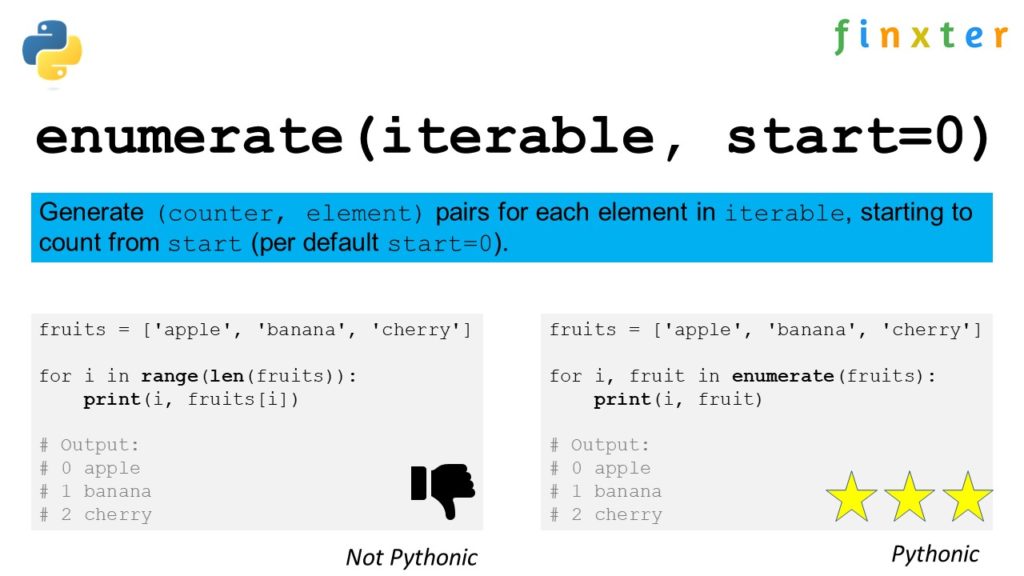
When iterating through elements in a list, a common pattern to use is the range and len functions in combination. This can be achieved using the range(len()) construct. Here’s an article that explains how to use range(len()) in Python.

By incorporating the heapq module and following best practices for working with lists, you’ll be well-equipped to extract the n-largest or n-smallest elements from any list in your Python projects.

πŸ’‘ Interesting Factoid:

A heap is a special tree-based structure that always keeps the smallest or largest element at the root, making it super efficient for operations like insertions, deletions, and finding the minimum or maximum element.

Imagine you’re at a concert, and the VIP section (the root of the heap) always needs to have the most important celebrity.

As new celebrities arrive or leave, the security efficiently rearranges the VIP section to always have the most important celebrity. This is similar to how a heap operates, always rearranging efficiently to keep the smallest or largest element at the root.

This efficiency (O(log n) for insertions and deletions, O(1) for finding min or max) makes heaps much faster than other structures like arrays or linked lists for certain applications, such as priority queues and scheduling tasks.

N-Largest Elements

Using Heapq.Nlargest Function

One of the most efficient ways to obtain the N largest elements from a list in Python is by using the heapq.nlargest() function from the heapq module. This method ensures optimal performance and consumes less time when compared to sorting the list and selecting specific items.

Here’s how to use this function:

import heapq lst = [50, 30, 20, 10, 40, 60, 90, 70, 80]
n = 3 largest_ele = heapq.nlargest(n, lst)
print(largest_ele)

Output:

[90, 80, 70]

In this example, the heapq.nlargest() function returns the 3 largest elements from the given list.

Applying Key Parameter

The heapq.nlargest() function also provides an optional key parameter. This parameter allows you to define a custom function to determine the order in which elements are ranked. For instance, when working with a list of dictionaries, you might require to find the N largest elements based on a specific attribute.

See the following example:

import heapq data = [ {"name": "Alice", "age": 30}, {"name": "Bob", "age": 35}, {"name": "Charlie", "age": 25}, {"name": "David", "age": 20}, {"name": "Eve", "age": 40},
] n = 2 oldest_people = heapq.nlargest(n, data, key=lambda x: x["age"])
print(oldest_people)

Output:

[{'name': 'Eve', 'age': 40}, {'name': 'Bob', 'age': 35}]

In this example, we define a lambda function to extract the “age” attribute from each dictionary. The heapq.nlargest() function then returns the 2 oldest people from the given list based on this attribute.

When dealing with lists in Python, it is essential to find elements efficiently and create lists of a specific size. Using heapq.nlargest() with the key parameter helps achieve these tasks.

N-Smallest Elements

Using Heapq.nsmallest Function

The heapq.nsmallest() function is an efficient way to extract the n smallest elements from a list in Python. This function is part of the heapq module and returns a list containing the n smallest elements from the given iterable.

For example:

import heapq nums = [34, 1, 25, 16, -7, 85, 43]
n = 3
smallest_ele = heapq.nsmallest(n, nums) print(smallest_ele) # Output: [-7, 1, 16]

With just a few lines of code, the heapq.nsmallest() function gives you the desired output. It doesn’t modify the original list and provides fast performance, even for large data sets.

Applying Key Parameter

Heapq’s nsmallest function also supports the key parameter, which allows you to customize the sorting criteria. This is useful when dealing with more complex data structures, like dictionaries or objects. The key parameter accepts a function, and the elements in the iterable will be ranked based on the returned value of that function.

This way, you can extract specific elements from a list according to your requirements.

Here’s an example using a list of dictionaries:

import heapq data = [ {"name": "Alice", "age": 30}, {"name": "Bob", "age": 25}, {"name": "Charlie", "age": 35},
]
n = 2 # Get the n smallest by age
smallest_age = heapq.nsmallest(n, data, key=lambda x: x["age"]) print(smallest_age)
# Output: [{'name': 'Bob', 'age': 25}, {'name': 'Alice', 'age': 30}]

This example demonstrates retrieving the n smallest elements based on the age property in a list of dictionaries. The key parameter takes a lambda function that returns the value to be used for comparison. The result will be a list of dictionaries with the n smallest ages.

By using the heapq.nsmallest() function and the optional key parameter, you can quickly and efficiently obtain the n smallest elements from a list in Python.

Alternative Techniques

Sort and Slice Method

One way to find the n-largest/smallest elements from a list in Python is by using the sort and slice method. First, sort the list in ascending or descending order, depending on whether you want to find the smallest or largest elements. Then, use slicing to extract the desired elements.

For example:

my_list = [4, 5, 1, 2, 9]
n = 3
my_list.sort() # Smallest elements
n_smallest = my_list[:n] # Largest elements
n_largest = my_list[-n:]

This method might not be as efficient as using the heapq module, but it is simple and easy to understand.

For Loop and Remove Method

Another approach is to use a for loop and the remove method. Iterate through the input list n times, and in each iteration, find the minimum or maximum element (depending on whether you need the smallest or largest elements), and then remove it from the list. Append the extracted element to a new list.

A sample implementation can be the following:

my_list = [4, 5, 1, 2, 9]
n = 2
n_smallest = [] for i in range(n): min_element = min(my_list) my_list.remove(min_element) n_smallest.append(min_element) n_largest = []
for i in range(n): max_element = max(my_list) my_list.remove(max_element) n_largest.append(max_element)

While this method may not be as efficient as other techniques, like using built-in functions or the heapq module, it provides more flexibility and control over the process. Additionally, it can be useful when working with unsorted lists or when you need to extract elements with specific characteristics.

πŸ’‘ Recommended: Python List sort() – The Ultimate Guide

Performance and Efficiency

When working with large datasets, performance and efficiency are crucial. Extracting the n-largest or n-smallest elements from a list can impact the performance of your project. Python offers several ways to achieve this, each with different efficiencies and trade-offs.

One method is to use the heapq module, which provides an efficient implementation of the heap queue algorithm. This module offers the heapq.nlargest() and heapq.nsmallest() functions, which efficiently retrieve n-largest or n-smallest elements from an iterable.

These functions have a better performance compared to sorting the entire list and slicing, as they only maintain a heap of the desired size, making them ideal for large datasets.

It’s important to note that the performance benefits of the heapq module come at the cost of reduced readability. Working with heap queues can be slightly more complex compared to using the built-in sorted() or sort() functions, but in many cases, the increase in efficiency outweighs the readability trade-off.

Another approach to improve performance when working with large lists is to leverage the power of NumPy arrays. NumPy arrays offer optimized operations and can be more efficient than working with standard Python lists. However, keep in mind that NumPy arrays have additional dependencies and may not always be suitable for every situation.

Lastly, managing performance and efficiency might also involve working with dictionaries. Knowing how to efficiently get the first key-value pair in a dictionary, for instance, can positively impact the overall efficiency of your code.

import heapq my_list = [9, 5, 3, 8, 1]
n = 2 largest_elements = heapq.nlargest(n, my_list)
print(largest_elements) # Output: [9, 8]

In conclusion, choosing the appropriate method for extracting n-largest or n-smallest elements from a list depends on your specific requirements and dataset size. While the heapq module provides an efficient solution, readability and ease of use should also be considered when deciding which implementation to use.

To illustrate the performance difference between sorting and using heapq.nlargest and heapq.nsmallest, let’s consider an example where we have a large list of random numbers and we want to extract the N largest and smallest numbers from the list.

We will compare the time taken by the following three methods:

  1. Sorting the entire list and then slicing it to get the N largest and smallest numbers.
  2. Using heapq.nlargest and heapq.nsmallest to get the N largest and smallest numbers.
  3. Using sorted function with key parameter.
import random
import time
import heapq
import matplotlib.pyplot as plt # Generate a list of 10^6 random numbers
numbers = random.sample(range(1, 10**7), 10**6)
N = 100 # Method 1: Sort and slice
start_time = time.time()
sorted_numbers = sorted(numbers)
largest_numbers = sorted_numbers[-N:]
smallest_numbers = sorted_numbers[:N]
time_sort_slice = time.time() - start_time # Method 2: heapq.nlargest and heapq.nsmallest
start_time = time.time()
largest_numbers = heapq.nlargest(N, numbers)
smallest_numbers = heapq.nsmallest(N, numbers)
time_heapq = time.time() - start_time # Method 3: sorted with key parameter
start_time = time.time()
largest_numbers = sorted(numbers, reverse=True, key=lambda x: x)[:N]
smallest_numbers = sorted(numbers, key=lambda x: x)[:N]
time_sorted_key = time.time() - start_time # Plot the results
methods = ['Sort and Slice', 'heapq.nlargest/nsmallest', 'sorted with key']
times = [time_sort_slice, time_heapq, time_sorted_key] plt.bar(methods, times)
plt.ylabel('Time (seconds)')
plt.title('Performance Comparison')
plt.show() print('Time taken by Sort and Slice:', time_sort_slice)
print('Time taken by heapq.nlargest/nsmallest:', time_heapq)
print('Time taken by sorted with key:', time_sorted_key)

In this code, we first generate a list of 10^6 random numbers and then compare the time taken by the three methods to extract the 100 largest and smallest numbers from the list. We then plot the results using matplotlib.

Frequently Asked Questions

How to get smallest and largest numbers in a list using Python?

To get the smallest and largest numbers in a list, you can use the built-in min() and max() functions:

my_list = [4, 2, 9, 7, 5]
smallest = min(my_list)
largest = max(my_list)

Find nth largest or smallest element in a list

You can use the heapq.nlargest() and heapq.nsmallest() methods of the heapq module to find the nth largest or smallest elements in a list:

import heapq my_list = [4, 2, 9, 7, 5]
nth_largest = heapq.nlargest(3, my_list)
nth_smallest = heapq.nsmallest(3, my_list)

Locating index of nth largest value in a Python list

To find the index of the nth largest value in a list, you can use a combination of heapq.nlargest() and list.index():

import heapq my_list = [4, 2, 9, 7, 5]
nth_largest_value = heapq.nlargest(2, my_list)[1]
index = my_list.index(nth_largest_value)

Using for loop to find largest item in a list

A simple for loop can also be used to find the largest item in a list:

my_list = [4, 2, 9, 7, 5]
largest = my_list[0] for num in my_list: if num > largest: largest = num

Find the second smallest number in a list using Python

To find the second smallest number in a list, you can sort the list and pick the second element:

my_list = [4, 2, 9, 7, 5]
sorted_list = sorted(my_list)
second_smallest = sorted_list[1]

Program to get two largest values from a list

Here’s a simple program to get the two largest values from a list using heapq.nlargest():

import heapq my_list = [4, 2, 9, 7, 5]
two_largest_values = heapq.nlargest(2, my_list)

The post The Most Pythonic Way to Get N Largest and Smallest List Elements appeared first on Be on the Right Side of Change.

Posted on Leave a comment

Best 10 Smoothies for Coders β€” Boost Your Brainpower in a Sip

5/5 – (1 vote)

As a coder, you’re probably spending long hours in front of your computer screen, solving complex problems and developing cutting-edge software. During those intense periods, it’s important to keep your energy levels up and your brain fueled with the right nutrients. πŸ‡πŸπŸ‰ Smoothies can be a perfect way to achieve that, and they also serve as a delicious break from your routine.

We’ve compiled the 10 best smoothies specifically designed for hardworking coders like you.

These nutrient-packed drinks not only boost your energy but also provide essential vitamins and minerals to keep your cognition sharp. Incorporating these smoothies into your daily routine can make a significant impact on your overall health, mood, and productivity.

Choosing the Right Tools

So, you’re a coder looking for the perfect smoothie to fuel your brain and satisfy your taste buds. The first step towards crafting these delicious beverages is choosing the right tools. Don’t worry, we’ve got you covered.

A quality blender is essential for making great smoothies. Some of the top blenders you can choose from include the Blendtec Classic 575, the Vitamix Pro 750, and the Nutribullet Pro. Each of these models offers excellent blending capabilities, ensuring that your smoothie ingredients are perfectly combined and smooth.

πŸ‰ Recommended: Ninja Blender Under $100: Top Affordable Picks

When it comes to choosing your ingredients, there is a vast array to pick from. Here are some options to consider for your smoothies:

  • Liquid base: water, milk, almond milk, coconut milk, or yogurt
  • Fruits: bananas, berries, mango, or pineapple
  • Vegetables: spinach, kale, or carrots
  • Protein: protein powder, Greek yogurt, or almond butter
  • Healthy fats: avocado, flaxseed, or chia seeds
  • Sweeteners: honey, maple syrup, or stevia (optional)

Equipped with a quality blender and the right ingredients, you’ll be ready to make fantastic smoothies that will keep your mind sharp and your taste buds happy throughout your coding sessions.

Go ahead and experiment with different combinations of ingredients to find your perfect blend. Enjoy your delicious concoctions and happy coding!

The Importance of Ingredients

When whipping up the perfect smoothie for coders, the ingredients you choose are vital. We know you need the right energy and focus-boosting nutrients to tackle those coding challenges. So, let’s talk about what should go into your blender.

First off, incorporating a variety of fruits and vegetables like bananas, berries, spinach, and kale ensures you’re getting a ton of vitamins, antioxidants, and fiber to keep your brain working at its best. You could even add in some not-so-common ingredients like cauliflower or beet for added nutrients and a fun twist.

When it comes to the liquid base, the options are endless. You can choose from various types of milk (cow, almond, coconut milk), or go with coconut water or fruit juices for a tropical vibe. Just keep an eye on the sugar content, especially in juices, to avoid energy crashes.

Pair your fruits and veggies with a protein source to stay full and focused. Greek yogurt, nut butters (peanut, almond, or tahini), or even seeds (chia, hemp) make great protein-packed additions to any smoothie. Don’t forget to toss in some oats or nuts for extra satiety!

Sweetening your smoothie just right will make all the difference in taste. Options like honey, maple syrup, or dates can add natural sweetness without overloading on refined sugars. You can also spice things up with cinnamon, ginger, or even a dash of cocoa powder for a chocolatey treat.

To give your smoothie an extra health boost and indulgent feel, consider adding superfood ingredients such as avocado, matcha, or even refreshing herbs like mint. Plus, don’t be afraid to get experimental – blending in a hint of coffee or green tea can offer a caffeine kick to help you power through a long coding session.

Remember, it’s all about balancing taste, nutrition, and convenience when crafting the perfect coder smoothie. Now, go ahead and mix up these ingredients to create your go-to breakfast or snack that will keep you focused and energized for your coding adventures.

Smoothies for Energy Boost

Hey there, coders! Are you in need of a quick pick-me-up to get through those long coding sessions? Well, you’re in luck. Here are a few energy-boosting smoothie ideas that’ll keep your brain and body energized.

First up is the classic protein-packed smoothie. A blend of banana, peanut butter, and your choice of milk, this smoothie will provide a sustained energy boost. Throw in some protein powder and flax seeds to really pump up the protein levels.

Another great option for a caffeinated kick is the coffee smoothie. Try combining cold brew with banana, ice, and a splash of your preferred milk. You can even add a spoonful of chocolate protein powder for a delicious mocha twist.

For those in search of fruity flavors, the strawberry banana smoothie is always a winner. Just blend together fresh strawberries, a ripe banana, and some yogurt or milk, and you’ve got a sweet energy booster. You can also toss in some spinach or kale for added nutrients without compromising taste.

Love greens? Then the kale smoothie is for you. Combine kale with mangoes, bananas, and a green apple for a sweet, tangy, and nutritious pick-me-up.

A few more smoothie recipes that we recommend are:

  • Berry smoothie: a blend of your favorite frozen berries, banana, milk, and a dollop of yogurt. If you’re bold, you could even try the strawberry tomato smoothie! πŸ…πŸ“
  • Tropical delight: combine pineapple, mango, banana, and coconut milk for a vacation-like experience
  • Apple pie smoothie: blend apple, banana, oats, cinnamon, and milk for a dessert-like treat
  • Choco avocado smoothie: mix avocado, banana, cocoa powder, and almond milk for a creamy, chocolaty sensation
  • The ultimate green smoothie: grab spinach, cucumber, green apple, lemon juice, and a hint of ginger for a refreshing earthy taste

These smoothie ideas will undoubtedly help you power through those coding sessions without feeling sluggish. Bonus: they’re not only energizing but also delicious and nutritious. Remember to experiment and find your favorite combinations. Happy blending, and keep on coding!

Healthy Green Smoothies

As a fellow coder, you may be looking to stay energized and healthy while hacking away at your keyboard. Green smoothies are a fantastic option. They’re tasty, easy to make, and packed with nutrients. Here are some amazing green smoothie recipes that you should try.

First up, the classic spinach, peanut butter, and banana smoothie – It’s a timeless favorite. It combines the power of leafy greens like spinach with the natural sweetness of bananas and the richness of peanut butter. The result is a smooth, creamy, and deliciously satisfying drink.

Next, the kale & spinach powerhouse, made popular by Jason Mraz’s Avocado Green Smoothie. This recipe takes it up a notch with nutrient-dense kale, avocado for creaminess, and a sprinkle of chia seeds for an added boost. Trust us, you won’t even taste the kale.

If you’re feeling fancy, give the Pineapple-Grapefruit Detox Smoothie a try. Bursting with fruity flavors – pineapple, grapefruit and a hint of lime mixed with spinach creates a tropical island getaway feel. This citrus-infused concoction will keep you refreshed all day long.

For those who enjoy a hint of mint, check out this mango and mint green smoothie. It blends frozen mango, fresh mint leaves, kale, and your choice of plant-based milk for a cool and refreshing smoothie. Oh, and don’t forget a scoop of hemp hearts for an added protein punch.

Last but not least, the Avocado, Kale, Pineapple, and Coconut Smoothie – this tropical delight is an absolute winner. Creamy avocado, tangy pineapple, and hydrating coconut water come together with the nutrition of kale, making it an irresistible treat.

There you have it, the perfect green smoothies to keep you fueled throughout your coding sessions. Remember, taking care of your health while grinding out those lines of code is essential. So, go ahead and blend up some green goodness!

πŸ“ Recommended: Are Fruit Smoothies Unhealthy Due to Fructose? A Comprehensive Analysis

Protein-Rich Smoothies

Hey, you busy coder! Looking for a quick and delicious way to fuel your day? Protein-rich smoothies are perfect for keeping your brain sharp and your energy high. Let’s dive into some tasty options.

First up, let’s talk about the classic option: using protein powder. It’s an excellent way to boost the protein content in your smoothie without changing the flavor too much. Simply add a scoop of your favorite protein powder to any smoothie recipe, and you’re good to go. There are tons of great options, like this Raspberry Banana Protein Smoothie.

Another amazing ingredient to include in your smoothies is Greek yogurt. It’s not only packed with protein, but it also adds a creamy texture to your drink. Plus, it’s a great source of probiotics, which can be beneficial for your gut health. Check out this Strawberry-Banana Protein Smoothie recipe that uses Greek yogurt for an extra protein kick.

Adding nuts (or nut butters) to your smoothies is another fantastic way to boost their protein content. Almond butter, peanut butter, or even cashew butter can be easily mixed in to give your drink a nutty flavor while ramping up the protein. Give this Almond Butter & Banana Protein Smoothie a try.

Here’s a quick list of ingredients you can toss into your smoothies to make them protein powerhouses:

  • Protein powder (whey, plant-based, etc.)
  • Greek yogurt
  • Nuts or nut butters (almond, peanut, cashew, etc.)
  • Chia seeds or flaxseeds

Remember, you can mix and match these ingredients to create your own custom protein-rich smoothie. So, go ahead and get creative with your concoctions! And, most importantly, enjoy the energy-boosting benefits while you’re cranking out that code.

Fruit-Loaded Smoothies

Are you in need of a delicious and nutritious pick-me-up during your coding sessions? Say no more. Here are some fruit-loaded smoothies that’ll give you the energy and brain power to tackle your next coding project!

The Berry Blast smoothie is a perfect combination of berries, including strawberries, blueberries, and raspberries. This colorful mix is not only tasty but also packed with antioxidants that can help keep your mind sharp.

πŸ“ Recommended: Easy Blueberry Raspberry Strawberry Smoothie For Gourmets

Another great option is the Tropical Tango. Take your taste buds on a vacation with a mix of pineapple, mango, and kiwi. The blend of these tropical fruits provides a refreshing taste and a natural dose of vitamins to keep you energized.

When you’re craving something sweet and creamy, go for the Banana Nut Delight. Combine banana, almond milk, and a touch of peanut butter. This smoothie is not only delicious but also packed with protein and potassium, essential for keeping you alert and focused.

For a tangy twist, the Citrus Burst is the way to go. Mix grapefruit, orange, and lime for a citrus-packed smoothie that’ll kickstart your day and give you the vitamin C boost your body craves.

Don’t forget the greens! The Green Machine includes a mix of spinach, apple, and peach – a perfect way to sneak in some veggies while still enjoying a fruity smoothie.

πŸ‘ Recommended: Nutritious Apple Peach Spinach Smoothie (100% Vegan)

Craving something a bit more refreshing? The Watermelon Crush is perfect for those hot summer days. Blend watermelon, strawberries, and a splash of coconut water for a hydrating smoothie that’ll keep you refreshed and focused.

For cherry lovers, the Cherry-Berry Bliss is a must-try. Combine cherries, blueberries, and a bit of banana for a smoothie that’s the perfect balance of tartness and sweetness.

Last but not least, the Energizing Kiwi-Apple smoothie combines kiwi, apple, and a bit of lime to create a zesty and energizing drink. This blend is sure to give you the kick you need to power through your coding tasks.

Now, it’s time to whip up one of these fruit-loaded smoothies and enjoy the coding boost they provide. Cheers!

Refreshing Summer Smoothies

Looking for the perfect way to cool down after a long coding session? You’ve come to the right place! These refreshing summer smoothies are just what you need to quench your thirst and regain your energy. Forget about caffeine highs and sugar crashes; these nutritious drinks will help you stay focused and refreshed all day long.

First up, tantalize your taste buds with a Tropical Watermelon Gin Slushie. This delightful concoction combines the refreshing flavors of watermelon, lime, and mint to create a truly invigorating drink. Enjoy the benefits of hydration and a natural energy boost from this vibrant and tasty smoothie.

If you’re in the mood for something fruity and sweet, try a classic Strawberry Banana Smoothie. This velvety mix of strawberries, bananas, and your choice of milk starts your day right with a burst of essential vitamins and minerals. Plus, it’s quick and easy to make, so you can get back to coding in no time.

πŸ“πŸŒ Recommended: Healthy Banana Strawberry Smoothie (Pick Me Up!)

For the berry lovers out there, a Raspberry Peach Green Tea Smoothie is the way to go. Fresh raspberries and tart peaches blend seamlessly with antioxidant-rich green tea to create a drink that’s both delicious and beneficial for your mind and body.

Don’t forget about melons! A Tropical Melon Smoothie featuring cantaloupe, papaya, and mango will transport you straight to an island paradise. The naturally sweet flavors and silky texture make this smoothie a refreshing and guilt-free treat.

Lastly, if you’re searching for an innovative twist on a classic drink, give the Lemon Strawberry Smoothie a try. It’s like a creamier, richer version of strawberry lemonade. The citrusy punch of lemon combined with sweet, fresh strawberries creates a mouthwatering harmony that leaves you craving more.

Whether you’re a coding novice or a seasoned programmer, taking a break with one of these uplifting summer smoothies is the perfect way to recharge your mind and body. So, go ahead and treat yourself – you deserve it!

Tropical Escape Smoothies

Are you a coder looking for a tasty, tropical beverage to power you through those long coding sessions? Look no further than these Tropical Escape Smoothies! Packed with delicious ingredients like coconut, mango, and pineapple, these smoothies blend together flavors that will transport your taste buds straight to the tropics.

One option is a Coconut Mango Delight. This smoothie features a delightful mix of freshly cut mangoes, creamy coconut milk, and a dash of honey. Blend your favorite tropical fruit, like pineapple, papaya, or passion fruit, for an additional tropical twist. When you’re sipping this delicious concoction, you’ll almost feel that tropical breeze on your face during those long coding sessions. Here’s a simple recipe you can try:

  • 1 cup fresh mango, diced
  • 1 cup coconut milk
  • 1 tablespoon honey
  • Optional: additional tropical fruit
  • Ice

Blend all the ingredients until smooth and enjoy!

Another tropical smoothie perfect for coders is a refreshing Pineapple Blueberry Bliss. This smoothie combines sweet pineapple with antioxidant-rich blueberries and a splash of coconut water for a hydrating and nourishing beverage. Plus, it’s a great way to sneak in some extra nutrients!

Here’s how to make it:

  • 1 cup pineapple chunks
  • 1/2 cup blueberries
  • 1 cup coconut water
  • 1 bananame
  • Ice

Blend everything together and sip on this fruity, tropical treat while you conquer that tricky piece of code.

Still haven’t found your perfect tropical smoothie? Why not create your own Coder’s Custom Tropical Escape? Just choose your favorite tropical fruits, like mango, pineapple, or even kiwi, and combine them with coconut milk, yogurt, or even almond milk for a delightful tropical escape in a glass. Experiment with different fruits, sweeteners, and liquids to create your own signature tropical smoothie that’ll keep you refreshed and focused on your code.

So, next time you find yourself craving a taste of the tropics to power through your coding work, whip up one of these refreshing and revitalizing Tropical Escape Smoothies. Cheers to your productivity and a little tropical paradise at your desk!

Dessert-Like Smoothies

πŸ§‘β€πŸ’» Are you tired of drinking the same old boring smoothies while busting out code? Fear not! We’ve got some scrumptious dessert-like smoothies that’ll make your coding sessions a lot more enjoyable while keeping it healthy. Just what you need for those intensive programming marathons!

First up, let’s talk about that sweet treat you’re craving – chocolate. Combining the irresistible flavors of cocoa powder with a protein-rich base like Greek yogurt, almond milk, or your favorite nut butter creates a delightful chocolate smoothie that’s both indulgent and healthy. Toss in some frozen berries – like strawberries, cherries, or raspberries – and you’ll add a refreshing fruity twist to this classic combo.

But hey, we can’t forget about the ever-popular vanilla! Raise the bar with a heavenly vanilla smoothie that’ll remind you of your favorite ice cream. Simply blend up some frozen banana slices, Greek yogurt, and vanilla extract for a velvety smoothie that’ll keep you satisfied during your coding sessions. Pro tip: add a touch of cinnamon for a warm, comforting taste.

If you’re looking for more fruity options, you absolutely need to try a mixed berry extravaganza. Combine frozen blueberries, blackberries, and raspberries with a splash of almond milk and Greek yogurt, and you’ll be sipping on pure bliss. The abundance of berries in this smoothie packs a punch of antioxidants and nutrients to keep your brain sharp and focused – perfect for handling those complex coding tasks!

In conclusion, dessert-like smoothies can be game-changers for your coding routine. Not only do they taste amazing, but they’re packed with essential nutrients to keep you energized and focused throughout the day. Try these delicious smoothie ideas and watch your productivity soar as you indulge in these tasty treats. Cheers to coding and sipping on dessert-inspired smoothies!

Bonus: Smoothies for Kids

Between all those code sprints and debugging, you definitely deserve a delicious smoothie break. But let’s not forget the little ones! Did you know that you can whip up some fantastic kid-friendly smoothies that are both healthy and delicious? Here are some smoothie ideas that your kids will love and will give them the energy they need to keep up with their daily activities.

First up, we have the refreshing Berry Banana Delight. This smoothie combines the flavors of mixed berries and ripe bananas, creating the perfect blend that kids adore. For this smoothie, simply blend 1 cup of mixed berries (strawberries, blueberries, raspberries), 1 ripe banana, 1 cup of yogurt, and a tablespoon of honey for a little sweetness. This drink is not only packed with vitamins and antioxidants, but it’s also incredibly easy to make!

Another great option is the Tropical Twist. This smoothie brings the taste of the tropics right to your kitchen. Combine 1 cup of pineapple chunks, 1 cup of mango chunks, 1 ripe banana, and 1 cup of coconut milk. If your kids are feeling adventurous, you can even throw in a handful of spinach for extra nutrients. Give it a good blend, and your kids will be transported to a mini island getaway with every sip.

Lastly, let’s talk about the Creamy Chocolate Adventure. Yes, you read that right – a healthy chocolate smoothie! In a blender, combine 1 ripe banana, 1/2 cup of almond milk, 1/2 cup of plain Greek yogurt, 1 tablespoon of unsweetened cocoa powder, and 1 tablespoon of honey. This smoothie is not only a fantastic treat, but it also contains essential nutrients like potassium and calcium. Trust us; your kids will be asking for this smoothie over and over!

In a nutshell, you now have an arsenal of kid-friendly smoothie ideas that are both delicious and nutritious. Time to put on those aprons and start blending! Your kids (and maybe even you) will thank you!

Frequently Asked Questions

What are some easy smoothie recipes for busy coders?

For busy coders, quick and easy smoothie recipes are essential. One simple recipe is the classic Strawberry Banana Smoothie, which only requires strawberries, bananas, yogurt, and a splash of milk. Another easy option is the Green Smoothie, made with spinach, banana, almond milk, and a spoonful of almond butter. You can also experiment with different ingredients to find the perfect combo that fuels your coding sessions.

Which smoothie ingredients help boost productivity?

Adding certain ingredients to your smoothies can help boost your productivity. For instance, incorporating greens like spinach or kale provides essential vitamins and minerals to keep your energy levels up. Berries, such as blueberries and strawberries, are rich in antioxidants that support brain health. Finally, adding seeds like chia or flax can provide a good source of Omega-3 fatty acids which are important for cognitive function.

What fruits pair well for tasty coding smoothies?

For delicious coding smoothies, try combining fruits like bananas, strawberries, mangoes, or pineapples. Bananas are great for sweetening smoothies and providing a creamy texture. Mixing berries like strawberries or blueberries can create a flavorful and antioxidant-rich drink. Tropical fruits like mangoes and pineapples add a pleasant sweetness and create a refreshing flavor profile.

Are there any healthy smoothies to fuel a coding session?

Definitely! A healthy smoothie can be the perfect fuel for a coding session. To create a balanced and nutritious drink, include a variety of fruits and vegetables, a protein source such as Greek yogurt or a scoop of protein powder, and healthy fats like avocado or almond butter. Don’t forget to add some ice or frozen fruit for a thick, satisfying texture.

How can I make a quick energy-boosting smoothie for coding?

To make a quick energy-boosting smoothie, start by selecting fruits with natural sugars, like bananas, mangoes, or apples. Add leafy greens, such as spinach or kale, for a dose of vitamins and minerals. Then mix in a protein source, like Greek yogurt or a scoop of your favorite protein powder, to keep you full and focused. Finally, add a liquid base like almond milk or water, and blend everything until smooth.

Are there any smoothie recipes to help with focus during programming?

Absolutely! Smoothie recipes that incorporate ingredients known to support focus and brain function can be helpful during programming. Try a blueberry avocado smoothie, which combines blueberries for their antioxidant properties, avocado for healthy fats, and spinach for added vitamins and minerals. Another option is a chocolate almond smoothie, with cocoa powder, almond butter, and your choice of milk. This recipe includes stimulants like caffeine and theobromine found in cocoa, which can help maintain focus during long coding sessions.

πŸŒπŸ“πŸ… Recommended: 5-Minute Banana Strawberry Tomato Smoothie

The post Best 10 Smoothies for Coders — Boost Your Brainpower in a Sip appeared first on Be on the Right Side of Change.

Posted on Leave a comment

Fine-Tuning GPT-3.5 Turbo – How to Craft Your Own Proprietary LLM

5/5 – (1 vote)

The much-awaited feature for GPT-3.5 Turbo is here: fine-tuning. And guess what? GPT-4 is next in line this autumn. Dive in to discover how this can revolutionize your applications and user experiences.

What’s New?

OpenAI now empowers you to tailor GPT-3.5 Turbo with your data, ensuring the model aligns perfectly with your specific needs. Preliminary results? A fine-tuned GPT-3.5 Turbo can rival, and sometimes even surpass, the base GPT-4 in specialized tasks. And here’s a cherry on top: the data you use remains yours. OpenAI respects your privacy and won’t use it for other model training.

Why Fine-Tune?

Ever since GPT-3.5 Turbo hit the scene, there’s been a clamor for a more personalized touch. Here’s what fine-tuning brings to the table:

  1. Steerability Boost: Want the model to follow instructions to the T? Fine-tuning is your answer. For instance, if you need the model to always reply in German, fine-tuning ensures it does just that.
  2. Consistent Formatting: If you’re into tasks like code completion or API call composition, fine-tuning ensures the model’s responses are formatted just the way you want. Imagine converting user prompts into precise JSON snippets seamlessly.
  3. Customized Tone: Every brand has its voice. With fine-tuning, GPT-3.5 Turbo can echo the unique tone of your brand, ensuring consistency across interactions.

Added Bonuses

  • Shorter Prompts, Same Performance: Fine-tuning means you can trim your prompts and still get top-notch results.
  • More Tokens: GPT-3.5 Turbo, when fine-tuned, can now manage 4k tokens, a whopping double from before. Some early birds have even slashed their prompt sizes by up to 90%, making API calls faster and more cost-effective.

Maximizing Fine-Tuning: The real magic happens when you blend fine-tuning with techniques like prompt engineering, information retrieval, and function calling. Hungry for more insights? OpenAI’s fine-tuning guide is your go-to resource.

You can stay updated on new developments by subscribing to our tech newsletter by downloading the following Python cheat sheet:

Step-by-Step Guide to Fine-Tuning GPT-3.5 Turbo

Step 1: Data Preparation

Before you start, you need to prepare your data in a specific format. This data will guide the model on how to behave. For instance, if you want the model to act as an assistant that occasionally misspells words, your data would look like this:

{ "messages": [ { "role": "system", "content": "You are an assistant that occasionally misspells words" }, { "role": "user", "content": "Tell me a story." }, { "role": "assistant", "content": "One day a student went to schoool." } ]
}

Here, the system instructs the assistant’s behavior, the user provides a prompt, and the assistant responds accordingly.

Step 2: Uploading Your Data

Once your data is ready, you need to upload it to OpenAI. Use the following curl command:

curl https://api.openai.com/v1/files \ -H "Authorization: Bearer $OPENAI_API_KEY" \ -F "purpose=fine-tune" \ -F "file=@path_to_your_file"

Replace path_to_your_file with the path to your prepared data file. Ensure your OpenAI API key is correctly set in the $OPENAI_API_KEY environment variable.

πŸ’‘ Recommended: OpenAI Python API – A Helpful Illustrated Guide in 5 Steps

Step 3: Initiating the Fine-Tuning Job

With your data uploaded, it’s time to create a fine-tuning job. Use this curl command:

curl https://api.openai.com/v1/fine_tuning/jobs \
-H "Content-Type: application/json" \
-H "Authorization: Bearer $OPENAI_API_KEY" \
-d '{ "training_file": "TRAINING_FILE_ID", "model": "gpt-3.5-turbo-0613"
}'

Replace TRAINING_FILE_ID with the ID you received after uploading your data in Step 2.

Once the model completes the fine-tuning, it’s ready for production use. It will have the same rate limits as the base model.

Step 4: Deploying the Fine-Tuned Model

To use your freshly fine-tuned model, employ the following curl command:

curl https://api.openai.com/v1/chat/completions \
-H "Content-Type: application/json" \
-H "Authorization: Bearer $OPENAI_API_KEY" \
-d '{ "model": "ft:gpt-3.5-turbo:org_id", "messages": [ { "role": "system", "content": "You are an assistant that occasionally misspells words" }, { "role": "user", "content": "Hello! What is fine-tuning?" } ]
}'

Replace org_id with your organization’s ID.

Pricing

Pricing Breakdown:

Fine-tuning costs are categorized into training and usage:

  • Training: $0.008 per 1K Tokens
  • Usage Input: $0.012 per 1K Tokens
  • Usage Output: $0.016 per 1K Tokens

To illustrate, a gpt-3.5-turbo fine-tuning job with a 100,000 tokens training file, trained over 3 epochs, would cost approximately $2.40.


Updates on GPT-3 Models:

In July, OpenAI revealed that the original GPT-3 models (ada, babbage, curie, and davinci) would be phased out by January 4th, 2024. However, the good news is that babbage-002 and davinci-002 are now available as replacements. You can access these models via the Completions API.

Furthermore, these models can be fine-tuned using the new API endpoint /v1/fine_tuning/jobs. This endpoint is more versatile, supporting the API’s future growth. Transitioning from the old /v1/fine-tunes to the new endpoint is a breeze. More details are available in the updated fine-tuning guide.

☠ Note: The old /v1/fine-tunes endpoint will be discontinued on January 4th, 2024.

The pricing for both base and fine-tuned GPT-3 models will be provided subsequently.

Source: https://openai.com/blog/gpt-3-5-turbo-fine-tuning-and-api-updates

Coming Soon: OpenAI is gearing up to launch a user-friendly fine-tuning UI. This will offer developers a more intuitive way to monitor ongoing fine-tuning tasks, access completed model versions, and much more. Stay tuned!

With these steps, you’re well on your way to customizing GPT-3.5 Turbo to your unique requirements. Happy fine-tuning!

Learn More πŸͺ„

πŸ’‘ Recommended: 6 Easiest Ways to Get Started with Llama2: Meta’s Open AI Model

The post Fine-Tuning GPT-3.5 Turbo – How to Craft Your Own Proprietary LLM appeared first on Be on the Right Side of Change.

Posted on Leave a comment

Prompt Engineers Use This ChatGPT Prompting Formula

5/5 – (1 vote)

In this article, we will delve into the art of crafting effective queries (i.e., prompts) for AI language models like ChatGPT, Bard, and Bing.

A well-formed prompt can make a significant difference in the quality of the responses you receive, saving you time and effort in refining your questions. We will unveil a simple, adaptable formula applicable to various situations, ensuring that you maximize the benefits of these incredible language technologies — and stay on the right side of change.

After grasping the underlying principles of prompt engineering and exploring real-life examples, you’ll be able to harness the full potential of AI-supported language systems.

7 General Prompting Tips

Before giving you the perfect prompting formula, let’s recap some basic prompting tips you may have already considered, but that may not be on your mind. πŸ‘‡

  1. Be specific: Offer as much detail as possible to ensure the answer is relevant and tailored to your needs. Sounds simple but many people actually skip this step. It’s like talking to your friend; if you don’t share the details of your problems, you’ll get generic “fluff” advice.
  2. State your intentions: Clarifying your intentions helps the AI tailor its response to your specific requirements. For example, if you’re helping a child with homework, specify the need for a simple explanation suitable for their age.
  3. Ensure correct spelling and grammar: Though the AI might figure out most mistakes, addressing any errors in your prompt steers it in the right direction.
  4. Direct the output format: For instance, asking the AI to provide information as a numbered list or a paragraph helps you receive answers in the desired layout.
  5. Follow up with questions: Sometimes, even the perfect prompt might need clarification or additional input to achieve the desired results. Iterative prompting is a powerful technique and many beginners stop the iterative refinement too early.
  6. Experiment with phrasing: If the AI doesn’t understand your query, change or rephrase your prompt for better comprehension. Sometimes a single word can make all the difference. Here’s where prompting is more an art than a science.
  7. Fact-check when necessary: Feed the AI’s output back into the system to verify statements and ensure accuracy. You can even ask ChatGPT to grade its own output and edit or rewrite according to its own grading.

With this out of the way, here’s …

The Perfect Prompting Formula πŸ§šβ€β™‚οΈπŸͺ„

The formula to achieve this is Context + Specific Information + Intent + Response Format. Use this formula, adapt it to fit your unique inquiries, and you’ll receive valuable results from your AI tools.

Here’s an example prompt that adheres to this formula:

πŸ§‘β€πŸ’» Prompt Example: "I'm a teacher preparing a lesson on the solar system for my 5th-grade students. I want to focus on the planet Mars. Can you provide a brief overview? Please present it in a simple, bullet-point format suitable for 10-year-olds."

Let’s examine how this prompt adheres to our perfect prompting formula:

  • Context: “I’m a teacher preparing a lesson on the solar system for my 5th-grade students.”
  • Specific Information: “I want to focus on the planet Mars.”
  • Intent: “Can you provide a brief overview?”
  • Response Format: “Please present it in a simple, bullet-point format suitable for 10-year-olds.”

It provides a beautiful output that can be used right away:

So remember the perfect 4-step prompting formula:

  1. Context
  2. Specific Information
  3. Intent
  4. Response Format

Deep Dive Into the Four Steps and Examples

(1) Context

When using AI platforms like ChatGPT, Bard, or Bing, providing the proper context is crucial. By introducing yourself or your specific situation, you help the AI better understand your needs and deliver a more relevant answer.

Examples:

  1. Medical Research Context: “I’m a medical researcher studying the effects of prolonged screen time on children’s eyesight. Given the rise in virtual learning and increased screen usage, I’m keen to understand the long-term implications.”
  2. Historical Analysis Context: “I’m a history teacher preparing a lesson on the Renaissance period for high school students. I want to emphasize the influence of this era on modern art, science, and philosophy.”
  3. Entrepreneurial Context: “I’m an entrepreneur in the early stages of developing a sustainable fashion brand. With the growing concern about fast fashion’s environmental impact, I’m looking for insights into sustainable materials and ethical manufacturing processes.”

(2) Specific Information

Be as precise as possible in your request to receive more relevant answers. Instead of simply asking about different dog breeds, for example, narrow down the focus by asking about small breeds suitable for apartment living.

Examples:

  1. Medical Research Specific Information: “I’m focusing on children in the age range of 6-12 years old and the effects of screen exposure on their eyesight.”
  2. Historical Analysis Specific Information: “I’m particularly interested in Leonardo da Vinci’s contributions during the Renaissance, especially his innovations in both art and science.”
  3. Entrepreneurial Specific Information: “I’m considering organic cotton and recycled polyester as potential materials for my fashion brand.”

(3) Intent

Always make your goals clear in the prompt. This could involve explaining the purpose behind your request, such as needing a simple explanation of quantum physics for your son’s science homework. With your intention clearly stated, the AI will generate a response tailored to your needs.

Examples:

  1. Medical Research Intent: “I want to understand the recommended guidelines for screen time for this age group to ensure their eye health.”
  2. Historical Analysis Intent: “I aim to create a lesson plan that highlights da Vinci’s influence on modern disciplines. Can you help me outline his major achievements?”
  3. Entrepreneurial Intent: “I’m looking to make an informed decision on which material to prioritize for my brand. Can you provide insights on their sustainability and market demand?”

(4) Response Format

Guide the output format to receive the information the way you want it. For instance, if you need a step-by-step guide, ask for a list of steps. If you prefer a concise explanation, request that the information be provided in a paragraph. By specifying the format, you ensure that the AI’s response is organized and easy to comprehend.

Examples:

  1. Medical Research Response Format: “Please provide the guidelines in a bullet-point list so I can easily share them with parents.”
  2. Historical Analysis Response Format: “Could you present da Vinci’s achievements in a timeline format, highlighting the years and his corresponding innovations?”
  3. Entrepreneurial Response Format: “I’d appreciate a side-by-side comparison table of the two materials, detailing their sustainability metrics and market demand.”

Let’s try these three full prompts to check the quality of the output with GPT-4 (ChatGPT):

Practical Examples

Example 1: Medical Research Prompt

πŸ§‘β€πŸ’» Prompt Example: "I'm a medical researcher studying the effects of prolonged screen time on children's eyesight, focusing on children in the age range of 6-12 years old and the effects of screen exposure on their eyesight. I want to understand the recommended guidelines for screen time for this age group to ensure their eye health. Please provide the guidelines in a bullet-point list so I can easily share them with parents."

Example 2: Historical Analysis Prompt

πŸ§‘β€πŸ’» Prompt Example: "I'm a history teacher preparing a lesson on the Renaissance period for high school students. I'm particularly interested in Leonardo da Vinci's contributions during the Renaissance, especially his innovations in both art and science. I aim to create a lesson plan that highlights da Vinci's influence on modern disciplines. Could you present da Vinci's achievements in a timeline format, highlighting the years and his corresponding innovations?"

Example 3: Entrepreneurial Prompt

πŸ§‘β€πŸ’» Prompt Example: "I'm an entrepreneur in the early stages of developing a sustainable fashion brand. I'm considering organic cotton and recycled polyester as potential materials for my fashion brand. I'm looking to make an informed decision on which material to prioritize for my brand. Can you provide insights on their sustainability and market demand? I'd appreciate a side-by-side comparison table of the two materials, detailing their sustainability metrics and market demand."

Bonus Example: Python Developer

πŸ§‘β€πŸ’» Prompt Example: "I'm a Python developer working on a web application using the Flask framework. I've encountered an issue where my application isn't connecting to my PostgreSQL database correctly. I need help troubleshooting this connection problem. Could you provide a step-by-step guide to ensure proper database connectivity using Flask and PostgreSQL?"

TLDR & Next Steps

Let’s recap our simple formula: The perfect prompting formula consists of

  • context,
  • specific information,
  • intent, and
  • response format.

Applying this approach to ChatGPT, Bard, and Bing will significantly improve your results and save time.

Feel free to check out our other Finxter article on Alien technology, aka LLMs, and how they work: πŸ‘‡

πŸͺ„ Recommended: Alien Technology: Catching Up on LLMs, Prompting, ChatGPT Plugins & Embeddings

Prompt Engineering with Python and OpenAI

You can check out the whole course on OpenAI Prompt Engineering using Python on the Finxter academy. We cover topics such as:

  • Embeddings
  • Semantic search
  • Web scraping
  • Query embeddings
  • Movie recommendation
  • Sentiment analysis

πŸ‘¨β€πŸ’» Academy: Prompt Engineering with Python and OpenAI

The post Prompt Engineers Use This ChatGPT Prompting Formula appeared first on Be on the Right Side of Change.

Posted on Leave a comment

Use enumerate() and zip() Together in Python

5/5 – (1 vote)

Understanding enumerate() in Python

enumerate() is a built-in Python function that allows you to iterate over an iterable (such as a list, tuple, or string) while also accessing the index of each element. In other words, it provides a counter alongside the elements of the iterable, making it possible to keep track of both the index and the value simultaneously.

Here’s a basic example of how the enumerate() function works:

fruits = ['apple', 'banana', 'cherry']
for index, value in enumerate(fruits): print(index, value)

This will output:

0 apple
1 banana
2 cherry

In the example above, the enumerate() function accepts the fruits list as input and returns a tuple containing the index and its corresponding value. The for loop then iterates through these tuples, unpacking them into the variables index and value.

By default, the enumerate() function starts counting the indices from 0. However, you can also specify an optional start argument to change the starting point. For instance, if you want to start counting from 1, you can use the following code:

fruits = ['apple', 'banana', 'cherry']
for index, value in enumerate(fruits, start=1): print(index, value)

This will result in:

1 apple
2 banana
3 cherry

The enumerate() function is particularly useful when you need to modify elements in-place or when working with data that requires you to track the index of elements. It offers a more Pythonic approach to iteration, allowing for cleaner and more concise code compared to using a manual counter variable.

Exploring zip() in Python

The zip() function in Python is a powerful tool for parallel iteration. It takes two or more iterables as arguments and returns an iterator of tuples, each containing elements from the input iterables that share the same index. The size of the resulting zip object depends on the shortest of the input iterables.

Let’s dive into the workings of this useful function. To begin with, consider the following example:

names = ['Alice', 'Bob', 'Charlie']
ages = [25, 30, 35] zipped = zip(names, ages)
print(list(zipped))

The output will be:

[('Alice', 25), ('Bob', 30), ('Charlie', 35)]

Here, the zip() function combines the given lists names and ages element-wise, with the elements retaining their corresponding positions, creating an iterator of tuples.

Another useful feature of zip() is the ability to unpack the zipped iterator back into the original iterables using the asterisk * operator. For instance:

unzipped = zip(*zipped)
names, ages = unzipped

Keep in mind that zip() works with any iterable, not just lists. This includes tuples, strings, and dictionaries (although the latter requires some additional handling).

Use zip() and enumerate() Together

When combining zip() with enumerate(), you can iterate through multiple lists and access both index and value pairs.

The following code snippet demonstrates this usage:

for index, (name, age) in enumerate(zip(names, ages)): print(f"{index}: {name} is {age} years old.")

This results in the output:

0: Alice is 25 years old.
1: Bob is 30 years old.
2: Charlie is 35 years old.

In this example, the enumerate() function wraps around the zip() function, providing the index as well as the tuple containing the elements from the zipped iterator. This makes it easier to loop through and process the data simultaneously from multiple iterables.

To summarize, the zip() function in Python enables you to efficiently iterate through multiple iterables in parallel, creating a zip object of tuples. When used alongside enumerate(), it provides both index and value pairs, making it an invaluable tool for handling complex data structures.

Using For Loops with Enumerate

In Python, you often encounter situations where you’d like to iterate over a list, tuple, or other iterable objects and at the same time, keep track of the index of the current item in the loop. This can be easily achieved by using the enumerate() function in combination with a for loop.

The enumerate() function takes an iterable as its input and returns an iterator that produces pairs of the form (index, element) for each item in the list. By default, it starts counting the index from 0, but you can also specify a different starting index using the optional start parameter.

Here’s a simple example demonstrating the use of enumerate() with a for loop:

fruits = ['apple', 'banana', 'cherry']
for index, fruit in enumerate(fruits): print(f"{index}: {fruit}")

In the code above, the enumerate(fruits) function creates a list of tuples, where each tuple contains the index and the corresponding element from the fruits list. The for loop iterates through the output of enumerate(), allowing you to access the index and element simultaneously.

The output would be:

0: apple
1: banana
2: cherry

The use of enumerate() can be extended to cases when you want to iterate over multiple lists in parallel. One way to achieve this is by using the zip() function. The zip() function combines multiple iterables (like lists or tuples) element-wise and returns a new iterator that produces tuples containing the corresponding elements from all input iterables.

Here’s an example showing how to use enumerate() and zip() together:

fruits = ['apple', 'banana', 'cherry']
prices = [1.2, 0.5, 2.5] for index, (fruit, price) in enumerate(zip(fruits, prices)): print(f"{index}: {fruit} - ${price}")

In this code snippet, the zip(fruits, prices) function creates a new iterable containing tuples with corresponding elements from the fruits and prices lists. The enumerate() function is then used to generate index-element tuples, where the element is now a tuple itself, consisting of a fruit and its price.

The output of the code would be:

0: apple - $1.2
1: banana - $0.5
2: cherry - $2.5

Combining enumerate() and zip()

In Python, both enumerate() and zip() are built-in functions that can be used to work with iterables, such as lists or tuples. Combining them allows you to iterate over multiple iterables simultaneously while keeping track of the index for each element. This can be quite useful when you need to process data from multiple sources or maintain the element’s order across different data structures.

The enumerate() function attaches an index to each item in an iterable, starting from 0 by default, or from a specified starting number. Its syntax is as follows:

enumerate(iterable, start=0)

On the other hand, the zip() function merges multiple iterables together by pairing their respective elements based on their positions. Here is the syntax for zip():

zip(iterable1, iterable2, ...)

To combine enumerate() and zip() in Python, you need to enclose the elements of zip() in parentheses and iterate over them using enumerate(). The following code snippet demonstrates how to do this:

list1 = [1, 2, 3]
list2 = ['a', 'b', 'c'] for index, (value1, value2) in enumerate(zip(list1, list2)): print(index, value1, value2)

The output will be:

0 1 a
1 2 b
2 3 c

In this example, zip() pairs the elements from list1 and list2, while enumerate() adds an index to each pair. This enables you to access both the index and the corresponding elements from the two lists simultaneously, making it easier to manipulate or compare the data.

You can also work with more than two iterables by adding them as arguments to the zip() function. Make sure to add extra variables in the loop to accommodate these additional values:

list1 = [1, 2, 3]
list2 = ['a', 'b', 'c']
list3 = [10, 20, 30] for index, (value1, value2, value3) in enumerate(zip(list1, list2, list3)): print(index, value1, value2, value3)

The output will be:

0 1 a 10
1 2 b 20
2 3 c 30

In conclusion, combining enumerate() and zip() in Python provides a powerful way to iterate over multiple iterables while maintaining the index of each element. This technique can be beneficial when working with complex data structures or when order and positionality are essential.

Iterating Through Multiple Iterables

When working with Python, it is common to encounter situations where you need to iterate through multiple iterables simultaneously. Two essential tools to accomplish this task efficiently are the enumerate() and zip() functions.

To iterate through multiple iterables using both enumerate() and zip() at the same time, you can use the following syntax:

list1 = [1, 2, 3]
list2 = ['a', 'b', 'c']
for index, (elem1, elem2) in enumerate(zip(list1, list2)): print(index, elem1, elem2)

In this example, the zip() function creates tuples of corresponding elements from list1 and list2. The enumerate() function then adds the index to each tuple, allowing you to efficiently loop through both lists while keeping track of the current iteration.

Using enumerate() and zip() together, you can confidently and clearly write concise Python code to iterate through multiple iterables in parallel, making your programming tasks more efficient and readable.

Mapping by Index Using enumerate() and zip()

In Python, enumerate() and zip() are powerful functions that can be used together to iterate over multiple lists while keeping track of the index positions of the items. This can be particularly useful when you need to process and map related data like names and ages in separate lists.

enumerate() is a built-in function in Python that allows you to iterate through a list while generating an index number for each element. The function takes an iterable and an optional start parameter for the index, returning pairs of index and value:

names = ['Alice', 'Bob', 'Charlie']
for index, name in enumerate(names): print(index, name)

Output:

0 Alice
1 Bob
2 Charlie

On the other hand, zip() is used to combine multiple iterables. It returns an iterator that generates tuples containing elements from the input iterables, where the first elements in each iterable form the first tuple, followed by the second elements forming the second tuple, and so on:

names = ['Alice', 'Bob', 'Charlie']
ages = [30, 25, 35]
for name, age in zip(names, ages): print(name, age)

Output:

Alice 30
Bob 25
Charlie 35

By using both enumerate() and zip() together, we can efficiently map and process data from multiple lists based on their index positions. Here’s an example that demonstrates how to use them in combination:

names = ['Alice', 'Bob', 'Charlie']
ages = [30, 25, 35] for index, (name, age) in enumerate(zip(names, ages)): print(index, name, age)

Output:

0 Alice 30
1 Bob 25
2 Charlie 35

In this example, we’ve combined enumerate() with zip() to iterate through both the names and ages lists simultaneously, capturing the index, name, and age in variables. This flexible approach allows you to process and map data from multiple lists based on index positions efficiently, using a clear and concise syntax.

Error Handling and Edge Cases

When using enumerate() and zip() together in Python, it’s essential to be aware of error handling and possible edge cases. Both functions provide a way to iterate over multiple iterables, with enumerate() attaching an index to each item and zip() combining the elements of the iterables. However, issues may arise when not used appropriately.

One common issue when using zip() is mismatched iterable lengths. If you try to zip two lists with different lengths, zip() will truncate the output to the shortest list, potentially leading to unintended results:

list1 = [1, 2, 3]
list2 = ['a', 'b']
zipped = list(zip(list1, list2))
print(zipped)
# Output: [(1, 'a'), (2, 'b')]

To avoid this issue, you can use the itertools.zip_longest() function, which fills the missing elements with a specified value:

import itertools list1 = [1, 2, 3]
list2 = ['a', 'b']
zipped_longest = list(itertools.zip_longest(list1, list2, fillvalue=None))
print(zipped_longest)
# Output: [(1, 'a'), (2, 'b'), (3, None)]

In the case of enumerate(), it’s essential to ensure that the function is used with parentheses when combining with zip(). This is because enumerate() returns a tuple with the index first and the element second, as shown in this example:

list1 = ['a', 'b', 'c']
enumerated = list(enumerate(list1))
print(enumerated)
# Output: [(0, 'a'), (1, 'b'), (2, 'c')]

When combining enumerate() and zip(), proper use of parentheses ensures correct functionality:

list1 = [1, 2, 3]
list2 = ['a', 'b', 'c']
combined = [(i, *t) for i, t in enumerate(zip(list1, list2))]
print(combined)
# Output: [(0, 1, 'a'), (1, 2, 'b'), (2, 3, 'c')]

Frequently Asked Questions

How to use enumerate() and zip() together for iterating multiple lists in Python?

You can use enumerate() and zip() together in Python by combining them within a for loop. enumerate() adds an index to each item, while zip() merges the iterables together by pairing items from each list. Here’s an example:

list1 = [1, 2, 3]
list2 = [4, 5, 6] for i, (a, b) in enumerate(zip(list1, list2)): print(i, a, b)

What is the difference between using enumerate() and zip() individually and together?

enumerate() is designed to add an index to the items in an iterable, while zip() is intended to combine items from two or more iterables. When used together, they allow you to access the index, as well as elements from multiple lists simultaneously. You can achieve this by using them in a for loop.

How can I access both index and elements of two lists simultaneously using enumerate() and zip()?

By combining enumerate() and zip() in a for loop, you can access the index, as well as elements from both lists simultaneously. Here’s an example:

list1 = [1, 2, 3]
list2 = [4, 5, 6] for i, (a, b) in enumerate(zip(list1, list2)): print(i, a, b)

Is there any alternative way to use enumerate() and zip() together?

Yes, you may use a different looping structure, like a list comprehension, to use enumerate() and zip() together:

list1 = [1, 2, 3]
list2 = [4, 5, 6] combined = [(i, a, b) for i, (a, b) in enumerate(zip(list1, list2))]
print(combined)

How can I customize the starting index when using enumerate() and zip() together in Python?

You can customize the starting index in enumerate() by using the start parameter. For example:

list1 = [1, 2, 3]
list2 = [4, 5, 6] for i, (a, b) in enumerate(zip(list1, list2), start=1): print(i, a, b)

What are the performance implications of using enumerate() and zip() together?

Using enumerate() and zip() together is generally efficient, as both functions are built-in and designed for performance. However, for large data sets or nested loops, you may experience some performance reduction. It is essential to consider the performance implications based on your specific use case and the size of the data being processed.

πŸ”— Recommended: From AI Scaling to Mechanistic Interpretability

The post Use enumerate() and zip() Together in Python appeared first on Be on the Right Side of Change.

Posted on Leave a comment

Boolean Operators in Python (and, or, not): Mastering Logical Expressions

5/5 – (1 vote)

Understanding Boolean Operators

Boolean operators in Python help you create conditional statements to control the flow of your program. Python provides three basic Boolean operators: and, or, and not. These operators help you construct sophisticated expressions to evaluate the truth or falsity of different conditions.

And Operator

The and operator returns True if both of its operands are true, and False otherwise. You can use it to check multiple conditions at once.

Here is a simple example involving the and operator:

age = 25
income = 50000 if age >= 18 and income >= 30000: print("Eligible for loan")
else: print("Not eligible for loan")

In this example, the condition age >= 18 and income >= 30000 must be True for the program to print "Eligible for loan". If either age is less than 18 or income is less than 30,000, the condition evaluates to False, and the program will print "Not eligible for loan".

Or Operator

The or operator returns True as long as at least one of its operands is true. You can use it to specify alternatives in your code.

Here’s an example of how to use the or operator:

student_score = 80
extra_credit = 5 if student_score >= 90 or extra_credit >= 10: print("Student grade: A")
else: print("Student grade: B")

In this case, if the student_score is 90 or higher, or if the student has completed 10 or more extra credit, the program will print “Student grade: A”. Otherwise, it will print "Student grade: B".

Not Operator

The not operator inverts the truth value of the expression that follows it. It takes only one operand and returns True if the operand is False, and vice versa. The not operator can be used to check if a certain condition is not met.

Here is an example:

message = "Hello, World!" if not message.startswith("Hi"): print("Message does not start with 'Hi'")
else: print("Message starts with 'Hi'")

In this example, the program checks whether the message does not start with the string "Hi". If it doesn’t, the condition not message.startswith("Hi") evaluates to True, and the program prints "Message does not start with 'Hi'". If the condition is False, the program prints "Message starts with 'Hi'".

Boolean Values in Python

In Python, Boolean values represent one of two states: True or False. These values are essential for making decisions and controlling the flow of your program. This section covers the basics of Boolean values, the None value, and how to convert different data types into Boolean values.

True and False Values

Boolean values in Python can be represented using the keywords True and False. They are instances of the bool class and can be used with various types of operators such as logical, comparison, and equality operators.

Here’s an example using Boolean values with the logical and operator:

x = True
y = False
result = x and y
print(result) # Output: False

None Value

In addition to True and False, Python provides a special value called None. None is used to represent the absence of a value or a null value. While it’s not a Boolean value, it is considered falsy when used in a Boolean context:

if None: print("This won't be printed.")

Converting to Boolean Type

In Python, various data types such as numbers, strings, sets, lists, and tuples can also be converted to Boolean values using the bool() function. When converted, these data types will yield a Truthy or Falsy value:

  • Numbers: Any non-zero number will be True, whereas 0 will be False.
  • Strings: Non-empty strings will be True, and an empty string '' will be False.
  • Sets, Lists, and Tuples: Non-empty collections will be True, and empty collections will be False.

Here are a few examples of converting different data types into Boolean values:

# Converting numbers
print(bool(10)) # Output: True
print(bool(0)) # Output: False # Converting strings
print(bool("Hello")) # Output: True
print(bool("")) # Output: False # Converting lists
print(bool([1, 2, 3])) # Output: True
print(bool([])) # Output: False

πŸ”— Recommended: How to Check If a Python List is Empty?

Working with Boolean Expressions

In Python, Boolean operators (and, or, not) allow you to create and manipulate Boolean expressions to control the flow of your code. This section will cover creating Boolean expressions and using them in if statements.

Creating Boolean Expressions

A Boolean expression is a statement that yields a truth value, either True or False. You can create Boolean expressions by combining conditions using the and, or, and not operators, along with comparison operators such as ==, !=, >, <, >=, and <=.

Here are some examples:

a = 10
b = 20 # Expression with "and" operator
expr1 = a > 5 and b > 30 # Expression with "or" operator
expr2 = a > 5 or b > 15 # Expression with "not" operator
expr3 = not (a == b)

In the above code snippet, expr1 evaluates to True, expr2 evaluates to True, and expr3 evaluates to True. You can also create complex expressions by combining multiple operators:

expr4 = (a > 5 and b < 30) or not (a == b)

This expression yields True, since both (a > 5 and b < 30) and not (a == b) evaluate to True.

Using Boolean Expressions in If Statements

Boolean expressions are commonly used in if statements to control the execution path of your code. You can use a single expression or combine multiple expressions to check various conditions before executing a particular block of code.

Here’s an example:

x = 10
y = 20 if x > 5 and y > 30: print("Both conditions are met.")
elif x > 5 or y > 15: print("At least one condition is met.")
else: print("Neither condition is met.")

In this example, the if statement checks if both conditions are met (x > 5 and y < 30); if true, it prints "Both conditions are met". If that expression is false, it checks the elif statement (x > 5 or y > 15); if true, it prints "At least one condition is met." If both expressions are false, it prints "Neither condition is met."

Logical Operators and Precedence

In Python, there are three main logical operators: and, or, and not. These operators are used to perform logical operations, such as comparing values and testing conditions in your code.

Operator Precedence

YouTube Video

Operator precedence determines the order in which these logical operators are evaluated in a complex expression. Python follows a specific order for logical operators:

  1. not
  2. and
  3. or

Here is an example to illustrate precedence:

result = True and False or True

In this case, and has a higher precedence than or, so it is evaluated first. The result would be:

result = (True and False) or True

After the and operation, it becomes:

result = False or True

Finally, the result will be True after evaluating the or operation.

Applying Parentheses

You can use parentheses to change the order of evaluation or make your expressions more readable. When using parentheses, operations enclosed within them are evaluated first, regardless of precedence rules.

Let’s modify our previous example:

result = True and (False or True)

Now the or operation is performed first, resulting in:

result = True and True

And the final result is True.

Truthy and Falsy Values

πŸ’‘ Tip: In Python, values can be considered either “truthy” or “falsy” when they are used in a boolean context, such as in an if statement or a while loop. Truthy values evaluate to True, while falsy values evaluate to False. Various data types, like numerics, strings, lists, tuples, dictionaries, sets, and other sequences, can have truthy or falsy values.

Determining Truthy and Falsy Values

When determining the truth value of an object in Python, the following rules apply:

  • Numeric types (int, float, complex): Zero values are falsy, while non-zero values are truthy.
  • Strings: Empty strings are falsy, whereas non-empty strings are truthy.
  • Lists, tuples, dictionaries, sets, and other sequences: Empty sequences are falsy, while non-empty sequences are truthy.

Here are some examples:

if 42: # truthy (non-zero integer) pass if "hello": # truthy (non-empty string) pass if [1, 2, 3]: # truthy (non-empty list) pass if (None,): # truthy (non-empty tuple) pass if {}: # falsy (empty dictionary) pass

Using __bool__() and __len__()

Python classes can control their truth value by implementing the __bool__() or __len__() methods.

πŸ‘©β€πŸ’» Expert Knowledge: If a class defines the __bool__() method, it should return a boolean value representing the object’s truth value. If the class does not define __bool__(), Python uses the __len__() method to determine the truth value: if the length of an object is nonzero, the object is truthy; otherwise, it is falsy.

Here’s an example of a custom class implementing both __bool__() and __len__():

class CustomClass: def __init__(self, data): self.data = data def __bool__(self): return bool(self.data) # custom truth value based on data def __len__(self): return len(self.data) # custom length based on data custom_obj = CustomClass([1, 2, 3]) if custom_obj: # truthy because custom_obj.data is a non-empty list pass

Comparisons and Boolean Expressions

In Python, boolean expressions are formed using comparison operators such as greater than, less than, and equality. Understanding these operators can help you write more efficient and logical code. In this section, we will dive into the different comparison operators and how they work with various expressions in Python.

Combining Comparisons

Some common comparison operators in Python include:

  • >: Greater than
  • <: Less than
  • >=: Greater than or equal to
  • <=: Less than or equal to
  • ==: Equality
  • !=: Inequality

To combine multiple comparisons, you can use logical operators like and, or, and not. These operators can be used to create more complex conditions with multiple operands.

Here’s an example:

x = 5
y = 10
z = 15 if x > y and y < z: print("All conditions are true")

In this example, the and operator checks if both conditions are True. If so, it prints the message. We can also use the or operator, which checks if any one of the conditions is True:

if x > y or y < z: print("At least one condition is true")

Short-Circuit Evaluation

YouTube Video

Python uses short-circuit evaluation for boolean expressions, meaning that it will stop evaluating further expressions as soon as it finds one that determines the final result. This can help improve the efficiency of your code.

For instance, when using the and operator, if the first operand is False, Python will not evaluate the second operand, because it knows the entire condition will be False:

if False and expensive_function(): # This won't execute because the first operand is False pass

Similarly, when using the or operator, if the first operand is True, Python will not evaluate the second operand because it knows the entire condition will be True:

if True or expensive_function(): # This will execute because the first operand is True pass

Common Applications of Boolean Operations

In Python, Boolean operations are an essential part of programming, with and, or, not being the most common operators. They play a crucial role in decision-making processes like determining the execution paths that your program will follow. In this section, we will explore two major applications of Boolean operations – Conditional Statements and While Loops.

Conditional Statements

Conditional statements in Python, like if, elif, and else, are often used along with Boolean operators to compare values and determine which block of code will be executed. For example:

x = 5
y = 10 if x > 0 and y > 0: print("Both x and y are positive")
elif x < 0 or y < 0: print("Either x or y is negative (or both)")
else: print("Both x and y are zero or one is positive and the other is negative")

Here, the and operator checks if both x and y are positive, while the or operator checks if either x or y is negative. These operations allow your code to make complex decisions based on multiple conditions.

While Loops

While loops in Python are often paired with Boolean operations to carry out a specific task until a condition is met. The loop continues as long as the test condition remains True. For example:

count = 0 while count < 10: if count % 2 == 0: print(f"{count} is an even number") else: print(f"{count} is an odd number") count += 1

In this case, the while loop iterates through the numbers 0 to 9, using the not operator to check if the number is even or odd. The loop stops when the variable count reaches 10.

Frequently Asked Questions

How do you use ‘and’, ‘or’, ‘not’ in Python boolean expressions?

In Python, and, or, and not are used to combine or modify boolean expressions.

  • and: Returns True if both operands are True, otherwise returns False.
  • or: Returns True if at least one of the operands is True, otherwise returns False.
  • not: Negates the boolean value.

Example:

a = True
b = False print(a and b) # False
print(a or b) # True
print(not a) # False

How are boolean values assigned in Python?

In Python, boolean values can be assigned using the keywords True and False. They are both instances of the bool type. For example:

is_true = True
is_false = False

What are the differences between ‘and’, ‘or’, and ‘and-not’ operators in Python?

and and or are both binary operators that work with two boolean expressions, while and-not is not a single operator but a combination of and and not. Examples:

a = True
b = False print(a and b) # False
print(a or b) # True
print(a and not b) # True (since 'not b' is True)

How do I use the ‘not equal’ relational operator in Python?

In Python, the not equal relational operator is represented by the symbol !=. It returns True if the two operands are different and False if they are equal. Example:

x = 5
y = 7 print(x != y) # True

What are the common mistakes with Python’s boolean and operator usage?

Common mistakes include misunderstanding operator precedence and mixing and, or, and not without proper grouping using parentheses.

Example:

a = True
b = False
c = True print(a and b or c) # True (because 'and' is evaluated before 'or')
print(a and (b or c)) # False (using parentheses to change precedence)

How is the ‘//’ floor division operator related to boolean operators in Python?

The // floor division operator is not directly related to boolean operators. It’s an arithmetic operator that performs division and rounds the result down to the nearest integer. However, you can use it in boolean expressions as part of a condition, like any other operator.

Example:

x = 9
y = 4 is_divisible = x // y == 2
print(is_divisible) # True

The post Boolean Operators in Python (and, or, not): Mastering Logical Expressions appeared first on Be on the Right Side of Change.

Posted on Leave a comment

AI Scaling Laws – A Short Primer

5/5 – (1 vote)

The AI scaling laws could be the biggest finding in computer science since Moore’s Law was introduced. πŸ“ˆ In my opinion, these laws haven’t gotten the attention they deserve (yet), even though they could show a clear way to make considerable improvements in artificial intelligence. This could change every industry in the world, and it’s a big deal.

ChatGPT Is Only The Beginning

In recent years, AI research has focused on increasing compute power, which has led to impressive improvements in model performance. In 2020, OpenAI demonstrated that bigger models with more parameters could yield better returns than simply adding more data with their paper on Scaling Laws for Neural Language Models.

This research paper explores how the performance of language models changes as we increase the model’s size, the amount of data used to train it, and the computing power used in training.

The authors found that the performance of these models, measured by their ability to predict the next word in a sentence, improves in a predictable way as we increase these factors, with some trends continuing over a wide range of values.

πŸ§‘β€πŸ’» For example, a model that’s 10 times larger or trained on 10 times more data will perform better, but the exact improvement can be predicted by a simple formula.

Interestingly, other factors like how many layers the model has or how wide each layer is don’t have a big impact within a certain range. The paper also provides guidelines for training these models efficiently.

For instance, it’s often better to train a very large model on a moderate amount of data and stop before it fully adapts to the data, rather than using a smaller model or more data.

In fact, I’d argue that transformers, the technology behind large language models are the real deal as they just don’t converge:

This development sparked a race among companies to create models with more and more parameters, such as GPT-3 with its astonishing 175 billion parameters. Microsoft even released DeepSpeed, a tool designed to handle (in theory) trillions of parameters!

πŸ§‘β€πŸ’» Recommended: Transformer vs LSTM: A Helpful Illustrated Guide

Model Size! (… and Training Data)

However, findings from DeepMind’s 2022 paper Training Compute – Optimal Large Language Models indicate that it’s not just about model size – the number of training tokens (data) also plays a crucial role. Until recently, many large models were trained using about 300 billion tokens, mainly because that’s what GPT-3 used.

DeepMind decided to experiment with a more balanced approach and created Chinchilla, a Large Language Model (LLM) with fewer parametersβ€”only 70 billionβ€”but a much larger dataset of 1.4 trillion training tokens. Surprisingly, Chinchilla outperformed other models trained on only 300 billion tokens, regardless of their parameter count (whether 300 billion, 500 billion, or 1 trillion).

What Does This Mean for You?

First, it means that AI models are likely to significantly improve as we throw more data and more compute on them. We are nowhere near the upper ceiling of AI performance by simply scaling up the training process without needing to invent anything new.

This is a simple and straightforward exercise and it will happen quickly and help scale these models to incredible performance levels.

Soon we’ll see significant improvements of the already impressive AI models.

How the AI Scaling Laws May Be as Important as Moore’s Law

Accelerating Technological Advancements: Just as Moore’s Law predicted a rapid increase in the power and efficiency of computer chips, the scaling laws in AI could lead to a similar acceleration in the development of AI technologies. As AI models become larger and more powerful, they could enable breakthroughs in fields such as natural language processing, computer vision, and robotics. This could lead to the creation of more advanced and capable AI systems, which could in turn drive further technological advancements.

Economic Growth and Disruption: Moore’s Law has been a key driver of economic growth and innovation in the tech industry. Similarly, the scaling laws in AI could lead to significant economic growth and disruption across various industries. As AI technologies become more powerful and efficient, they could be used to automate tasks, optimize processes, and create new business models. This could lead to increased productivity, reduced costs, and the creation of new markets and industries.

Societal Impact: Moore’s Law has had a profound impact on society, enabling the development of technologies such as smartphones, the internet, and social media. The scaling laws in AI could have a similar societal impact, as AI technologies become more integrated into our daily lives. AI systems could be used to improve healthcare, education, transportation, and other areas of society. This could lead to improved quality of life, increased access to resources, and new opportunities for individuals and communities.

Frequently Asked Questions

How can neural language models benefit from scaling laws?

Scaling laws can help predict the performance of neural language models based on their size, training data, and computational resources. By understanding these relationships, you can optimize model training and improve overall efficiency.

What’s the connection between DeepMind’s work and scaling laws?

DeepMind has conducted extensive research on scaling laws, particularly in the context of artificial intelligence and deep learning. Their findings have contributed to a better understanding of how model performance scales with various factors, such as size and computational resources. OpenAI has then pushed the boundary and scaled aggressively to reach significant performance improvements with GPT-3.5 and GPT-4.

How do autoregressive generative models follow scaling laws?

Autoregressive generative models, like other neural networks, can exhibit scaling laws in their performance. For example, as these models grow in size or are trained on more data, their ability to generate high-quality output may improve in a predictable way based on scaling laws.

Can you explain the mathematical representation of scaling laws in deep learning?

A scaling law in deep learning typically takes the form of a power-law relationship, where one variable (e.g., model performance) is proportional to another variable (e.g., model size) raised to a certain power. This can be represented as: Y = K * X^a, where Y is the dependent variable, K is a constant, X is the independent variable, and a is the scaling exponent.

Which publication first discussed neural scaling laws in detail?

The concept of neural scaling laws was first introduced and explored in depth by researchers at OpenAI in a paper titled “Language Models are Few-Shot Learners”. This publication has been instrumental in guiding further research on scaling laws in AI.

Here’s a short excerpt from the paper:

πŸ§‘β€πŸ’» OpenAI Paper:

“Here we show that scaling up language models greatly improves task-agnostic, few-shot performance, sometimes even reaching competitiveness with prior state-of-the-art fine-tuning approaches.

Specifically, we train GPT-3, an autoregressive language model with 175 billion parameters, 10x more than any previous non-sparse language model, and test its performance in the few-shot setting.

[…]

GPT-3 achieves strong performance on many NLP datasets, including translation, question-answering, and cloze tasks, as well as several tasks that require on-the-fly reasoning or domain adaptation, such as unscrambling words, using a novel word in a sentence, or performing 3-digit arithmetic.”

Is there an example of a neural scaling law that doesn’t hold true?

While scaling laws can often provide valuable insights into AI model performance, they are not always universally applicable. For instance, if a model’s architecture or training methodology differs substantially from others in its class, the scaling relationship may break down, and predictions based on scaling laws might not hold true.

πŸ’‘ Recommended: 6 New AI Projects Based on LLMs and OpenAI

The post AI Scaling Laws – A Short Primer appeared first on Be on the Right Side of Change.

Posted on Leave a comment

Python zip(): Get Elements from Multiple Lists

5/5 – (1 vote)

Understanding zip() Function

The zip() function in Python is a built-in function that provides an efficient way to iterate over multiple lists simultaneously. As this is a built-in function, you don’t need to import any external libraries to use it.

The zip() function takes two or more iterable objects, such as lists or tuples, and combines each element from the input iterables into a tuple. These tuples are then aggregated into an iterator, which can be looped over to access the individual tuples.

Here is a simple example of how the zip() function can be used:

list1 = [1, 2, 3]
list2 = ['a', 'b', 'c']
zipped = zip(list1, list2) for item1, item2 in zipped: print(item1, item2)

Output:

1 a
2 b
3 c

The function also works with more than two input iterables:

list1 = [1, 2, 3]
list2 = ['a', 'b', 'c']
list3 = [10, 20, 30] zipped = zip(list1, list2, list3) for item1, item2, item3 in zipped: print(item1, item2, item3)

Output:

1 a 10
2 b 20
3 c 30

Keep in mind that the zip() function operates on the shortest input iterable. If any of the input iterables are shorter than the others, the extra elements will be ignored. This behavior ensures that all created tuples have the same length as the number of input iterables.

list1 = [1, 2, 3]
list2 = ['a', 'b'] zipped = zip(list1, list2) for item1, item2 in zipped: print(item1, item2)

Output:

1 a
2 b

To store the result of the zip() function in a list or other data structure, you can convert the returned iterator using functions like list(), tuple(), or dict().

list1 = [1, 2, 3]
list2 = ['a', 'b', 'c']
zipped = zip(list1, list2) zipped_list = list(zipped)
print(zipped_list)

Output:

[(1, 'a'), (2, 'b'), (3, 'c')]

Feel free to improve your Python skills by watching my explainer video on the zip() function:

YouTube Video

Working with Multiple Lists

Working with multiple lists in Python can be simplified by using the zip() function. This built-in function enables you to iterate over several lists simultaneously, while pairing their corresponding elements as tuples.

For instance, imagine you have two lists of the same length:

list1 = [1, 2, 3]
list2 = ['a', 'b', 'c']

You can combine these lists using zip() like this:

combined = zip(list1, list2)

The combined variable would now contain the following tuples: (1, 'a'), (2, 'b'), and (3, 'c').

To work with multiple lists effectively, it’s essential to understand how to get specific elements from a list. This knowledge allows you to extract the required data from each list element and perform calculations or transformations as needed.

In some cases, you might need to find an element in a list. Python offers built-in list methods, such as index(), to help you search for elements and return their indexes. This method is particularly useful when you need to locate a specific value and process the corresponding elements from other lists.

As you work with multiple lists, you may also need to extract elements from Python lists based on their index, value, or condition. Utilizing various techniques for this purpose, such as list comprehensions or slices, can be extremely beneficial in managing and processing your data effectively.

multipled = [a * b for a, b in zip(list1, list2)]

The above example demonstrates a list comprehension that multiplies corresponding elements from list1 and list2 and stores the results in a new list, multipled.

In summary, the zip() function proves to be a powerful tool for combining and working with multiple lists in Python. It facilitates easy iteration over several lists, offering versatile options to process and manipulate data based on specific requirements.

Creating Tuples

The zip() function in Python allows you to create tuples by combining elements from multiple lists. This built-in function can be quite useful when working with parallel lists that share a common relationship. When using zip(), the resulting iterator contains tuples with elements from the input lists.

To demonstrate once again, consider the following two lists:

names = ["Alice", "Bob", "Charlie"]
ages = [25, 30, 35]

By using zip(), you can create a list of tuples that pair each name with its corresponding age like this:

combined = zip(names, ages)

The combined variable now contains an iterator, and to display the list of tuples, you can use the list() function:

print(list(combined))

The output would be:

[('Alice', 25), ('Bob', 30), ('Charlie', 35)]

Zip More Than Two Lists

The zip() function can also work with more than two lists. For example, if you have three lists and want to create tuples that contain elements from all of them, simply pass all the lists as arguments to zip():

names = ["Alice", "Bob", "Charlie"]
ages = [25, 30, 35]
scores = [89, 76, 95] combined = zip(names, ages, scores)
print(list(combined))

The resulting output would be a list of tuples, each containing elements from the three input lists:

[('Alice', 25, 89), ('Bob', 30, 76), ('Charlie', 35, 95)]

πŸ’‘ Note: When dealing with an uneven number of elements in the input lists, zip() will truncate the resulting tuples to match the length of the shortest list. This ensures that no elements are left unmatched.

Use zip() when you need to create tuples from multiple lists, as it is a powerful and efficient tool for handling parallel iteration in Python.

Working with Iterables

A useful function for handling multiple iterables is zip(). This built-in function creates an iterator that aggregates elements from two or more iterables, allowing you to work with several iterables simultaneously.

Using zip(), you can map similar indices of multiple containers, such as lists and tuples. For example, consider the following lists:

list1 = [1, 2, 3]
list2 = ['a', 'b', 'c']

You can use the zip() function to combine their elements into pairs, like this:

zipped = zip(list1, list2)

The zipped variable will now contain an iterator with the following element pairs: (1, 'a'), (2, 'b'), and (3, 'c').

It is also possible to work with an unknown number of iterables using the unpacking operator (*).

Suppose you have a list of iterables:

iterables = [[1, 2, 3], "abc", [True, False, None]]

You can use zip() along with the unpacking operator to combine their corresponding elements:

zipped = zip(*iterables)

The result will be: (1, 'a', True), (2, 'b', False), and (3, 'c', None).

πŸ’‘ Note: If you need to filter a list based on specific conditions, there are other useful tools like the filter() function. Using filter() in combination with iterable handling techniques can optimize your code, making it more efficient and readable.

Using For Loops

The zip() function in Python enables you to iterate through multiple lists simultaneously. In combination with a for loop, it offers a powerful tool for handling elements from multiple lists. To understand how this works, let’s delve into some examples.

Suppose you have two lists, letters and numbers, and you want to loop through both of them. You can employ a for loop with two variables:

letters = ['a', 'b', 'c']
numbers = [1, 2, 3]
for letter, number in zip(letters, numbers): print(letter, number)

This code will output:

a 1
b 2
c 3

Notice how zip() combines the elements of each list into tuples, which are then iterated over by the for loop. The loop variables letter and number capture the respective elements from both lists at once, making it easier to process them.

If you have more than two lists, you can also employ the same approach. Let’s say you want to loop through three lists, letters, numbers, and symbols:

letters = ['a', 'b', 'c']
numbers = [1, 2, 3]
symbols = ['@', '#', '$']
for letter, number, symbol in zip(letters, numbers, symbols): print(letter, number, symbol)

The output will be:

a 1 @
b 2 #
c 3 $

Unzipping Elements

In this section, we will discuss how the zip() function works and see examples of how to use it for unpacking elements from lists. For example, if you have two lists list1 and list2, you can use zip() to combine their elements:

list1 = [1, 2, 3]
list2 = ['a', 'b', 'c']
zipped = zip(list1, list2)

The result of this operation, zipped, is an iterable containing tuples of elements from list1 and list2. To see the output, you can convert it to a list:

zipped_list = list(zipped) # [(1, 'a'), (2, 'b'), (3, 'c')]

Now, let’s talk about unpacking elements using the zip() function. Unpacking is the process of dividing a collection of elements into individual variables. In Python, you can use the asterisk * operator to unpack elements. If we have a zipped list of tuples, we can use the * operator together with the zip() function to separate the original lists:

unzipped = zip(*zipped_list)
list1_unpacked, list2_unpacked = list(unzipped)

In this example, unzipped will be an iterable containing the original lists, which can be converted back to individual lists using the list() function:

list1_result = list(list1_unpacked) # [1, 2, 3]
list2_result = list(list2_unpacked) # ['a', 'b', 'c']

The above code demonstrates the power and flexibility of the zip() function when it comes to combining and unpacking elements from multiple lists. Remember, you can also use zip() with more than two lists, just ensure that you unpack the same number of lists during the unzipping process.

Working with Dictionaries

Python’s zip() function is a fantastic tool for working with dictionaries, as it allows you to combine elements from multiple lists to create key-value pairs. For instance, if you have two lists that represent keys and values, you can use the zip() function to create a dictionary with matching key-value pairs.

keys = ['a', 'b', 'c']
values = [1, 2, 3]
new_dict = dict(zip(keys, values))

The new_dict object would now be {'a': 1, 'b': 2, 'c': 3}. This method is particularly useful when you need to convert CSV to Dictionary in Python, as it can read data from a CSV file and map column headers to row values.

Sometimes, you may encounter situations where you need to add multiple values to a key in a Python dictionary. In such cases, you can combine the zip() function with a nested list comprehension or use a default dictionary to store the values.

keys = ['a', 'b', 'c']
values1 = [1, 2, 3]
values2 = [4, 5, 6] nested_dict = {key: [value1, value2] for key, value1, value2 in zip(keys, values1, values2)}

Now, the nested_dict object would be {'a': [1, 4], 'b': [2, 5], 'c': [3, 6]}.

Itertools.zip_longest()

When you have uneven lists and still want to zip them together without missing any elements, then itertools.zip_longest() comes into play. It provides a similar functionality to zip(), but fills in the gaps with a specified value for the shorter iterable.

from itertools import zip_longest list1 = [1, 2, 3, 4]
list2 = ['a', 'b', 'c']
zipped = list(zip_longest(list1, list2, fillvalue=None))
print(zipped)

Output:

[(1, 'a'), (2, 'b'), (3, 'c'), (4, None)]

Error Handling and Empty Iterators

When using the zip() function in Python, it’s important to handle errors correctly and account for empty iterators. Python provides extensive support for exceptions and exception handling, including cases like IndexError, ValueError, and TypeError.

An empty iterator might arise when one or more of the input iterables provided to zip() are empty. To check for empty iterators, you can use the all() function and check if iterables have at least one element. For example:

def zip_with_error_handling(*iterables): if not all(len(iterable) > 0 for iterable in iterables): raise ValueError("One or more input iterables are empty") return zip(*iterables)

To handle exceptions when using zip(), you can use a tryexcept block. This approach allows you to catch and print exception messages for debugging purposes while preventing your program from crashing. Here’s an example:

try: zipped_data = zip_with_error_handling(list1, list2)
except ValueError as e: print(e)

In this example, the function zip_with_error_handling() checks if any of the input iterables provided are empty. If they are, a ValueError is raised with a descriptive error message. The tryexcept block then catches this error and prints the message without causing the program to terminate.

By handling errors and accounting for empty iterators, you can ensure that your program runs smoothly when using the zip() function to get elements from multiple lists. Remember to use the proper exception handling techniques and always check for empty input iterables to minimize errors and maximize the efficiency of your Python code.

Using Range() with Zip()

Using the range() function in combination with the zip() function can be a powerful technique for iterating over multiple lists and their indices in Python. This allows you to access the elements of multiple lists simultaneously while also keeping track of their positions in the lists.

One way to use range(len()) with zip() is to create a nested loop. First, create a loop that iterates over the range of the length of one of the lists, and then inside that loop, use zip() to retrieve the corresponding elements from the other lists.

For example, let’s assume you have three lists containing different attributes of products, such as names, prices, and quantities.

names = ["apple", "banana", "orange"]
prices = [1.99, 0.99, 1.49]
quantities = [10, 15, 20]

To iterate over these lists and their indices using range(len()) and zip(), you can write the following code:

for i in range(len(names)): for name, price, quantity in zip(names, prices, quantities): print(f"Index: {i}, Name: {name}, Price: {price}, Quantity: {quantity}")

This code will output the index, name, price, and quantity for each product in the lists. The range(len()) construct generates a range object that corresponds to the indices of the list, allowing you to access the current index in the loop.

Frequently Asked Questions

How to use zip with a for loop in Python?

Using zip with a for loop allows you to iterate through multiple lists simultaneously. Here’s an example:

list1 = [1, 2, 3]
list2 = ['a', 'b', 'c'] for num, letter in zip(list1, list2): print(num, letter) # Output:
# 1 a
# 2 b
# 3 c

Can you zip lists of different lengths in Python?

Yes, but zip will truncate the output to the length of the shortest list. Consider this example:

list1 = [1, 2, 3]
list2 = ['a', 'b'] for num, letter in zip(list1, list2): print(num, letter) # Output:
# 1 a
# 2 b

What is the process to zip three lists into a dictionary?

To create a dictionary from three lists using zip, follow these steps:

keys = ['a', 'b', 'c']
values1 = [1, 2, 3]
values2 = [4, 5, 6] zipped = dict(zip(keys, zip(values1, values2)))
print(zipped) # Output:
# {'a': (1, 4), 'b': (2, 5), 'c': (3, 6)}

Is there a way to zip multiple lists in Python?

Yes, you can use the zip function to handle multiple lists. Simply provide multiple lists as arguments:

list1 = [1, 2, 3]
list2 = ['a', 'b', 'c']
list3 = [4, 5, 6] for num, letter, value in zip(list1, list2, list3): print(num, letter, value) # Output:
# 1 a 4
# 2 b 5
# 3 c 6

How to handle uneven lists when using zip?

If you want to keep all elements from the longest list, you can use itertools.zip_longest:

from itertools import zip_longest list1 = [1, 2, 3]
list2 = ['a', 'b'] for num, letter in zip_longest(list1, list2, fillvalue=None): print(num, letter) # Output:
# 1 a
# 2 b
# 3 None

Where can I find the zip function in Python’s documentation?

The zip function is part of Python’s built-in functions, and its official documentation can be found on the Python website.

πŸ’‘ Recommended: 26 Freelance Developer Tips to Double, Triple, Even Quadruple Your Income

The post Python zip(): Get Elements from Multiple Lists appeared first on Be on the Right Side of Change.