Today, we are pleased to announce the start of availability of an exciting new feature. iCloud Photos is now directly integrated into the Photos app on Windows 11 and is beginning to roll out today via a Microsoft Store update to the Photos app. We expect it to be available to all Windows 11 customers by end of the month.
The recently updated Photos app on Windows 11 has been thoughtfully crafted to make organization of your photo collection easy, no matter where your photos and videos come from — your phone, your camera, your cloud storage: iCloud Photos, OneDrive1 — see them all together in one gorgeous gallery.
We know that many Windows customers have photo and video collections on their iPhones that they would like to be able to view on their PC. This iCloud Photos integration will make it easier for those with an iPhone to have direct access to all their cherished memories in one organized place and is another step in our continued efforts to make experiences on Windows 11 seamless.
To bring your iCloud Photos into the Photos app, make sure your Photos app is updated and then install the iCloud for Windows app, all from the Microsoft Store. From there, sign in and choose to sync your photos, and all your iCloud Photos content will appear automatically in your Photos app.
It is our aspiration that experiences like this make the things you do every day easier than ever. This announcement is a reflection of our commitment to deliver continuous innovation in Windows to inspire and empower you. As promised, we will continue to announce, document and deliver new features and experiences when they are ready (learn more).
1Access to images stored on OneDrive is contingent on the associated Microsoft Account the device is signed in with.
As companies around the world continue to embrace hybrid work, the new accessibility features in Windows are helping people of all abilities to be as productive at home as when they are in the office.
Carolina Hernandez, who leads accessibility for Windows and recently wrote about how inclusion drives innovation in Windows 11, says that system-wide live captions could also prove useful to people learning another language, or who are in loud or quiet environments – such as those in an active household or in a library, trying to watch something like a class.
“The diversity of the people that we want to serve helps us look at a problem in a more holistic way, because we’re understanding all of the different points of view and we’re trying to make sure that we are designing solutions that can help everyone,” Hernandez says.
The Windows teams also worked on empowering people of all abilities to sharpen their focus, limit distractions and improve their workflow in this update.
Alexis Kane holding a laptop (photo by Dan DeLong)
In the before times (pre-pandemic), Alexis Kane, a product manager on the Windows Accessibility team, often left her laptop behind when she attended in-person meetings. (She commuted to the Redmond, Washington, headquarters of the company daily from her home in Seattle.) Most of her day was spent collaborating with others, so she estimates she actively used her laptop only one-third of her day.
“I wouldn’t even bring my laptop into the conference room. I would sit there and be able to listen to whoever,” says Kane, who prefers to take notes with a pen and paper. “If I was focused, my door would be closed and I wouldn’t look up. So if someone walked by my office, they wouldn’t interrupt me.”
Everything changed during the COVID-19 lockdowns when she had to work from home.
Alexis Kane working on her laptop (photo by Dan DeLong)
Kane found the number of notifications popping up on her laptop – which was now always on during her work hours – to be overwhelming, exacerbated by her ADHD. Pings came left and right – something she admits initiating, because she wanted to relay questions before she forgot them.
“But when you’re the person receiving the notifications, it feels like ‘oh no.’ At least for my brain,” Kane says. “I instantly see this notification and maybe I’m not answering it right now, but I’m definitely thinking about it.”
Another big change that’s still making a big impact on her happens during meetings.
“I struggle with this. There’s been such a change in standards and how we do meetings. And so even now that we’re a little bit back in the office, it’s kind of etiquette to always be on the call as well. And so that means your laptop is still open and you still have access to the meeting chat, which some people I think have really enjoyed, being able to put their comments in the chat during a meeting, if they don’t feel comfortable speaking out, or just want to write out their thoughts,” says Kane, who’s gone back to the office once a week. “For me it now adds double the amount of work, it feels like. I have to go back and read the chat because I can’t do both at once and it’s extremely overwhelming if I try to read them during the meeting. So it’s just kind of constant.”
Hernandez says this could affect other users, too — like people who are blind or have low vision and use screen readers.
“They’re trying to listen to this meeting and then all the chats that are coming in as notifications tell them: message, message, message, message,” she says.
In 2021, Windows teamed up with Disney+ to bring the fan-favorite app to Windows 11 and Microsoft Store. This popular streaming service includes Disney classics, recent animated and live action movies from its studios, as well as series and films from the Marvel and Star Wars universes.
To celebrate the release of Marvel Studios’ “She-Hulk: Attorney at Law”, an Original series streaming exclusively on Disney+, Microsoft debuted a video showing She-Hulk using Windows 11 in her daily life – both personal and professional – with features like Snap Assist and Multiple Desktops.
Watch the video, download She-Hulk-themed backgrounds for Windows and install the Disney+ app to watch the show (a subscription is required).
In Marvel Studios’ “She-Hulk: Attorney at Law,” Jennifer Walters (Tatiana Maslany) — an attorney specializing in superhuman-oriented legal cases — must navigate the complicated life of a single, 30-something who also happens to be a green 6-foot-7-inch superpowered hulk. The nine-episode comedy series welcomes a host of MCU vets, including Mark Ruffalo as Smart Hulk, Tim Roth as Emil Blonsky/the Abomination, and Benedict Wong as Wong, as well as Jameela Jamil, Josh Segarra, Ginger Gonzaga, Jon Bass and Renée Elise Goldsberry. Directed by Kat Coiro (Episodes 1, 2, 3, 4, 8, 9) and Anu Valia (Episodes 5, 6, 7) with Jessica Gao as head writer, “She-Hulk: Attorney at Law” streams exclusively on Disney+ beginning August 18, 2022.
Another school year is on the horizon – for some, it’s already started – but if you’re still looking for the right PC, Microsoft’s partners offer plenty of choices. These devices all include Windows 11, which makes every task easier, especially when it comes to helping prepare students for the school year.
Snap layouts, touch inputs and creator tools make Windows the best option for multi-taskers to get things done.
And when students aren’t studying or working on their next school project, these laptops can also help entertain them, with screens, speed and sound for streaming films and TV shows, as well as for playing the latest PC games. And with PC Game Pass, there’s even more to peruse during downtimes.
For parents of younger children, Kids Mode in Microsoft Edge creates a safer environment, with content filters and pre-selected, kid-friendly sites and settings.
Here are some choices to consider as you shop for the students in your life:
Powered by a 12th Gen Intel Core processor, the Acer Aspire 5 laptop helps students easily tackle their classwork, presentations, video editing and more. Even when it’s working hard, this PC stays cool thanks to dual fans, dual copper pipes and a heat-expelling air-inlet keyboard (which is also backlit for late-night cram sessions). The large 15.6-inch full high-definition display with IPS technology makes online textbooks easy to read and immerses students in streaming video when classwork is done. Students participating in online classes will appreciate the HD webcam with a blue glass lens for improved image quality. Plus, AI noise reduction and dual microphones suppress background noise and provide clear audio. Connecting to peripherals or an external display is easy too, since the Aspire 5 has a wide range of ports, including the latest USB-C with Thunderbolt 4 support. The fast and reliable Wi-Fi 6 connection keeps students connected on-the-go. The Acer Aspire 5 laptop line starts at $549.99.
The Vivobook 13 Slate OLED is a 2-in-1 device that has a 13.3-inch OLED Dolby Vision touchscreen with a 16:9 widescreen aspect ratio. The detachable keyboard is full-size, and the cover stand has a 170-degree hinge – so students can work on it or watch from a variety of positions. And for those who like to take handwritten notes, there’s also a high-precision ASUS Pen 2.0 stylus – compliant to Microsoft Pen Protocol 2.0 – that is neatly stored in a handy magnetic holder so it’s always easily accessible. Four interchangeable pen tips have different textures that mimic pencils to provide a natural feel for sketching and drawing. This do-it-all laptop is equally at home in landscape or portrait mode, with or without a keyboard, so writing, typing or watching at any angle in many environments is easy. For online classes and learning, it has two cameras in the front and rear — 5 MP and 13 MP. AI Noise-Canceling Audio means that voices in meetings are as clear as possible, even when there are lots of people in the room. All Vivobook 13 Slate models come bundled with a keyboard cover, kickstand and the new ASUS pen 2.0. The entry level configuration is available for $599, with a top-of -the-line model for those who need more memory and storage.
If you’re looking for an immersive visual and audio experience, the Dell XPS 15 checks those boxes with Waves MaxxAudio Pro and Quad-speaker design with discrete 3D surround sound. But it also includes 12th Gen Intel Core processors and NVIDIA RTX 30- series graphics to handle academic, creative and entertainment needs. Students who like large screens (up to 15.6-inch 4K UHD+ InfinityEdge touch display) will also be pleased with this PC, which aims to be an easy lift to carry to classes. And to make sure students’ content stays safe, it comes with a camera and fingerprint reader that work with Windows Hello.
With the HP Envy x360 15.6-inch 2-in-1 laptop PC, students can do schoolwork anywhere, anytime. When multi-tasking schoolwork and projects, the device offers up to AMD Ryzen 7 processors for improved power and performance. Easily create and manipulate drawings and other content, using gestures like pinch-to-zoom, double tap, and press and hold on the touch display. When making a video or participating on a Teams call, students will hear and see better no matter where they are in the room with HP Auto Frame and HP Dynamic Voice Leveling.
Eco-conscious shoppers may be interested in the 13-inch Lenovo Yoga 6, with its cover made from recycled aluminum (or a fabric-wrapped cover option made with 50% recycled plastics and treated with a stain-resistant finish for resilience) and nearly 25% of its battery cells using post-consumer plastic. The full HD 16:10 ratio touchscreen display and two front-facing speakers are up for any academic tasks as well as for much needed downtime. And this lightweight convertible is powerful, too, with up to an AMD Ryzen 7 5700U processor and integrated AMD Radeon graphics delivering ultra-fast performance via up to eight powerful cores. Plus, you’ll get more I/O ports over the previous generation, and the optional pen comes bundled in select markets.
The Samsung Galaxy Book2 Pro 360 is another strong candidate for students who are looking for the right device to learn on and unleash creativity. This laptop has a 360-degree convertible touchscreen display, lightning-fast Wi-Fi and up to 21 hours of battery life (with a universal fast charger that gets you 40% of battery power back in just 30 minutes). The upgraded full-HD camera with a 1080-pixel wide-angle view will make those late-night chats with family and online video classes clearer than ever. The latest Evo-certified CPU 12th Gen Core i7 processor provides quick response times, impressive graphics, multitasking power and speedy downloads. For students working late nights in their rooms, the AMOLED screen automatically adapts to any lighting environment, and thanks to its 1MM:1 contrast ratio it’s easy on the eyes. Similar to the Galaxy Z Fold4, this flexible 360 unleashes unlimited possibilities in tent, presentation, tablet or laptop mode. The S Pen included in the box opens up more productivity for notetaking, brainstorming or collaborating in study groups. The Galaxy Book2 Pro series is the first consumer PC lineup meeting Microsoft’s secured-core PC requirements, so now everyone can enjoy enterprise-level security for enhanced peace of mind.
Whatever PC you choose for the students in your life, Windows 11 will make every day of their academic year easier, with faster ways to find what they need in these productivity powerhouses – which also don’t skimp on play, either.
If you’re just starting out with Windows 11 – or looking for refreshers on making the most out of it – there’s a new video series that will help you with staying organized, keyboard shortcuts, personalizing your experience, apps and tools.
“Meet Windows 11” recently debuted with three short videos that will get you up and running on Windows 11. The first one goes over basics such as universal search, desktop groups and Microsoft accounts. The second video helps you personalize your Windows experience by suggesting several features, such as creating collections for websites you browse, choosing desktop backgrounds and using widgets. The third video explores new and refreshed apps, such as the Photos app, Microsoft Store and Phone Link.
Read the accompanying articles through the links above to get more information and help with Windows 11.
It’s the time of year when graduation photos fill up social media feeds, a major milestone and transition for many families. And then soon after, it’s Father’s Day – another opportunity to celebrate and give thanks to that special paternal figure in your life.
New grads embarking on the next chapter in their lives – college and/or career – are going to need a PC that can handle the multitasking of assignments, presentations and calculations; the streaming of favorite shows in their downtime; and video chats with family and friends across the country or world.
With Windows 11, they can do all that, using features such as Snap Assist and Desktop Groups to juggle Microsoft Word, PowerPoint and Excel; using Widgets to easily access information such as weather, your Outlook calendar and news; and Chat from Microsoft Teams to stay in touch with loved ones.
And dads too, can enjoy a new PC to help juggle calendars, participate in video calls and do research. And like the younger generation, they might also like to get some “me” time in too: to game, online shop, browse cat or dog videos, etc. With the PC Game Pass, which many PCs include as a free trial, more than 100 high-quality PC games are available to play. New games are added all the time.
When that special someone gets a new PC, Windows 11 makes it easy to set up, transferring their existing setup from their old PC to the new one via OneDrive. And if you prefer using touchscreens, pens and your voice (speech-to-text), you can find a PC with those input options so you can work (and play) the way you like.
To get you started on your search for the right PC for your grad or dad, here are some picks for those different stages of life:
Going to college
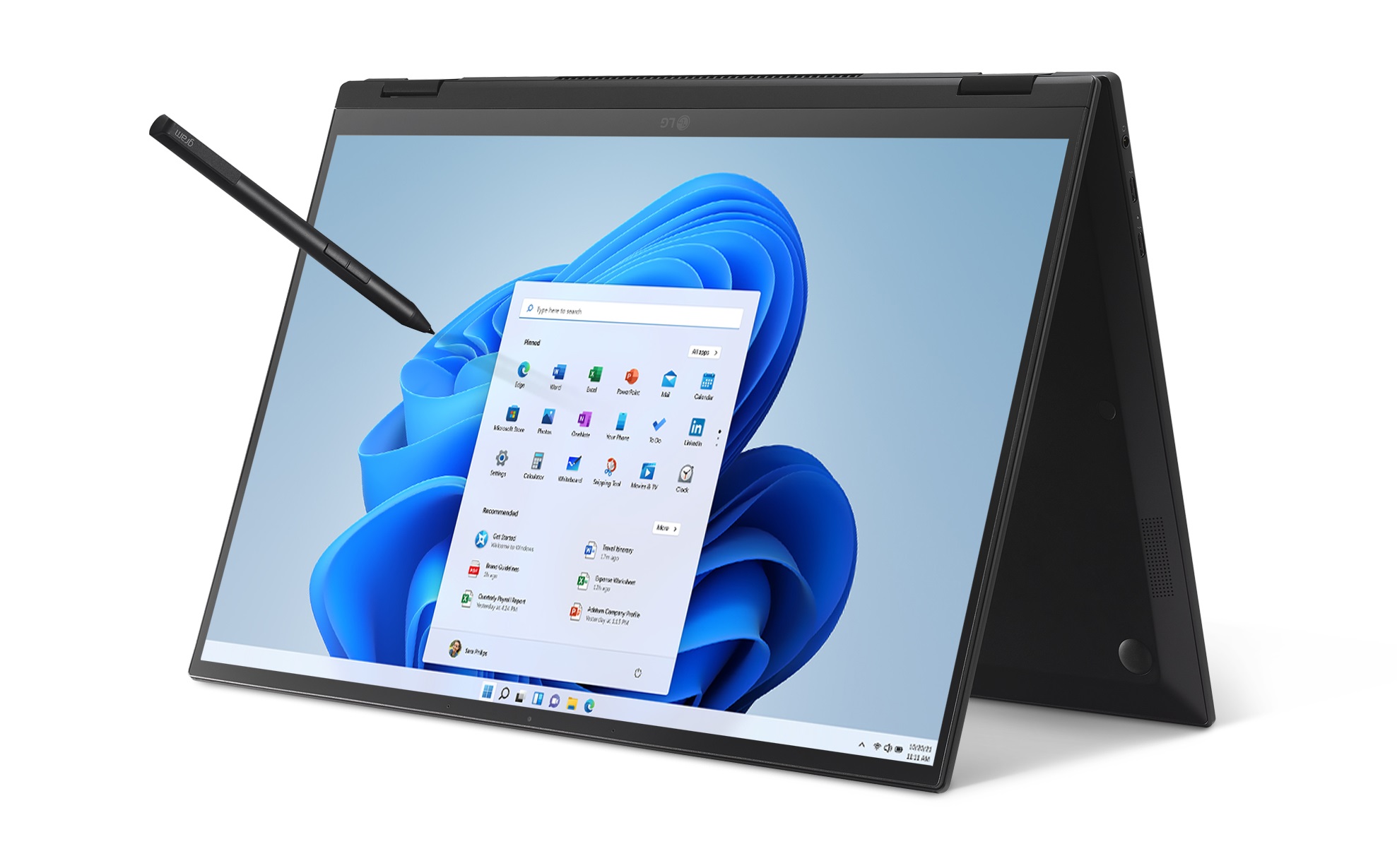
Grads are growing up in less traditional environments and schedules, which is also reflected in the workforce. People are gravitating more toward mobile, simpler devices that adapt to the way they want to work. Tablets, for instance, are no longer just for entertainment. New grads can now use them for work and play, as well as 2-in-1s, like the LG gram 2-in-1 16. Go from a 16-inch laptop to a 16-inch tablet with a flip of the 360-degree hinge. At 3.26 pounds, this compact body also has a Gorilla Glass screen, full-size keyboard and 360-degree touch display. Powered by the 11th Gen Intel Core processor with Iris Xe graphics, it provides up to 1.2X CPU performance.
The Acer Swift X lineup added two 14-inch and 16-inch models earlier this year, featuring a 16:10 aspect-ratio IPS screen with a 92.22% screen-to-body ratio. From there, 100% coverage of the sRGB color gamut delivers an immersive viewing experience – the better for streaming through Microsoft Store apps or shopping securely on Microsoft Edge. When you’re in Teams video meetings, you’ll find an FHD webcam with Acer’s Temporal Noise Reduction (TNR) technology for high-quality imagery, even in low-light conditions. And for added security when you’re working in communal spaces, there’s a fingerprint reader for easy login with Windows Hello. (Buy it on Amazon.com.)
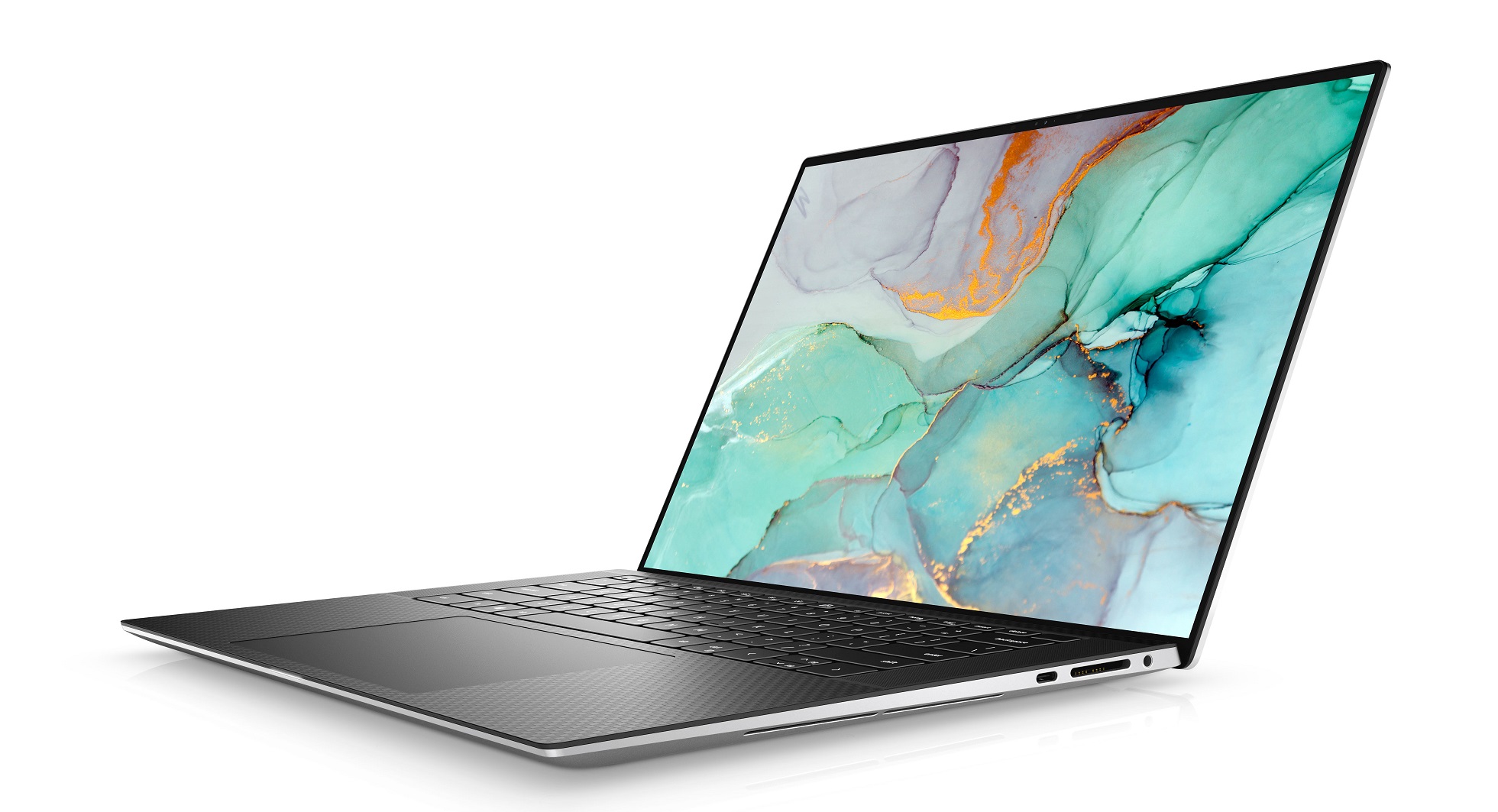
When you’re in your dorm room or on the go, you’ll find the Dell XPS 15 balances power and portability with an immersive visual and sound experience on a dynamic display that delivers high brightness, improved clarity and precise detail. Whether you are working on your next project, streaming, or editing photos, the XPS 15 has the power to move your ideas into reality, powered with the latest 12th Gen Intel Core processors up to i9k and DDR5 memory. GeForce RTS 30 Series allows for top performance to create complex 3D scenes, edit 8K video, or live stream with the best encoding and image quality. Log-on securely with facial recognition or a fingerprint reader with Windows Hello. (Buy it at Dell.com.)
The Lenovo IdeaPad 5, with up to 11th Gen Intel Core processors, comes with a 15.6-inch FHD touchscreen with narrow borders, providing an ample canvas to work on or to play. Stay connected at home or on campus by combining what you love about your smartphone with the efficiency of a thin and light fan-less laptop. And when you’re out and about, webcam privacy shutters and fingerprint readers deliver both security and easy logins with Windows Hello. USB-C ports and Quick Charging gets your battery full faster. All this empowers you to download movies, make calls and send emails from virtually anywhere. (Read more about it on the Windows Experience Blog.)
Welcome to the workforce
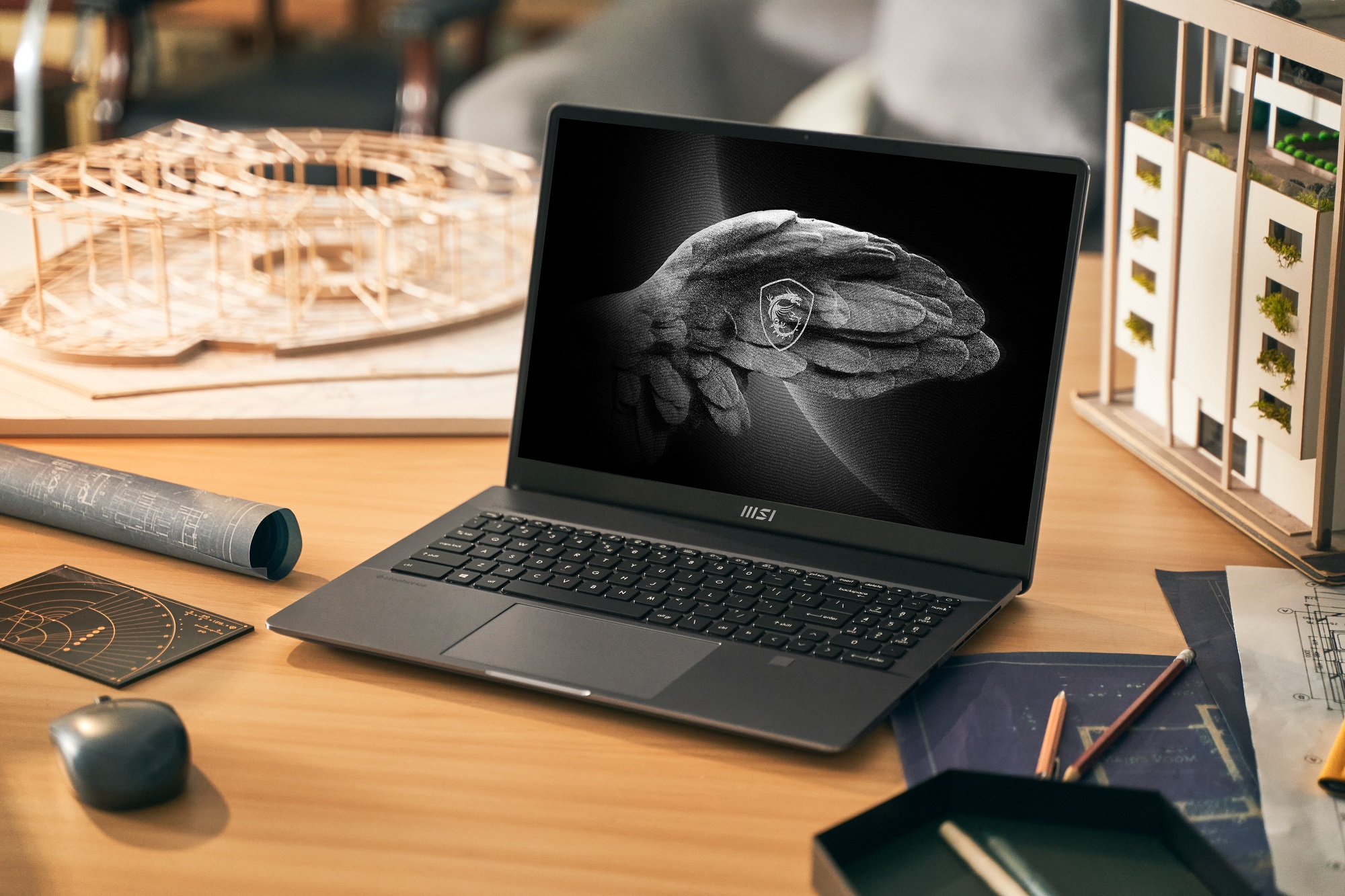
The MSI Creator Z16P Windows 11 PC includes the latest 12th Gen Intel Core i9 processors and GeForce RTX 30 Series GPUs to bring your creativity to life as you start your new job or need refresh tech on your current job. Your workflow will zip along faster with twice the rendering performance and twice the graphics memory of the 20 Series, to make editing up to 8K HDR RAW video and working with extra-large 3D models a snap. You can do all this with a 16:10 Golden Ratio Display, MPP2.0 Active pen support and exceptional vapor chamber cooling. (Buy it at authorized resellers and read more about it.)
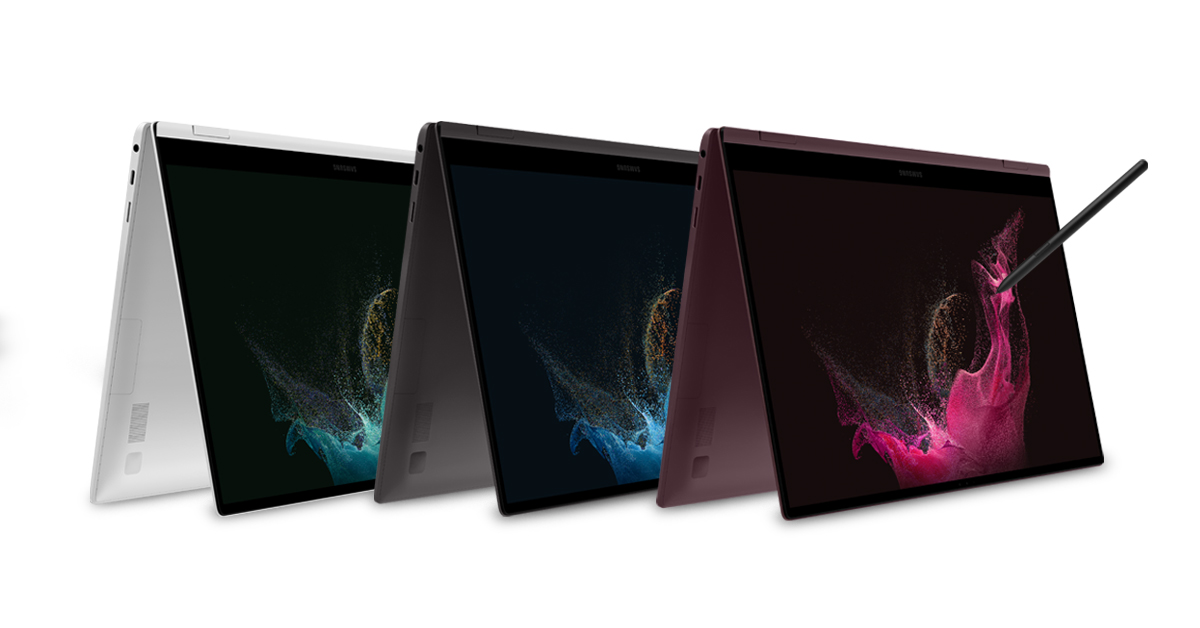
The Samsung Galaxy Book2 Pro 360 made its debut in February at MWC Barcelona, where it showed off updates to features such as Phone Link (formerly known as Windows/Microsoft Your Phone) [1], which pairs your Galaxy smartphone to your Galaxy Book2 Pro series device. With Recent Apps, users can swipe up on their Windows 11 taskbar to check their smartphone’s status and choose their most recently used smartphone apps to use directly on their desktops. To provide power to do more, the Galaxy Book2 Pro series features the latest 12th Gen Intel Core processors for reliable performance to work, video call and game. Because video calls are now a part of everyday life, the Galaxy Book2 Pro series is upgraded for high-quality call experiences, with 1080p FHD webcams and wider field of view angles [2]. To keep you protected, the Galaxy Book2 Pro series is the first consumer PC lineup meeting Microsoft’s Secured-core PC requirements. Previously designed for enterprise PCs in high-security industries, this Secured-core PC designation delivers the highest level of protection on Windows 11 and features deeply integrated hardware, firmware and software to enhance protection against potential cyberattacks [3]. (Shop for it at Samsung.)
The Dynabook Portégé X40-K is a 14-inch Windows 11 Pro PC built with new hybrid-architecture 12th Gen Intel Core P-Series 28W processor options, configurable with Core i5 or i7 CPUs, up to 64GB of memory and reinforced with ultra-fast SSD storage, Wi-Fi 6E and Thunderbolt 4. Created with the hybrid workplace in mind, the laptop is just 0.70 inches thin and weighs under 3.2 pounds. The Portégé X40-K was engineered and tested to MIL-STD-810H standards for strength and durability to ensure robust endurance to the rigors of daily use in or out of the office. Opening the lid exposes a thin-bezel 14-inch IPS or multi-touch display, premium backlit keyboard and large multi-touch ClickPad embedded into a comfortable aluminum palm rest. When you’re not using it, Sleep & Charge technology keeps a USB port powered, which means the laptop can charge a smartphone and other accessories.
Gaming
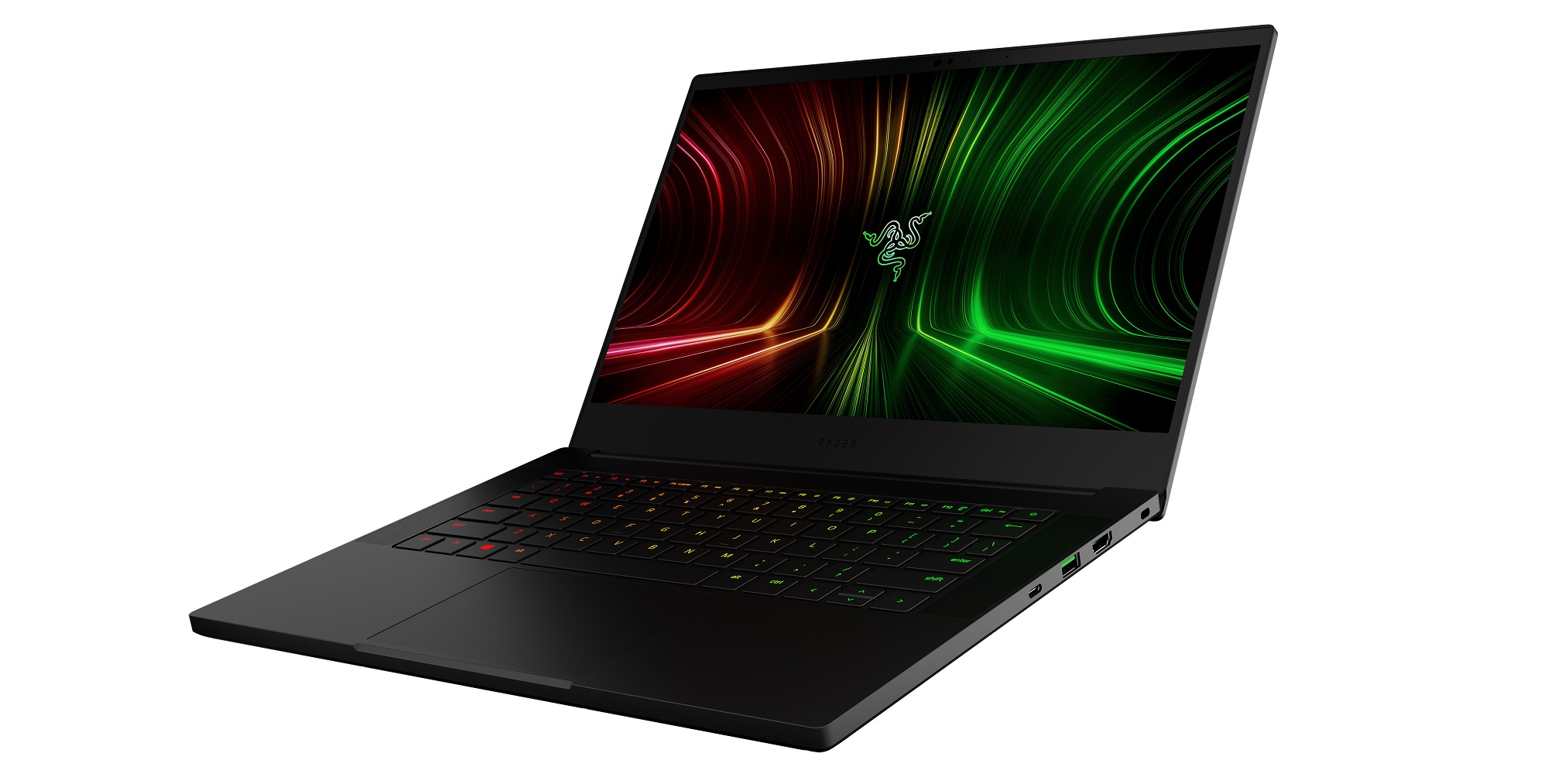
CES 2022 introduced the Razer Blade 14, which includes Windows 11 and all its gaming benefits, including DirectStorage, Xbox Game Bar and Xbox Game Pass. It comes with the next generation of AMD Ryzen 6000 Series Processors. Every configuration prominently features the ultra-fast Ryzen 9 6900HX processor, enabling some of the most powerful AMD gaming possible on a mobile device. With a newly implemented MUX Switch, the Blade 14 allows players to increase gameplay performance by utilizing the discrete GPU to drive games on the internal display. This laptop now also joins its slightly larger family members with the addition of the same fingerprint resistant coating and a 1080p Windows Hello IR webcam, making video calls twice as clear as before. (Buy it at razer.com.)
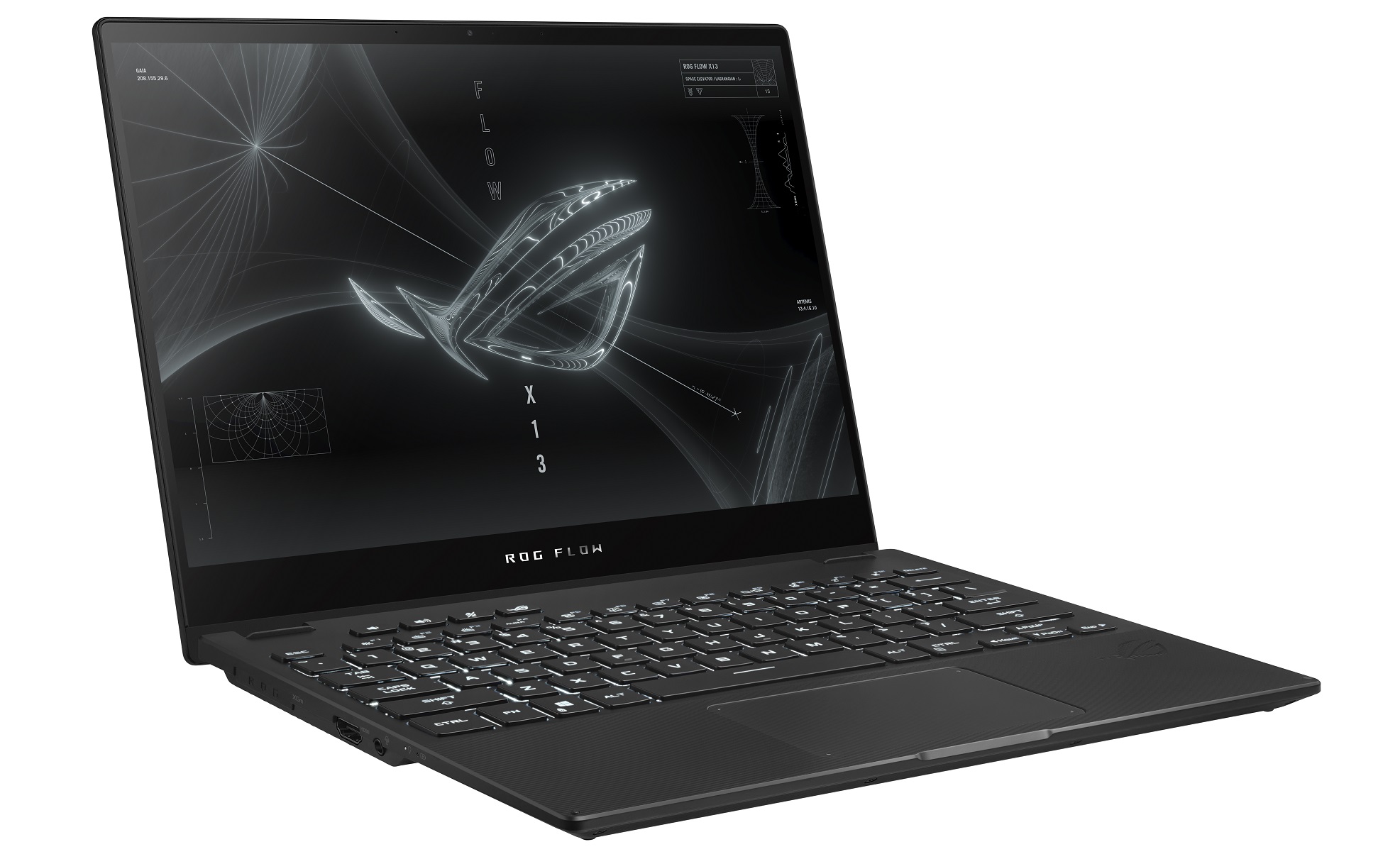
The ASUS ROG Flow X13 was the first 2-in-1 convertible ROG gaming laptop that now comes with Windows 11 Pro and up to the latest Ryzen 9 6900HS processor and GeForce RTX 3050 Ti GPU which provides the performance needed for demanding workloads and enables strong performance in the latest games. Your favorite player can also choose between 4K UHD or 120Hz FHD displays. On both displays, Adaptive-Sync synchronizes the panel’s refresh rate with the GPU’s frame rate to reduce lag, minimize stuttering and eliminate visual tearing. Sign on with Windows Hello. You can also wake it up like a smartphone thanks to an integrated one-touch login. A 360-degree hinge maximizes touchscreen viewing and interaction, quickly flipping from laptop mode into positions for gaming, drawing and presenting. You can also take advantage of Windows Ink. The edge-to-edge keyboard design incorporates a full-sized, desktop-style layout into its compact chassis. (Buy it on the ROG website and find out more about it.)
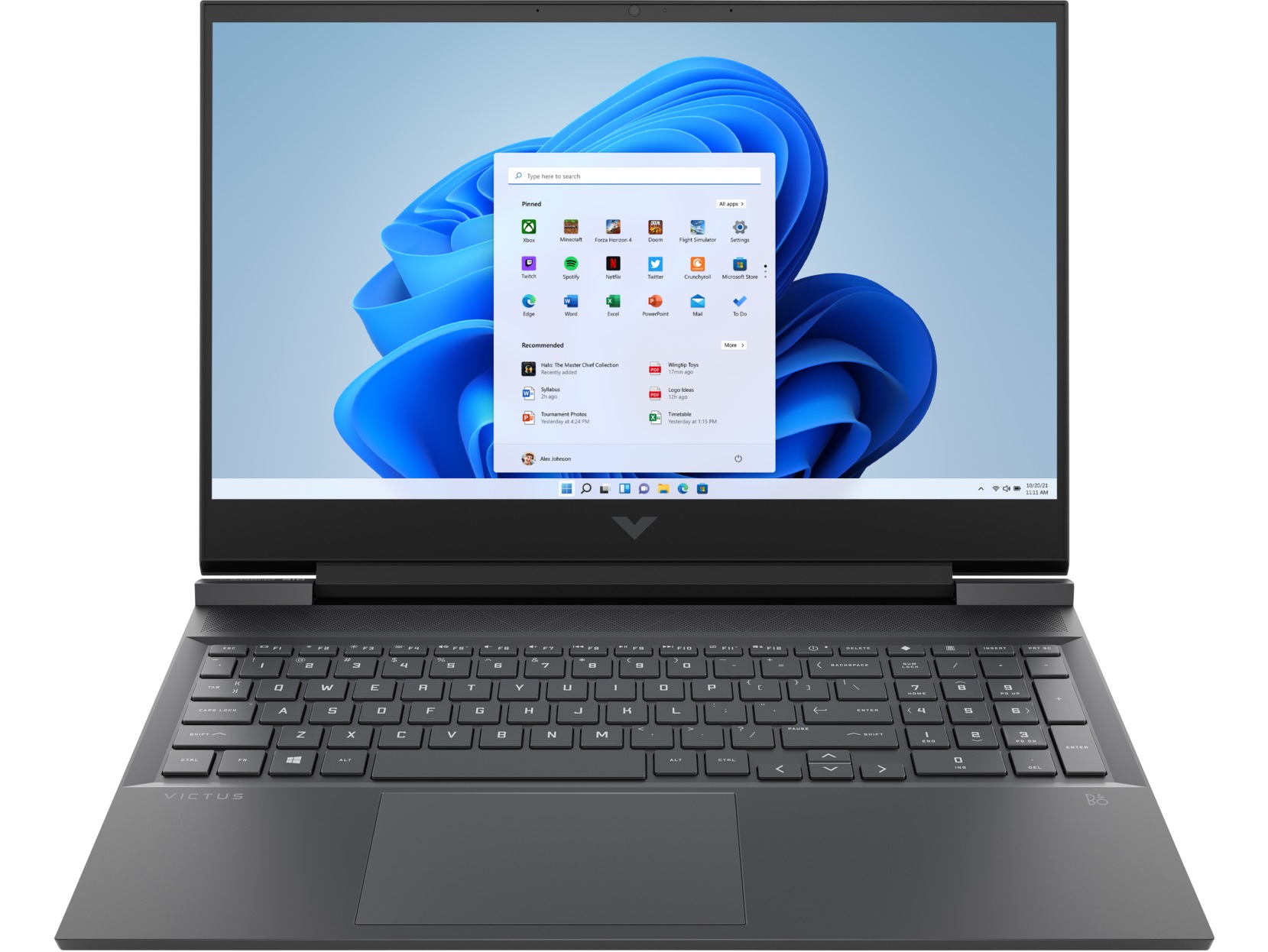
Built with OMEN’s DNA, Victus by HP debuted in 2021 for entry-level gamers. The Victus by HP 16 was the first of this line. Pixels have never moved faster on these second-generation GeForce RTX 3060 laptops with graphics powered by award-winning NVIDIA Ampere architecture. Computing gameplay on the screen is lightning fast with options up to Intel Core i7-12700H or AMD Ryzen 7 6800H series processors along with up to 32 GB DDR5 4800 MHz memory. Wide rear vents add a visual flair on top of enhanced thermal efficiency, which is bolstered by five-way airflow and a four-heat pipe design. With a single SSD up to Gen4 1TB PCIe storage, storage options are plentiful for gaming and other activities. (Buy it at HP.com and go to the Windows Experience Blog to find out more about it.)
[1] Users must link their Galaxy device to their Windows PC through ‘Link to Windows’ on phone and Phone Link app on PC, follow the set-up prompts, including being signed into same Microsoft account. Link to Windows is preloaded on select Galaxy devices. Phone Link requires Windows 10 April 2019 Update (or later) on the PC and recommends the latest Windows 11. Phone Link requires Galaxy device to be on and connected to the same Wi-Fi network as the PC. Some mobile apps may restrict content to be shared on other screens or may require a touch screen to be able to interact with them. Multiple Android applications can be launched simultaneously up to five at a time in Windows 11 PC.
[2] Galaxy Book2 Pro series device features 87-degree field of view compared to 77-degree field of view in Galaxy Book Pro series.
[3] Secured-core PCs use hardware-based security components like Trusted Platform Module 2.0 (TPM) and modern CPUs along with virtualization-based security (VBS) and Windows hypervisor code integrity (HVCI) service to create a secure, hardware-isolated environment that effectively isolates memory and critical components to prevent attacks and unauthorized access to critical parts of the operating system. The Secured-core PC relies on advanced security capabilities built into modern CPUs to protect the integrity of Windows and its boot process from advanced attacks at the firmware level.
Requires specialized hardware, including fingerprint reader, illuminated IT sensor or other biometric sensors and capable devices.
Oxnam says that tech fuels everything she does, but even she was surprised at how dramatically her life changed with a new-to-her operating system.
“The first thing about Windows 11 that stood out to me was how easy it was to set up. In five minutes, I had all of my programs set up. I even was able to transfer over all of my tabs and bookmarks and favorite things to Microsoft Edge,” Oxnam says. “This was amazing given how many different platforms I have to log into. To have it ready and customized for me right from the get-go was a game changer. And then beyond that, it was so intuitive to pick up.”
She was able to quickly figure out features she now uses daily, such as Snap Assist, multiple desktops, widgets and search from Start.
“Everything was super easy to do without having to do a ton of research, which was extremely convenient and meant that I could just get to work right from the beginning,” she says. “I need to be able to quickly export things and get them turned in right before the deadline, because I need every minute.”
She marveled at how much easier it was to collaborate in real-time. For example, she constantly works on Excel files with a group of five. It’s usually a massive financial spreadsheet that entails creating new models projected out five years, editing new data and equations. Before she switched to Windows 11, they couldn’t all work on the document at the same time – since statistical models’ numbers change constantly – so they would have to assign people different days to work on it. But that changed once she was using Windows 11.
“And all of a sudden, I was on the same document as everyone else working in real time, everything was updating super-fast. I could see the exact numbers that were being plugged in,” she says. “We could comment, we could realize faster ways to do things. We didn’t have to fix a ton of people’s mistakes.”
Charlotte Oxnam
As she’s been able to streamline her workflow, she’s also carrying one less device. Previously she had to go back and forth between a MacBook Air and an iPad. But now, those devices are gathering dust on a shelf while she uses her Windows 11 laptop daily, even converting some of her housemates – mostly engineers – to switch to PCs after seeing how easy it was for her to transfer her work and school life onto the new platform.
Having a touch screen on her main device has really simplified her life, she says.
“I just tap on the thing I want, and it takes me to it. It’s as easy as that. Or zoom in the way we do on our phones,” says Oxnam, who loves how much easier it is to edit images and work on content without thinking about a mouse or even a trackpad. “I just pinch my fingers because that’s intuitively what we’ve learned to do.”
Oxnam is hopeful for the future, and how the next generation’s shopping experience will be a much more positive one than what she and others grew up with. The blog will continue to exist, as she wants to make sure the team doesn’t get too insular and turn into an echo chamber. But their focus is to stay true to representing every plus-size woman and advocate for them. To have these spaces exist is already proving valuable to people who have found them.
“We’ve already had at least a couple dozen people directly reach out and tell us, ‘This is the community I’ve been searching for. This is my space. I’ve finally found it. Thank you for making it,’” Oxnam says. “Our first step in making the world a more inclusive space is fashion, but I think it’s a bigger conversation of how we can create things that are more accessible and enjoyable, that make life better in different ways. And I think technology is at the heart of everything we’ll do going forward that can pull that off.”