
Fedora Workstation 38 is the latest version of the leading-edge Linux desktop OS, made by a worldwide community, including you! This article describes some of the user-facing changes in this new version of Fedora Workstation. Upgrade today from GNOME Software, or use dnf system-upgrade in a terminal emulator!
GNOME 44
Fedora Workstation 38 features the newest version of the GNOME desktop environment. GNOME 44 features subtle tweaks and revamps all throughout, most notably in the Quick Settings menu and the Settings app. More details about can be found in the GNOME 44 release notes.
File chooser
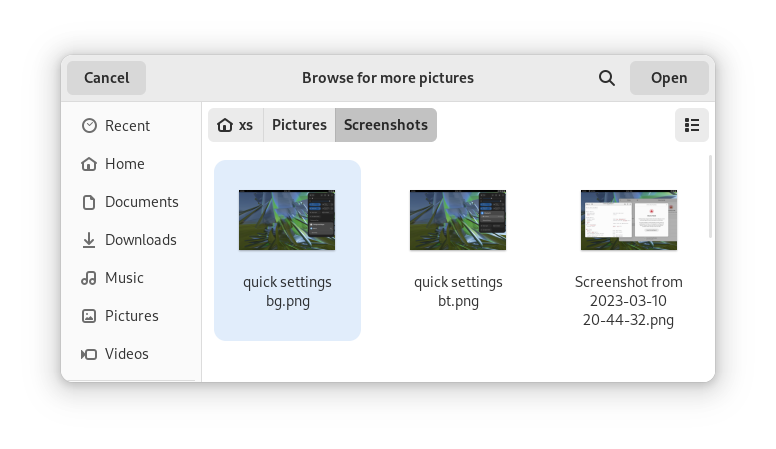
Most of the GNOME applications are built on GTK 4.10. This introduces a revamped file chooser with an icon view and image previews.
Quick Settings tweaks
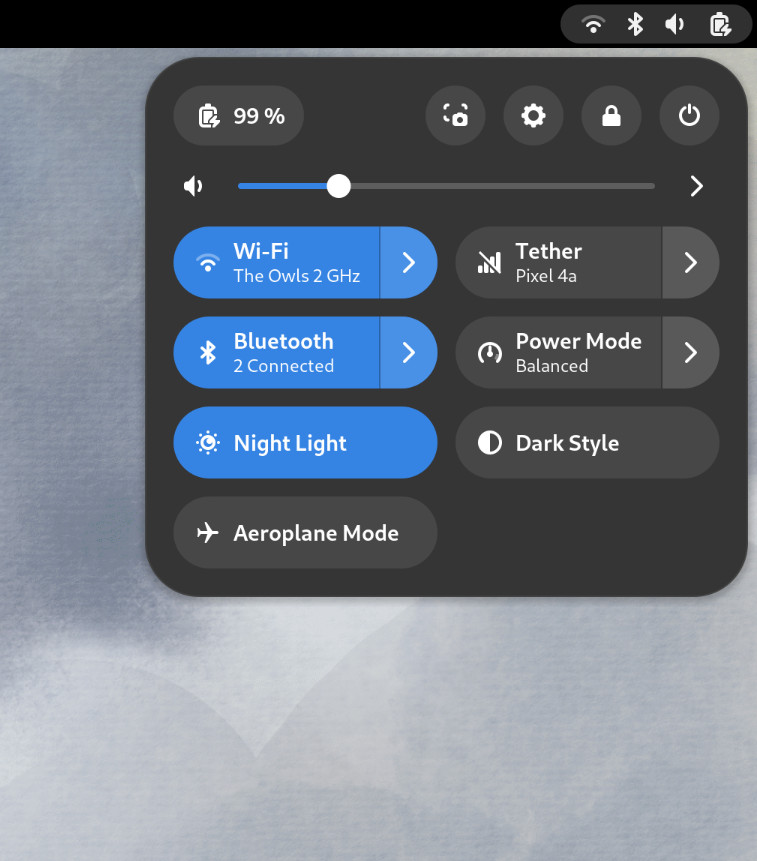
For GNOME 44 There have been a number of improvements to the Quick Settings menu. The new version includes a new Bluetooth menu, which introduces the ability to quickly connect and disconnect known Bluetooth devices. Additional information is available in each quick settings button, thanks to new subtitles.
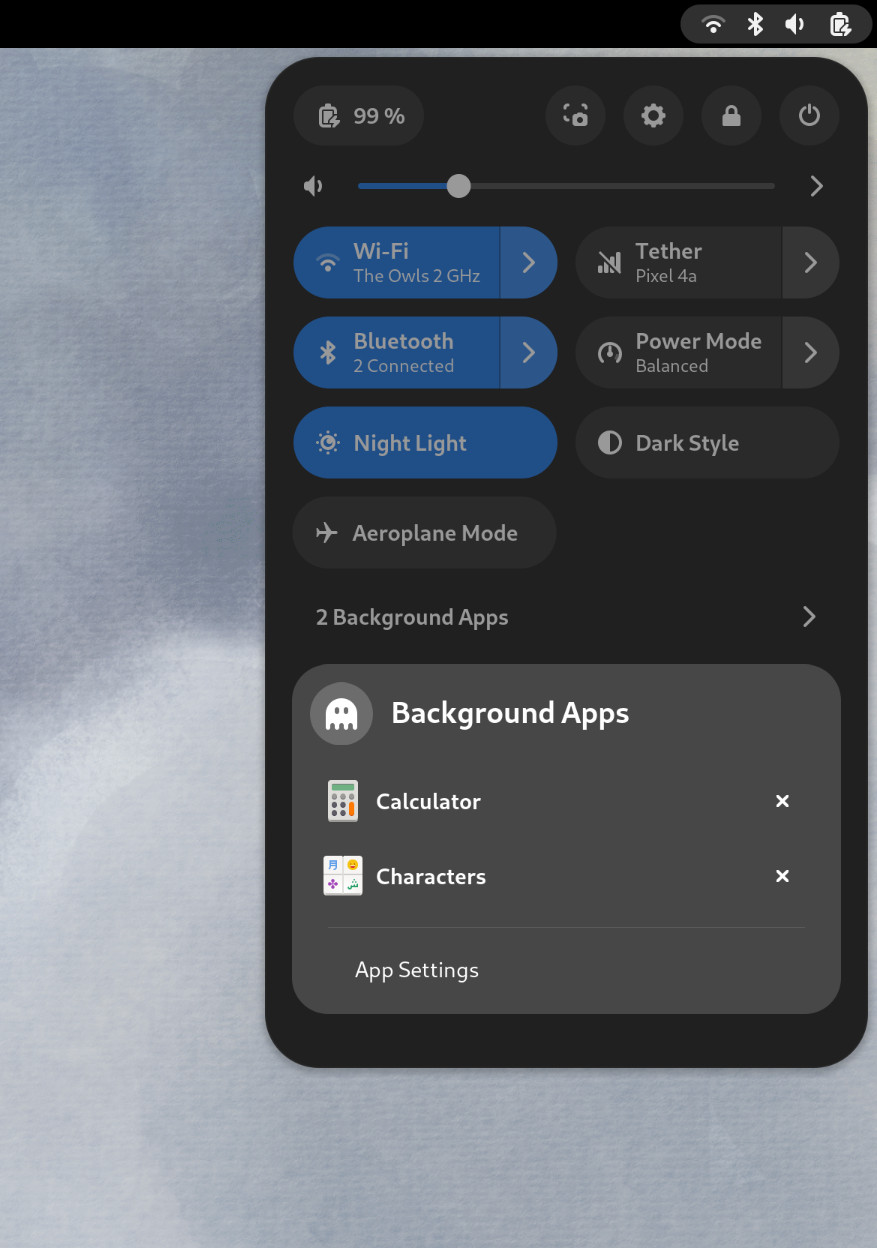
Also in the quick settings menu, a new background apps feature lists Flatpak apps which are running without a visible window.
Core applications
GNOME’s core applications have received significant improvements in the new version.
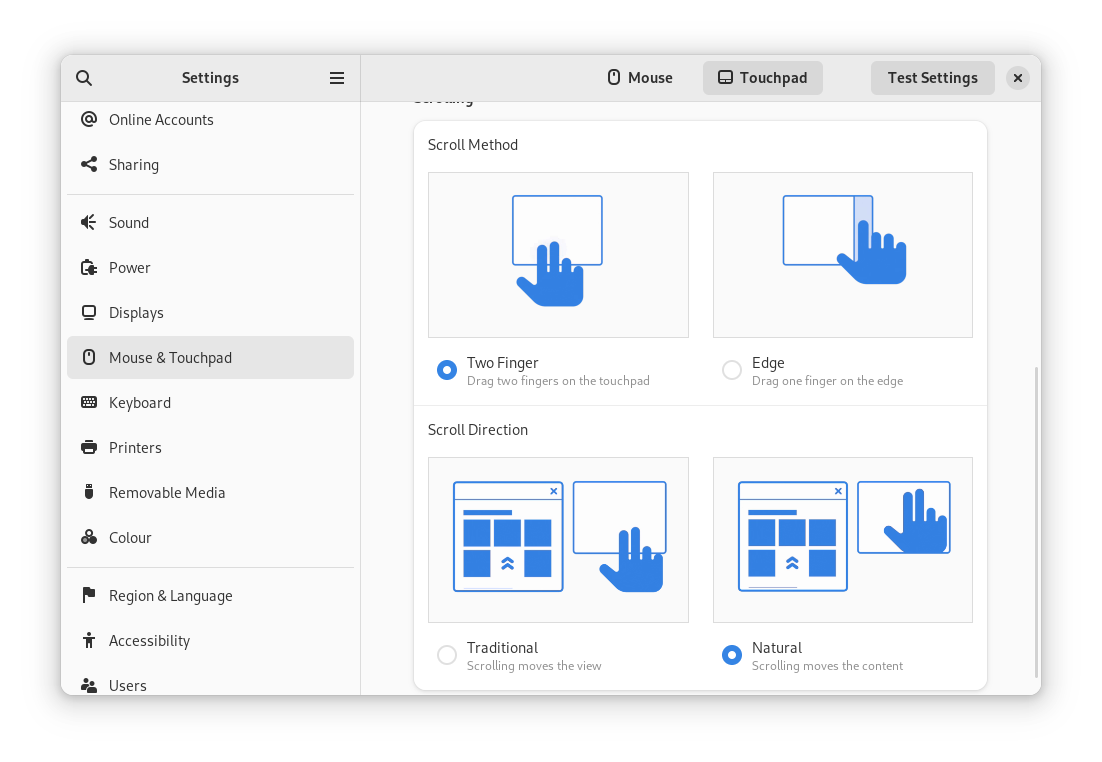
Settings has seen a round of updates, focused on improving the experience in each of the settings panels. Here are some notable changes:
- Major redesigns of Mouse & Touchpad and Accessibility significantly improves usability.
- Updated Device Security now uses clearer language.
- Redesigned sound now includes new windows for the volume mixer and alert sound.
- You can now share your Wi-Fi credentials to another device through a QR code.
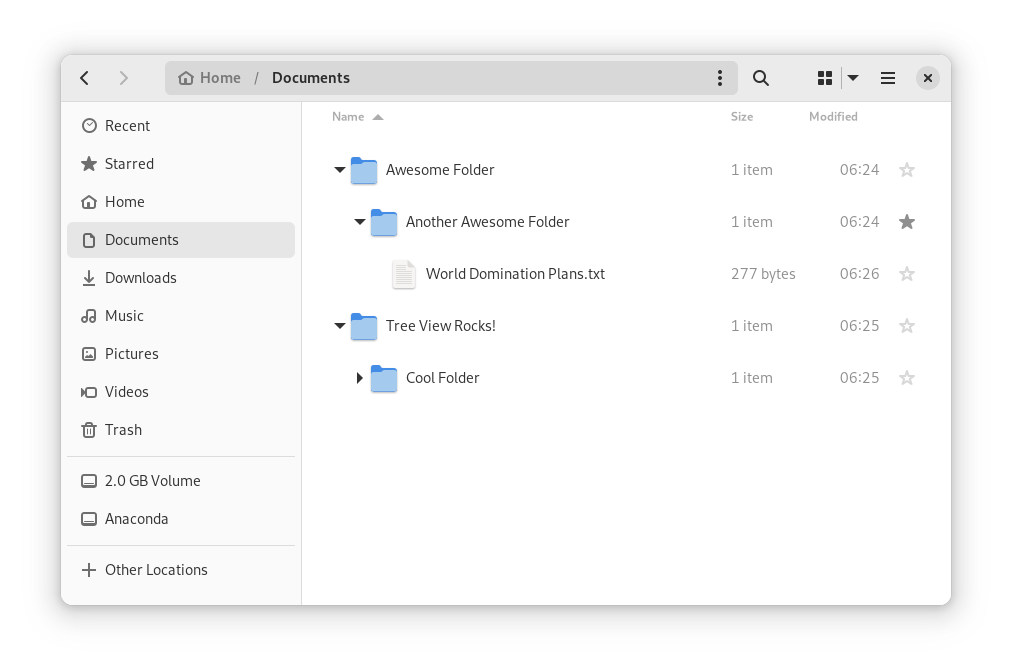
In Files, there is now an option to expand folders in the list view.
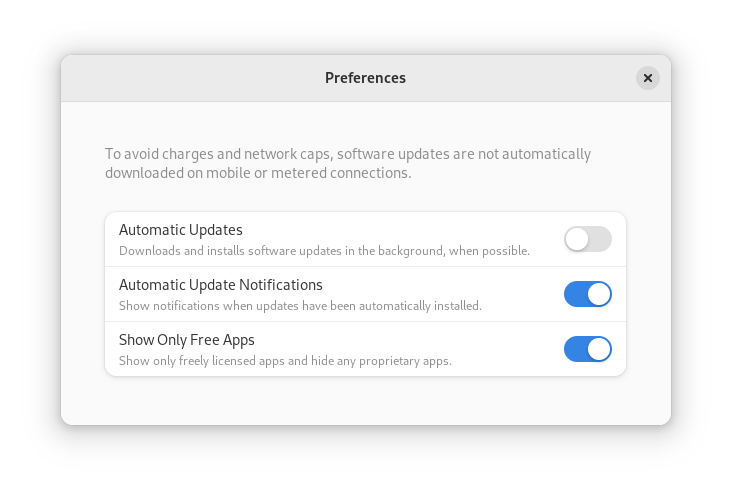
GNOME Software now automatically checks for unused Flatpak runtimes and removes them, saving disk space. You can also choose to only allow open source apps in search results.
In Contacts, you can now share a contact through a QR code, making it super easy to share a contact from your desktop to your phone!
Third-party repositories
Fedora’s third-party repositories feature makes it easy to enable a selection of additional software repos. Previous versions included a filtered version of Flathub, which included a small number of apps. For Fedora 38, filtering of Flathub content no longer occurs. This means that the third party repos now provide full access to all of Flathub.
The third party repos must still be manually enabled, and individual repositories may be disabled from the GNOME Software settings. If you want to keep proprietary apps from showing up in your search results, you can also do that in GNOME Software’s preferences menu.
Under-the-hood changes throughout Fedora Linux 38
Fedora Linux 38 features many under the hood changes. Here are some notable ones:
- The latest Linux kernel, version 6.2, brings extended hardware support, bug fixes and performance improvements.
- The length of time that system services may block shutdown has been reduced. This means that, if a service delays your machine from powering off, it will be much less disruptive than in the past.
- RPM now uses the Rust-written Sequoia OpenGPG parser for better security.
- The Noto fonts are now the default for Khmer and Thai. The variable versions of the Noto CJK fonts are now used for Chinese, Japanese, and Korean. This reduces disk usage.
- Profiling will be easier from Fedora 38, thanks to changes in its default build configuration. The expectation is that this will result in performance improvements in future versions.
Also check out…
Official spins for the Budgie desktop environment and Sway tiling Wayland compositor are now available!