Posted on Leave a comment

Apple Watch glucose tracker gets Apple Silicon executive as project lead

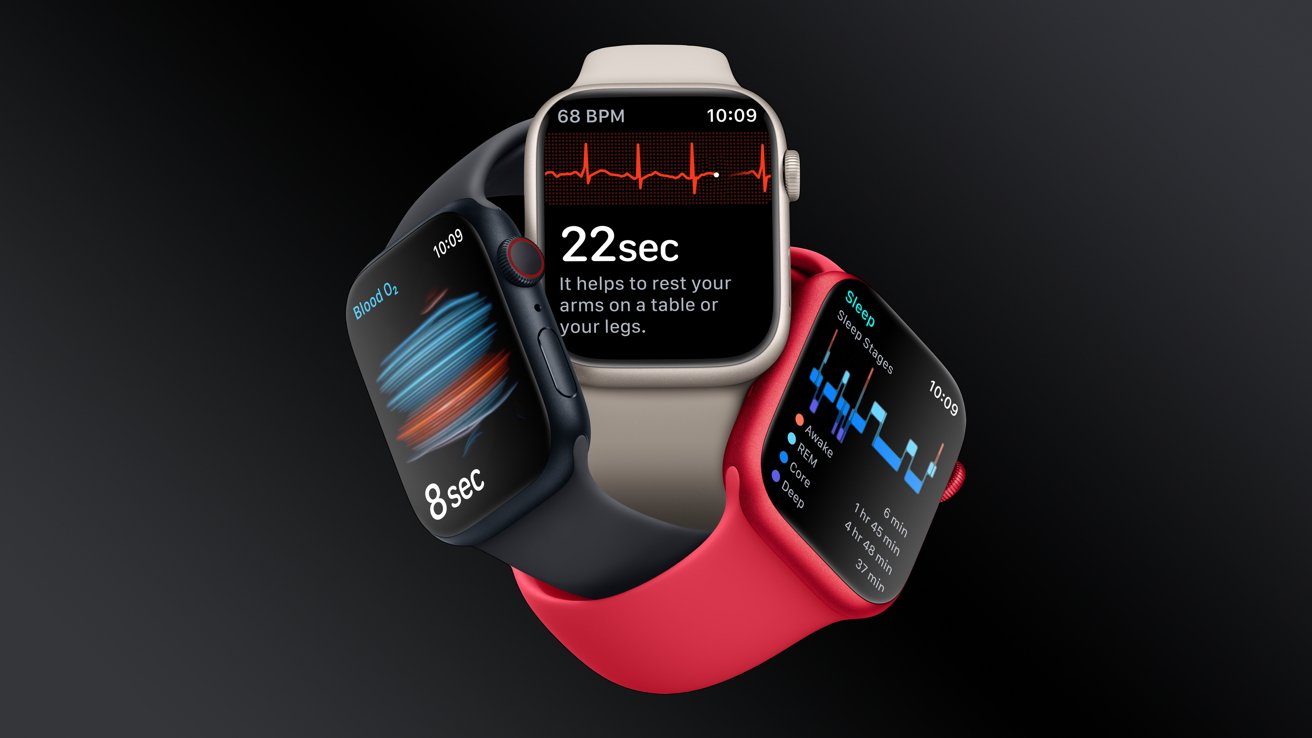
Apple Watch offers essential health tracking

Apple’s vice president of platform architecture in charge of developing Apple Silicon, Tim Millet, has been assigned to head the Apple Watch glucose tracker project.

According to a report from Bloomberg, Apple has assigned a new head to the glucose monitoring project after months without a dedicated executive in place. Tim Millet, Apple’s vice president of platform architecture, has been tapped for the position.

It may be many years before the Apple Watch or other wearables will introduce non-invasive glucose monitoring. However, if Apple can get ahead of the competition with this technology, it would make the Apple Watch even more of a must-have health product.

Posted on Leave a comment

US spokesman behind on the news pours gas on seemingly settled China iPhone ban

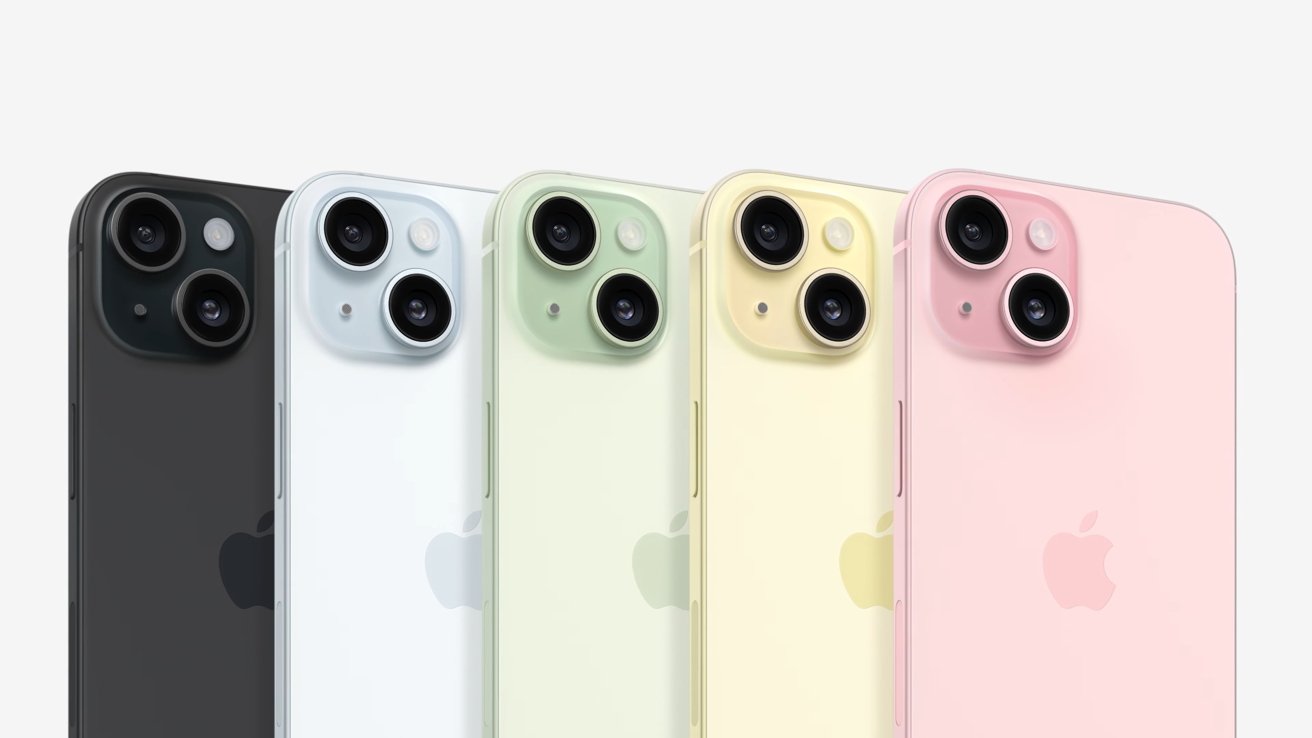
iPhone 15

The US government now says that the China government iPhone ban is “aggressive and inappropriate retaliation” despite a statement 12 hours prior by China that there is in fact, no ban.

The first half of September has been a roller coaster for Apple as rumors of a potential China sales ban circulated major media outlets. These rumors didn’t pan out, as iPhone 15 is indeed up for sale in the country and a statement from China denied the allegations earlier Wednesday.

In what appears to be a statement generated before news of the Chinese government refuting ban rumors, the White House chimed in on the matter, as reported by Bloomberg. The National Security Council shared that it is watching the issue with concern.

“It seems to be of a piece of the kinds of aggressive and inappropriate retaliation to US companies that we’ve seen from the PRC in the past,” said John Kirby, the council’s spokesman, referring to the People’s Republic of China.

China Foreign Ministry Spokesperson Mao Ning said China hasn’t issued laws and regulations to ban the purchase of Apple or other foreign brands. This was in response to rumors suggesting government businesses had begun telling employees not to bring their iPhones to work — something investors feared could expand outward to the general public.

Mao Ning does note that China is concerned about security issues with Apple’s products being reported by media. This statement was confusing, as there isn’t any recent major breach or security concern to attach it to.

It could refer to Apple patching known exploits days after they became public knowledge. Regardless, a ban was not implemented — at least not officially.

This likely isn’t the end of the saga. The United States has banned Chinese brand Huawei form sale over security concerns, so the back and forth will likely continue between the countries as Apple sits in the middle.

Posted on Leave a comment

New firmware released for AirPods Pro, AirPods, & AirPods Max

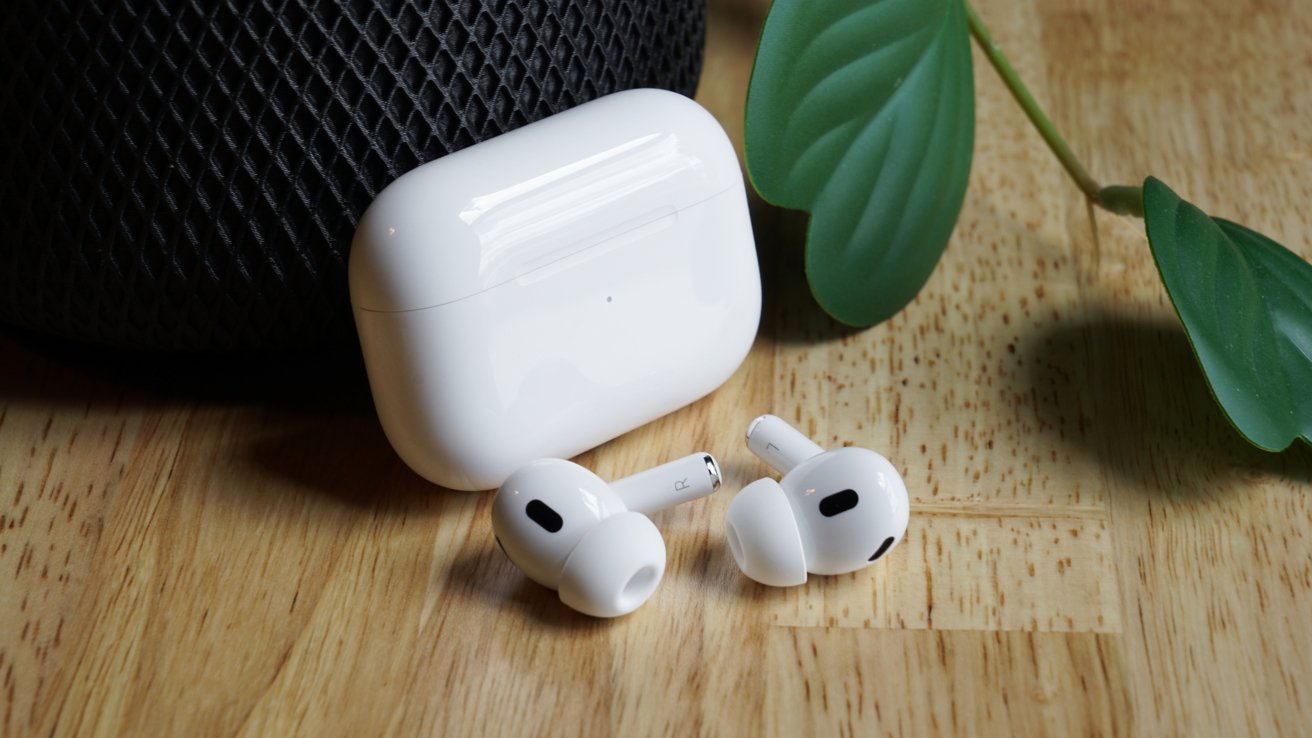
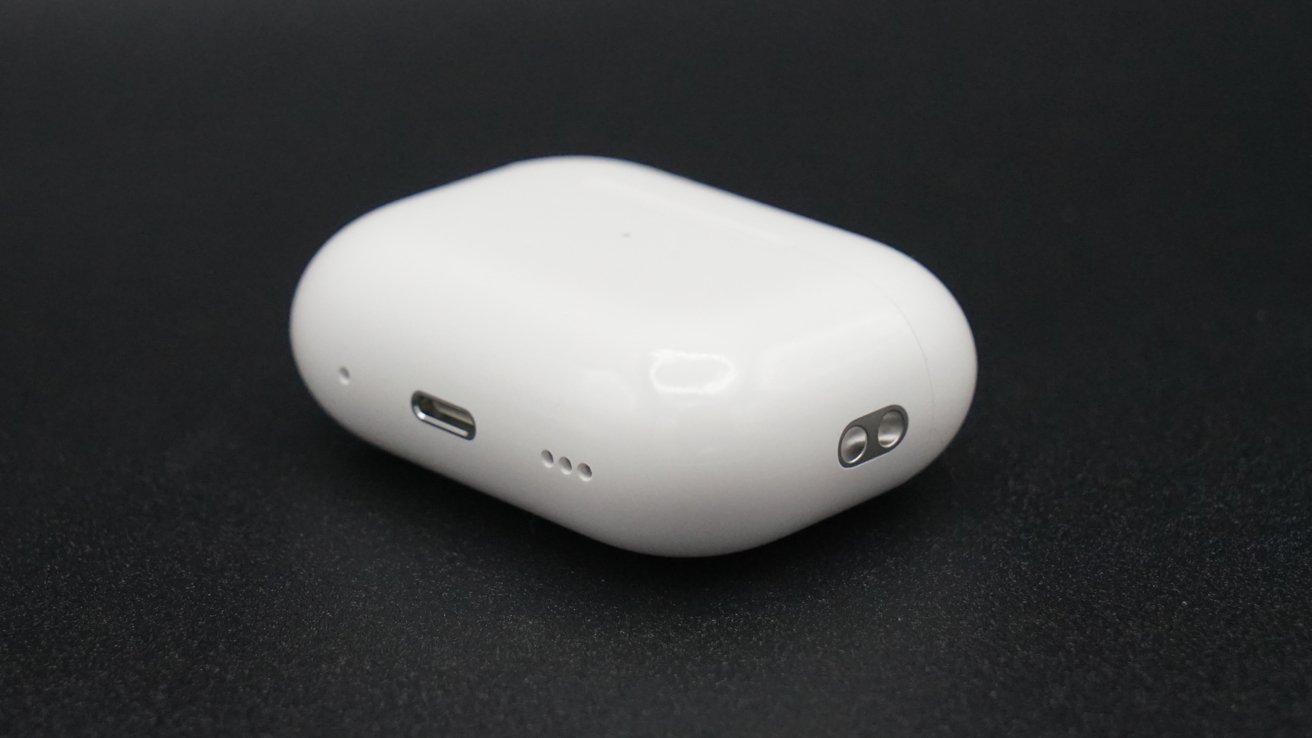
AirPods Pro 2 firmware update

AirPods firmware version 6 has been released with iOS 17 compatibility, improved switching, and AirPods Pro 2-specific features.

Apple didn’t wait for iOS 17 to launch before updating its AirPods lineup with the latest firmware. Version 6.0 is here, providing updates to nearly every AirPods model.

The biggest feature set is reserved for the AirPods Pro 2, which has the 6A301 build number. This includes Adaptive Audio and Conversation Awareness when paired with a product running iOS 17.

AirPods Pro, AirPods 2, AirPods 3, and AirPods Max all got build number 6A300. This version includes press to mute or unmute calls and improvements to automatic switching.

The new firmware is installed automatically for users, and no mechanism is available to force an update manually. The firmware will install by itself as long as the AirPods or AirPods Pro are in a charging case and connected to an iOS device.

Release notes for firmware version 6.0:

When used with iOS 17 and macOS Sonoma, AirPods firmware update 6A300/6A301 takes the AirPods Pro (2nd generation) experience to the next level with Adaptive Audio, Conversation Awareness, and Personalized Volume. This update also adds convenience and control on calls with press to mute and unmute for AirPods (3rd generation), AirPods Pro (1st and 2nd generation), and AirPods Max, as well as significant improvements to the Automatic Switching experience for all available AirPods across Apple devices with the latest software updates.

How to check your AirPods firmware version

AirPods users can check the current firmware for audio accessories within the Settings app.

  1. Open the Settings App
  2. Select General
  3. Select About
  4. Select the AirPods you wish to view
  5. A menu will appear showing relevant device information
Posted on Leave a comment

Heybike Ranger S e-bike review: stable, foldable fat tire fun

Heybike Ranger S


Heybike Ranger S is an excellent combination of stability and storability in an e-bike with fat tires and a folding frame.

Foldable e-bikes aren’t a new concept, but they introduce an alternative decision point for customers. The foldable frame makes storing and transporting the bike easier despite the large tires and frame.

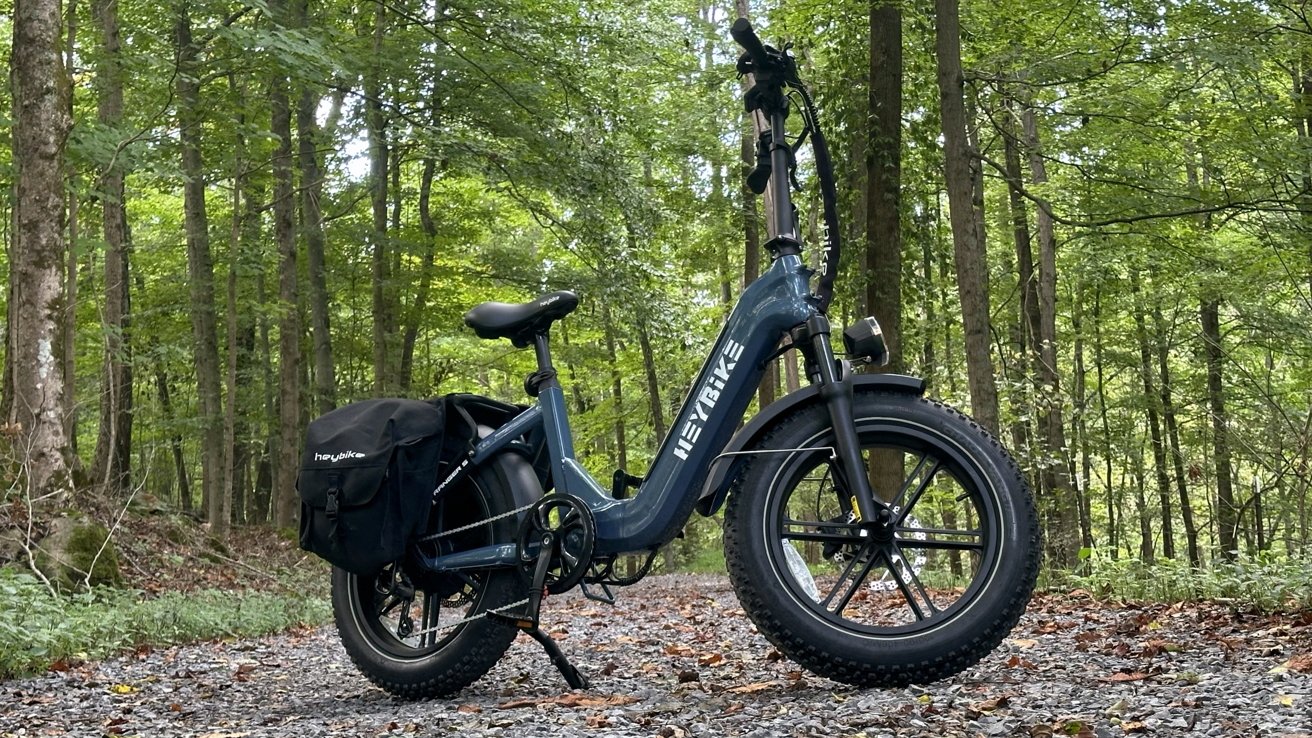
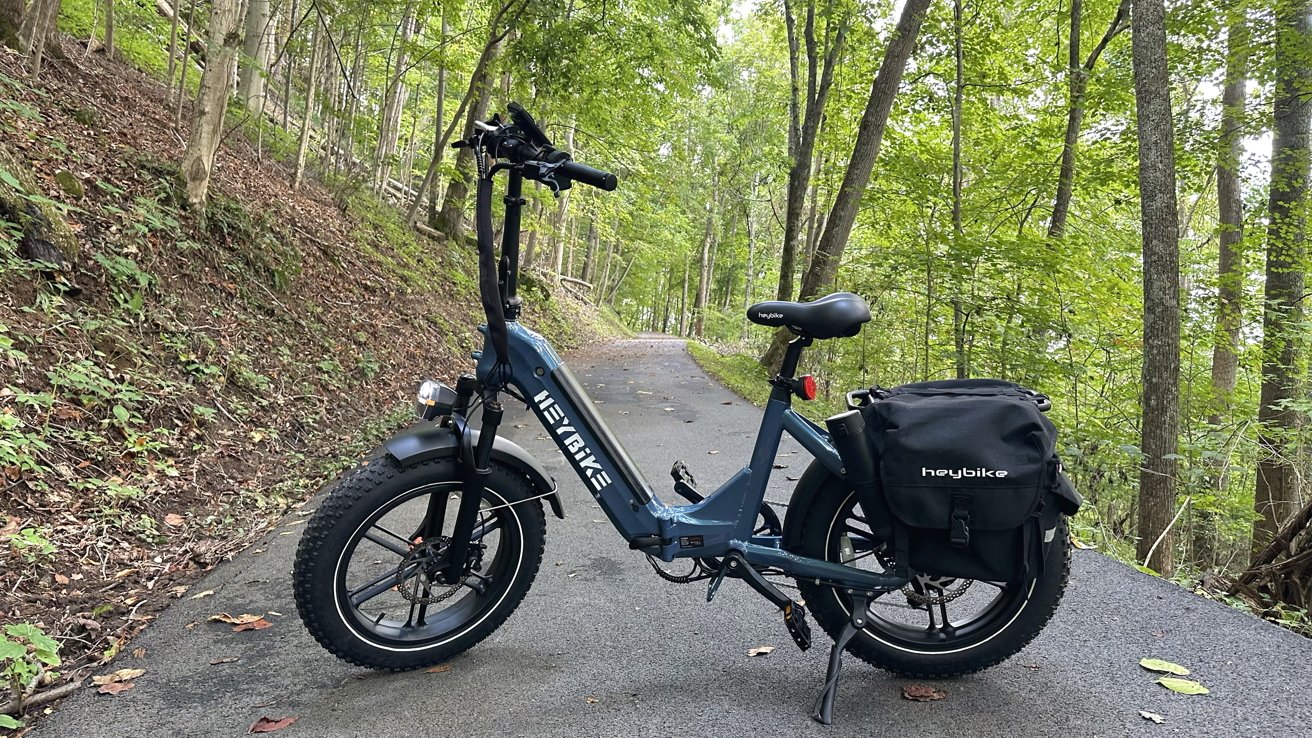
The Heybike Ranger S is a foldable e-bike that sits low with 20-inch tires that are 4 inches thick. It’s a cross between a heavy-duty off-roading bike and a foldable city cruiser.

Despite its smaller size, it still weighs plenty at 72 pounds, that’s only a few pounds less than the full-sized Aventon Aventure 2 we reviewed. The high weight can be attributed to its foldability, which is the tradeoff for storability.

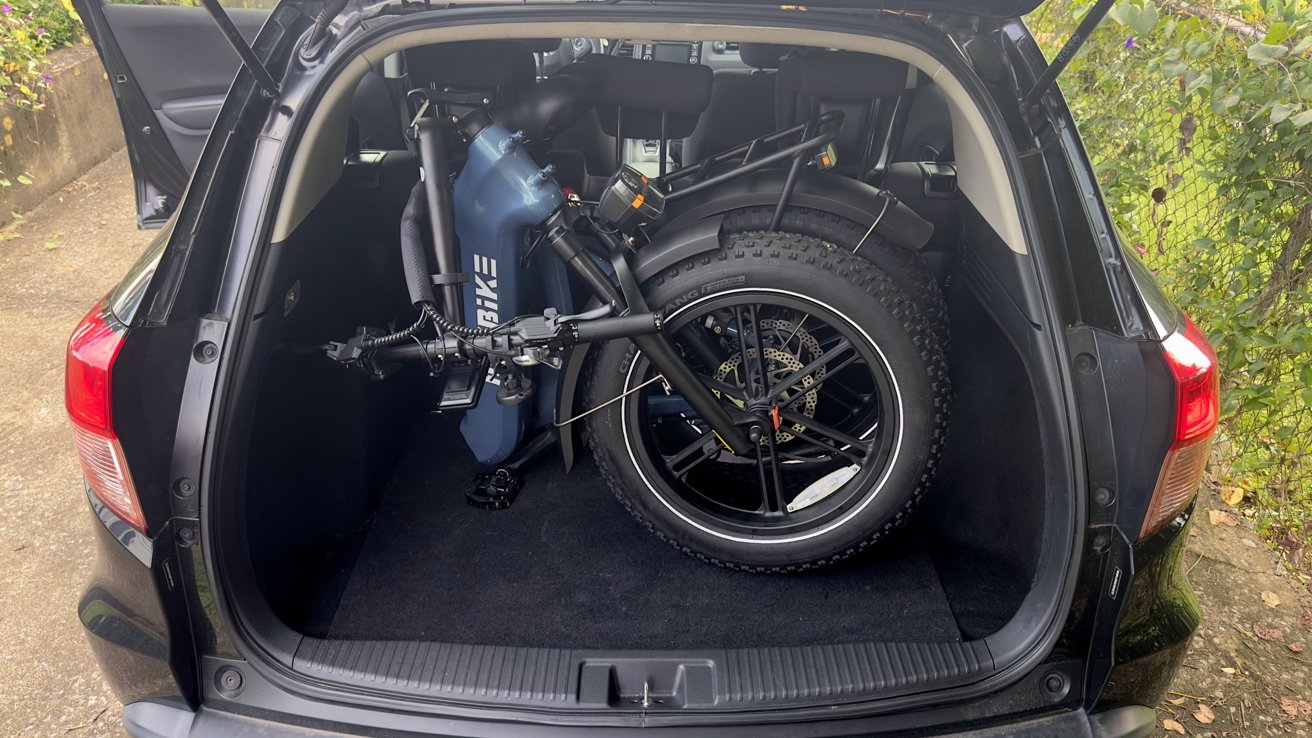
Of all the e-bikes we’ve tested so far, this form factor works best for our general use case. It feels sturdy and stable when riding, but it can squeeze into the back of our Honda HR-V — without lowering the seats.

Heybike Ranger S e-bike review — design

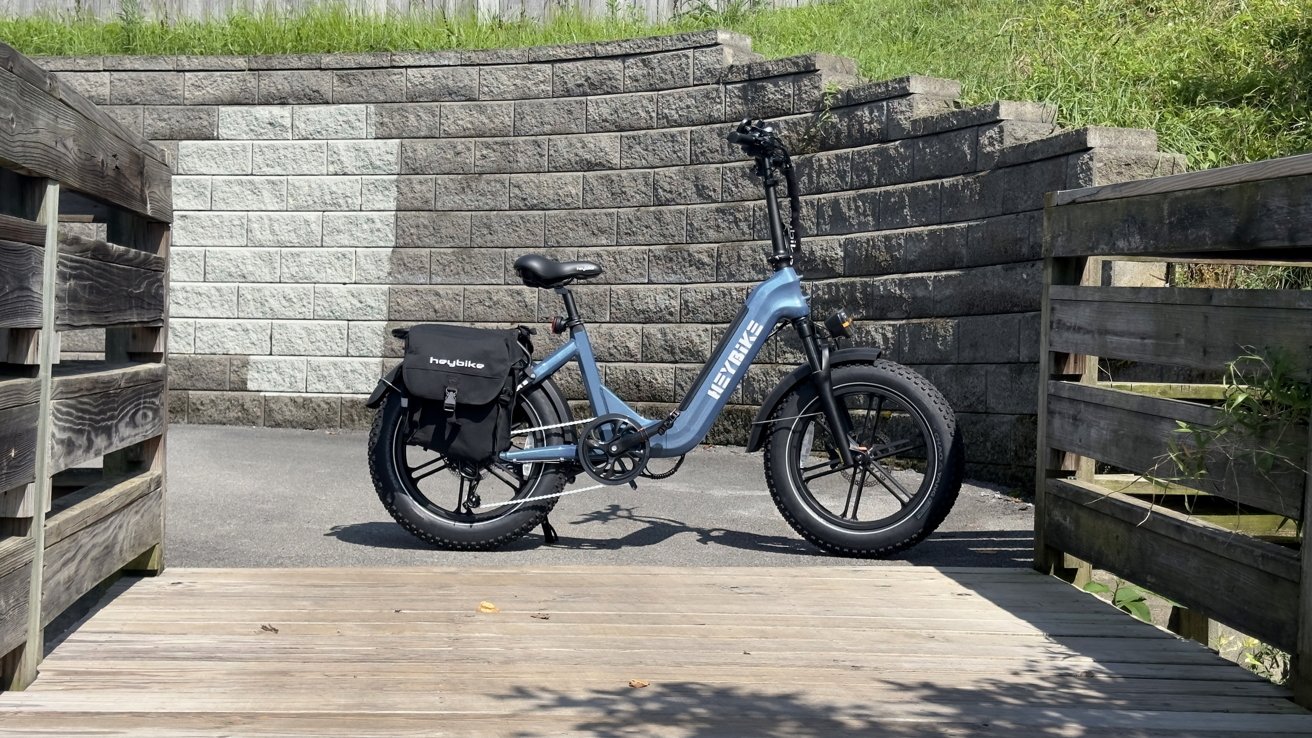
The Ranger S has a squat but thick frame with a tall handlebar neck. It has a rear cargo rack and wide fenders, adding to its utilitarian design.

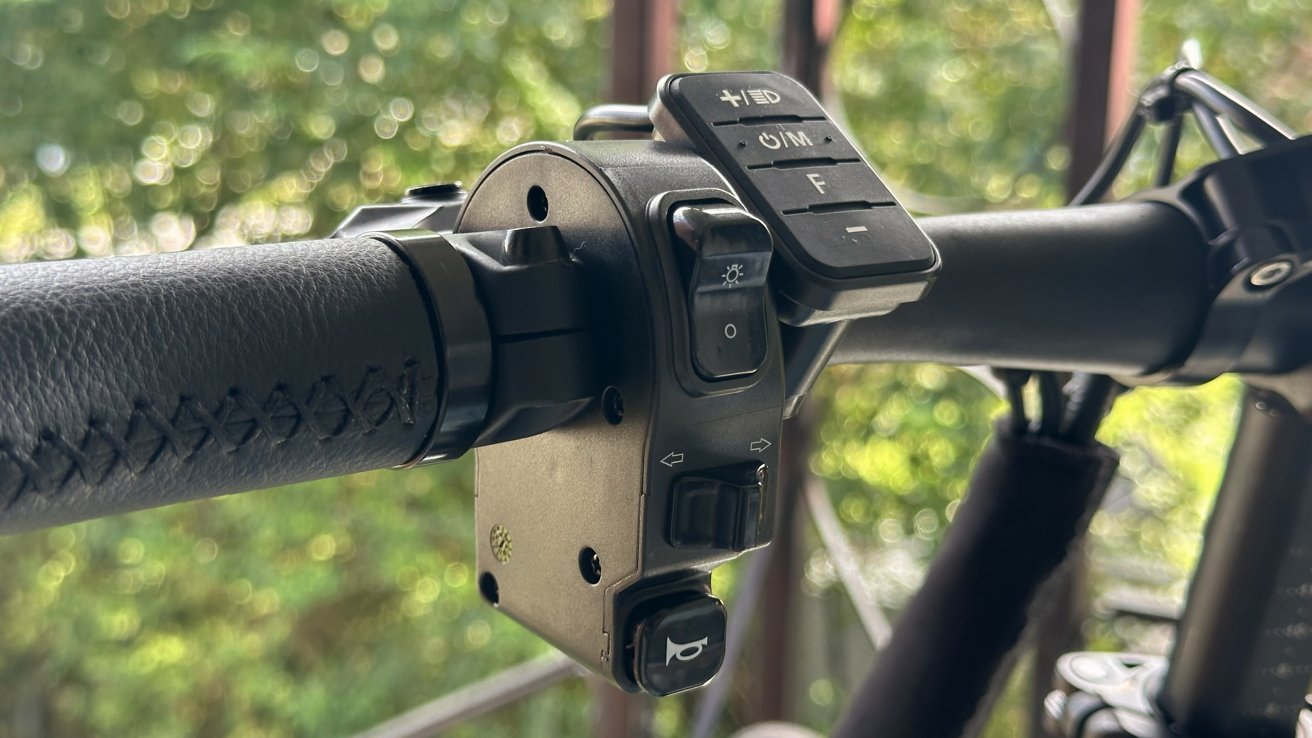
Physical controls for lights and signals

Physical controls for lights and signals

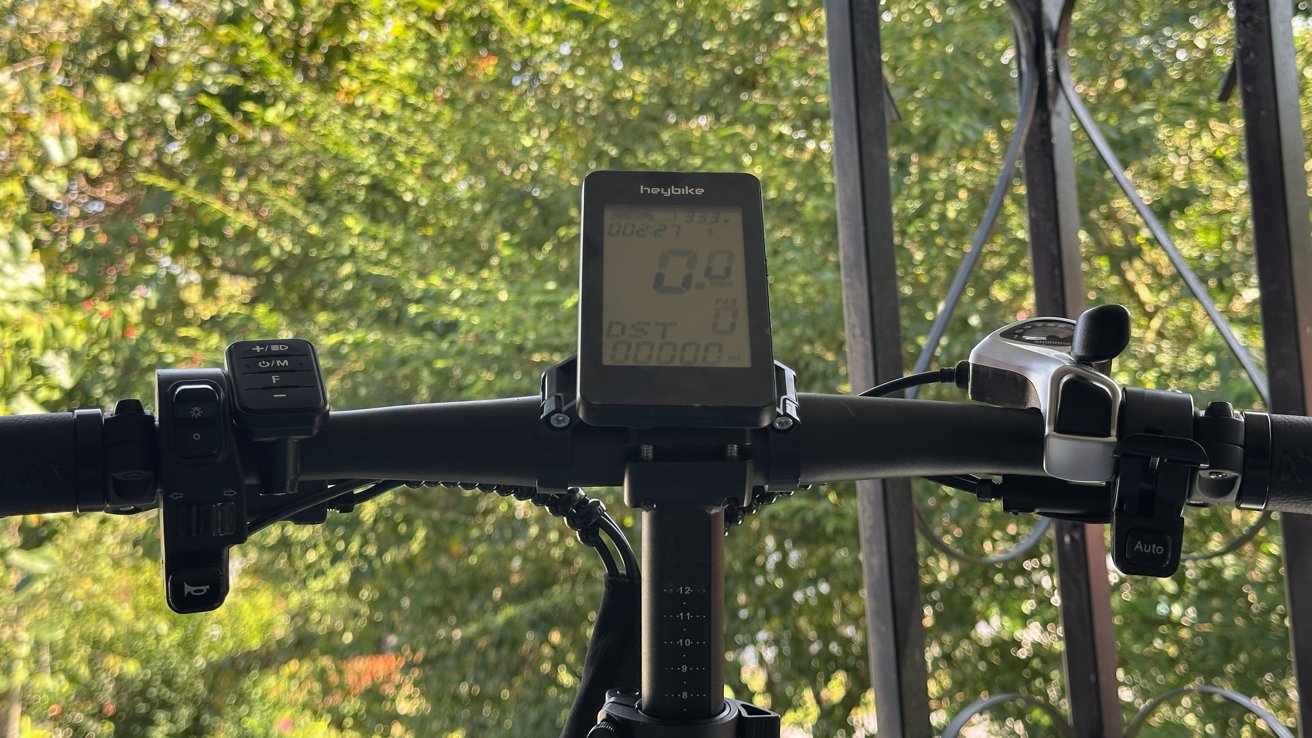
The controls on the handlebars all feel retro, like the physical knobs and buttons found in a 90’s vehicle. There’s a switch for the headlights, a physical slider for turn signals, and a button for the horn on the left side.

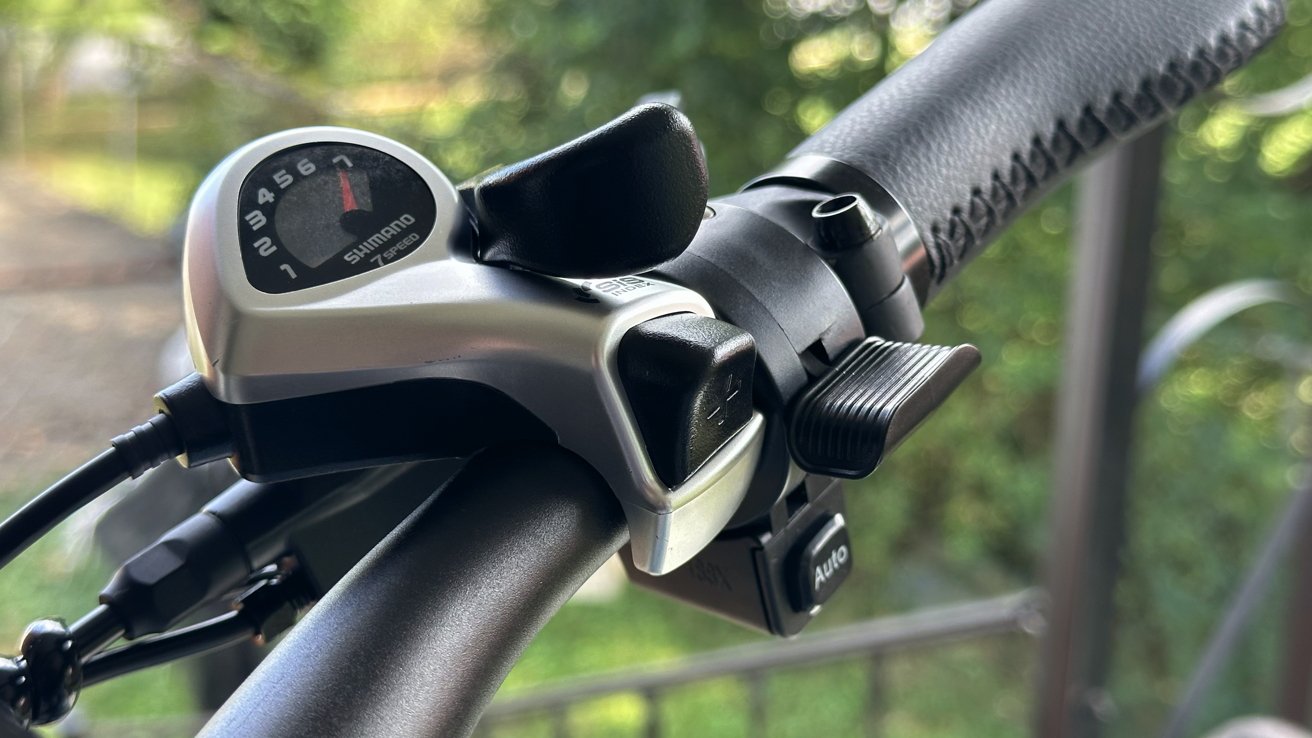
The right side of the bike is more standard. It has the Shimano 7-speed shifter, the throttle, and the light auto button on the right side.

A Shimano shifter, throttle, and automatic light control button

A Shimano shifter, throttle, and automatic light control button

The LCD in the middle shows standard information like current speed, distance traveled, and pedal assist level.

The bike frame and handlebars can be folded for storage. These are held in place by a simple lever that won’t accidentally disengage while riding.

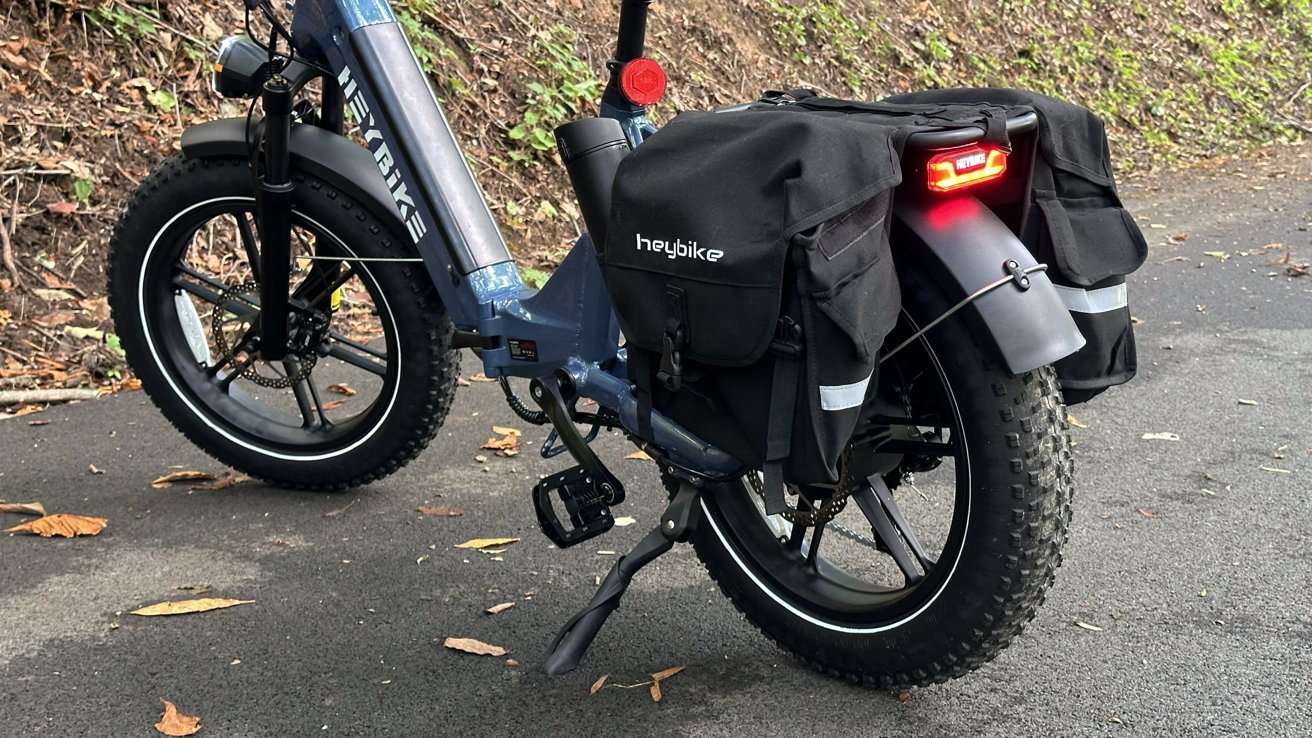
Heybike also sent its saddlebag accessory. This drapes over the rear rack for extra storage.

Assembly and maintenance

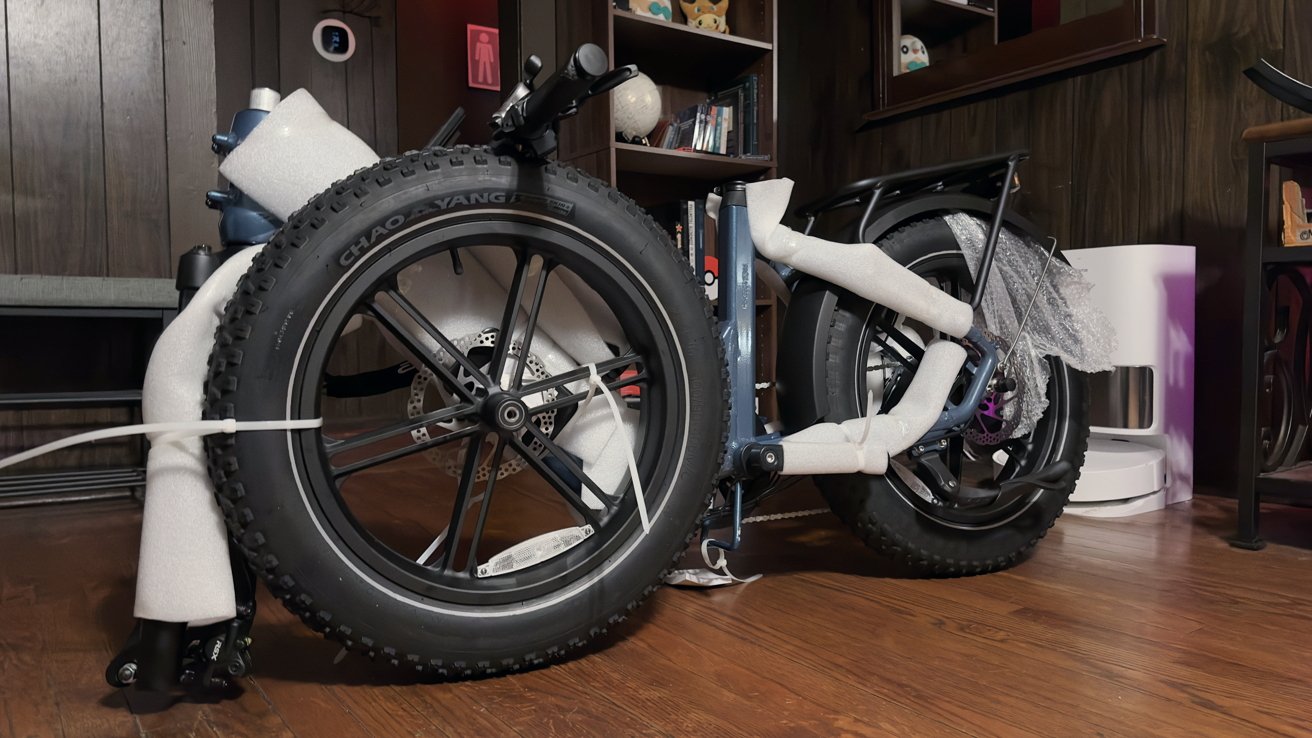
Like other e-bikes, the Heybike Ranger S arrived almost fully assembled. After cutting away the miles of zip ties and styrofoam, we only needed to attach a few components, like the front wheel and handlebars.

Cable disconnects are easily found around the bike for troubleshooting issues. We encountered a signal error once, which we fixed by adjusting the cables.

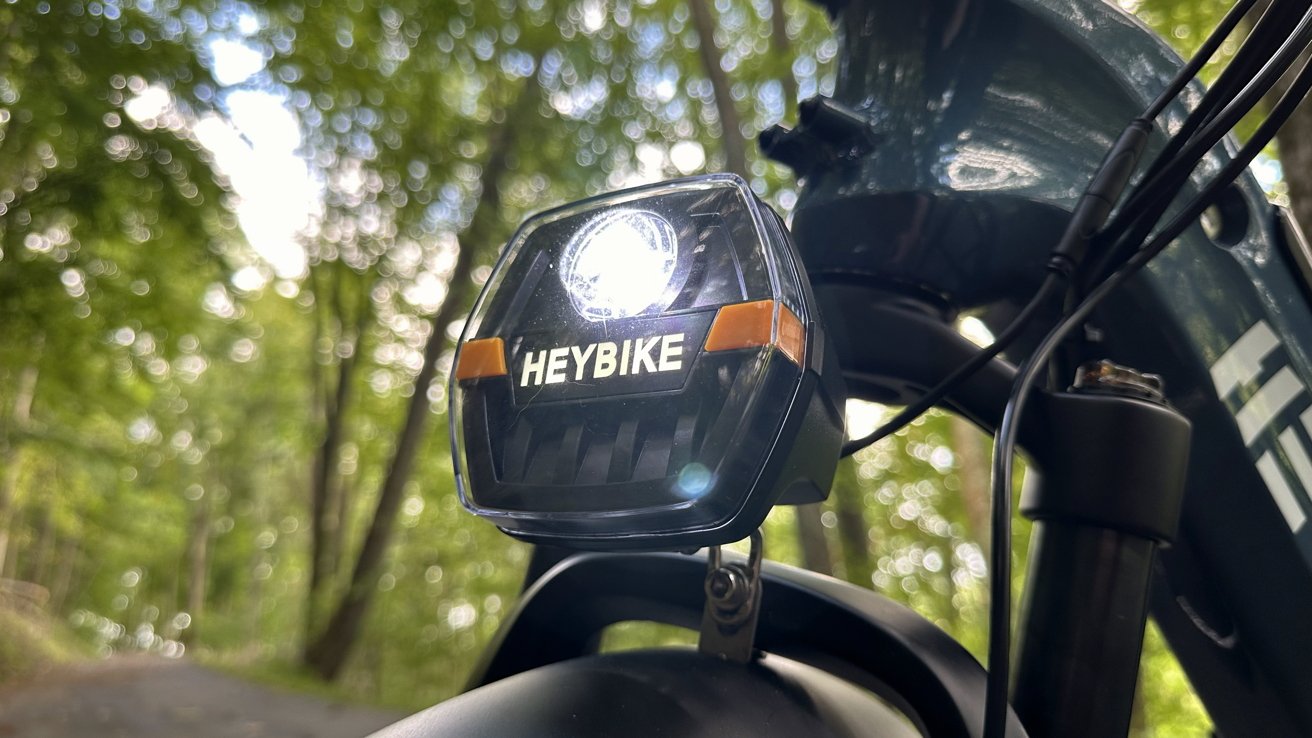
The headlight attaches to the front fender, and a cable connect is ready by the handlebar mount. Keep in mind that cable slack is important for a foldable bike since there are more movable parts.

Ranger S is mostly put together out of the box

Ranger S is mostly put together out of the box

Maintenance is what you’d expect for an e-bike. Users should check the frame and wheels for damage weekly, check brake pads and shifters monthly, and check cable integrity and drivetrain at least every six months.

Heybike recommends having a specialist check the bike every six months.

Heybike Ranger S e-bike review — features

Heybike Ranger S features a 750W motor with a 28 MPH max speed. Its max range is 55 miles, and the bike is rated for 400 pounds max load.

Heybike Ranger S has powered lights and signals on both sides

Heybike Ranger S has powered lights and signals on both sides

It takes about 4 hours to get the battery charged from 0% to 100%. Battery life is mostly dependent on the pedal assist setting in use.

The pedal assist on Heybike isn’t a torque sensor, so each pedal assist setting is meant to push the rider to a certain speed with minimal effort. This can be set up using the Heybike app with zero to six levels available.

We defaulted to the 0 to 5 setting for the widest range of control. With this set to a low pedal assistance level, we’d ride between 3 and 4, which translated to about 14 MPH or 19 MPH, respectively.

The LCD shows data like current speed and pedal assist level

The LCD shows data like current speed and pedal assist level

Max speed can also be set in the app, meaning the pedal assist won’t exceed that speed. Ours is set to 20 MPH since that’s plenty for our needs.

Ranger S has hydraulic brakes instead of mechanical ones. This means more stopping power and control while riding.

The suspension is also hydraulic with adjustable settings. Riding over bumps is much less impactful with the springy front fork suspension.

The bike weighs 72 pounds and can fold up to about half its size for storage and transport. When folded, it’s about a 20-inch by 40-inch square that’s 20 inches tall.

The large headlight provides plenty of light at night

The large headlight provides plenty of light at night

A large headlight and rear taillight light up with a switch or automatically based on how dark it is outside. Turn signals show up on the headlight and taillight for visibility on all sides of the rider.

Heybike app

Heybike’s app is simple and to the point. It is thankfully free of social networks or forums and contains obvious controls for the Ranger S.

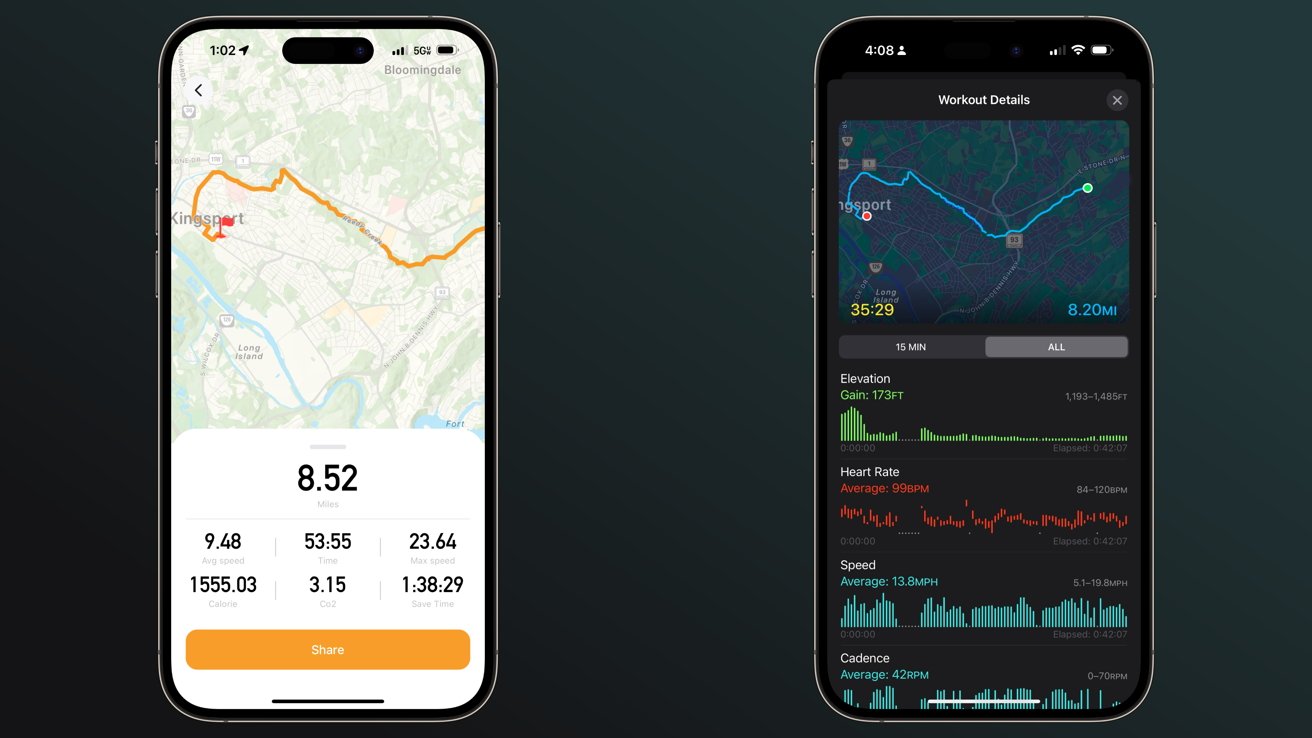
There are toggles for the proximity unlock and auto lock functions on the main page. The big GO button will start a GPS-based tracking of the current ride, though the results aren’t exactly useful.

Heybike on the left and Apple Fitness on the right

Heybike on the left and Apple Fitness on the right

It showed a calorie burn of 1,555 which is unrealistic, and a saved carbon footprint of 3.15 Co2, which isn’t really a useful metric. Instead, as always, we turned to track the workout from our Apple Watch.

The speed and cadence sensor we paired with our Apple Watch, plus the heart rate data and other metrics, made for much more detailed and useful information. We’ve yet to see an e-bike integrate with Apple Health for improved metrics, but it would be interesting to see.

Ignoring the tracking option, everything else in the Heybike app is useful. Controlling certain features like pedal assist levels and top speed from the app is useful and more desirable than navigating some weird on-bike display.

Riding the Heybike Ranger S e-bike

Riding Heybike Ranger S is a comfortable experience. Its smaller size and lower seat make it feel like a moped more than other bikes we’ve tested.

Despite being more compact, it’s still a hefty bike. This is likely due to the additional hardware needed to make the frame fold reliably while keeping it sturdy.

Gravel wasn't a problem for Ranger S

Gravel wasn’t a problem for Ranger S

The 4-inch fat tires provide plenty of confidence for riding over any surface. We managed to take the Ranger S up a gravel hill without losing traction.

Front fork suspension is also a welcome sight. Not all e-bikes have a suspension of any kind, but Ranger S is meant for more than flat pavement, so suspension is a must.

Riding over cracked and broken pavement destroyed by tree roots growing underneath was still bumpy but not difficult or overly disruptive. Our iPhone sits in a MagSafe stand held in by rubber bands, and it wasn’t in any danger of flying out from the force of the bumps.

Folding the bike can be awkward due to its size and weight. And once folded, there isn’t a mechanism to keep it folded closed.

It can be quite the task moving this bulky object even a few yards, thanks to the size, weight, and tendency to try to open the hinge while moving. We’ve found that the wheels can roll when positioned right when folded, which can help.

We were surprised to discover the Ranger S fit in the back of our Honda HR-V without any issues. The back seats could stay upright, and nothing was pinched or forced into place.

Fold to fit Ranger S into tight spaces

Fold to fit Ranger S into tight spaces

A Honda HR-V is a mid-sized crossover smaller than the full-sized SUV Honda CR-V. So, unless you’re in a sedan, there’s likely space for the Ranger S.

The saddlebag connects via a series of buckles that can be tightened to fit. The problem is the bag can rub against the rear tire or even the chain if it isn’t set just right — so we’d have preferred a more custom fit.

The 750W motor passed our usual hill test — it could pull me up with some minor effort pedaling. Also, having a throttle to get started from stops will never not be an excellent option for riders.

No need to sacrifice power for storability

The last e-bike we tested with fat tires and a heavy-duty frame was excellent but gigantic. Parking it in our living room required a lot of dedicated space.

Heybike Ranger S can handle rough roads and be stored in small spaces

Heybike Ranger S can handle rough roads and be stored in small spaces

The Heybike Ranger S has been a very different experience. When we’re done riding, it can be folded and placed in a corner of our bedroom without much thought.

When it’s unfolded, it becomes a robust bike that’s comfortable to ride and looks good too. It checks all the boxes: foldable, storable, and capable of climbing these steep Tennessee hills.

Heybike Ranger S e-bike — Pros

  • 750W motor doesn’t flinch at hills
  • Foldable frame opens up more opportunities for storage and travel
  • Easy to ride with confidence thanks to suspension and fat tires
  • Excellent hydraulic brakes mean fast stops and more control on descents
  • Bright lights and signals on all sides
  • Physical controls for the win

Heybike Ranger S e-bike — Cons

  • Heavy — trading wight for storability
  • Awkward to move when folded
  • More moving parts means more opportunity for failure or loosened cable connection

Rating: 4 out of 5

Foldable e-bikes have been popular for a while but come with some tradeoffs. While this form factor and feature set works for us, it isn’t for everyone.

The Ranger S will be great for commutes that don’t have perfectly paved routes and for those who need to carry some cargo. Others may opt for a lighter, smaller frame with smaller tires.

Where to buy the Heybike Ranger S

Get the Ranger S direct from Heybike for $1,499. The saddlebags are an optional add-on that normally costs $79 but are on sale for $39.

Posted on Leave a comment

Apple Stores run stocks low, brace for changes after iPhone 15 event

Apple Reston

Apple may be preparing for a quick release of its new products, such as the iPhone 15, with Apple Stores running down stock and bracing for an evening merchandise reset the evening after Tuesday’s event.

Apple will be holding its “Wonderlust” special event on Tuesday, which will see the introduction of the iPhone 15 and other new products. While stores typically have a few weeks of preparation before dealing with the sale of the new model, it seems that Apple Store staff are already getting ready.

In X posts from Bloomberg’s Mark Gurman, there is apparently low stock, or no stock at all, for units of the Apple Watch Ultra, watch bands, leather cases, and MagSafe wallets. The iPhone 12 generation, iPhone 13 mini, and Pro models of iPhone are also undergoing the same limited or out-of-stock situation.

Gurman adds that a merchandise reset is being scheduled for the evening of September 12, and that a call with managers will be occurring shortly after the event itself. This is said by Gurman to be “uncharacteristic for event days.”

In a follow-up post, Gurman says Apple will “also push in store setup further more than in previous years,” with the changes including the use of new software and employee metrics that will be used during the launch and release.

As well as the iPhones themselves, retail is also expected to deal with the switch to USB-C, with Apple telling stores to “plan to push USB-C bricks,” referring to chargers.

Posted on Leave a comment

Satechi Thunderbolt 4 Multimedia Pro Dock: A true 16-port powerhouse


The Satechi Multimedia Pro Dock is a Thunderbolt 4 dock that brings out the most in your Mac or iPad for all creatives and professionals.

Not all docks are created equal, and it’s clear that Thunderbolt 4 docks have their strengths. Faster speeds, better connection between your devices, and more ports make them an easy choice for people with a lot of accessories in their setup.

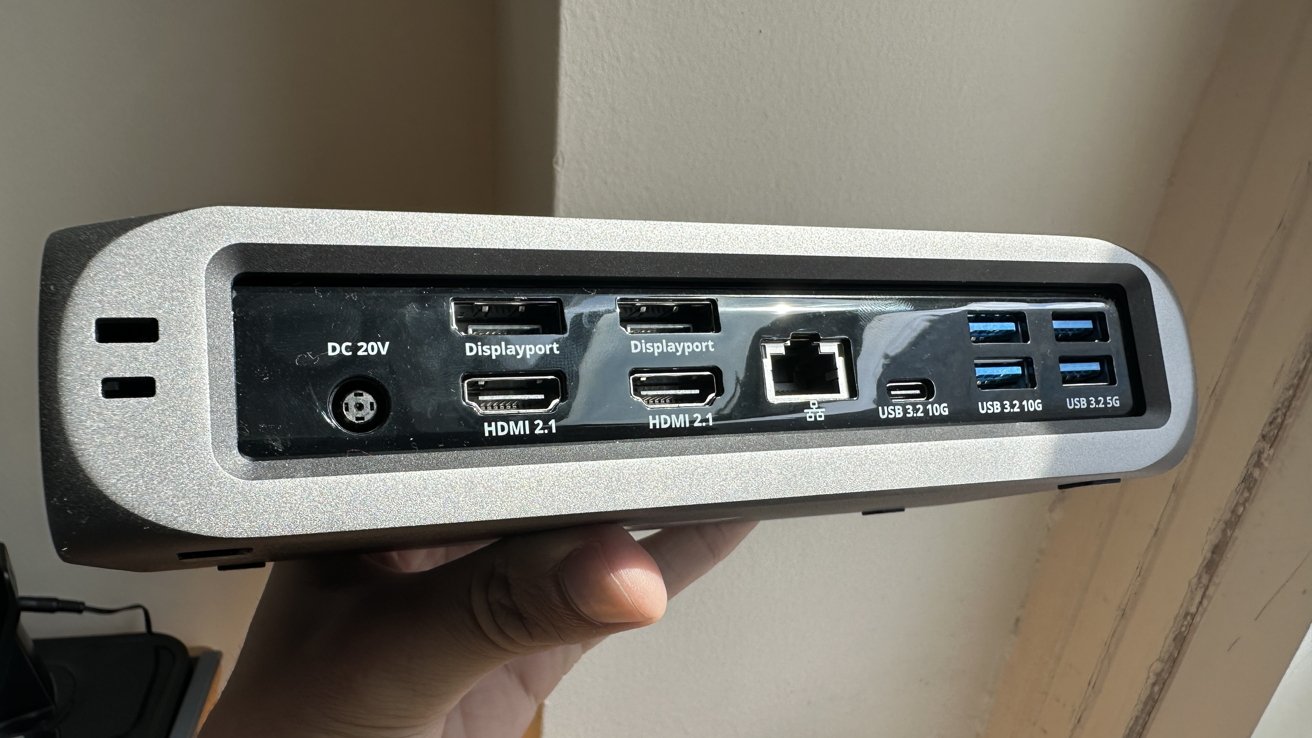
Built with creatives in mind, the Satechi Multimedia Pro Dock has sixteen different ports. It helps connect your computer to four monitors at 4K 60Hz, charge two devices, connect to ethernet, and much more.

Satechi has been making USB-C and Thunderbolt docks for years and covers various price ranges and needs. The Multimedia Pro Dock is a high-cost and high-powered dock for people with plenty of monitors and peripherals.

  • 2x DisplayPort
  • 2x HDMI 2.1
  • 1x Thunderbolt 4 to host
  • 1x USB-C 3.2 10Gbps
  • 5x USB-A 3.2 10-Gbps
  • 1x USB-A 2.0 for charging up to 7.5W
  • 1x SD card slot
  • 1x Micro SD / TF card slot
  • 1x 3.5mm audio jack in/out
  • 1x Ethernet 2.56Gbps
  • 1x Kensington Lock
  • 1x DC/20V Port with a 135W power supply

Notably, there’s no downstream Thunderbolt port. This isn’t a deal-breaker though for most.

Not many people may have use for sixteen different ports, but the Pro Dock serves as a good way to future-proof your home or office setup. Connecting mice, keyboards, and headphones is simple, and the SD and Micro SD speeds allow for quick transfers of information.

Even under heavy use, the dock doesn’t warm up considerably due to its large size and aluminum chassis. The charging speed is good, bringing an iPhone from 30% to 80% in an hour with the USB-A port on the front.

The power supply brings 96W to your host device, keeping it powered or charging it after a day of use outside.

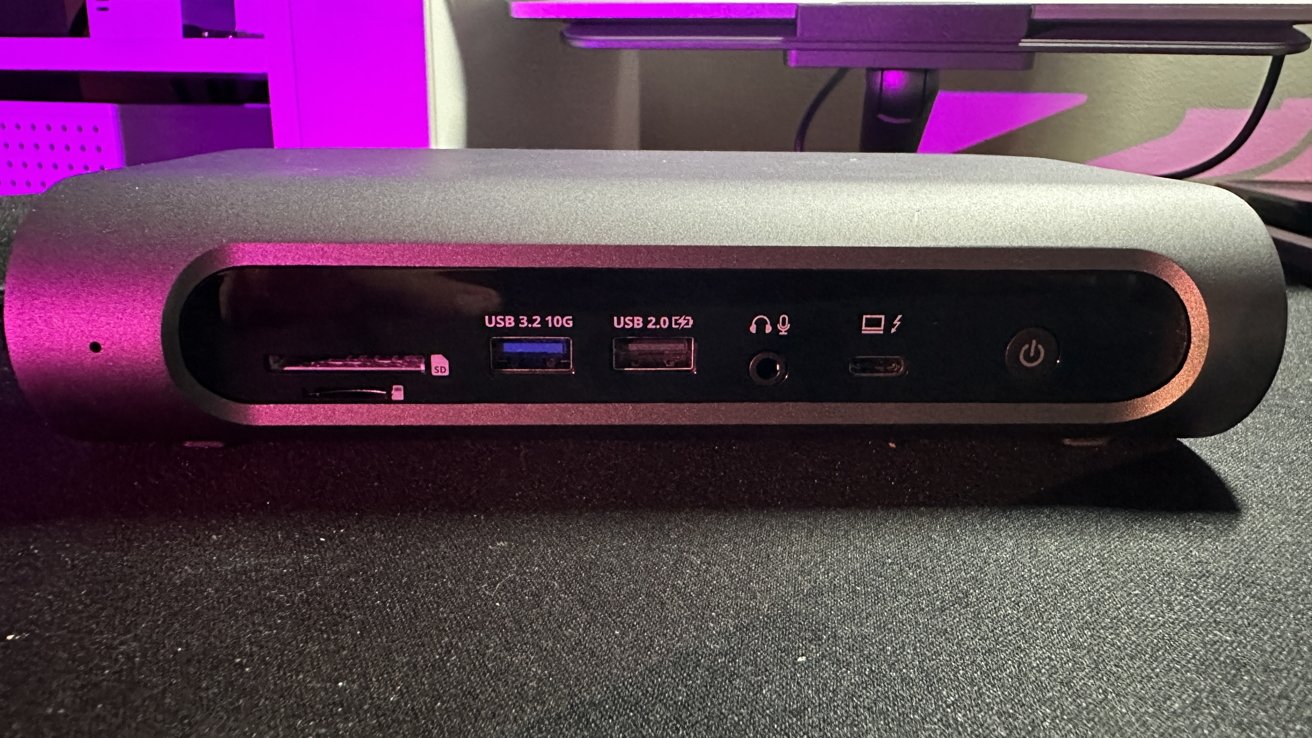
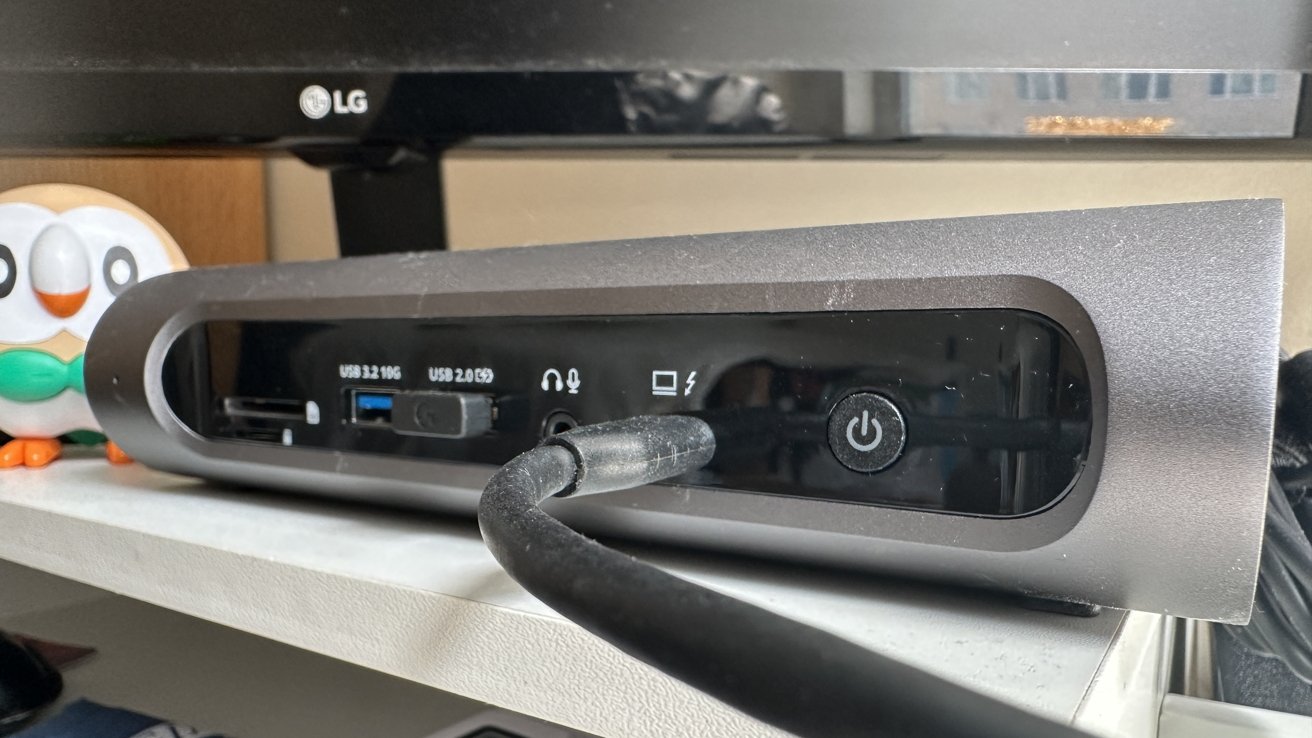
The split between ports in the front and back is also convenient, with SD/TF, two USB-A ports, and the audio jack in the front for easy access. Most USB and HDMI/DisplayPort are in the back for better wire management.

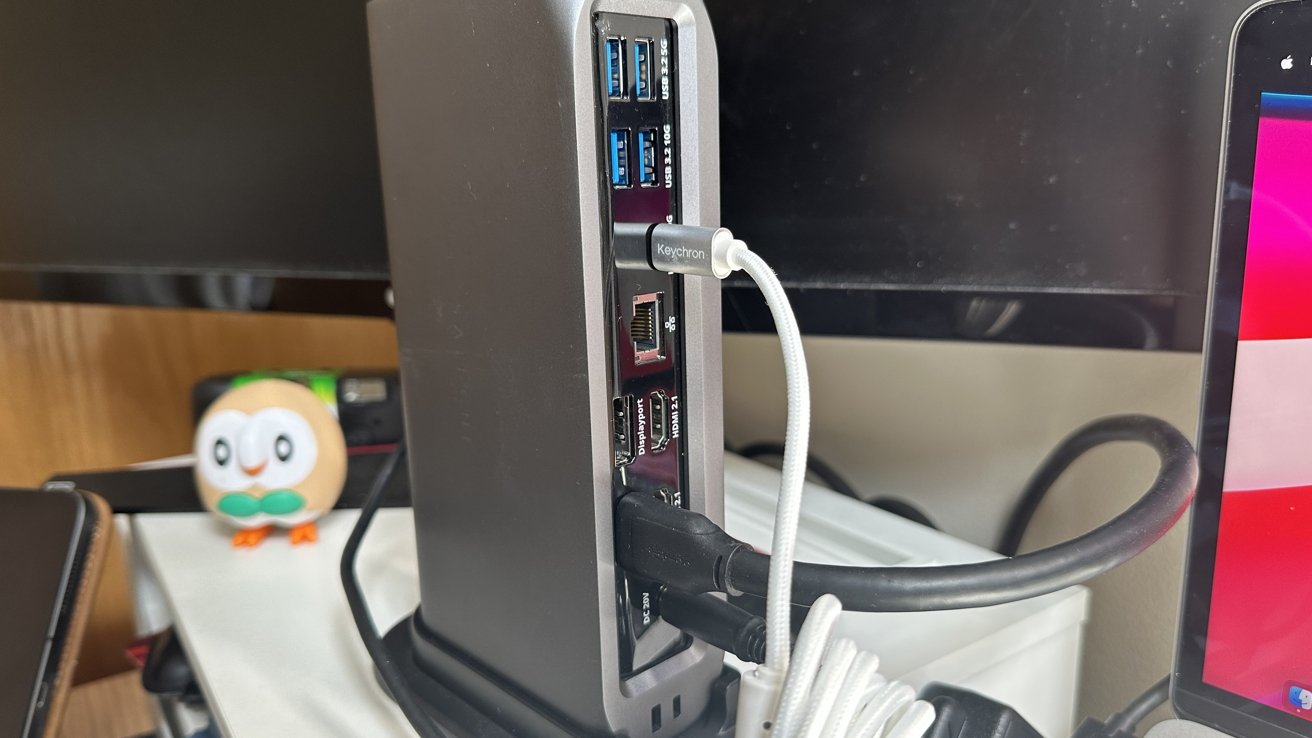
As for the design, the dock blends in well with most setups, complimenting a silver or space grey Mac or iPad. The rubber feet and stand allow you to position the dock in either landscape or portrait, depending on how much desk space you have.

This is not a portable dock, but the claimed aircraft-grade aluminum helps us keep peace of mind when transporting it.

The Multimedia Pro Dock is a great way for photographers, musicians, and other creators to connect all their accessories to one dock and do their work without distractions.

People with many accessories and peripherals are familiar with the experience of having to unplug and replug devices to make their setup work. A large-sized Thunderbolt dock does away with that entirely, making it easy to plug in your computer and start your next task.

We also think the average creative doesn’t need sixteen high-powered ports to do their job or conduct their hobby. However, this might be the next dock for you for those who struggle even with ten and twelve-port USB-C or Thunderbolt docks.

The Multimedia Pro Dock provides an abundance of ports and information-transferring capabilities while also charging and optimizing your setup. At over $300, many people would prefer to choose a smaller USB-C hub for their needs.

  • Abundance of ports
  • Versatile orientation for multiple kinds of setups
  • Durable and spreads heat efficiently under strain
  • Overkill and pricey for some
  • No downstream Thunderbolt port
  • Limited appeal due to smaller and cheaper alternatives

Rating: 3.5 out of 5

The Satechi Thunderbolt 4 Multimedia Pro Dock is available on Amazon for $297.49 (15% off), and on the Satechi store for $349.99.

Posted on Leave a comment

New Procreate Dreams app brings intuitive animation creation to the iPad

Image Credit: Procreate

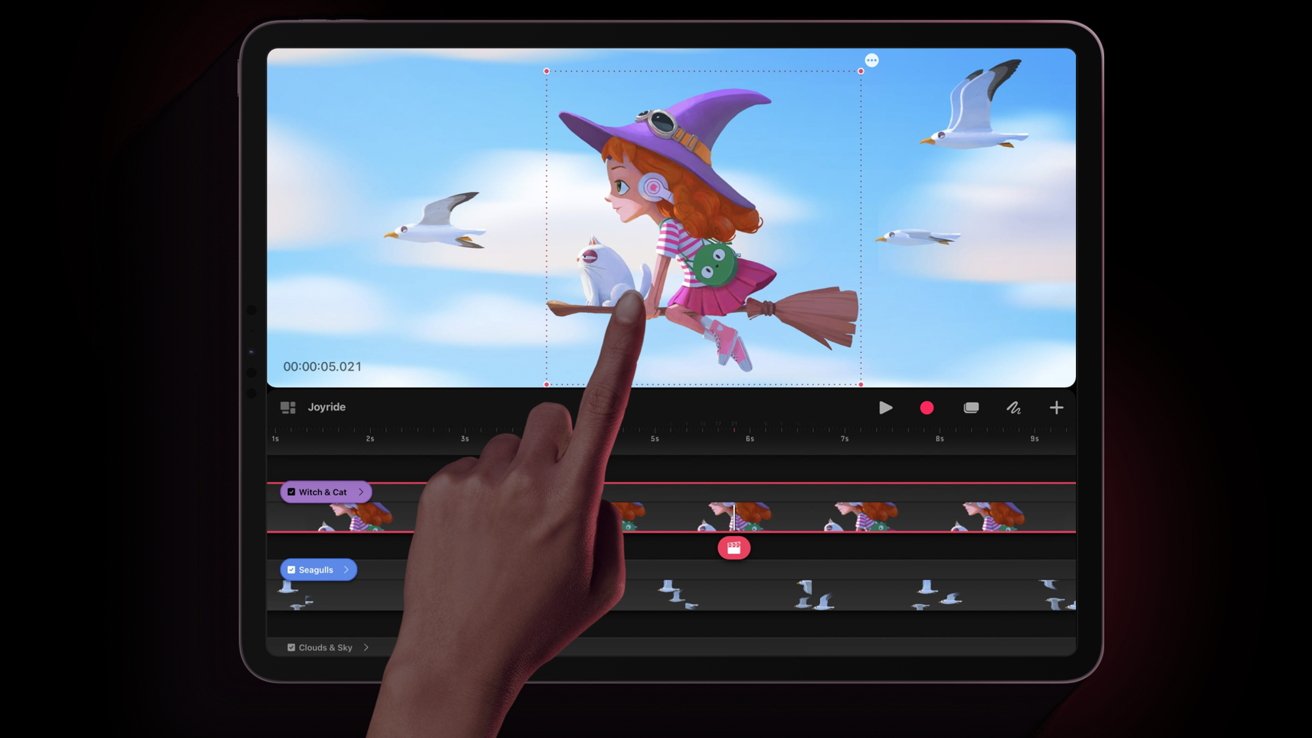
Procreate, maker of its eponymous digital illustration software, has announced its upcoming iPad animation app Procreate Dreams.

Procreate has long been popular with illustrators as it set the standard when it came to creating digital art on the iPad. Now, the company is gearing up to revolutionize 2D animation with its newly announced iPad app, Procreate Dreams.

Procreate Dreams aims to make animation faster and easier with fluid gestures and intuitive tools like its multi-touch timeline. Onion skins can be customized to help animators create fluid animations effortlessly. A Flipbook tool helps pare down an interface for a more traditional animation experience.

It’s compatible with Procreate brushes, perfect for artists who have been collecting assets over the years.

Real-time rendering allows artists to instantly play back their animations as they make movies. A new audio engine gives animators tools for music, voice-overs, and sound effects.

Procreate Dreams will also feature iCloud support, allowing artists to back up their work automatically via iCloud synchronization. A new file format, the “dreams” format, allows artists to open files up to 1TB to be opened instantly with no loading, saving, or export time.

Like Procreate, Procreate Dreams will be available for a one-time purchase rather than a monthly subscription model. The company says it will be available on November 22 for $19.99.

Posted on Leave a comment

Exploit patched in iOS 16.6.1 update delivered Pegasus spyware

Apple’s operating system updates on Thursday patched an exploit chain capable of compromising iOS 16.6 devices with the Pegasus spyware without any interaction from the victim.

The exploit was discovered on an iPhone owned by an individual employed by a Washington DC-based civil society organization. The exploit was used to deliver NSO Group’s Pegasus mercenary spyware.

Toronto’s Citizen Lab states that the exploit involves PassKit containing “malicious images sent from an attacker iMessage account to the victim.”

Citizen Lab disclosed their findings to Apple, who promptly issued CVE-2023-41064 and CVE-2023-41061 related to the exploit chain. The iOS 16.6.1 patch fixes the security gap, and Thursday’s report from Citizen Lab confirms that.

Both Citizen Lab and AppleInsider recommend that iPhone owners update their devices as soon as feasible. Users can download the security fix by opening the Settings app, tapping Software Update, and installing iOS 16.6.1 from the menu.

The security researchers will publish a more detailed discussion of the exploit chain in the future.

Posted on Leave a comment

Malicious Google ads deceive Mac users into installing Atomic Stealer malware

Google search can turn up malicious ads

A macOS malware discovered in April has found a new vector of attack, with people searching for software on Google finding malware presented as legitimate ads.

The malware payload known as Atomic macOS Stealer (AMOS) first appeared in April being sold on Telegram for $1,000 per month. Once installed, it collects the user’s system password via aggressive pop-ups and then siphons off sensitive data like passwords, crypto, and files.

According to a report from researchers at Malwarebytes, AMOS is being delivered via a Google ad scheme to unsuspecting searchers. The ads are legitimate and paid for but disguise themselves as the website or software the user is searching for.

This attack relies on users’ trust in Google when clicking on ad search results. It appears at the top of the page and has Google’s ad stamp of approval, so users click through without inspecting for suspicious URLs or domain owners.

Once the user clicks the link, they are presented with a normal-looking page. The attackers create a near-perfect clone of the website users expect, so they click through and download the software.

AMOS doesn’t need to go through the normal installation process through Gatekeeper since it is an ad-hoc signed app. Users are directed to right-click and open the software from the mounted .dmg file.

After the file is opened, a fake prompt for the system password keeps popping up until the user relents and enters their password. It then harvests what data it can from the user’s Keychain, file system, and crypto wallets and sends it to the malware operator.

A disguised malware delivery page. Source: Malwarebytes

A disguised malware delivery page. Source: Malwarebytes

How to protect yourself from AMOS

Google isn’t a foolproof tool. It delivers information based on the user’s account data and keywords, and malicious ads aren’t always going to get caught on review.

The number one security rule of the internet is paying attention to the URL. In the example given by Malwarebytes, the URL is trabingviews.com.

Users should exercise caution whenever they choose to download software from the web. The Mac App Store is the safest route for Mac users, but that won’t always be an option.

Pay attention to Google’s results, the URL you’re directed to, and the software installer itself. Be wary of how the software asks to be installed. Most software shouldn’t ask the user to bypass Gatekeeper.

A potential red-flag is software that demands the user open the app in place, on the installer image. As a general rule, it should ask the user to drag the installed app to the Finder.

Also, be wary of random requests for the system password, especially right after installing new software. Inspect the dialog for design irregularities or typos.

Posted on Leave a comment

Overnight updates to physical Apple Stores could hint at fast post-event product availability

AirPods Pro could get USB-C upgrade

Apple tends to hold its iPhone events on a Tuesday and release products about ten days later, but overnight updates to physical retail stores could mean quick product availability.

Of course, it could just be a simple marketing update. Apple tends to update marketing like posters and displays after an event anyway, so this wouldn’t be unusual.