Fedora Silverblue is an operating system for your desktop built on Fedora Linux. It’s excellent for daily use, development, and container-based workflows. It offers numerous advantages such as being able to roll back in case of any problems. If you want to update or rebase to Fedora Linux 38 on your Fedora Silverblue system (these instructions are similar for Fedora Kinoite), this article tells you how. It not only shows you what to do, but also how to revert things if something unforeseen happens.
Update your existing system
Prior to actually doing the rebase to Fedora Linux 38, you should apply any pending updates. Enter the following in the terminal:
$ rpm-ostree update
or install updates through GNOME Software and reboot.
Rebasing using GNOME Software
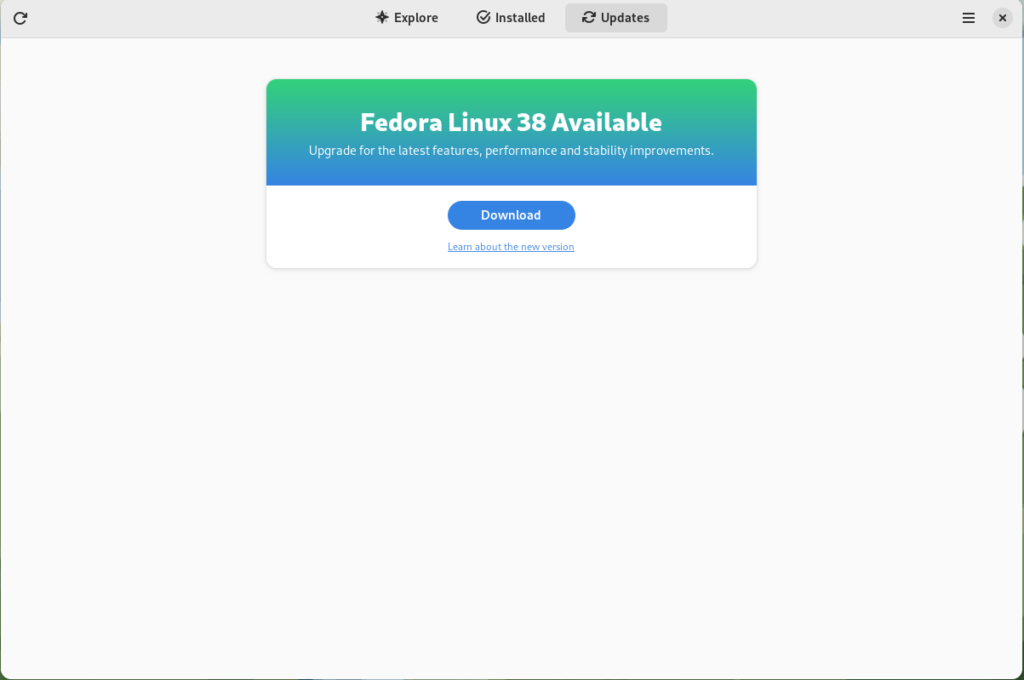
GNOME Software shows you that there is new version of Fedora Linux available on the Updates screen.
Fedora 38 update available
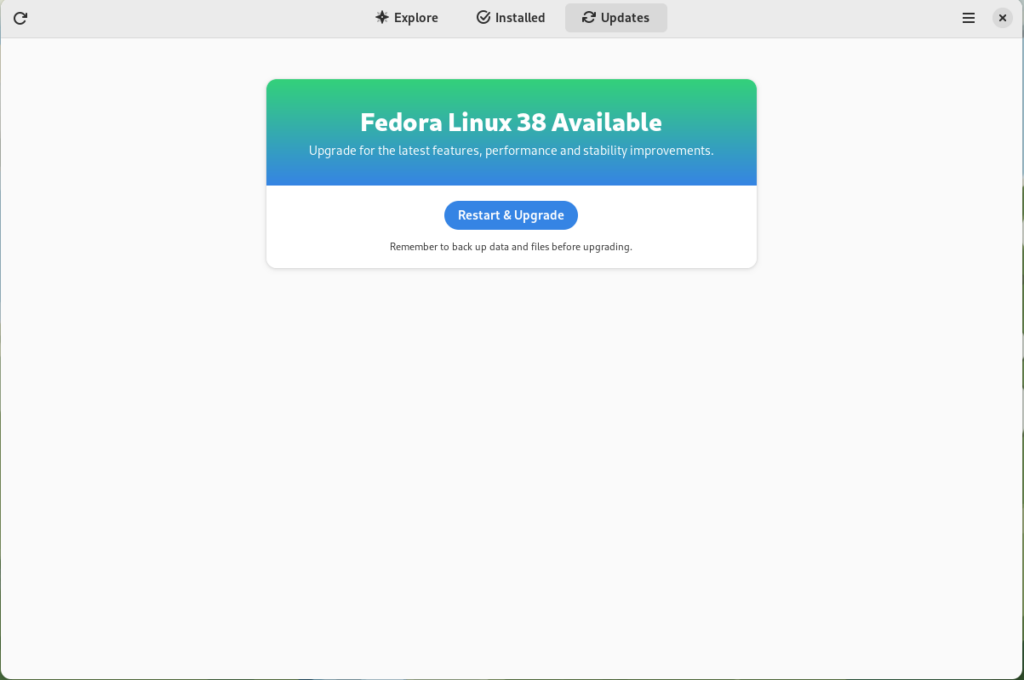
First thing you need to do is download the new image, so click on the Download button. This will take some time. When it’s done you will see that the update is ready to install.
Fedora 38 update ready to install
Click on the Restart & Upgrade button. This step will take only a few moments and the computer will be restarted when the update is completed. After the restart you will end up in new and shiny release of Fedora Linux 38. Easy, isn’t it?
Rebasing using terminal
If you prefer to do everything in a terminal, then this part of the guide is for you.
Rebasing to Fedora Linux 38 using the terminal is easy. First, check if the 38 branch is available:
$ ostree remote refs fedora
You should see the following in the output:
fedora:fedora/38/x86_64/silverblue
If you want to pin the current deployment (meaning that this deployment will stay as an option in GRUB until you remove it), you can do it by running:
# 0 is entry position in rpm-ostree status
$ sudo ostree admin pin 0
To remove the pinned deployment use the following command:
# 2 is entry position in rpm-ostree status
$ sudo ostree admin pin --unpin 2
Next, rebase your system to the Fedora Linux 38 branch.
$ rpm-ostree rebase fedora:fedora/38/x86_64/silverblue
Finally, the last thing to do is restart your computer and boot to Fedora Linux 38.
How to roll back
If anything bad happens—for instance, if you can’t boot to Fedora Linux 38 at all—it’s easy to go back. At boot time, pick the entry in the GRUB menu for the version prior to Fedora Linux 38 and your system will start in that previous version rather than Fedora Linux 38. If you don’t see the GRUB menu, try to press ESC during boot. To make the change to the previous version permanent, use the following command:
$ rpm-ostree rollback
That’s it. Now you know how to rebase Fedora Silverblue to Fedora Linux 38 and roll back. So why not do it today?
FAQ
Because there are similar questions in comments for each article about rebasing to newer version of Silverblue I will try to answer them in this section.
Question: Can I skip versions during rebase of Fedora? For example from Fedora 36 Silverblue to Fedora 38 Silverblue?
Answer: Although it could be sometimes possible to skip versions during rebase, it is not recommended. You should always update to one version above (37->38 for example) to avoid unnecessary errors.
Question: I have rpm-fusion layered and I got errors during rebase. How should I do the rebase?
Answer: If you have rpm-fusion layered on your Silverblue installation, you should do the following before rebase:
Fedora Workstation 38 is the latest version of the leading-edge Linux desktop OS, made by a worldwide community, including you! This article describes some of the user-facing changes in this new version of Fedora Workstation. Upgrade today from GNOME Software, or use dnf system-upgrade in a terminal emulator!
GNOME 44
Fedora Workstation 38 features the newest version of the GNOME desktop environment. GNOME 44 features subtle tweaks and revamps all throughout, most notably in the Quick Settings menu and the Settings app. More details about can be found in the GNOME 44 release notes.
File chooser
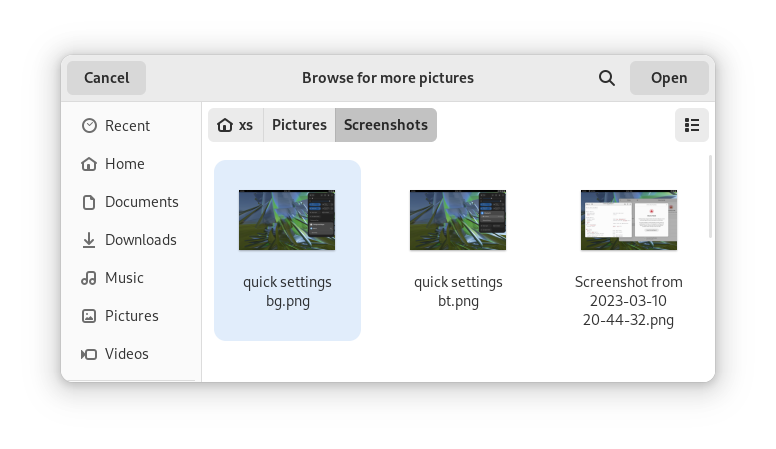
Most of the GNOME applications are built on GTK 4.10. This introduces a revamped file chooser with an icon view and image previews.
Icon view with image previews, new in GTK 4.10
Quick Settings tweaks
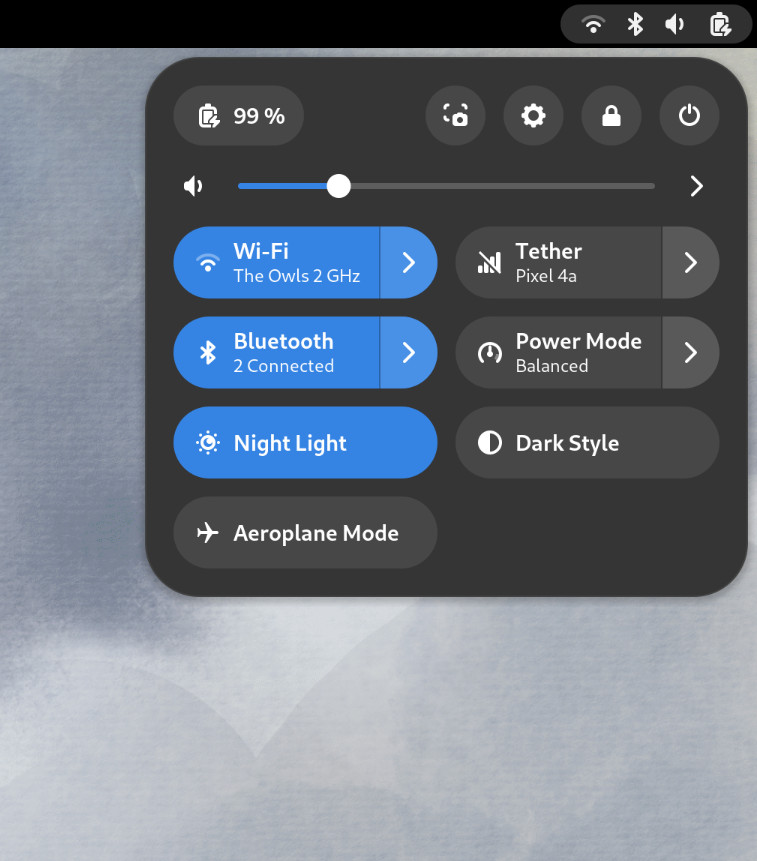
For GNOME 44 There have been a number of improvements to the Quick Settings menu. The new version includes a new Bluetooth menu, which introduces the ability to quickly connect and disconnect known Bluetooth devices. Additional information is available in each quick settings button, thanks to new subtitles.
The Bluetooth menu can now be used to connect to known devices
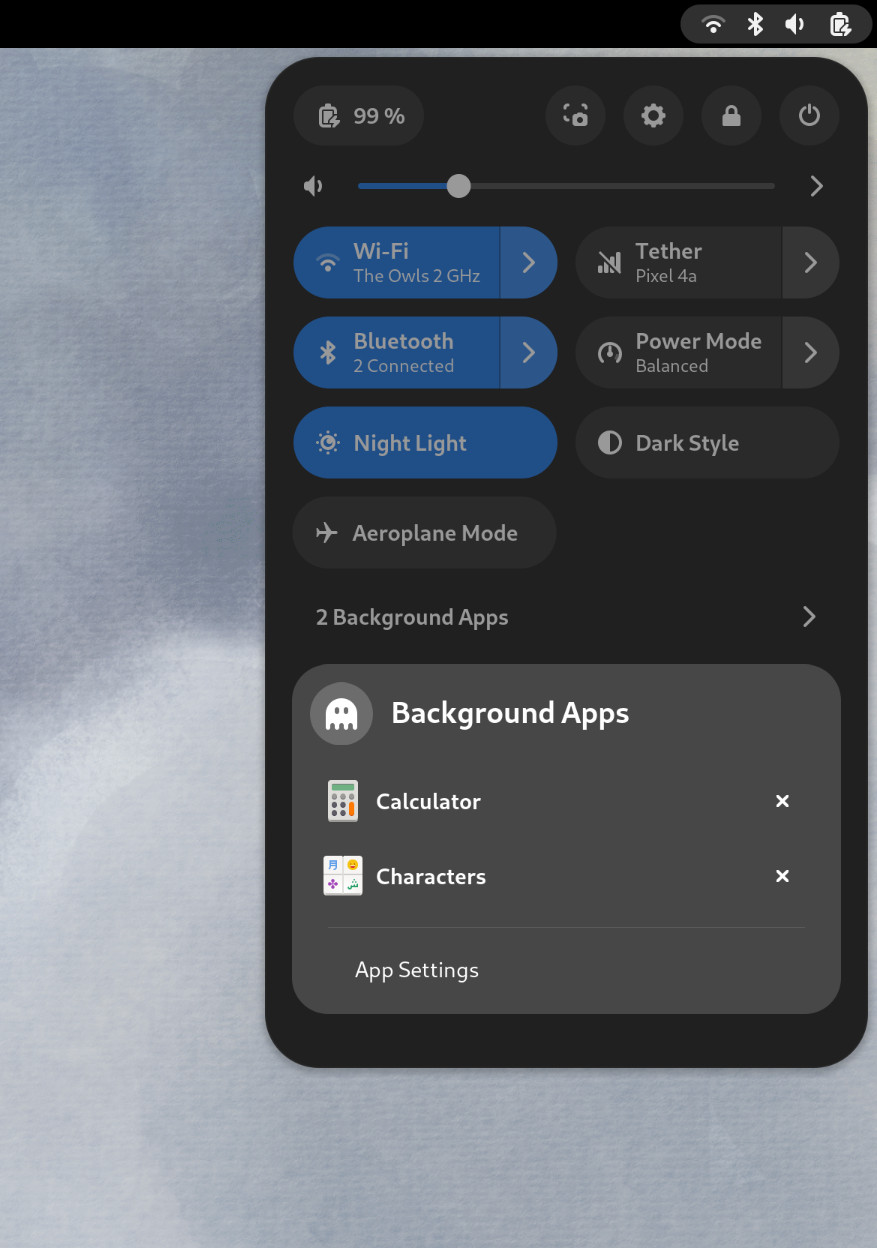
Also in the quick settings menu, a new background apps feature lists Flatpak apps which are running without a visible window.
Background Apps lets you see sandboxed apps running without a visible window and close them
Core applications
GNOME’s core applications have received significant improvements in the new version.
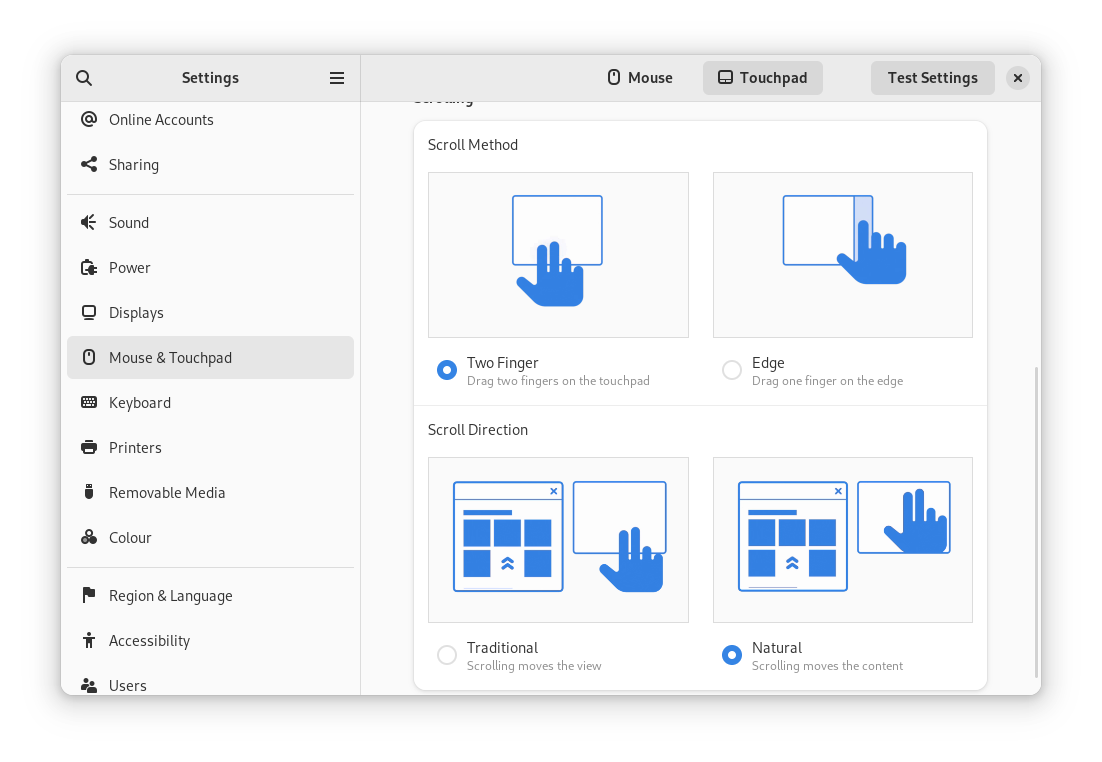
Settings has seen a round of updates, focused on improving the experience in each of the settings panels. Here are some notable changes:
Major redesigns of Mouse & Touchpad and Accessibility significantly improves usability.
Updated Device Security now uses clearer language.
Redesigned sound now includes new windows for the volume mixer and alert sound.
You can now share your Wi-Fi credentials to another device through a QR code.
The revamped Mouse & Touchpad panel in Settings
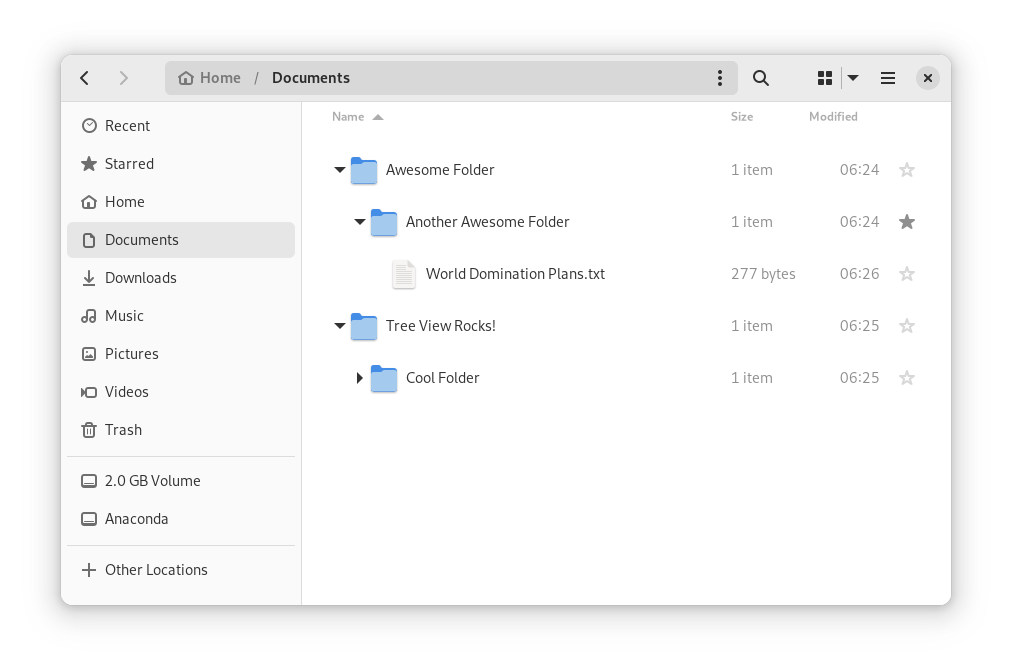
In Files, there is now an option to expand folders in the list view.
The tree view can be turned on in Files’ settings
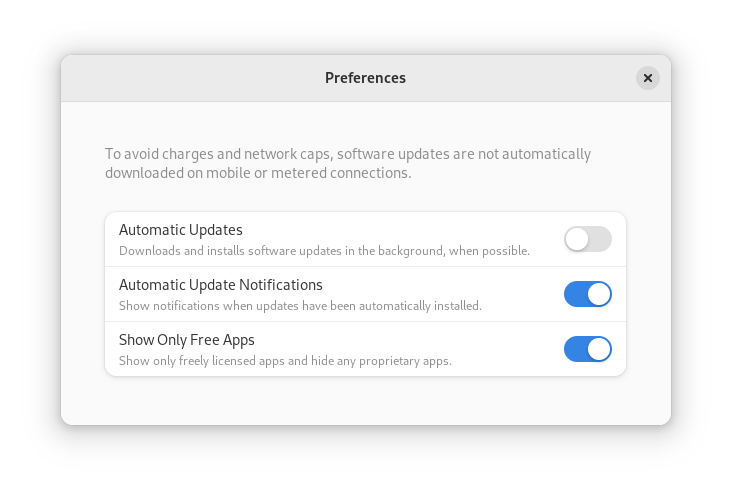
GNOME Software now automatically checks for unused Flatpak runtimes and removes them, saving disk space. You can also choose to only allow open source apps in search results.
In Contacts, you can now share a contact through a QR code, making it super easy to share a contact from your desktop to your phone!
Third-party repositories
Fedora’s third-party repositories feature makes it easy to enable a selection of additional software repos. Previous versions included a filtered version of Flathub, which included a small number of apps. For Fedora 38, filtering of Flathub content no longer occurs. This means that the third party repos now provide full access to all of Flathub.
The third party repos must still be manually enabled, and individual repositories may be disabled from the GNOME Software settings. If you want to keep proprietary apps from showing up in your search results, you can also do that in GNOME Software’s preferences menu.
You are in control.
Under-the-hood changes throughout Fedora Linux 38
Fedora Linux 38 features many under the hood changes. Here are some notable ones:
The latest Linux kernel, version 6.2, brings extended hardware support, bug fixes and performance improvements.
The length of time that system services may block shutdown has been reduced. This means that, if a service delays your machine from powering off, it will be much less disruptive than in the past.
RPM now uses the Rust-written Sequoia OpenGPG parser for better security.
The Noto fonts are now the default for Khmer and Thai. The variable versions of the Noto CJK fonts are now used for Chinese, Japanese, and Korean. This reduces disk usage.
Profiling will be easier from Fedora 38, thanks to changes in its default build configuration. The expectation is that this will result in performance improvements in future versions.
Also check out…
Official spins for the Budgie desktop environment and Sway tiling Wayland compositor are now available!
Today I’m excited to share the results of the hard work of thousands of Fedora Project contributors: the Fedora Linux 38 release is here! With this release, we’re starting a new on-time streak. In fact, we’re ready a week early!
As always, you should make sure your system is fully up-to-date before upgrading from a previous release. Can’t wait to get started? Download while you read!
New website
Did you click the download link above? You may have noticed that the website looks different. This is the result of over a year of work by our Websites & Apps Team, in partnership with the Design and Infrastructure team, as well as the community at large. Right now, you’ll see pages for each of our five Editions, but this is only a start. The Spins and Labs websites will be updated in the future. Eventually, this will provide a foundation for bringing more of our websites together. I’m very excited about the visual refresh and the fact that this will make our websites more self-service for teams within Fedora — and very proud of the amazing community team that came together to create this.
New Spins
Fedora Linux 38 introduces several new Spins — variants that showcase different desktop environments. The popular Budgie Desktop environment, first packaged for Fedora in F37, now has its own Spin. The Fedora Budgie Spin aims to provide the premiere Budgie Desktop experience on top of Fedora Linux, the leading edge platform for developers and users alike.
For fans of tiling window managers, we now offer the Sway window manager in a Spin and in an rpm-ostree version we call “Sericea”. Sway uses the modern Wayland protocol and aims to be a drop-in replacement for the i3 window manager.
If you want to use Fedora Linux on your mobile device, F38 introduces a Phosh image. Phosh is a Wayland shell for mobile devices based on Gnome. This is an early effort from our Mobility SIG. If your device isn’t supported yet, we welcome your contributions!
Desktop improvements
Fedora Workstation focuses on the desktop experience. As usual, Fedora Workstation features the latest GNOME release. GNOME 44 includes a lot of great improvements, including a new lock screen, a “background apps” section on the quick menu, and improvements to accessibility settings. In addition, enabling third-party repositories now enables an unfiltered view of applications on Flathub.
With this release, we’ve shortened the default timeout when services shut down. This helps your system power off faster — important when you need to grab your laptop and go.
Of course, we produce more than just the Editions. Fedora Spins and Labs target a variety of audiences and use cases, including Fedora Comp Neuro, which provides tools for computational neuroscience, and desktop environments like Fedora LXQt, which provides a lightweight desktop environment. And, don’t forget our alternate architectures: ARM AArch64, Power, and S390x.
Sysadmin improvements
Microdnf — the lighter-weight version of the default package manager — is replaced by dnf5. dnf5 brings performance improvements, a smaller memory footprint, and a new daemon that can provide an alternative to PackageKit. You can start testing dnf5 now before it becomes the default in a future Fedora Linux release.
For mainframe admins, we increased the minimal architecture level for IBM Z hardware to z13. This enables you to benefit from the new features of that platform and get better CPU performance.
We always strive to bring new security features to users quickly. Packages are now built with stricter compiler flags that protect against buffer overflows. The rpm package manager uses a Sequoia-based OpenPGP parser instead of its own implementation.
Other updates
If you’re profiling applications, you’ll appreciate the framer pointers now built into official packages. This makes Fedora Linux a great platform for developers looking to improve Linux application performance.
Following our “First” foundation, we’ve updated key programming language and system library packages, including gcc 13, Golang 1.20, LLVM 16, Ruby 3.2, TeXLive2022, PHP 8.2, and many more.
We’re excited for you to try out the new release! Go to https://fedoraproject.org/ and download it now. Or if you’re already running Fedora Linux, follow the easy upgrade instructions. For more information on the new features in Fedora Linux 38, see the release notes.
In the unlikely event of a problem…
If you run into a problem, visit our Ask Fedora user support forum. This includes a category for common issues.
Thank you everyone
Thanks to the thousands of people who contributed to the Fedora Project in this release cycle. We love having you in the Fedora community. I hope to see you in Cork this August for the return of Flock to Fedora.
bcache is a simple and good way to have large disks (typically rotary and slow) exhibit performance quite similar to an SSD disk, using a small SSD disk or a small part of an SDD.
In general, bcache is a system for having devices composed of slow and large disks, with fast and small disks attached as a cache.
This article will discuss performance and some optimization tips as well as configuration of bcache.
The following terms are used in bcache to describe how it works and the parts of bcache:
backing device
slow and large disk (disk intended to actually hold the data)
cache device
fast and small disk (cache)
dirty cache
data present only in the cache device
writeback
writing to the cache device and later (much later) to the backing device
writeback rate
cache write speed in the backing device
A disk data cache has always existed, it is the free RAM in the operating system. When data is read from the disk it is copied to RAM. If the data is already in RAM, it is read from RAM rather than being read from disk again. When data is written to the disk, it is written to RAM and after a few moments written to the disk as well. The time data spends only in RAM is very short since RAM is volatile.
bcache is similar, only it has various modes of cache operation. The mode that is faster in writing data is writeback. It works the same as for RAM, only instead of RAM there is a SATA or NVME SSD device. The data may reside only in the cache for much longer, even forever, so it is a bit riskier (if you break the SSD, the data that resided only in the cache is lost, with a good chance that the whole filesystem becomes inaccessible).
Performance Comparison
It is very difficult to gather reliable data from any tests, either with real cases or with special programs. They always give extremely variable, different, unstable values. The various caches present and the type of filesystem (btrfs, journaled, etc.), make the values very variable. It is advisable to ignore small differences (say 5-10%).
The following performance data refers to the test below (random and multiple reads/writes), trying to always maintain the same conditions and repeating three times in immediate sequence.
$ sysbench fileio --file-total-size=2G --file-test-mode=rndrw --time=30 --max-requests=0 run
The tables below show the performance of the separate devices:
Performance of the backing device (RAID 1 with 1TB rotary disks)
Throughput:
read, MiB/s: 0.22
read, MiB/s: 0.23
read, MiB/s: 0.19
written, MiB/s: 0.15
written, MiB/s: 0.16
written, MiB/s 0.13
Latency (ms):
max: 174.92
max: 879.59
max: 1335.30
95th percentile: 87.56
95th percentile: 87.56
95th percentile: 89.16
RAID 1 with 1TB rotary disks
Performance of the cache device (SSD SATA 100GB)
Throughput:
read, MiB/s: 7.28
read, MiB/s: 7.21
read, MiB/s: 7.51
written, MiB/s: 4.86
written, MiB/s: 4.81
written, MiB/s 5.01
Latency (ms):
max: 126.55
max: 102.39
max: 107.95
95th percentile: 1.47
95th percentile: 1.47
95th percentile: 1.47
Cache device (SSD SATA 100GB)
The theoretical expectation that a bcache device will be as fast as the cache device is (physically) impossible to achieve. On average, bcache is significantly slower and only sometimes approaches the same performance as the cache device. Improved performance almost always requires various compromises.
Consider an example assuming there is a 1TB bcache device and a 100GB cache. When writing a 1TB file, the cache device is filled, then partially emptied to the backing device, and refilled again, until the file is fully written.
Because of this (and also because part of the cache also serves data when reading) there is a limit on the length of the file’s sequential data that are written to the cache. Once the limit is exceeded, the file data is written (or read) directly to the backing device, bypassing the cache.
bcache also limits the response delay of the disks, but disproportionately so, especially for SSD SATA, degrading the performance of the cache.
The dirty cache should be emptied to decrease the risk of data loss and to have cache available when it is needed. This should only be done when the devices exhibit little or no activity, otherwise the performance available for normal use collapses.
Unfortunately, the default settings are too low, and the writeback rate adjustment is crude. To improve the writeback rate adjustment it is necessary to write a program (I wrote a script for this).
The following commands provide the necessary optimizations (required at each startup) to get better performance from the bcache device.
CAUTION: Any operation performed can immediately destroy the data on the partitions and disks on which you are operating. Backup is advised.
In the following example /dev/md0 is the backing device and /dev/sda7 is the cache device.
WARNING: bcache device cannot be resized. NOTE: bcache refuses to use partitions or disks with a filesystem already present.
To delete an existing filesystem you can use:
# wipefs -a /dev/md0 # wipefs -a /dev/sda7
Create the backing device (and therefore the bcache device)
# bcache make -B /dev/md0
if necessary (device status is inactive)
# bcache register /dev/md0
Creating the cache device (and hooking the cache to the backing device)
# bcache make -C /dev/sda7
if necessary (device status is inactive)
# bcache register /dev/sda7
# bcache attach /dev/sda7 /dev/md0
# bcache set-cachemode /dev/md0 writeback
Check the status
# bcache show
The output from this command includes information similar to the following: (if the status of a device is inactive, it means that it must be registered)
Hopefully this article will provide some insight on the benefits of bcache if it suits your needs.
As always, nothing fits all cases and all people’s preferences. However, understanding (even roughly) how things work, and especially how they don’t work, as well as how to adapt them, makes the difference in having satisfactory results or not
Addendum
The following charts show the performance with a SSD NVME cache device rather than SSD SATA as shown above.
Performance of the cache device (SSD NVME 100GB)
Throughput:
read, MiB/s: 16.31
read, MiB/s: 16.17
read, MiB/s: 15.77
written, MiB/s: 10.87
written, MiB/s: 10.78
written, MiB/s 10.51
Latency (ms):
max: 17.50
max: 15.30
max: 46.61
95th percentile: 1.10
95th percentile: 1.10
95th percentile: 1.10
Cache device (SSD NVME 100GB)
Performance with optimizations
Throughput:
read, MiB/s: 7.96
read, MiB/s: 6.87
read, MiB/s: 7.73
written, MiB/s: 5.31
written, MiB/s: 4.58
written, MiB/s 5.15
Latency (ms):
max: 50.79
max: 84.40
max: 108.71
95th percentile: 2.00
95th percentile: 2.03
95th percentile: 2.00
Optimization (SSD NVME da 100GB)
Performance with the writeback rate adjustment script
Use the %autorelease and %autochangelog tags simplify package maintenance and make it easier to contribute packages to the Fedora Project. These rpmautospec tags cause no noticeable difference in the packages from the end user’s perspective. As of the Fedora Linux 38 release, package maintainers should use these new tags.
Information about package history
Every package in a distribution carries identifying information. For example, the latest version of Firefox is available as firefox-110.0-3.fc38.x86_64. This can be unpacked as:
a name (firefox),
a version (110.0),
a “release tag”, consisting of a packaging release version + a distribution marker + an architecture tag (3.fc38.x86_64).
In modern practice, the name and the version are supplied directly by the project upstream and unambiguously identify what was built. The release tag describes the downstream distro build (where, which distro, build count). This may sound natural, but in the past packagers would split parts of the upstream version into the release tag according to some rather complicated rules.
A package also contains useful information in its changelog.
Continuing with the Firefox example:
$ rpm -q --changelog firefox-110.0-3.fc38.x86_64 | head -n5
* Tue Feb 14 2023 Martin Stránský <[email protected]>- 110.0-3
- Updated to 110.0 build 3 * Mon Feb 13 2023 Martin Stránský <[email protected]>- 110.0-2
- Added fix for orca
The changelog is created by package maintainers. It describes changes to the package that are relevant to a user. New software versions, modified file paths, and important bugfixs are examples of things that would be mentioned in the changelog. Whitespace changes in packaging scripts and other cleanups are examples of things that would not be mentioned in the changelog. When things go well, users generally do not look at the changelog. However, the changelog is useful when a bug is found and people need to track down what changed, when, and why.
All this changelog information must be provided by the maintainer. When the maintainer builds a rpm package, they must provide this information in the appropriate fields of the package’s spec file.
For example, the firefox.spec might look like this:
Name: firefox
Version: 110.0
Release: 3%{dist}
...
%changelog
* Tue Feb 14 2023 Martin Stránský <[email protected]>- 110.0-3
- Updated to 110.0 build 3 * Mon Feb 13 2023 Martin Stránský <[email protected]>- 110.0-2
- Added fix for orca
...
This is the traditional way. Every time the maintainer makes a new build, they update the number in the Release field and add a corresponding entry in the %changelog section. For example, for the 110.0-3.fc38 build, Martin would have changed Release: 2%{dist} → Release: 3%{dist} and added the first paragraph under %changelog.
Packages in Fedora are maintained using git. This means that after making changes to the package, and adding some text to the changelog, the maintainer would also write a description of the changes in the git commit message. Often this is exactly the same text as the changelog. For example, for the 110.0-3.fc38 build, Martin wrote “Updated to latest 110.0 upstream build” in the git commit message. It should be noted that every commit in git also contains a name, the email address of the author, and a timestamp for the change. If this sounds a bit repetitive, that’s because it is. Thankfully, some of this can now be automated.
rpmautospec
The rpmautospec method takes advantage of the fact that the spec file is maintained in a git repository:
The purpose of the Release field is to identify the distro build number for a specific upstream Version. The Release field should be set to %autorelease and never changed again. The %autorelease macro provides a count of commits since the last commit that changed the Version field. This is nifty. Every time the packager changes the spec file, they have to make a commit to “save” the changes and do a build and the number in %autorelease will be incremented. When the Version is changed, the autorelease number is reset to 1.
The purpose of the git commit message is to summarize changes to the contents of the repository. The purpose of the %changelog section is to summarize changes to the package. The %autochangelog macro takes a git commit message, the author name, and the commit timestamp, and formats them in a way that is suitable for the %changelog section.
If Martin were to do another build, let’s say with a patch added, he would adjust the spec file adding a Patch line, and create a commit with:
$ git commit -a -m 'Add patch to fix rhbz#1000002'
The %autorelease field would be automatically increased by one, and the %autochangelog text would now start with:
* Thu Mar 23 2023 Martin Stránský <[email protected]>- 110.0-4
- Add patch to fix rhbz#1000002
What are the effects of the new workflow?
It is easiest to consider the effect for the users: no change. %autorelease and %autochangelog get replaced by “real” content before the package is built, and the binary package downloaded by users looks exactly the same.
For the packager, there is less busywork. The Release field is constant and the git commit text is reused for the changelog. I’ve glossed over the details here, but the git commit text can contain parts which are not included in the changelog text. It can even have commits that are completely elided from the changelog.
This automation also makes some mistakes less likely. For example:
The maintainer makes changes, but forgets to bump Release, and the build fails because a previous build with the same version-release already exists.
The maintainer makes changes, but forgets to describe them in %changelog, and users don’t know what changed.
The maintainer makes a changelog entry, but writes Tue instead of Thu, and rpm complains about an invalid date.
On the other hand, the packager has to be more disciplined. The text in the git commit message ends up visible to users. So it must be formatted accordingly. Every commit in git bumps the number in the release tag. The changelog is now formatted in the same specific style in all packages. Arguably, those are not huge limitations, but some adjustment of packager habits is required.
Using rpmautospec has a positive effect for external contributors. In Fedora, anyone who wants to contribute a change to the package is encouraged to open a pull request.
Unfortunately, for changes that touch the spec file, with traditional Release and %changelog, we have a conundrum. If the contributor does not update those in their commit, the maintainer has to do this before the build, and effectively the contribution is incomplete. If the contributor does update those in their commit, and the pull request is not merged immediately, it is likely that by the time it is merged the Release number will be out of date, the date in the %changelog will be in the past, and the spec file may even already have entries with later dates, and git will always show a merge conflict in the %changelog section.
With rpmautospec, all these problems go away. The release number is counted automatically. The date in the changelog is derived from the timestamp of when the patch was merged. And the changelog is generated from the stream of commits so there is no conflict to be had.
A specific variant of this contributor workflow occurs when the maintainer wants to copy (cherry-pick in git parlance) a commit to another branch. For example, because the important bugfix that was necessary in F38 also needs to be applied in F37, it is likely that, with rpmautospec, the commit can be applied without any changes to a different packaging branch.
Wrap-up
%autorelease and %autochangelog have been available for a while, but have now reached a level where they work nicely for common maintenance patterns and a great majority of packages; even if some some complicated corner cases are not yet supported. With Fedora 38, rpmautospec is now the recommended method. Hopefully, we will have happier maintainers and contributors with no negative changes noted by the users.
Fedora test days are events where anyone can help make certain that changes in Fedora work well in an upcoming release. Fedora community members often participate, and the public is welcome at these events. If you’ve never contributed to Fedora before, this is a perfect way to get started.
There are five upcoming test days in the next two weeks covering three topics:
Tues 28 March through Sunday 02 April, is to test the Fedora CoreOS.
Wed March 28th through March 31st , is to test the Upgrade
Monday April 03 through April 07 , is to test Fedora IoT .
Come and test with us to make Fedora 38 even better. Read more below on how to do it.
Fedora 38 CoreOS Test Week
The Fedora 38 CoreOS Test Week focuses on testing FCOS based on Fedora 38. The FCOS next stream is already rebased on Fedora 38 content, which will be coming soon to testing and stable. To prepare for the content being promoted to other streams the Fedora CoreOS and QA teams have organized test days on Tues, March 28, 2023 (results accepted through Sun , November 12). Refer to the wiki page for links to the test cases and materials you’ll need to participate. The FCOS and QA team will meet and communicate with the community sync on a Google Meet at the beginning of test week and async over multiple matrix/element channels. Read more about them in this announcement.
Upgrade test day
As we come closer to Fedora Linux 38 release dates, it’s time to test upgrades. This release has a lot of changes and it becomes essential that we test the graphical upgrade methods as well as the command line. As a part of these test days, we will test upgrading from a full updated, F36 and F37 to F38 for all architectures (x86_64, ARM, aarch64) and variants (WS, cloud, server, silverblue, IoT).
IoT test week
For this test week, the focus is all-around; test all the bits that come in a Fedora IoT release as well as validate different hardware. This includes:
Basic installation to different media
Installing in a VM
rpm-ostree upgrades, layering, rebasing
Basic container manipulation with Podman.
We welcome all different types of hardware, but have a specific list of target hardware for convenience.
How do test days work?
A test day is an event where anyone can help make certain that changes in Fedora work well in an upcoming release. Fedora community members often participate, and the public is welcome at these events. Test days are the perfect way to start contributing if you not in the past.
The only requirement to get started is the ability to download test materials (which include some large files) and then read and follow directions step by step.
Detailed information about all the test days are on the wiki page links provided above. If you are available on or around the days of the events, please do some testing and report your results.
This article describes one method of restarting PCI devices. It demonstrates restating a wireless device. But the concept should work on any device whose device driver has adequate hotplug support.[1]
Computers typically consist of several interconnected devices. Some devices can be physically disconnected and reconnected with ease (for example, most USB devices). Others might require a specific interaction with the operating system or specific software. And others will require a full reboot.
Built-in laptop wireless cards are PCI devices that could fail at runtime but might not be easy to physically disconnect and reconnect without a full reboot. In many cases these devices can be restarted through Linux’s sysfs interface without having to do a full reboot of the computer.
This article will specifically demo how to restart an Atheros wireless card which has locked up.
How to restart PCI devices
Depending on your particular desktop environment and hardware, it may be possible to switch the PCI card off and back on using a GUI or hardware switch or button. But if none of those options exist or work, the following CLI method of restarting the PCI card might prove useful.
To restart a wireless card you will need its PCI domain, bus, device and function address. Run the lspci command, as shown below, and search its output to find your wireless card’s PCI address.
In the above example, the PCI address of the Atheros card is 3d:00.0. If the address shown does not include a domain part (that is, the number at the start of the line contains only one colon character), then the computer has only one PCI domain and it is 0000.
The following commands, with the capital letters substituted with the device’s PCI address, can be used to restart a PCI device on a running system.[2]
In the above example, the placeholders DDDD, BB, DD, and F are for the PCI device domain, bus, device, and function respectively.
Substituting the values from the example output of the lspci command shown above gives the command that would need to be run to restart the Atheros wireless card on this example system.
Enable executable permissions with, for example, chmod +x restart-wireless-card.sh and run sudo ./restart-wireless-card.sh whenever you need to restart your PCI device.
Final notes
Not all PCI devices can be restarted using this method. But the real-life example demonstrated above does work to get the WiFi card running again without requiring a full reboot of the PC.
Every project on GitHub that’s destined for Red Hat Enterprise Linux (RHEL), Fedora Linux, CentOS 7, CentOS Stream 8, and CentOS Stream 9, should be tested before its changes are synced into a Git distribution repository (dist-git). It’s important to catch problems before delivering software to customers, and help quality assurance teams catch errors. We should implement Shift Left into our workflows process.
Introduction
Testing Farm is an open-source testing system offered as a service. Testing Farm’s idea is similar to Compile Farms, but with a focus on executing automated tests. Its mission is to provide a reliable and scalable service for executing automated tests from various users, such as Fedora CI, Packit, and others. The entry point for our users is an HTTP-based API. Testing Farm scales across many infrastructures, including private and public clouds. Using the composite testing-farm-as-a-github-action, currently available on the GitHub Marketplace, allows you to test your project efficiently.
GitHub Marketplace and advantages of publishing actions here
GitHub Marketplace is a place where developers can find, among other elements, all published GitHub Actions, in one place. Anyone is authorized to publish an action on the GitHub Marketplace.
An action, in order to be published, must reside in its own GitHub repository.
The advantage of publishing an action on the Marketplace, in addition to publishing it in a public GitHub repository, is the visibility of written actions for other users.
Testing Farm as GitHub Action
Testing-farm-as-a-github-action, shortly TFaGA, is a composite GitHub action, intended to be used from other GitHub Actions.
Its main purpose is scheduling tests on the Testing Farm infrastructure triggered by an event that occurs in a GitHub repository and, optionally, displaying the results of executed tests.
NOTE: It is important to have the tested code reviewed by an authorized person, like an owner or member, in order to avoid running malicious code on the Testing Farm infrastructure.
Any kind of test which can be described with a TMT plan, can be executed. The testing environment can be chosen from Fedora Linux, CentOS, including CentOS Stream, or RHEL. We need to test our software as soon as possible.
For whom is testing-farm-as-github-action intended
The TFaGA can be used by developers or maintainers, generally, anyone who wants to test a repository located on GitHub. Anyone who would like to add software to the distributions mentioned above should guarantee that it delivers working software. Customers love software that is working and tested.
Action inputs
TFaGA input is highly configurable but there only two inputs that are without default values and are required to be inserted by the user. These are:
The minimal example of using the TFaGA (on an already checkouted repository) will look similar to this:
- name: Schedule tests Testing Farm uses: sclorg/testing-farm-as-github-action@v1 with: api_key: ${{ secrets.TF_API_KEY }} git_url: <URL to a TMT plan>
All other input values are optional and have preassigned default values.
The inputs are divided into logical groups:
Testing Farm
contains options for configuring the testing farm itself. Configurable items can be the API key, URL to TF’s API, and the scope of the used TF – public, or private
TMT metadata
contains options for configuring the TMT specification, such as URL for the Git repository with the TMT plan, or regex for selecting the plan.
Test environment
contains options for configuring the operating system and architecture and where the test would be run. Supported Linux distributions are Fedora Linux, and CentOS, including CentOS Stream, RHEL7, and RHEL8. Moreover, the secrets and environment variables needed for the test execution can be specified with options belonging to this group.
Test artifacts
contains settings for additional artifacts to install in the test environment. For more information see Rest API documentation.
Miscellaneous
contains settings for various miscellaneous options, such as, whether the PR should be updated with test results after finishing the job or what should be written in it.
More information about the inputs can be found in the README.md.
Action outputs
TFaGA action provides, as output, a request_id and a request_url of a scheduled testing farm request. Combining request_url and request_id together, the user obtains a URL address pointing to a log artifactory. Test logs and test results are collected here in text form from the Testing Farm.
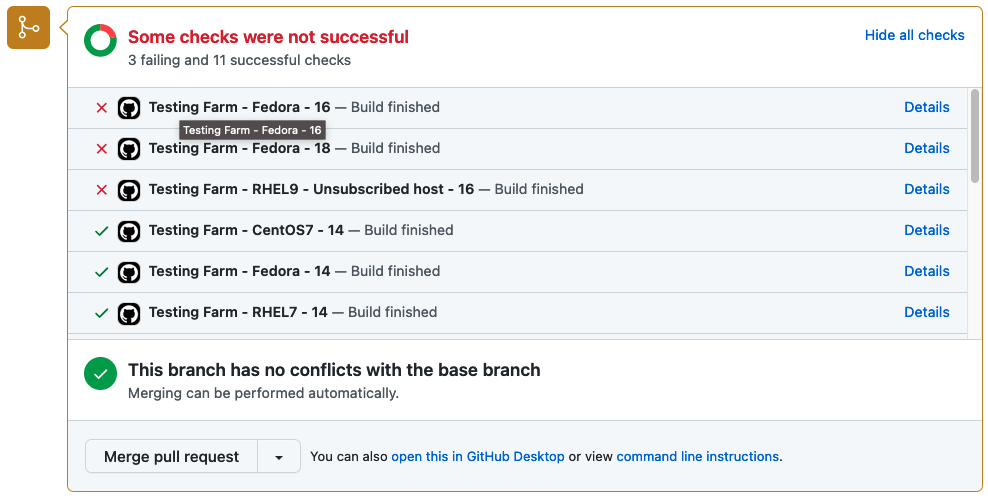
Optionally, if the event which triggers the Testing Farm action is related to a Pull Request, the user can enable a Pull Request status update. Enabling this option ensures that test results are summarized in a graphical form directly in the PR. An example of the graphical output is displayed in the picture below.
Status of tests delivered by Testing Farm as GitHub Action
How to use a Testing Farm as GitHub Action in your repository?
As TFaGA is a composite GitHub action, it is supposed to be embedded in other user-specified GitHub actions.
Example of action, triggered by commenting on a PR
The following example demonstrates, how the TFaGA can be used in a GitHub project. The whole example can be found in sclorg repositories.
NOTE: It is important to check the contents of the tested PR so that no malicious code will be run on the Testing Farm infrastructure. For this reason, only members and owners of the repository should be able to run the tests, as shown in the example below.
The test in this specific example would be triggered with a created comment on a PR by a member or owner of a specific repository. The comment has to include the string ‘[test]’.
name: upstream tests at Testing Farm
on: issue_comment: types:
Created
jobs: build: name: A job run on explicit user request run-ons: ubuntu-20.04 if: | github.event.issue.pull_request && contains(github.event.comment.body, '[test]') && contains(fromJson('["OWNER", "MEMBER"]'), github.event.comment.author_association)
Clone and checkout repository to a proper pull request branch:
- name: Checkout repo uses: actions/checkout@v2
The following shows scheduled tests on Testing Farm by the GitHub Action. This will pass to a testing-farm-as-a-github-action an api_key, stored in the repository secrets, the URL to a TMT plan, and the environment variables that are required by the triggered tests. The chosen testing OS is CentOS7.
Test results are, by default, displayed as a status directly within a Pull Request with GitHub statuses API.
Summary
Why use this GitHub action in your project? It will eliminate caring about testing the infrastructure environment, writing a lot of new GitHub Action workflows, and handling Pull Request statuses.
When using TFaGA, you get the whole testing infrastructure according to your needs simply by providing a TMT test plan and an API key. The pool of available testing environments is composed of many processor architectures and Linux distributions.
Your tests are triggered simply by an action you specify in the configuration file. Logs and results from test execution are collected, reported, and stored in text form and optionally also transparently displayed in the Pull Request status.
Your action is only to get the ‘api_key’ from the Testing Farm team and write a simple GitHub workflow to use our GitHub Action.
So let’s test project changes as soon as possible before the project goes out to the customers!
The Fedora Project is pleased to announce the immediate availability of Fedora Linux 38 Beta, the next step towards our planned Fedora Linux 38 release at the end of April.
Download this prerelease from our Get Fedora site:
Or, check out one of our popular variants, including KDE Plasma, Xfce, and other desktop environments, as well as images for ARM devices like the Raspberry Pi:
Fedora 38 Workstation Beta includes GNOME 44. It’s currently in beta, with a final release expected at the end of March. GNOME 44 includes a lot of great improvements, including a new lock screen, a “background apps” section on the quick menu, and improvements to accessibility settings . In addition, enabling third-party repositories now enables an unfiltered view of applications on Flathub.
Other updates
We always strive to bring new security features to users quickly. Packages are now built with stricter compiler flags that protect against buffer overflows. The rpm package manager uses a Sequoia-based OpenPGP parser instead of its own implementation.
If you’re profiling applications, you’ll appreciate the frame pointers now built into official packages. This makes Fedora Linux a great platform for developers looking to improve Linux application performance.
Of course, there’s the usual update of programming languages and libraries: Ruby 3.2, gcc 13, LLVM 16, Golang 1.20, PHP 8.2, and much more!
Testing needed
Since this is a Beta release, we expect that you may encounter bugs or missing features. To report issues encountered during testing, contact the Fedora QA team via the test mailing list or in the #quality channel on Fedora Chat. As testing progresses, common issues are tracked in the “Common Issues” category on Ask Fedora.
A Beta release is code-complete and bears a very strong resemblance to the final release. If you take the time to download and try out the Beta, you can check and make sure the things that are important to you are working. Every bug you find and report doesn’t just help you, it improves the experience of millions of Fedora Linux users worldwide! Together, we can make Fedora rock-solid. We have a culture of coordinating new features and pushing fixes upstream as much as we can. Your feedback improves not only Fedora Linux, but the Linux ecosystem and free software as a whole.
More information
For more detailed information about what’s new on Fedora Linux 38 Beta release, you can consult the Fedora Linux 38 Change set. It contains more technical information about the new packages and improvements shipped with this release.
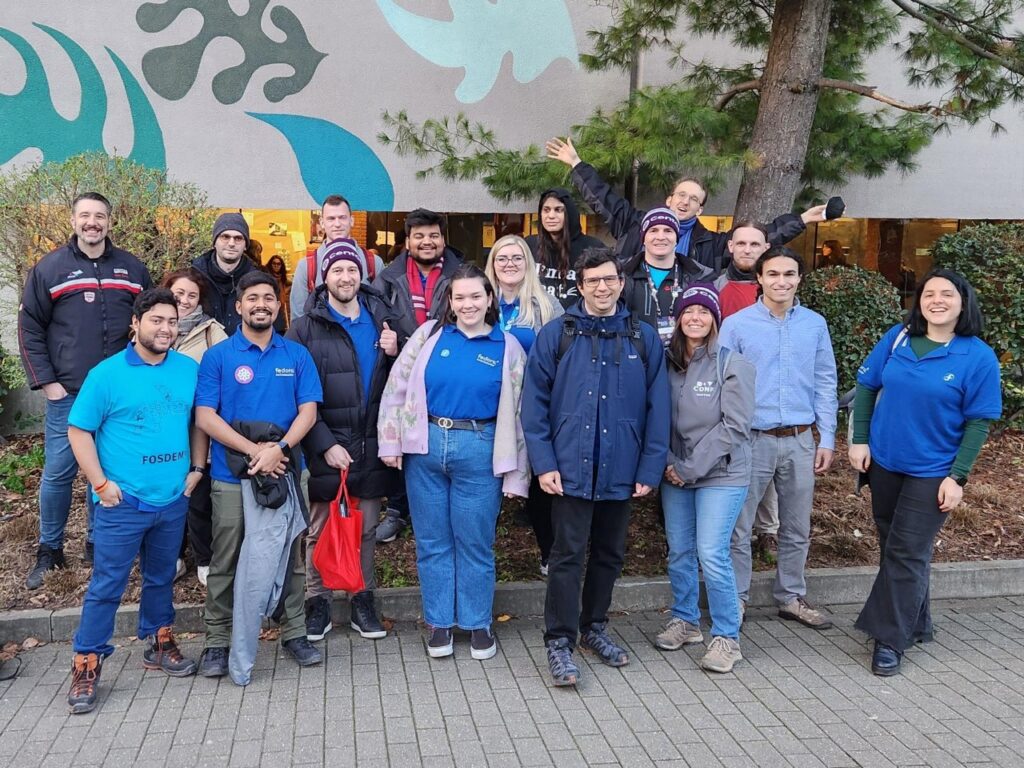
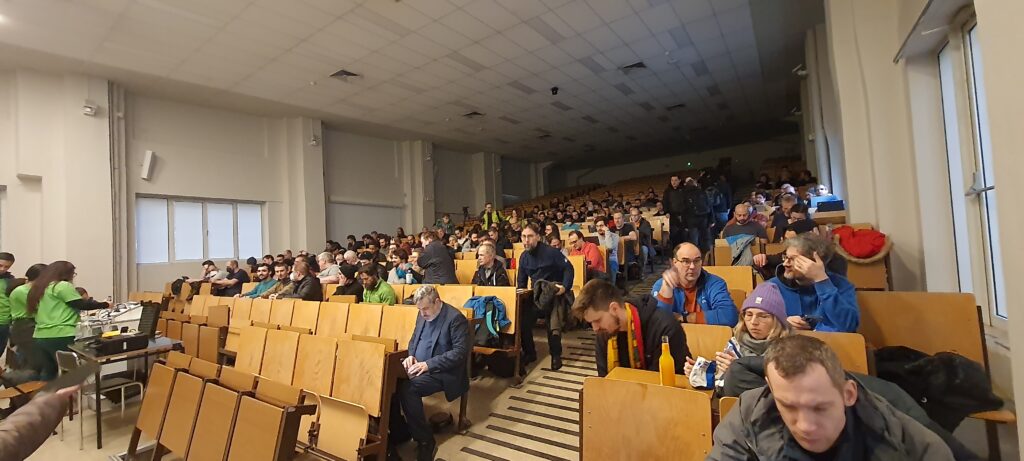
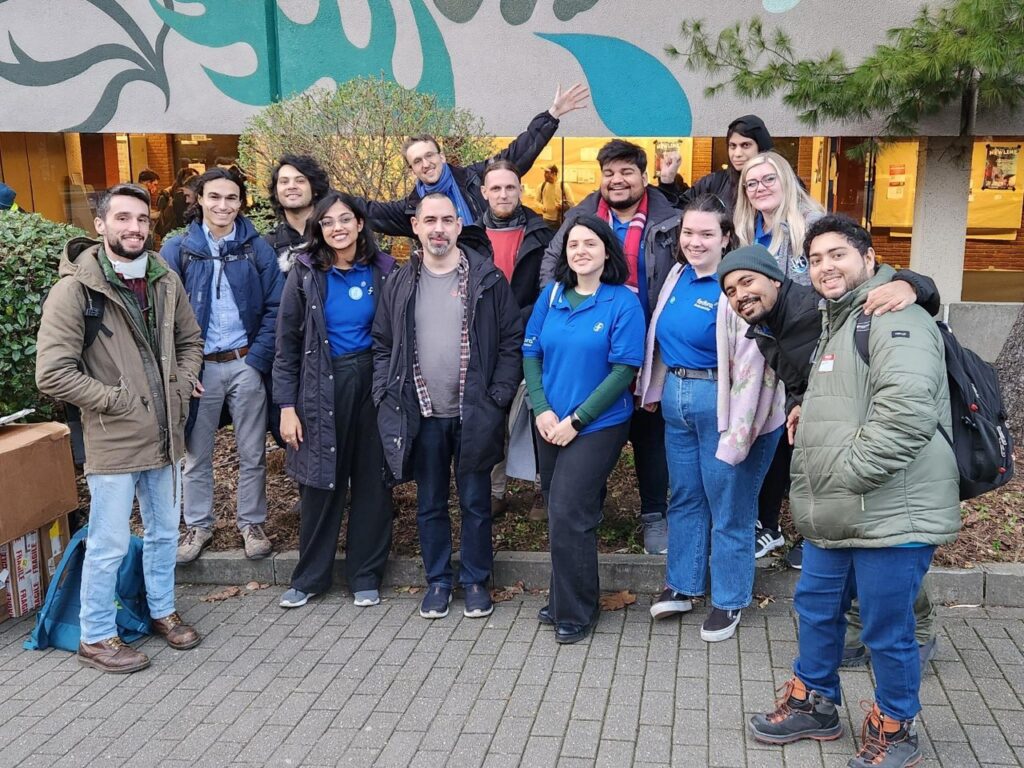
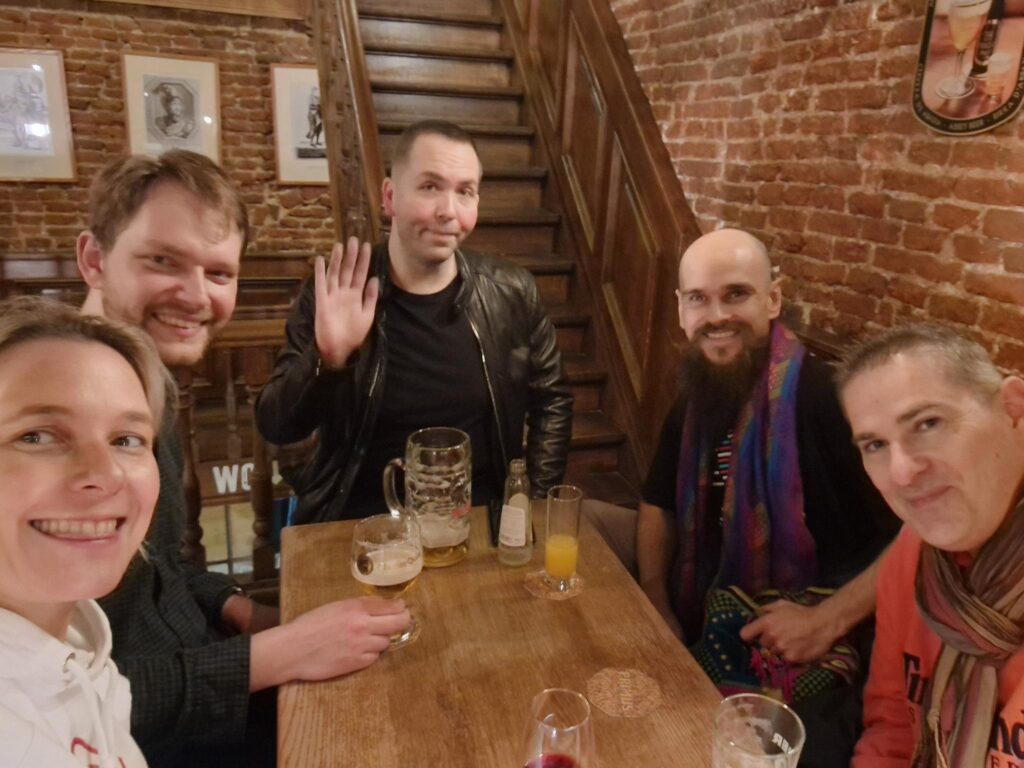
A measure of growth is most apparent when scaled across a span of different times and situations. That applies to folks getting to see you after a long time, to vegetation left alone to spread and of course, to communities having their first meetup after a prolonged spell of online-bound interactions. FOSDEM 23 happened to be one of the first times after around three years that community members from across the world met in person with each other in Brussels, Belgium. With new and old faces alike, their time was well spent representing the community, exhibiting to the wider free and open-source communities the good stuff that they have been keeping themselves busy with and most importantly, bonding with their Fedora friends.
This year FOSDEM took place on 4th February ’23 and 5th February ’23 at Université Libre de Bruxelles, Campus du Solbosch, Avenue F. D. Roosevelt 50, 1050 Bruxelles, Belgium. This free event was participated by over 8000 software engineering enthusiasts from across the world, had around 36 lightning talks and around 771 talks spanning 55 designated devrooms. Contributors from our community did not restrict their participation in the event as just attendees but they also enthusiastically volunteered to be stand keepers in the Fedora Project booth, speakers for a variety of talks and lectures, organizers for a set of devrooms and even as ground staff for making FOSDEM 23 a grand success.
Representation in booth
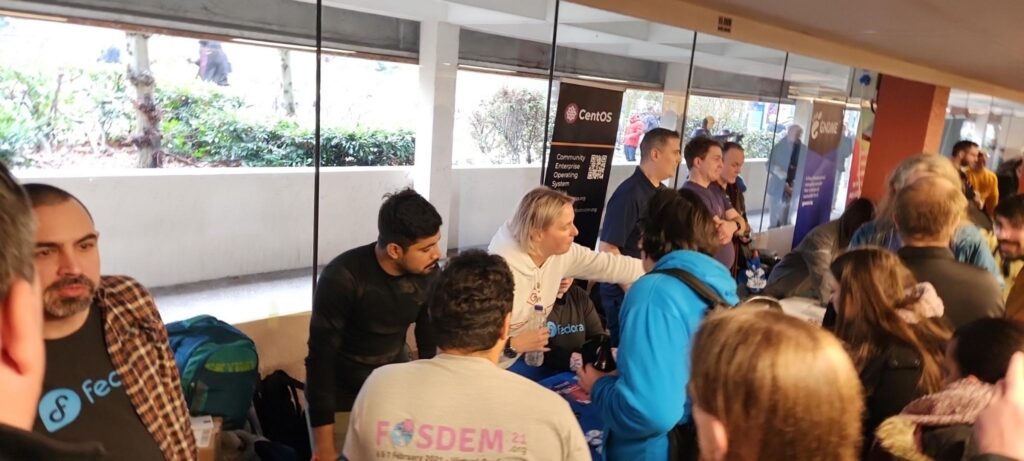
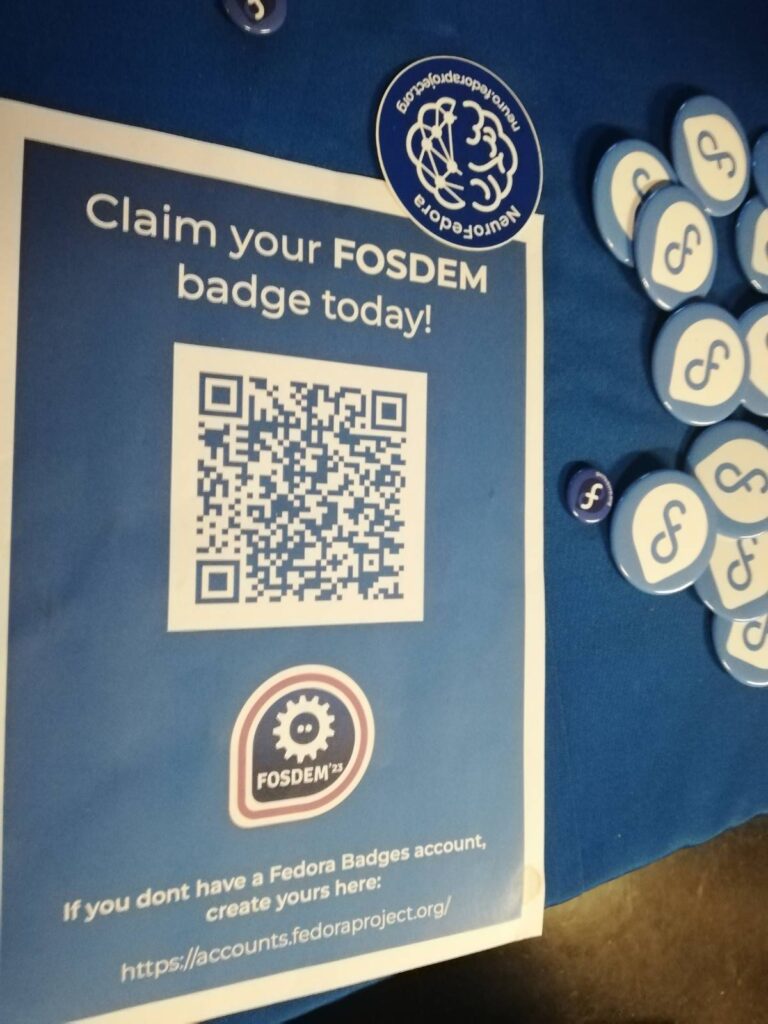
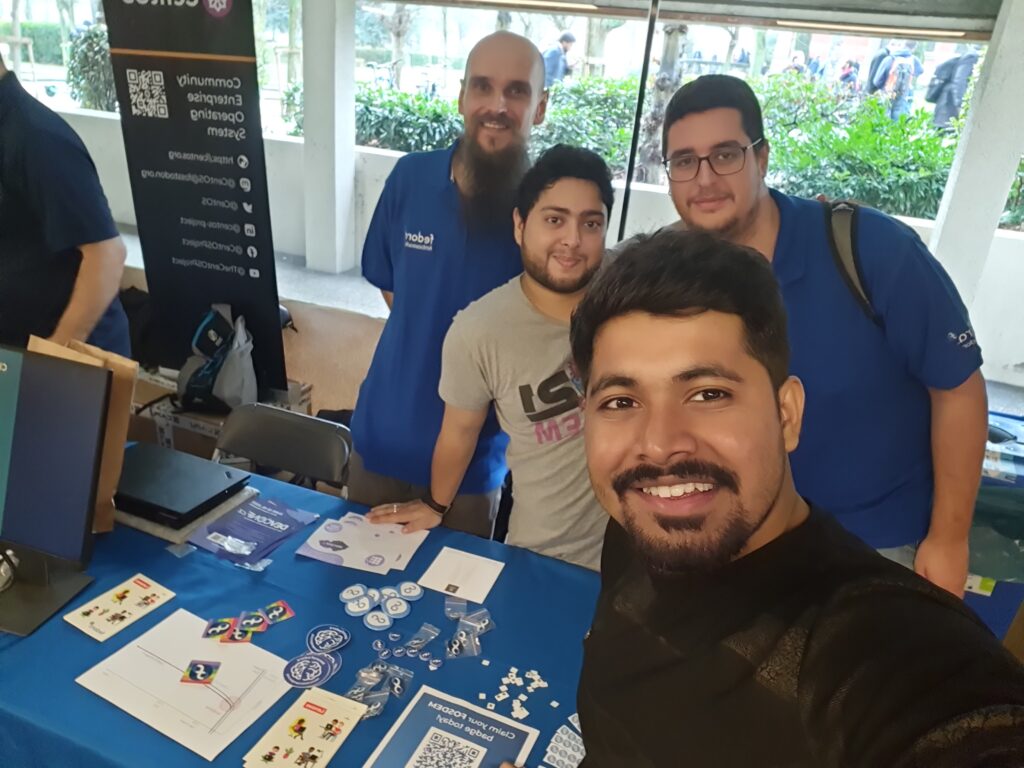
Fedora Project had its official booth in Building H of the Université Libre de Bruxelles campus, near the booths belonging to our friends at CentOS Project and GNOME Project. The desks were set up on time with a display showing the FOSDEM 23 attendee badge QR code and an assorted set of Fedora Project swags for taking (like keycaps with the Fedora logo, USB flash drives with Fedora branding, stickers and clips with the branding of Fedora subteams/SIGs/workgroups like NeuroFedora and Workstation, webcam covers with the Fedora logo and much more). We were also thankfully provided with a jar of jelly bears to offer to our booth attendees and a set of stickers from our friends at the AlmaLinux community.
With a designated booth duty schedule planned beforehand by our community members, the booth was constantly looked after by at least three staff members at any point in time and attended to hundreds of booth visitors throughout the course of the event. The booth visitors were excited to interact with our booth staff members, shared their own fun experiences of using Fedora Linux for a purpose of their choice and asked questions about participating in the community. We also teamed up with our friends from CentOS Project to combine our efforts into managing our booths together and moving our resources to/from the FOSDEM locker room. To sum it up, we really appreciate the community’s participation in our official booth.
Speaking about innovation
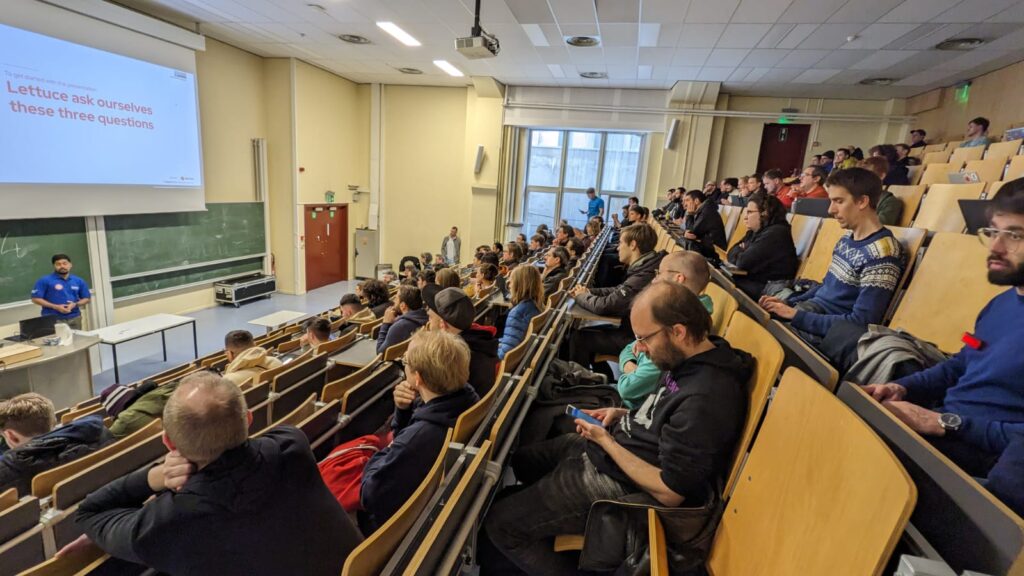
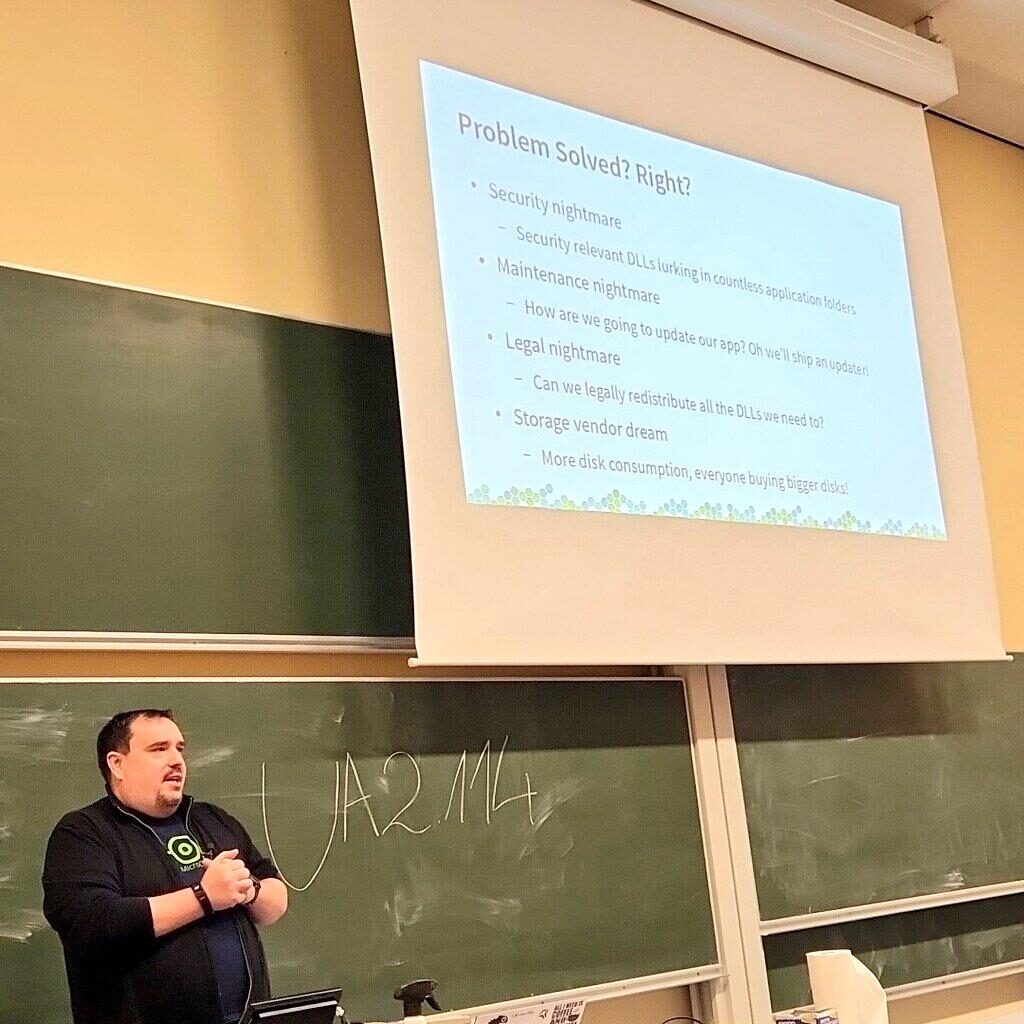
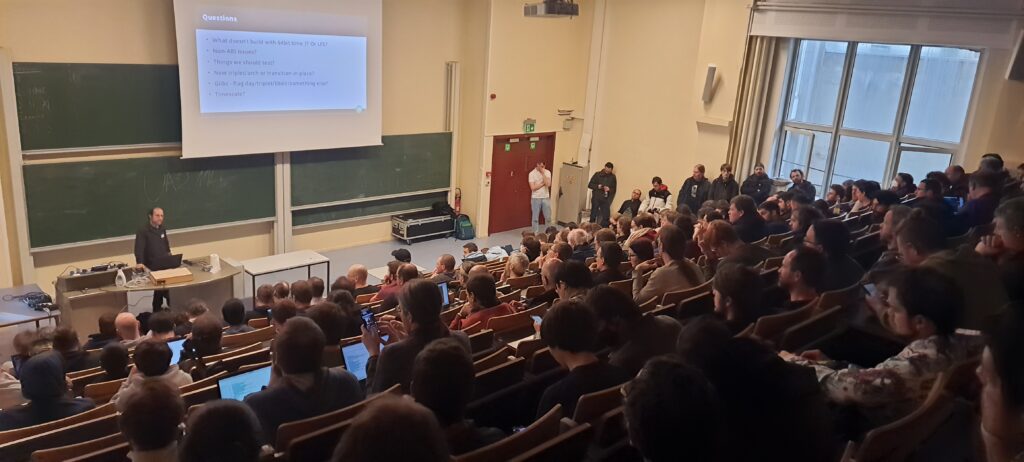
Contributors participating in the Fedora Project community were eager to share what they know about what they have been working and that took place in the form of multiple talks/lectures for a variety of devrooms during FOSDEM 23. Ranging from the latest Fedora Linux remix running on Apple Silicon hardware to improving the experience of video gaming on GNU/Linux distributions, from summing up the helpful outcomes of one of the first open-source creative conferences to building a web-based installer for Fedora Linux, our members were involved in providing a great deal of quality content and were met by wide acclaim from halls filled with enthusiastic attendees.
The delivered talks/lectures were not only useful in letting others know about all the cool things we have been working on but also instrumental in garnering feedback from the wider free and open-source software communities as to how we can do better. The attendees were eager to ask their questions at the end of the respective talks and curious to know about the directions that our projects, activities and developments were headed, thereby helping the speaker establish their network and also, potentially onboarding contributors. The following is the list of talks/lectures associated with the Fedora Project, the links of which can be followed to access the recordings and shared presentation assets.
Being a volunteer-driven conference with only a few people working around the year to make it happen, FOSDEM entirely relies on free and open-source enthusiasts to contribute their efforts to organizing and running a variety of devrooms. FOSDEM has set up internet connectivity and projectors to ensure the teams can meet, discuss, hack and publicly showcase their latest developments in the form of lightning talks, news, discussions, talks and lectures. These devrooms cover a wide range of diverse topics, giving all enthusiasts a platform to show what they have been working on, learn what is current in the field of their interest and benefit from the discussions that take place about their topic.
Ranging from language-specific devrooms to those about community governance, contributors participating in the Fedora Project community got involved in not only delivering talks/lectures in these devrooms but also volunteering to make these a grand success. From running a live microphone for attending to popping up questions to flagging flashcards to show speakers how much time they have left, from setting up the wireless microphone for every new speaker coming to the stage to cleaning up everything after the event is wrapped up – FOSDEM appreciates the community participation and we are all about it. Following is a list of devrooms that were helped by Fedora Community members.
Donning the bright orange FOSDEM volunteer tees are our proud force of FOSDEM ground staff who devote their time to making sure that everything goes smoothly while organizing the conference. From introducing speakers before their talk/lecture begins to running cash registers at the counter selling official FOSDEM tee, from attending to the FOSDEM cloakroom containing booth and devroom assets to providing directions to the lost speakers rushing to their devrooms – needless to mention that FOSDEM would not have been possible without them. Here as well, one of our long-time Fedora Project contributors, Bogomil Shopov volunteered during FOSDEM 23 as their official ground staff.
Other events
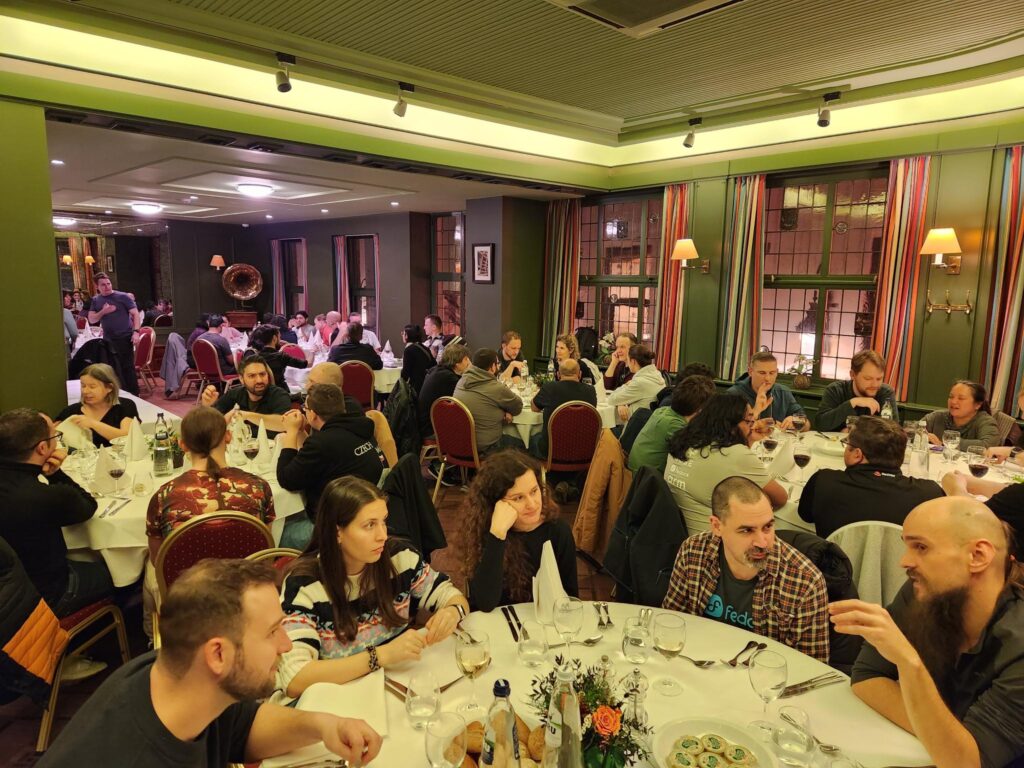
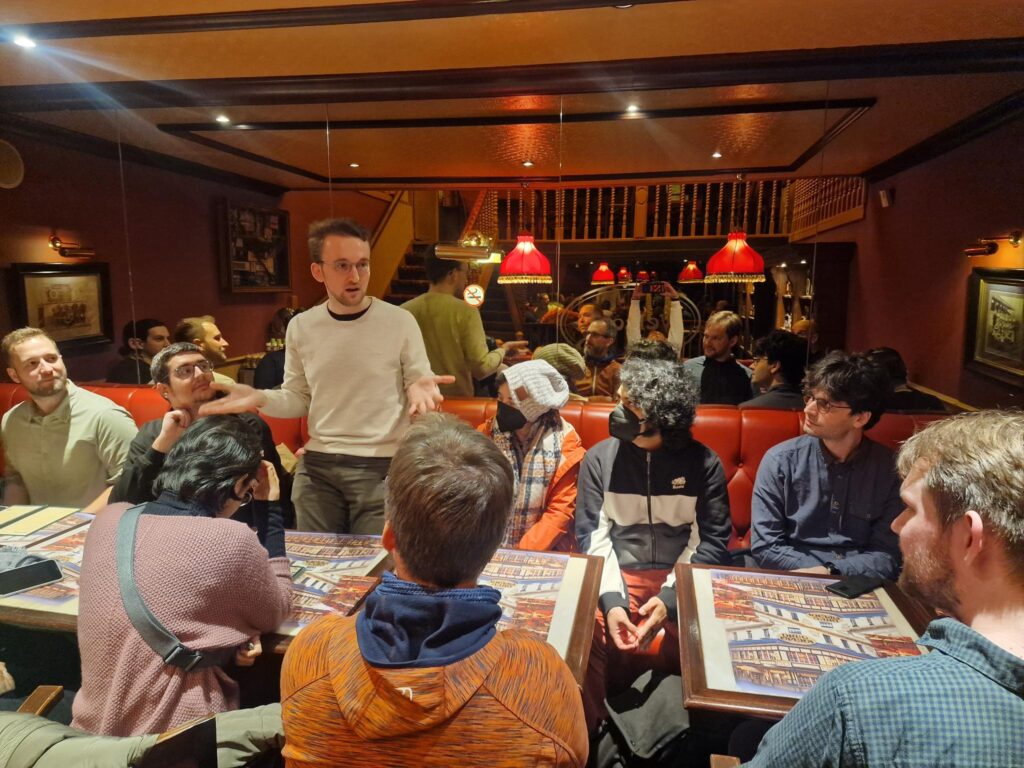
Beyond FOSDEM 23, the contributors participating in the Fedora Project community participated in a bunch of meetups happening around the same time which further helped enrich the networking opportunities for our members. This not only led to our community spanning far and wide to those of others like OpenSUSE, GNOME etc. but to also learning and adapting from what the other communities do best while collaborating with them. We participated in the day-long CentOS Connect event on 3rd February ’23, Google’s FLOSS Foundations Dinner 2023 on 3rd February ’23, Google’s Mentorship Meetup and Fedora & CentOS Friends Dinner on 4th February ’23, and GitHub’s SustainOSS Meetup on 5th February ’23.